Odoo POS + Sylq: Why Your Checkout Needs This Integration
The Checkout Gap Nobody Talks About
Odoo POS + Sylq: Why Your Checkout Needs This Integration
The Checkout Gap Nobody Talks About
A boutique clothing store in Amsterdam has spent six months implementing Odoo. Inventory is synced. Purchase orders flow automatically into accounting. The CRM tracks every customer interaction. The implementation is, by any measure, a success until a customer walks up to the counter, pulls out their phone, and asks to pay with crypto.
The cashier freezes. The store owner, standing nearby, feels that familiar sinking feeling. All that ERP sophistication, and the checkout experience is still held together with manual workarounds. The payment terminal on the counter runs on a separate system. Refunds require a separate action on the terminal and another manual adjustment inside Odoo. End-of-day reconciliation becomes a time-consuming manual exercise cross-checking terminal records against Odoo entries that should have matched automatically.
This is the checkout gap. It is more common than most Odoo consultants like to admit. The ERP side of the business is deeply integrated. But the actual moment of payment the most critical touchpoint with the customer is still disconnected. We built the POS Sylq Payment Terminal Integration module to close that gap permanently.
What Makes Sylq Different
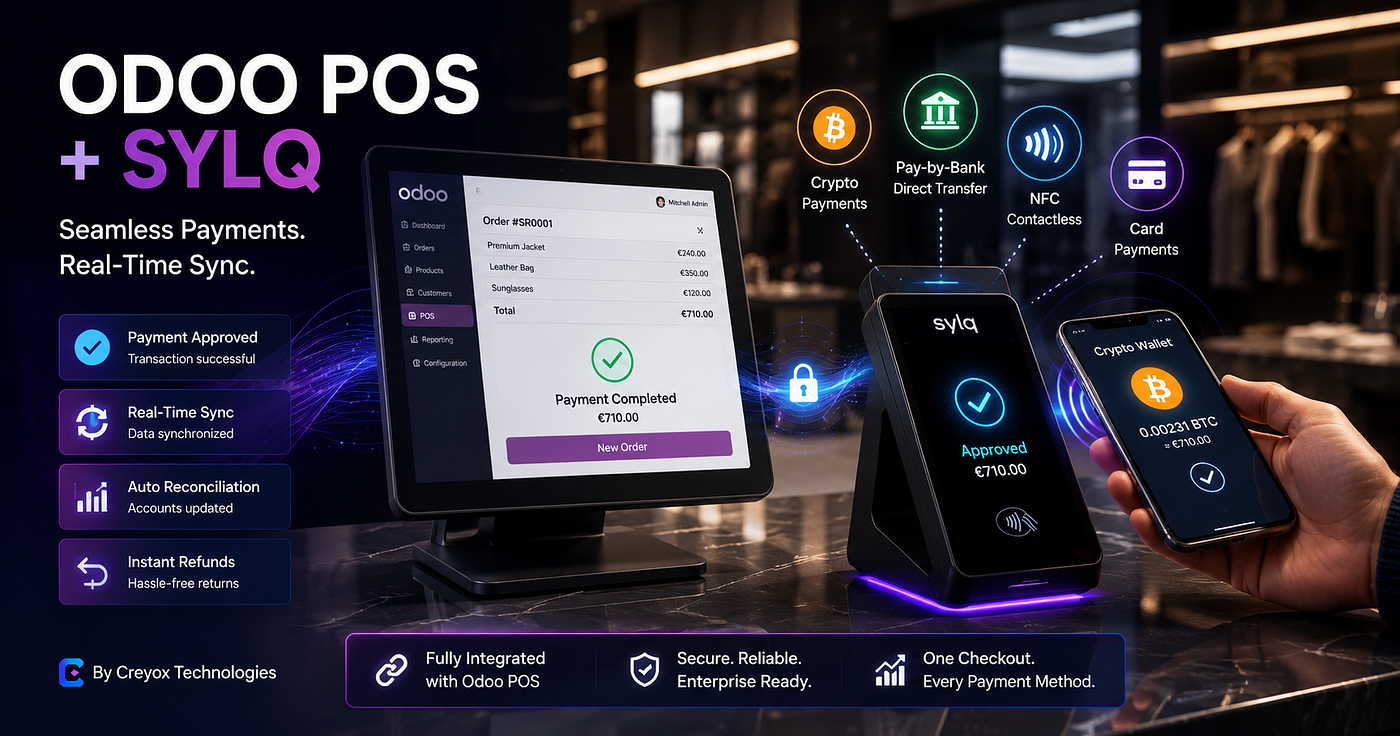
Sylq (sylq.io) is not your typical card terminal provider. Where legacy providers give you a box that accepts Visa and Mastercard and not much else, Sylq has built a terminal platform designed for where payments are actually going. Their devices support contactless NFC, standard card, Pay-by-Bank which lets customers pay directly from their bank account without a physical card and cryptocurrency. All of this runs on hardware that processes transactions in under a second.
What’s driving adoption is the merchant profile Sylq attracts. Luxury retail stores that serve international customers who travel with crypto wallets. High-end restaurants where the bill comes to the table with a terminal that feels premium, not plastic. Event spaces and pop-ups that need a terminal that works across payment types without pre-selecting who their audience is going to be.
The pattern we noticed across these use cases was the same: these businesses had chosen Odoo for their back-end, they had chosen Sylq for their hardware, and there was nothing connecting the two. Every transaction was a manual bridge between two systems that should have been talking to each other from day one.
The Integration Challenge — And How We Solved It
Integrating a payment terminal into Odoo POS sounds straightforward until you’re actually inside it. The Odoo POS architecture is robust, but adding external terminal communication requires careful handling of the payment flow particularly around asynchronous responses, error states, and the refund path, which behaves very differently from a standard sale transaction.
The cr_sylq_pos_payment module is built on top of Odoo's core dependencies: point_of_sale, mail, stock, and account. These aren't arbitrary choices. The account dependency ensures that every Sylq transaction whether a sale or a refund lands correctly in Odoo's accounting journals without any manual intervention. The mail and stock dependencies support the broader POS ecosystem, ensuring nothing breaks when the module sits alongside other installed apps in a production environment.
One architectural decision we made early was to build against the Sylq terminal platform rather than any specific terminal model. This matters more than it sounds. Merchants upgrade their hardware. New Sylq devices get released. If the integration was model-specific, every hardware change would potentially break the connection. By integrating at the platform level, the module works with every Sylq-supported terminal current and future without requiring updates on our end every time Sylq ships new hardware.
The refund architecture deserved particular attention. Most third-party POS payment modules support sales but treat refunds as an afterthought. We built the refund flow as a first-class feature, with the same seamless terminal communication that handles the sale because for a merchant, a poorly handled refund is just as damaging as a failed payment.
What the Module Actually Does — From the Merchant’s Perspective
Let’s step away from the architecture for a moment and talk about what this actually looks like for the person standing behind the counter.
After installation, the merchant navigates to the Odoo POS configuration settings and adds Sylq as a payment method. The terminal is registered once, and from that point forward it behaves like a native Odoo payment option no different in the interface from cash or card, except it’s connected to a Sylq terminal.
At checkout, the cashier selects the Sylq payment method on the POS screen. The transaction request is sent to the terminal automatically. The customer taps, inserts, or pays via their preferred method card, NFC, crypto, Pay-by-Bank directly on the Sylq device. Once the terminal confirms the payment, Odoo validates the transaction and closes the order. No manual amount entry. No confirmation step. No switching screens.
The reconciliation happens in the background. Every Sylq transaction is logged against the correct payment journal in Odoo accounting in real time. At the end of the day, the cashier closes the POS session and the numbers match because they were never out of sync in the first place.
When a customer needs a refund, the cashier initiates the return from the standard Odoo POS refund flow. The refund request is sent to the Sylq terminal, the customer receives their money back through the original payment method, and Odoo updates the accounting entry automatically. What used to be a five-step manual process becomes a single action.
Who Actually Needs This Module
Retail businesses with high transaction volumes feel the impact most directly. Every second saved at checkout multiplies across hundreds of daily transactions. Removing the manual steps between Odoo POS and the Sylq terminal adds up to meaningful operational efficiency over a week, a month, a quarter.
Hospitality and food and beverage businesses benefit enormously from the refund flow. In environments where orders change frequently and customer adjustments are common, having refunds handled natively without leaving the POS screen reduces staff friction and speeds up table turnover.
Odoo implementation partners will find this module valuable for clients who have already committed to Sylq hardware. Rather than building a custom integration or convincing the client to change terminals, partners can install the module, configure the payment method, and deliver a complete POS payment solution in the same implementation cycle.
And for any business that wants to accept crypto or Pay-by-Bank without migrating to a different ERP this module makes it possible without touching anything else in the Odoo setup.
Where POS Payments Are Going — And Why This Matters Now
The direction of in-person payments is clear. Customers increasingly expect to choose how they pay, not adapt to what the terminal accepts. Pay-by-Bank is growing rapidly across Europe. Crypto is moving from novelty to normalcy in certain retail segments. NFC payments have already become the default for a significant portion of consumers.
ERP systems like Odoo are well-positioned to be the central nervous system of a business but only if the payment layer connects to them in real time. A disconnected terminal is a disconnected data set. Every payment that doesn’t flow automatically into Odoo accounting is a manual task, a potential error, and a gap in business intelligence.
The cr_sylq_pos_payment module is available now on the Odoo App Store, supporting Odoo versions 14 through 19 and running on Odoo.sh, and On-Premise deployments. If you're building or running an Odoo POS setup with Sylq terminals, this is the connection you've been missing.
You can find the module here: https://apps.odoo.com/apps/modules/19.0/cr_sylq_pos_payment
메타데이터
- post_id
- bbf98b5915fb
- slug
- odoo-pos-sylq-why-your-checkout-needs-this-integration-bbf98b5915fb
- url
- https://medium.com/@creyox/odoo-pos-sylq-why-your-checkout-needs-this-integration-bbf98b5915fb
- canonical_url
- https://medium.com/@creyox/odoo-pos-sylq-why-your-checkout-needs-this-integration-bbf98b5915fb
- author_url
- https://medium.com/@creyox
- status
- ok
- fetched_at
- 2026-06-25 16:53:31