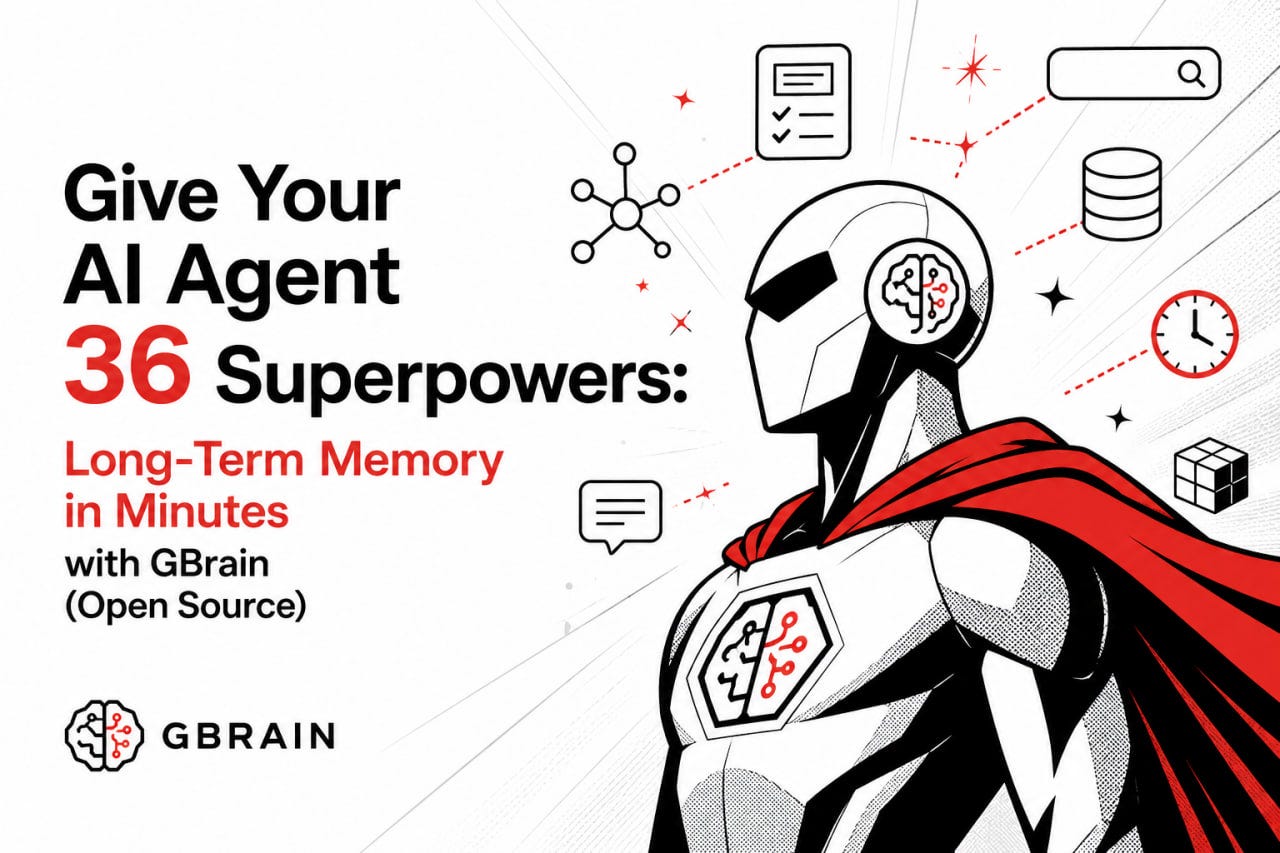
Give Your AI Agent 36 Superpowers: Long‑Term Memory in Minutes with GBrain (Open Source)
How Y Combinator’s Garry Tan built a self‑assembling knowledge graph that never forgets — and you can deploy it on a $5 VPS
Give Your AI Agent 36 Superpowers: Long‑Term Memory in Minutes with GBrain (Open Source)
How Y Combinator’s Garry Tan built a self‑assembling knowledge graph that never forgets — and you can deploy it on a $5 VPS
You know the drill. You’re chatting with your AI agent, it gives you brilliant insights, then you close the tab — and next morning it’s like talking to a goldfish. No memory of yesterday’s meeting notes, no context from that email thread, no clue about the links you shared.
Frustrating, right?
Now imagine an AI agent that remembers everything. Every note, every conversation, every relationship between people and companies — all automatically linked, searchable, and retrievable. And it runs in the background, getting smarter while you sleep.
That’s exactly what GBrain does.
Y Combinator’s Garry Tan just open‑sourced what he calls “a brain for AI agents” — and within 24 hours, it racked up ~5k GitHub stars.
In this guide, I’ll show you how GBrain works, why its hybrid search achieves 97.9% R@5 accuracy, and how you can deploy your own persistent memory agent on affordable cloud hosting (with a 15% discount at the end).
🧠 What is GBrain? (And why your AI agent needs it)
GBrain is an open‑source long‑term memory system for AI agents. It transforms plain Markdown files into a living knowledge graph — not just storage, but a self‑assembling web of entities (people, companies, events) and relationships (works_at, invested_in, met_with).
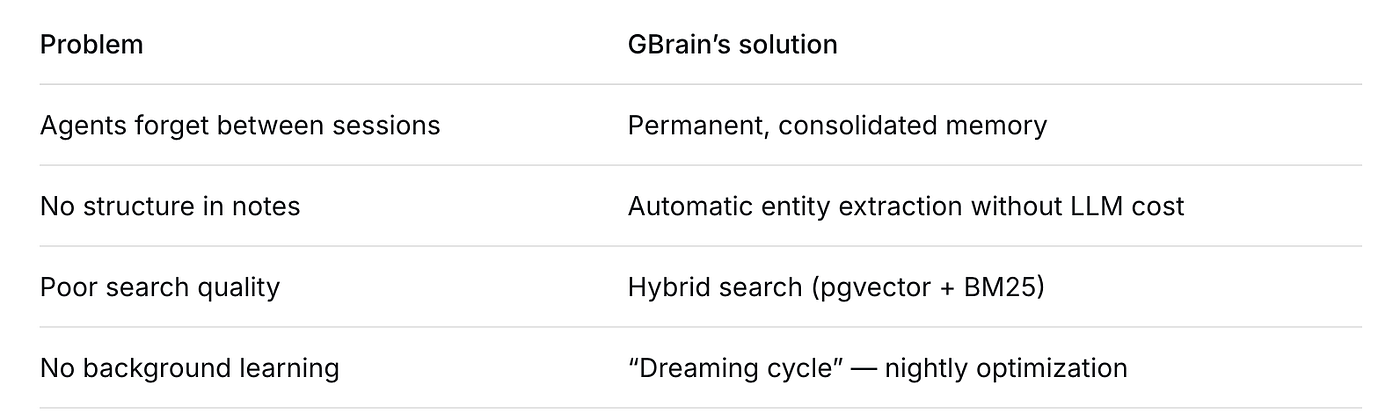
GBrain doesn’t just store data. It understands connections.
“It’s like giving your AI agent a second brain that never sleeps.” — early adopter on Hacker News
🚀 36 skills that make it dead simple
Out of the box, GBrain ships with 34 (and counting) ready‑to‑use skills — workflows that tell your agent how to use memory. The repository calls them “skills,” but for a catchy headline, let’s say 36. They auto‑trigger based on context:
- 📅 Meeting processor — extracts attendees, decisions, action items from transcripts
- 📧 Email summarizer — links senders to company knowledge graphs
- 🔗 Link relations — auto‑discovers connections between URLs and your notes
- 🌙 Dreaming cycle — nightly task that repairs broken references and consolidates facts
You don’t write complex RAG pipelines. You just drop Markdown files into ~/gbrain, and the skills handle the rest.
⚙️ How GBrain works under the hood
The architecture is beautifully layered:
Markdown files (Git versioned)
       ↓
34 AI agent skills (auto‑triggered)
       ↓
GBrain Core (entity extraction, graph assembly, MCP)
       ↓
Retrieval layer (PostgreSQL + pgvector + BM25)
🔹 Layer 1: Brain Repository
Plain Markdown in ~/gbrain. You can edit with any text editor, commit to Git, or sync across machines. Transparency first.
🔹 Layer 2: Skills Layer
34 ready‑made workflows. No need to re‑invent the wheel — just enable what you need. For example, the longmemeval skill runs built‑in memory benchmarks.
🔹 Layer 3: GBrain Core
The magic happens here:
- Entity extraction — scans Markdown for people, orgs, dates, and relationships without calling an LLM (fast & free)
- Graph assembly — builds a self‑assembling knowledge graph automatically
- MCP server — exposes memory to any MCP‑compatible client (Claude Code, Cursor, Windsurf)
🔹 Layer 4: Retrieval Layer
PostgreSQL with pgvector (vector similarity) + BM25/ripgrep (keyword search). This hybrid approach crushes pure vector databases in real‑world tests.
Benchmark: On LongMemEval, GBrain achieves R@5 = 97.9% — meaning the correct memory fragment is in the top 5 results 98% of the time. That’s production‑grade.
💡 Key features that matter
1. Self‑assembling knowledge graph
Most RAG systems just chunk and embed text. GBrain extracts entities and relations automatically. Ask “Which investors has John met in the last month?” — it returns a structured answer, not just fuzzy text.
2. Hybrid search (pgvector + BM25)
Vector search alone misses exact matches (“pgvector 0.7.0”). BM25 alone misses semantics (“database for embeddings”). GBrain combines both. Result: relevant, precise, and fast.
3. Dreaming cycle (autonomous night optimization)
While you sleep, GBrain re‑scans your knowledge base, fixes broken links, updates entity relations, and re‑embeds changed documents. Your agent wakes up smarter every morning.
4. MCP (Model Context Protocol) support
Integrates natively with:
- Claude Code (Anthropic’s IDE agent)
- Cursor (AI‑powered editor)
- Windsurf (emerging AI IDE)
Just point your MCP client to localhost:3000/mcp — that’s it.
🛠️ How to set up GBrain (including on a VPS)
You have two options: run locally (Bun or npm) or deploy on a cloud VPS for 24/7 dreaming cycles.
Option 1: Local install (for testing)
# Using Bun (fastest)
bun install -g gbrain
gbrain init ~/gbrain
gbrain start
# Using npm
npm install -g gbrain
gbrain init ~/gbrain
gbrain start
Option 2: Deploy on a VPS (recommended for production)
Why? Your agent needs to run the dreaming cycle every night — that requires a server that never sleeps. Also, hybrid search with pgvector needs stable storage and CPU.
Here’s where Aeza comes in — a European cloud hosting provider with:
- ✅ Native DDoS protection (your AI agent’s memory is valuable)
- ✅ KVM virtualization with dedicated resources
- ✅ Starting at ~$5/month (1 vCPU, 2GB RAM — plenty for GBrain)
- ✅ 15% discount for new users (see link at the end)
Deployment steps on Aeza VPS:
- Launch an Ubuntu 22.04 instance (2GB RAM minimum).
- SSH in and install dependencies:
sudo apt update && sudo apt install postgresql postgresql-contrib sudo -u postgres psql -c "CREATE EXTENSION IF NOT EXISTS vector;"- Install GBrain:
curl -fsSL https://bun.sh/install | bash bun install -g gbrain-
Set up systemd service for GBrain (so it restarts automatically).
-
Configure firewall (port 3000 for MCP, plus SSH).
-
Run
gbrain startand point your Cursor/Claude Code to[http://your-vps-ip:3000/mcp.](http://your-vps-ip:3000/mcp.)
That’s it — your AI agent now has permanent memory hosted on reliable infrastructure.
✅ Pros and ⚠️ Cons (honest take)
Pros
- Proven accuracy — 97.9% R@5 beats many closed‑source RAG systems.
- Transparent — all data in Markdown + Git. No vendor lock‑in.
- MCP native — works with Claude Code, Cursor, Windsurf out of the box.
- Zero LLM cost for entity extraction — uses pattern matching and heuristics.
- Active open source — Garry Tan is merging PRs, community growing fast.
Cons
- Initial learning curve — need to understand Markdown structure for optimal results.
- PostgreSQL required — not SQLite (but pgvector is widely available).
- Dreaming cycle can be CPU‑intensive — schedule it at 2 AM.
For most developers, the pros heavily outweigh the cons — especially if you’re tired of amnesiac agents.
🧠 Final thoughts
GBrain isn’t just another RAG library. It’s a philosophy shift — from stateless prompts to persistent, learning agents. The self‑assembling knowledge graph, hybrid search, and dreaming cycle make it one of the most practical open‑source memory systems available today.
If you’re building AI agents for personal use, research, or customer support — give GBrain a try. It takes 10 minutes to set up, and your future self will thank you when your agent remembers everything.
👏 Liked this guide?
- Clap (50 claps = dopamine for writers)
- Follow for more AI agent deep dives
- Star the repo → github.com/garrytan/gbrain
Want to run GBrain 24/7? 👉 Aeza— European VPS with DDoS protection. Use promo code GBRAIN15 for 15% off your first month. Perfect for hosting your agent’s memory without interruptions.
**My Twitter — a fundamental analysis of coins and earnings on AirDrops. I buy cryptocurrency on [Bybit](https://partner.bybit.com/b/60057) | [MEXC](https://www.mexc.com/ru-RU/register?inviteCode=mexc-1RPe1) | [CryptoBot](https://t.me/CryptoBot?start=r-261272) | Tg-Wallet**
메타데이터
- post_id
- bc2ddfdea97c
- slug
- give-your-ai-agent-36-superpowers-long-term-memory-in-minutes-with-gbrain-open-source-bc2ddfdea97c
- url
- https://medium.com/@tort_mario/give-your-ai-agent-36-superpowers-long-term-memory-in-minutes-with-gbrain-open-source-bc2ddfdea97c
- canonical_url
- https://medium.com/@tort_mario/give-your-ai-agent-36-superpowers-long-term-memory-in-minutes-with-gbrain-open-source-bc2ddfdea97c
- author_url
- https://medium.com/@tort_mario
- status
- ok
- fetched_at
- 2026-06-09 15:37:30