Convert your React App into a Progressive Web App (PWA) in 4 Steps
PWAs are Cool. PWAs are cutting edge. PWAs is a type of application software delivered through the web, built using common web…
Convert your React App into a Progressive Web App (PWA) in 4 Steps
PWAs are Cool. PWAs are cutting edge. PWAs is a type of application software delivered through the web, built using common web technologies including HTML, CSS and JavaScript. It is intended to work on any platform that uses a standards-compliant browser, including both desktop and mobile devices.
Simply put, let’s make your websites installable like an application.
Step 1: Make sure serviceWorker is registered in the index.js file in your React project.
import * as serviceWorker from "./serviceWorker";
serviceWorker.register();
If there is no serviceworker.js file available in your project, you can create one with the code **here**.
Step 2: Inside your public directory, create a new file worker.js and paste the following code in it. We need to register this file in index.html next.
[embed]
Step 3: Include manifest.json and apple-touch-icon-512.png files to the project along with their link tags in the <head> section of the index.html.
<link rel="apple-touch-icon" href="%PUBLIC_URL%/images/icons-512.png" />
<link rel="manifest" href="%PUBLIC_URL%/manifest.json" />
register the created worker.js file by pasting the following code before </body> tag.
[embed]
Optionally you can design a section that gets displayed before your application gets loaded inside <div id=”root”>{your waiting/loading time code}</div>
Step 4: Inside manifest.json add the following snippet,
{
"short_name": "app_name",
"name": "app description.",
"icons": [
   {
    "src": "./images/icons-512.png",
    "type": "image/png",
    "sizes": "512x512",
    "purpose": "any maskable"
   }
],
"start_url": ".",
"display": "standalone",
"theme_color": "#000000",
"background_color": "#000000"
}
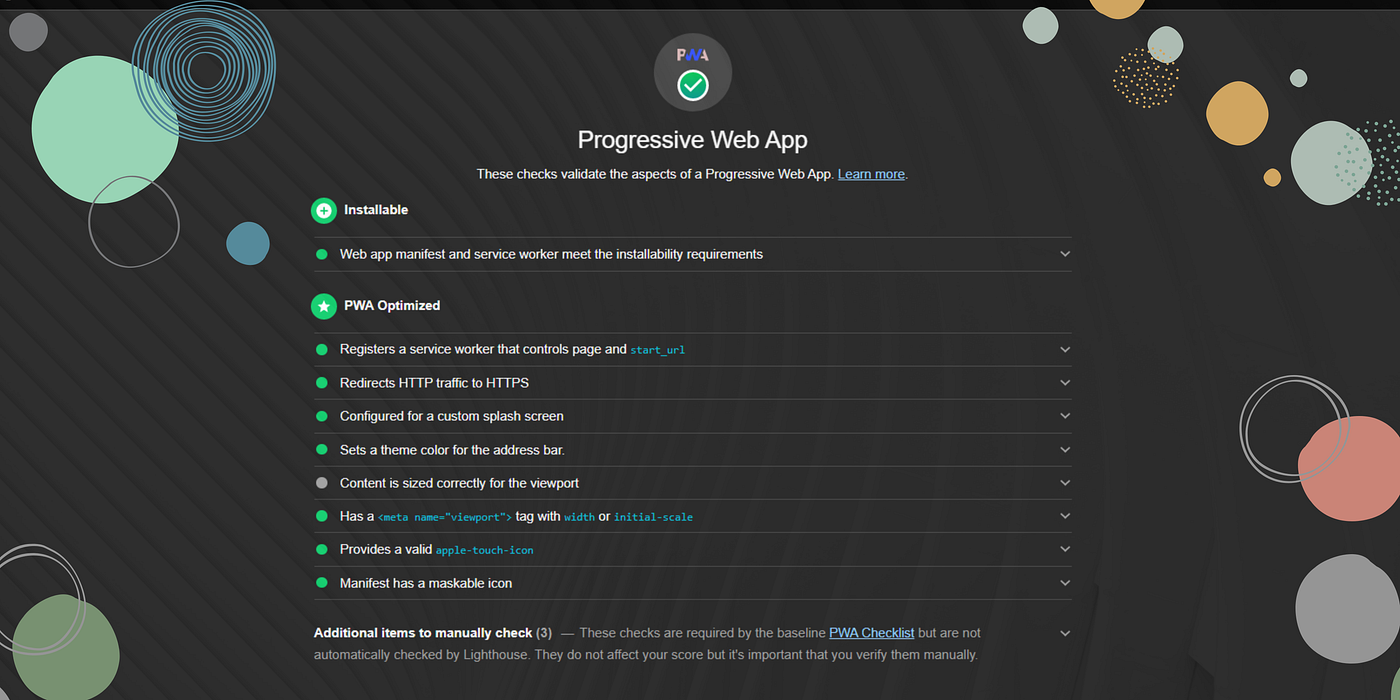
That’s pretty much it, if you now launch your app and generate a Lighthouse report for Progressive Web App, you’ll get all green.

Work From Home Cat GIF by JustViral — Find & Share on GIPHY
Your application is now Installable and PWA Optimized. Your app will prompt users to install the PWA when they visit.
메타데이터
- post_id
- bc4e5c177a2f
- slug
- convert-your-react-app-into-a-progressive-web-app-pwa-in-4-steps-bc4e5c177a2f
- url
- https://medium.com/@sameerfa/convert-your-react-app-into-a-progressive-web-app-pwa-in-4-steps-bc4e5c177a2f
- canonical_url
- https://medium.com/@sameerfa/convert-your-react-app-into-a-progressive-web-app-pwa-in-4-steps-bc4e5c177a2f
- author_url
- https://medium.com/@sameerfa
- status
- ok
- fetched_at
- 2026-07-27 21:38:10