Go Authentication from Scratch — Password Hashing and Session Management Done Right
How to store passwords securely with bcrypt and manage sessions in Go. The foundation most developers skip.
Go Authentication from Scratch — Password Hashing and Session Management Done Right
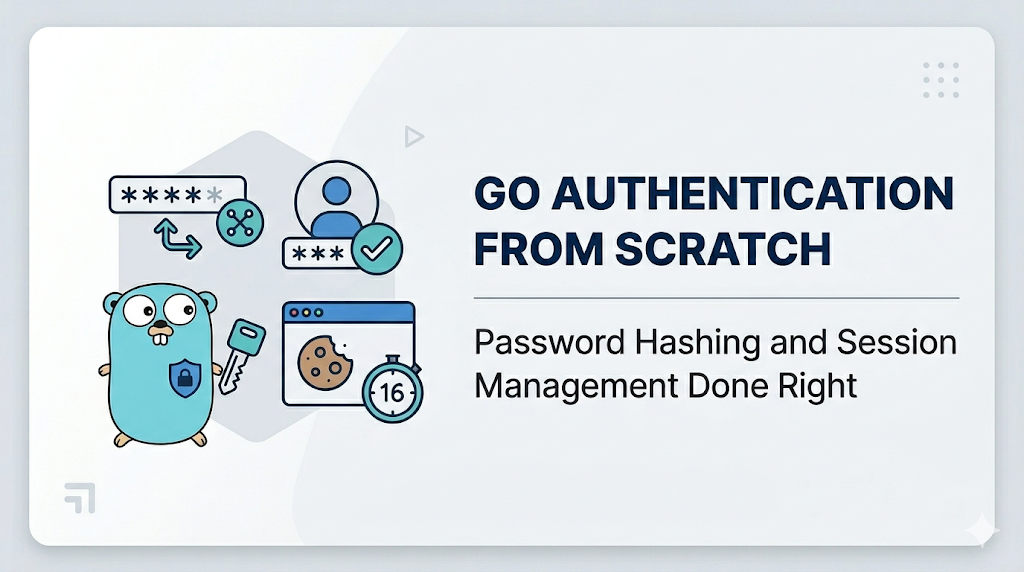
How to store passwords securely with bcrypt and manage sessions in Go. The foundation most developers skip.
Picture this: you just deployed your first Go application. The API runs smoothly, the database is connected, every feature works. Then you realize — you’re storing user passwords as plain text in the database.
That scenario is more common than you’d think. And more dangerous than it looks.
One database breach, and every user’s password is immediately readable. Worse, since many people reuse passwords across multiple services, a single breach in your app can cascade far beyond it.
In Part 1 of this series, we’ll build the right foundation for authentication: securely storing passwords using bcrypt, and managing session cookies to maintain login state across requests. No magic auth libraries — we’ll understand every line of code.
Hashing vs. Encryption — Get This Right First
Before writing a single line of code, it’s worth clarifying a concept that trips up a lot of developers.
Encryption is a two-way process — data is encrypted and can be decrypted back to its original form. If you store passwords using encryption, there’s a key that can unlock them. If that key leaks, it’s game over.
Hashing is a one-way process — the input is transformed into a fixed-length string (the hash) that is mathematically irreversible. When a user logs in, you don’t “decrypt” their password — you hash what they submitted and compare the result.
"password123" → bcrypt → "$2a$12$N9qo8uLOickgx2ZMRZoMye..."Two separate runs produce different hashes (because of the random salt), yet CompareHashAndPassword can still verify both. That's what makes bcrypt secure.
Why bcrypt and not SHA-256 or MD5?
A fair question. MD5 and SHA-256 are hash functions too, but they were designed for speed — great for file checksums, terrible for passwords. A modern GPU can compute billions of SHA-256 hashes per second.
bcrypt, by contrast, is intentionally slow. A benchmark on AWS EC2 using hashcat makes the difference starkly clear:
MD5:     380,000,000 hashes/sec
SHA-256: 110,000,000 hashes/sec
bcrypt:      25,000 hashes/sec  ← this is exactly what we want
That several-thousand-fold difference is what makes brute-force attacks impractical.
Project Setup
mkdir go-auth-series && cd go-auth-series
go mod init github.com/yourname/go-auth-series

# Install dependencies
go get golang.org/x/crypto/bcrypt
go get github.com/gorilla/sessions
File structure we’ll build:
go-auth-series/
├── main.go
├── auth/
│   ├── password.go   ← bcrypt hashing
│   └── session.go    ← session management
└── go.mod
Part A: Password Hashing with bcrypt
auth/password.go
package auth

import (
    "errors"
    "golang.org/x/crypto/bcrypt"
)

// Cost is the bcrypt work factor.
// 12 is a solid sweet spot between security and performance on modern hardware (2025).
// Every increment of 1 doubles the computation time.
const Cost = 12

// HashPassword takes a plain-text password and returns a bcrypt hash.
// Salt is generated automatically by the library - never generate it yourself.
func HashPassword(password string) (string, error) {
    if len(password) == 0 {
        return "", errors.New("password cannot be empty")
    }
    // bcrypt only processes the first 72 bytes of input
    if len([]byte(password)) > 72 {
        return "", errors.New("password too long (max 72 bytes)")
    }
    hash, err := bcrypt.GenerateFromPassword([]byte(password), Cost)
    if err != nil {
        return "", err
    }
    return string(hash), nil
}

// CheckPassword verifies a plain-text password against a stored hash.
// Always use this function - never compare the strings manually.
func CheckPassword(password, hash string) bool {
    err := bcrypt.CompareHashAndPassword([]byte(hash), []byte(password))
    return err == nil
}
Two things worth highlighting here:
Work factor 12: This is the recommended value for modern hardware in 2025. The bcrypt.DefaultCost is only 10, which is starting to show its age. OWASP recommends a minimum of 10, but 12 gives you a better security buffer. The higher the value, the longer hashing takes — benchmark on your own server and pick the highest value that still responds within ~300ms.
The 72-byte limit: This is a bcrypt algorithm constraint that many developers don’t know about. The Go library ([golang.org/x/crypto/bcrypt](https://pkg.go.dev/golang.org/x/crypto/bcrypt)) will now return ErrPasswordTooLong explicitly in newer versions, but validating upfront gives your users a cleaner error message instead of a cryptic library error.
Testing the password functions
// auth/password_test.go
package auth

import "testing"

func TestHashAndCheck(t *testing.T) {
    password := "Str0ng&SecurePass!"
    hash, err := HashPassword(password)
    if err != nil {
        t.Fatalf("HashPassword failed: %v", err)
    }
    // The hash must differ from the plain-text password
    if hash == password {
        t.Error("hash should not equal the original password")
    }
    // Verification should succeed with the correct password
    if !CheckPassword(password, hash) {
        t.Error("CheckPassword returned false for a correct password")
    }
    // Verification should fail with a wrong password
    if CheckPassword("wrongpassword", hash) {
        t.Error("CheckPassword returned true for an incorrect password")
    }
}

func TestSamePasswordProducesDifferentHashes(t *testing.T) {
    password := "SamePasswordEveryTime"
    hash1, _ := HashPassword(password)
    hash2, _ := HashPassword(password)
    // Two hashes from the same password must be different (random salt)
    // but both must still verify correctly
    if hash1 == hash2 {
        t.Error("two hashes of the same password should differ")
    }
    if !CheckPassword(password, hash1) || !CheckPassword(password, hash2) {
        t.Error("both hashes should verify successfully")
    }
}
Part B: Session Management with Cookies
JWT is popular, but for traditional web applications that render HTML server-side (Go templates, for example), session cookies are a simpler and more mature approach.
Here’s how it works:
- User logs in → server verifies credentials
- Server creates a session and stores data server-side
- Client receives a cookie containing an encrypted session ID
- On every subsequent request, the cookie is sent → server looks up the session → user is identified
auth/session.go
package auth

import (
    "net/http"
    "os"
    "github.com/gorilla/sessions"
)

const sessionName = "go-auth-session"

// store is the global session store.
// The key must be 32 bytes for AES-256 encryption.
// Never hardcode this in production - load it from an environment variable.
var store *sessions.CookieStore

func init() {
    key := os.Getenv("SESSION_KEY")
    if key == "" {
        // Fallback for local development only - NEVER use this in production
        key = "dev-only-key-32-bytes-change-me!"
    }
    store = sessions.NewCookieStore([]byte(key))
    store.Options = &sessions.Options{
        Path:     "/",
        MaxAge:   86400 * 7,               // 7 days in seconds
        HttpOnly: true,                    // inaccessible to JavaScript (anti-XSS)
        Secure:   true,                    // only sent over HTTPS
        SameSite: http.SameSiteStrictMode, // anti-CSRF
    }
}

// SetUserSession stores user information in the session after a successful login.
func SetUserSession(w http.ResponseWriter, r *http.Request, userID, email string) error {
    session, err := store.Get(r, sessionName)
    if err != nil {
        return err
    }
    session.Values["authenticated"] = true
    session.Values["user_id"] = userID
    session.Values["email"] = email
    return session.Save(r, w)
}

// GetUserSession retrieves user data from the active session.
// Returns userID, email, and whether the user is authenticated.
func GetUserSession(r *http.Request) (userID, email string, authenticated bool) {
    session, err := store.Get(r, sessionName)
    if err != nil {
        return "", "", false
    }
    auth, ok := session.Values["authenticated"].(bool)
    if !ok || !auth {
        return "", "", false
    }
    userID, _ = session.Values["user_id"].(string)
    email, _ = session.Values["email"].(string)
    return userID, email, true
}

// DestroySession invalidates the session (used on logout).
func DestroySession(w http.ResponseWriter, r *http.Request) error {
    session, err := store.Get(r, sessionName)
    if err != nil {
        return err
    }
    // MaxAge -1 tells the browser to delete the cookie immediately
    session.Options.MaxAge = -1
    return session.Save(r, w)
}
The three cookie options that matter most for security:
Option Value Why HttpOnly true JavaScript cannot read the cookie — prevents XSS from stealing sessions Secure true Cookie is only sent over HTTPS — prevents network sniffing SameSite Strict Cookie is not sent from other domains — prevents CSRF
Wiring It All Together in main.go
package main

import (
    "encoding/json"
    "fmt"
    "log"
    "net/http"
    "time"
    "github.com/yourname/go-auth-series/auth"
)

// User simulates a database record
type User struct {
    ID           string
    Email        string
    PasswordHash string
}

// In-memory user store - replace with a real database in production
var users = map[string]*User{} // key: email

func registerHandler(w http.ResponseWriter, r *http.Request) {
    if r.Method != http.MethodPost {
        http.Error(w, "method not allowed", http.StatusMethodNotAllowed)
        return
    }
    var req struct {
        Email    string `json:"email"`
        Password string `json:"password"`
    }
    if err := json.NewDecoder(r.Body).Decode(&req); err != nil {
        http.Error(w, "invalid request body", http.StatusBadRequest)
        return
    }
    if _, exists := users[req.Email]; exists {
        http.Error(w, "email already registered", http.StatusConflict)
        return
    }
    hash, err := auth.HashPassword(req.Password)
    if err != nil {
        http.Error(w, "invalid password: "+err.Error(), http.StatusBadRequest)
        return
    }
    userID := fmt.Sprintf("user_%d", time.Now().UnixNano())
    users[req.Email] = &User{
        ID:           userID,
        Email:        req.Email,
        PasswordHash: hash,
    }
    w.WriteHeader(http.StatusCreated)
    json.NewEncoder(w).Encode(map[string]string{
        "message": "registration successful",
        "user_id": userID,
    })
}

func loginHandler(w http.ResponseWriter, r *http.Request) {
    if r.Method != http.MethodPost {
        http.Error(w, "method not allowed", http.StatusMethodNotAllowed)
        return
    }
    var req struct {
        Email    string `json:"email"`
        Password string `json:"password"`
    }
    if err := json.NewDecoder(r.Body).Decode(&req); err != nil {
        http.Error(w, "invalid request body", http.StatusBadRequest)
        return
    }
    user, exists := users[req.Email]
    // IMPORTANT: The error message must be identical whether the email
    // doesn't exist or the password is wrong. Different messages allow
    // attackers to enumerate valid usernames (user enumeration attack).
    if !exists || !auth.CheckPassword(req.Password, user.PasswordHash) {
        http.Error(w, "invalid email or password", http.StatusUnauthorized)
        return
    }
    if err := auth.SetUserSession(w, r, user.ID, user.Email); err != nil {
        http.Error(w, "failed to create session", http.StatusInternalServerError)
        return
    }
    json.NewEncoder(w).Encode(map[string]string{
        "message": "login successful",
    })
}

func profileHandler(w http.ResponseWriter, r *http.Request) {
    userID, email, authenticated := auth.GetUserSession(r)
    if !authenticated {
        http.Error(w, "unauthorized - please log in", http.StatusUnauthorized)
        return
    }
    json.NewEncoder(w).Encode(map[string]string{
        "user_id": userID,
        "email":   email,
    })
}

func logoutHandler(w http.ResponseWriter, r *http.Request) {
    if err := auth.DestroySession(w, r); err != nil {
        http.Error(w, "failed to logout", http.StatusInternalServerError)
        return
    }
    json.NewEncoder(w).Encode(map[string]string{
        "message": "logged out successfully",
    })
}

func main() {
    http.HandleFunc("/register", registerHandler)
    http.HandleFunc("/login", loginHandler)
    http.HandleFunc("/profile", profileHandler) // protected route
    http.HandleFunc("/logout", logoutHandler)
    log.Println("Server running on :8080")
    log.Fatal(http.ListenAndServe(":8080", nil))
}
Try it with curl
# 1. Register a new user
curl -X POST http://localhost:8080/register \
  -H "Content-Type: application/json" \
  -d '{"email":"user@example.com","password":"Str0ng&SecurePass!"}'
# → {"message":"registration successful","user_id":"user_..."}

# 2. Login and save the session cookie
curl -X POST http://localhost:8080/login \
  -H "Content-Type: application/json" \
  -d '{"email":"user@example.com","password":"Str0ng&SecurePass!"}' \
  -c cookies.txt
# → {"message":"login successful"}

# 3. Access the protected route with the cookie
curl http://localhost:8080/profile -b cookies.txt
# → {"email":"user@example.com","user_id":"user_..."}

# 4. Without a cookie - rejected
curl http://localhost:8080/profile
# → unauthorized - please log in

# 5. Logout
curl http://localhost:8080/logout -b cookies.txt -c cookies.txt
# → {"message":"logged out successfully"}
Common Mistakes to Avoid
1. Leaking which field was wrong during login
// ❌ WRONG — enables user enumeration attacks
if !exists {
    http.Error(w, "email not found", http.StatusUnauthorized)
    return
}

if !auth.CheckPassword(req.Password, user.PasswordHash) {
    http.Error(w, "incorrect password", http.StatusUnauthorized)
    return
}

// ✅ RIGHT - one generic message for both cases
if !exists || !auth.CheckPassword(req.Password, user.PasswordHash) {
    http.Error(w, "invalid email or password", http.StatusUnauthorized)
    return
}
2. Hardcoding the session key in source code
// ❌ WRONG — never commit secrets to git
store = sessions.NewCookieStore([]byte("my-secret-key"))

// ✅ RIGHT - load from environment
store = sessions.NewCookieStore([]byte(os.Getenv("SESSION_KEY")))
3. Forgetting to set MaxAge = -1 on logout
Simply deleting the authenticated value from the session doesn't remove the cookie from the browser. A technically savvy user can still reuse the old cookie. Always invalidate by setting MaxAge = -1.
4. Using too low a work factor
bcrypt.DefaultCost (value 10) is showing its age in 2025. Use at least 12, or higher if your server can handle it — and benchmark to find the right balance for your infrastructure.
Key Takeaways
- Always use bcrypt (or argon2id) for password storage — never MD5, SHA-1, or raw SHA-256.
- A work factor of
12is the recommended baseline for 2025; measure on your server and adjust up if possible. - Session cookies with
HttpOnly + Secure + SameSite=Strictare already protected against the most common XSS and CSRF attacks. - Login error messages must be generic — never reveal whether it was the email or password that was wrong.
- Store your session key in an environment variable, never hardcoded in source.
- On logout, set
MaxAge = -1so the cookie is properly removed from the browser.
What’s Next?
In Part 2, we’ll shift to an approach better suited for APIs — JSON Web Tokens (JWT). We’ll build an access token and refresh token system from scratch using [golang-jwt/jwt](https://github.com/golang-jwt/jwt), understand the claims structure, and handle edge cases like expired and tampered tokens.
If you’re building an application consumed by a mobile app or an SPA (React, Vue, etc.), Part 2 is essential reading.
This article is part of the Go Auth Series:
- **Go Authentication from Scratch **← you are here
- Go JWT From Scratch
- Go Auth Middleware
- Go RBAC And Authorziation
메타데이터
- post_id
- bc693ffc10b1
- slug
- go-authentication-from-scratch-password-hashing-and-session-management-done-right-bc693ffc10b1
- url
- https://medium.com/@feildrixliemdra/go-authentication-from-scratch-password-hashing-and-session-management-done-right-bc693ffc10b1
- canonical_url
- https://medium.com/@feildrixliemdra/go-authentication-from-scratch-password-hashing-and-session-management-done-right-bc693ffc10b1
- author_url
- https://medium.com/@feildrixliemdra
- status
- ok
- fetched_at
- 2026-06-09 15:37:30