How does DNS work?
In the world of computing, computers don’t go by names, they go by numbers. That’s how computers talk and identify each other over a…
How does DNS work?

In the world of computing, computers don’t go by names, they go by numbers. That’s how computers talk and identify each other over a network. For that, computers use numbers such as IP addresses.
Humans, on the other hand, are accustomed to using names instead of numbers. So, to bridge the communication gap between humans and computers and to make communication a lot easier networking engineers developed DNS. DNS is shortened for Domain Name System.
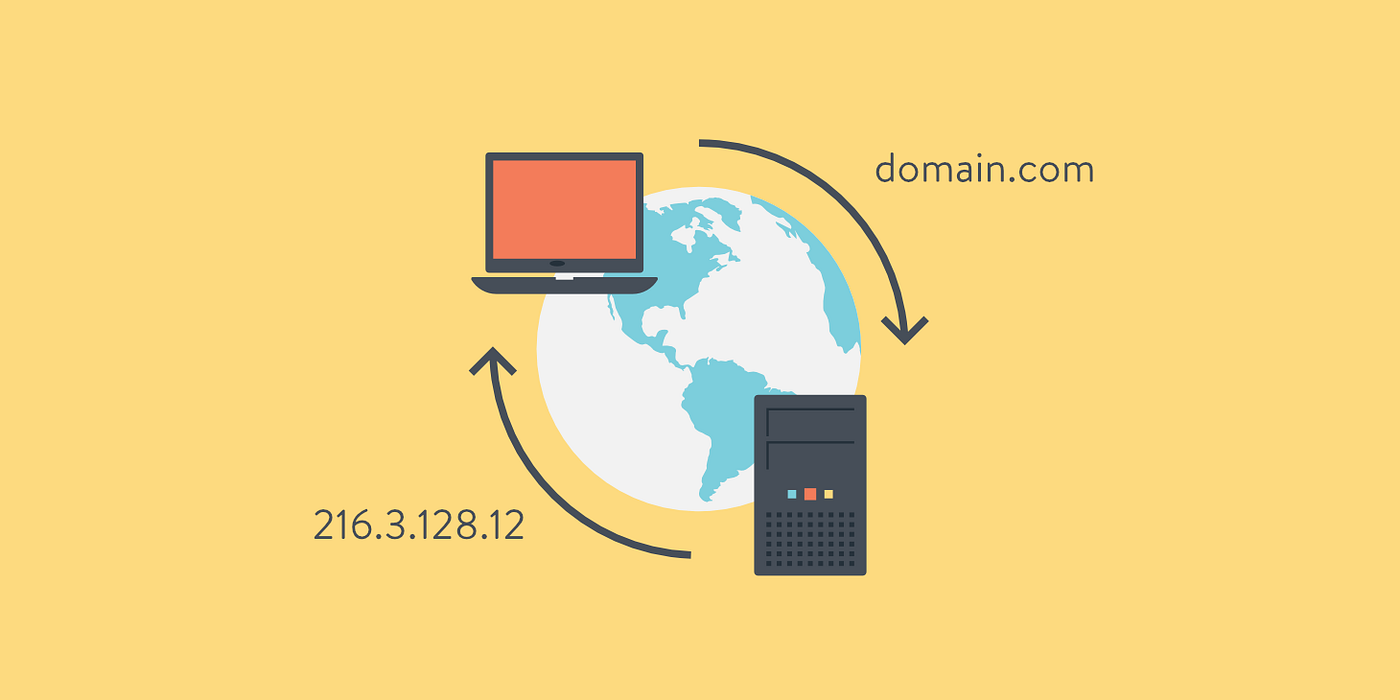
DNS resolves names to numbers. To be more specific it resolves domain names to IP addresses.
DNS Resolving Process
Let’s take the example of the DNS resolving process when accessing the yahoo.com website. When you search for yahoo.com from the browser, your device will first look into yahoo.com’s IP address in Local, Router, and ISP caches.
If the IP address is not found on them, the request will go through multiple servers to find it.
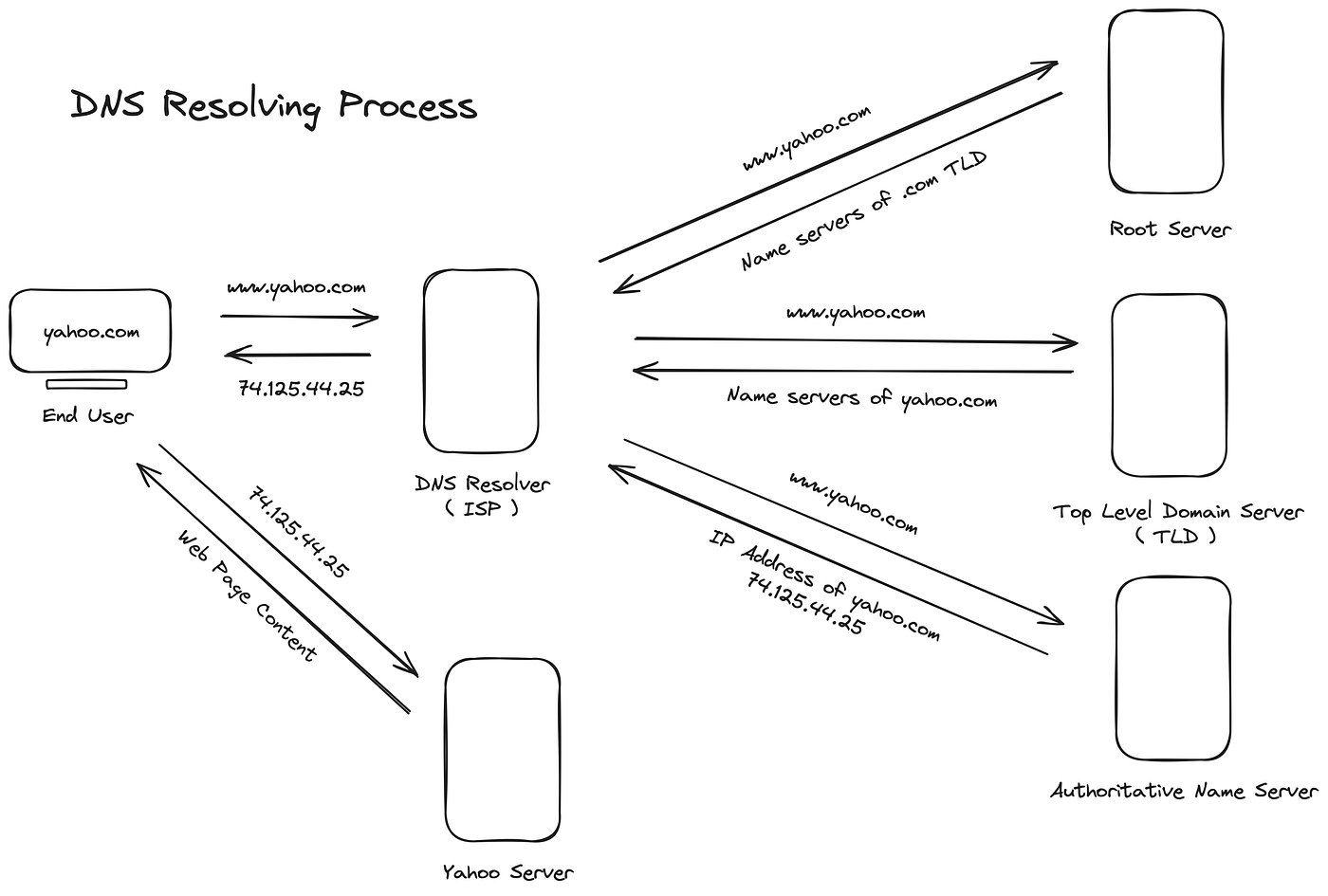
DNS Resolving Process for Yahoo.com
First of all the DNS resolver will request to a root server asking for the IP address of yahoo.com. There are 13 main root servers in the world. These root servers are operated by 12 different operators (organizations). Root servers don’t store the IP addresses of individual sites, instead, they know how to find the TDL servers ( Top Level Domain Servers ). Here, the root server will respond to the DNS resolver sending the IP addresses of .com TLD servers.
Now, the DNS resolver will request from a .com TLD server asking for the IP address of yahoo.com. TLD servers manage domains under a specific extension like .com, .net or .edu. TLD server will direct the DNS Resolver to the exact authoritative server for any domain. Here, the .com TLD server will respond to the DNS resolver by sending the IP addresses of authoritative name servers that contain the yahoo.com domain.
Authoritative name servers are typically provided by sellers like GoDaddy. These servers hold the actual DNS records for a domain. This includes the IP address that the browser needs to access the website. Here, the DNS resolver will request the IP address of yahoo.com from an authoritative server, and in response, it will get the actual IP address from the server. DNS resolver will now store these DNS records in its cache for future use and send the IP address of yahoo.com to you’re device as a response.
Finally, now you can access and see the content of the website from the web server of yahoo.com using the IP address.
메타데이터
- post_id
- bcc33f0e2ede
- slug
- how-does-dns-work-bcc33f0e2ede
- url
- https://medium.com/@desilvabethmin/how-does-dns-work-bcc33f0e2ede
- canonical_url
- https://medium.com/@desilvabethmin/how-does-dns-work-bcc33f0e2ede
- author_url
- https://medium.com/@desilvabethmin
- status
- ok
- fetched_at
- 2026-08-21 01:00:03




