I Inserted Data from Spark and Snowflake Saw It Instantly: Bidirectional Iceberg
Most Snowflake and Spark integrations focus only on reading data through Parquet files or JDBC connections, but true interoperability…
I Inserted Data from Spark and Snowflake Saw It Instantly: Bidirectional Iceberg
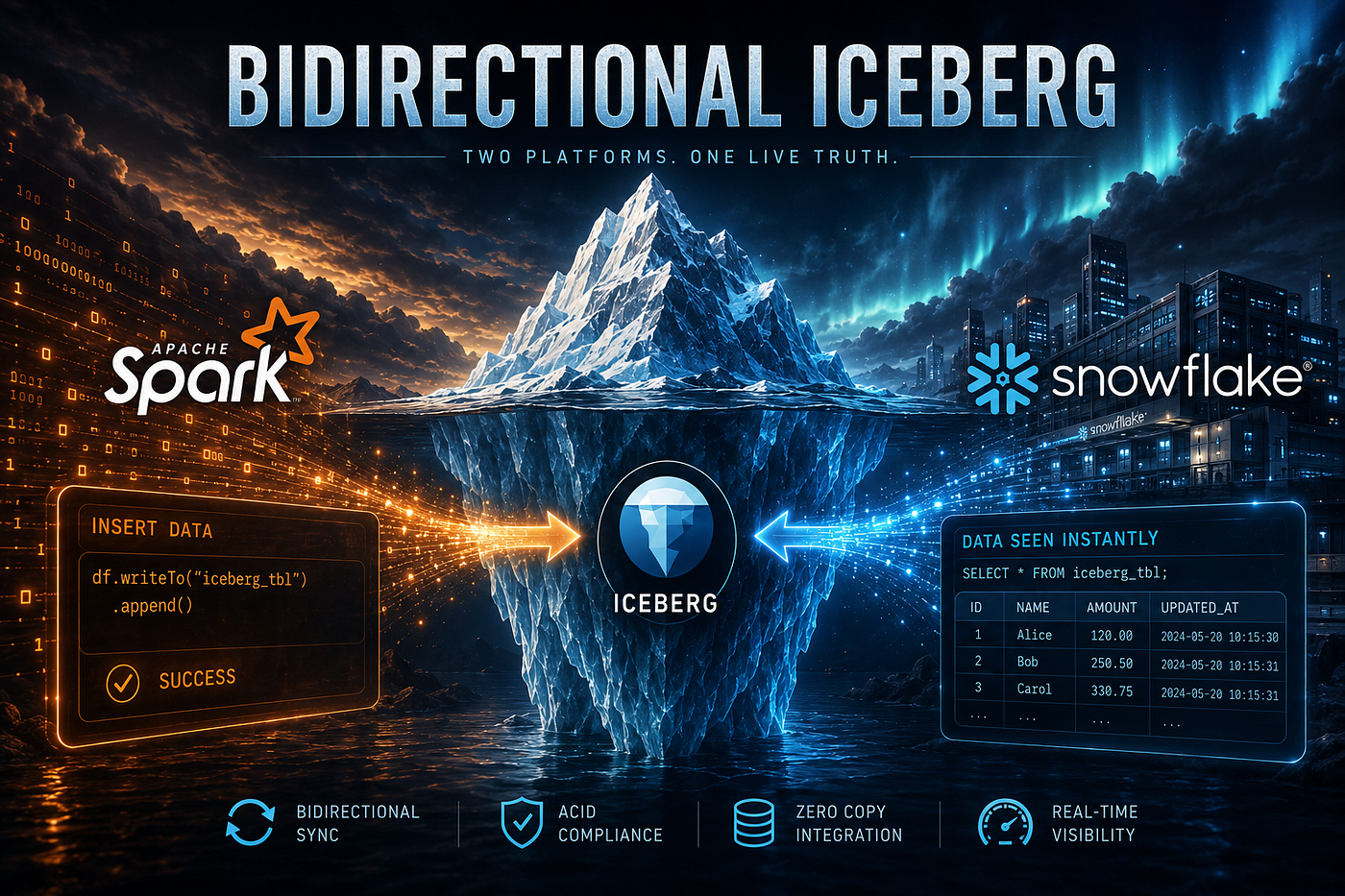
Most Snowflake and Spark integrations focus only on reading data through Parquet files or JDBC connections, but true interoperability requires seamless writes as well. Traditionally, writing from Spark into Snowflake-managed tables meant exports, staging areas, and custom pipelines.
The Iceberg REST Catalog specification changes this by enabling open access through Snowflake Horizon Catalog. Any Iceberg-compatible engine like Spark, Flink, Trino, or PyIceberg can securely read and write Snowflake-managed Iceberg tables while respecting Snowflake governance.
In this walkthrough, I demonstrate the complete round trip: creating an Iceberg table in Snowflake, reading it from Spark, writing new data back from Spark, and verifying the changes directly in Snowflake.
What “Snowflake-managed” means here
This is the part people get backwards, so it’s worth being precise before any code.
There are two shapes of Iceberg table in Snowflake. In the first, some external catalog (AWS Glue, Unity Catalog, Polaris) owns the table and Snowflake reads it as an externally managed table. In the second — the one used here — Snowflake is the catalog. Snowflake owns the metadata, handles compaction and snapshot management, applies its own RBAC, and simply exposes the whole thing through the open Iceberg REST API under Horizon.
So the data files sit in your S3 bucket. Snowflake writes and manages the Iceberg metadata. And Spark talks to Snowflake as if it were any other REST catalog. That’s the architecture:

Notice what is not in that diagram: a JDBC hop, a Snowflake virtual warehouse in the Spark read path, and a copy of the data. Spark reads the Parquet files directly using credentials Horizon hands it at request time.
Step 1 — Create the external volume
An external volume is Snowflake’s handle on your object storage. Creating one needs an account-level privilege, so grant it first.
USE ROLE ACCOUNTADMIN;
GRANT CREATE EXTERNAL VOLUME ON ACCOUNT TO ROLE DB_DEVELOPER;
USE ROLE DB_DEVELOPER;

CREATE OR REPLACE EXTERNAL VOLUME iceberg_external_volume
   STORAGE_LOCATIONS =
      (
         (
            NAME = 'my-s3-us-west-2'
            STORAGE_PROVIDER = 'S3'
            STORAGE_BASE_URL = 's3://ns-iceberg-demo/'
            STORAGE_AWS_ROLE_ARN = 'arn:aws:iam::<AWS_ACCOUNT_ID>:role/iceberg_snowflake'
            STORAGE_AWS_EXTERNAL_ID = 'iceberg_table_demo_ns'
         )
      )
      ALLOW_WRITES = TRUE;
ALLOW_WRITES = TRUE is not optional for this exercise. Without it Snowflake can register metadata but neither Snowflake nor a delegated engine can write data files, and your Spark INSERT will fail with a permission error that points at S3 rather than at the volume — which sends you debugging the wrong layer entirely.
Complete the IAM trust relationship
On the AWS side, you need to create an IAM policy that defines the required permissions for accessing the S3 location. After creating the policy, create an IAM role and attach the policy to that role. This role will be used by the data platform to securely access the required AWS resources.
Below are the IAM policy and role configurations which i used for this setup.
--BUCKET ACCESS POLICY

{
    "Version": "2012-10-17",
    "Statement": [
        {
            "Effect": "Allow",
            "Action": [
                "s3:PutObject",
                "s3:GetObject",
                "s3:GetObjectVersion",
                "s3:DeleteObject",
                "s3:DeleteObjectVersion"
            ],
            "Resource": "arn:aws:s3:::ns-iceberg-demo/*"
        },
        {
            "Effect": "Allow",
            "Action": [
                "s3:ListBucket",
                "s3:GetBucketLocation"
            ],
            "Resource": "arn:aws:s3:::ns-iceberg-demo",
            "Condition": {
                "StringLike": {
                    "s3:prefix": [
                        "*"
                    ]
                }
            }
        }
    ]
}

--TRUST RELATIONSHIP IN IAM ROLE.

{
    "Version": "2012-10-17",
    "Statement": [
        {
            "Effect": "Allow",
            "Principal": {
                "AWS": "XXXXX" --Copy STORAGE_AWS_IAM_USER_ARN from below DESC EXTERNAL VOLUME iceberg_external_volume command
            },
            "Action": "sts:AssumeRole",
            "Condition": {
                "StringEquals": {
                    "sts:ExternalId": "iceberg_table_demo_ns"  --copy STORAGE_AWS_EXTERNAL_ID from below DESC EXTERNAL VOLUME iceberg_external_volume command
                }
            }
        }
    ]
}
Snowflake generates an IAM user on its side when the volume is created. That principal has to be trusted by the role in your ARN, so read it back and paste it into the role’s trust policy:
Snowflake · read the principal, then verify
-- Copy STORAGE_AWS_IAM_USER_ARN and STORAGE_AWS_EXTERNAL_ID from the output
-- into the trust policy of the IAM role named in the ARN above.
DESC EXTERNAL VOLUME iceberg_external_volume;

-- Round-trip test: writes a probe file, reads it back, deletes it.
SELECT SYSTEM$VERIFY_EXTERNAL_VOLUME('iceberg_external_volume');
Run the verify function until it comes “success=true”. Everything downstream assumes storage access already works, and a failure here surfaces later as a confusing catalog error rather than an obvious permissions one.

Step 2 — Create the Snowflake-managed Iceberg database and table
Setting catalog= ‘SNOWFLAKE’ at the database level is what makes Horizon the owner of every Iceberg table inside it. Setting the external volume at the same level means individual tables inherit it and you never repeat yourself.
-- GRANT IS MUST, OTHER WISE SPARK CANT ACCESS S3F FILES IN THE VOLUME.
GRANT USAGE ON EXTERNAL VOLUME iceberg_external_volume TO ROLE DB_ADMIN;
USE ROLE DB_ADMIN;
create or replace database mngd_icbrg
catalog= 'SNOWFLAKE'
EXTERNAL_VOLUME = 'iceberg_external_volume';

CREATE SCHEMA ICB_SCHMA;

CREATE ICEBERG TABLE mngd_icbrg.ICB_SCHMA.ICB_ORDERS (
    order_id INT,
    customer STRING,
    amount NUMBER(10,2)
);

INSERT INTO mngd_icbrg.ICB_SCHMA.ICB_ORDERS
VALUES
(1,'John',100.25),
(2,'Sara',250.50);

select * from mngd_icbrg.ICB_SCHMA.ICB_ORDERS
Step 3 — Mint a programmatic access token
Spark authenticates to Horizon with a Snowflake PAT. Restrict it to a single role so the token can never do more than that role can — this is your blast radius, set it deliberately.
ALTER USER ADD PROGRAMMATIC ACCESS TOKEN databricks_pat
  DAYS_TO_EXPIRY = 30
  ROLE_RESTRICTION = 'DB_ADMIN'
  COMMENT = 'PAT token for Databricks connection';
Step 4 — Configure the Spark session
This ran on a plain local Spark session — *local[]**, no cluster, no Databricks workspace. That's a deliberate part of the proof: nothing about this depends on a managed Spark platform.
from pyspark.sql import SparkSession

CATALOG_NAME = "ICEBERG_DEMO"
SNOWFLAKE_DB_NAME = "MNGD_ICBRG"

ACCOUNT_URL = "https://AERSXYS-DY16150.snowflakecomputing.com"
CATALOG_URI = f"{ACCOUNT_URL}/polaris/api/catalog"

PAT_TOKEN = "xxxxx"  --copy the pat token from step3

spark = (
    SparkSession.builder
    .master("local[*]")
    .appName("horizon_catalog")
    .config(
        "spark.jars.packages",
        "org.apache.iceberg:iceberg-spark-runtime-3.5_2.12:1.8.1,org.apache.iceberg:iceberg-aws-bundle:1.8.1"
    )
    .config(
        "spark.sql.extensions",
        "org.apache.iceberg.spark.extensions.IcebergSparkSessionExtensions"
    )
    .getOrCreate()
)

# Catalog Configurations
spark.conf.set(f"spark.sql.catalog.{CATALOG_NAME}", "org.apache.iceberg.spark.SparkCatalog")
spark.conf.set(f"spark.sql.catalog.{CATALOG_NAME}.type", "rest")
spark.conf.set(f"spark.sql.catalog.{CATALOG_NAME}.uri", CATALOG_URI)
spark.conf.set(f"spark.sql.catalog.{CATALOG_NAME}.credential", PAT_TOKEN)
spark.conf.set(f"spark.sql.catalog.{CATALOG_NAME}.warehouse", SNOWFLAKE_DB_NAME)
spark.conf.set(f"spark.sql.catalog.{CATALOG_NAME}.scope", "session:role:DB_ADMIN")

# S3 File IO & Vended Credentials Configurations
spark.conf.set(f"spark.sql.catalog.{CATALOG_NAME}.io-impl", "org.apache.iceberg.aws.s3.S3FileIO")
spark.conf.set(f"spark.sql.catalog.{CATALOG_NAME}.header.X-Iceberg-Access-Delegation", "vended-credentials")
spark.conf.set("spark.sql.iceberg.vectorization.enabled", "false")
Step 5 — Read from Spark
Discovery works through the standard Iceberg catalog interface. Snowflake schemas appear as Iceberg namespaces:
spark.sql("SHOW NAMESPACES IN ICEBERG_DEMO").show()
spark.sql(f"SHOW TABLES IN {CATALOG_NAME}.ICB_SCHMA").show()

spark.sql("USE ICEBERG_DEMO")
spark.sql("USE NAMESPACE ICB_SCHMA")

spark.sql("SELECT * FROM ICB_ORDERS").show()
Step 6 — Write from Spark
Here’s the half that actually distinguishes Horizon from a read-only federation setup. Spark writes into a table whose catalog, RBAC, and metadata lifecycle all belong to Snowflake:
spark.sql("""
INSERT INTO ICEBERG_DEMO.ICB_SCHMA.ICB_ORDERS
VALUES
(1001, 'Alice', 300),
(1002, 'Bob', 400)
""")
Now spark shows 4 rows.

Lets run the same query in snowflake.

Four rows. No refresh command, no metadata sync job, no polling. Spark’s commit went through Snowflake’s catalog, so the moment it succeeded the rows were queryable in Snowflake — and visible to Snowflake’s masking policies, row access policies, and time travel like any other row.
The key innovation is not Spark reading Iceberg tables, but Spark writing through Snowflake’s Horizon catalog while maintaining Snowflake governance, without shared long-lived credentials or data duplication.
This moves beyond traditional connector and pipeline approaches by separating compute choices from data ownership. Teams can use Spark for heavy transformations and Snowflake for governed analytics, while both operate on the same underlying table.
Found this useful? 👏 Clap it so that more people can find it, and follow me on Linkedin for more content on data engineering and AI. See you there.
메타데이터
- post_id
- bccab587b56b
- slug
- i-inserted-data-from-spark-and-snowflake-saw-it-instantly-bidirectional-iceberg-bccab587b56b
- url
- https://medium.com/@nazeer.td/i-inserted-data-from-spark-and-snowflake-saw-it-instantly-bidirectional-iceberg-bccab587b56b
- canonical_url
- https://medium.com/@nazeer.td/i-inserted-data-from-spark-and-snowflake-saw-it-instantly-bidirectional-iceberg-bccab587b56b
- author_url
- https://medium.com/@nazeer.td
- status
- ok
- fetched_at
- 2026-07-26 02:20:04