We Built a Zanzibar-Style IAM System From Scratch. Here’s Everything We Learned.
A practitioner’s guide to building relationship-based access control for multi-tenant platforms - the architecture, the schema design, the…
We Built a Zanzibar-Style IAM System From Scratch. Here’s Everything We Learned.
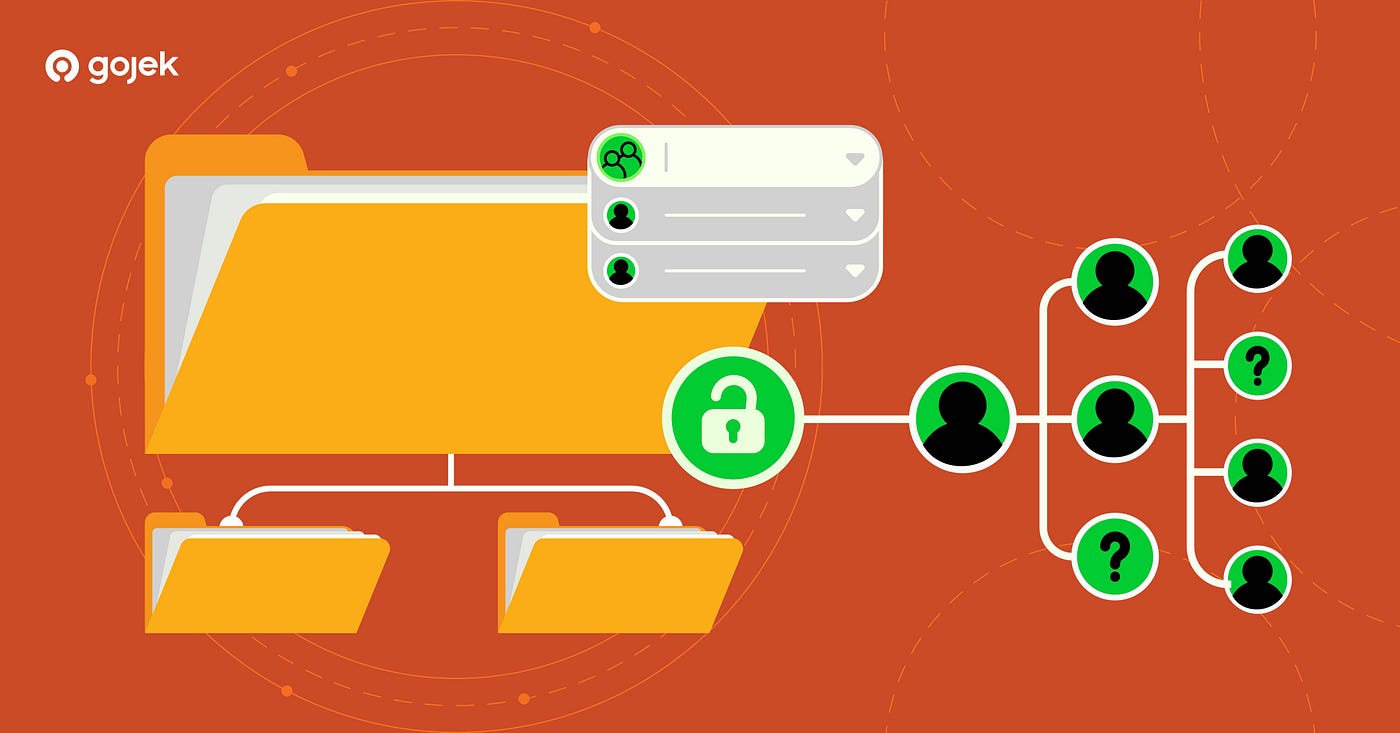
A practitioner’s guide to building relationship-based access control for multi-tenant platforms - the architecture, the schema design, the pitfalls, and the hard-won lessons from production.
You know that moment when your access control system starts fighting you?
It starts small. Someone needs a permission that doesn’t fit neatly into any existing role. So you create a new one. Then another team needs a slight variation. Another role. Then someone asks: “Can we make it so Team Lead X can see reports for their team but not the team next door?” Suddenly, you’re staring at a database table with hundreds of roles, half of which no one remembers creating, and a check_permission function that's 400 lines of nested if-statements held together by comments like // TODO: fix this properly.
We’ve all been there.
This is the story of how we replaced that system with something fundamentally different - a Zanzibar-style, relationship-based access control system built on SpiceDB, Go, and PostgreSQL. Not a toy, but a production system handling multi-tenant organizational hierarchies, fine-grained resource permissions, ABAC conditions, and UI-level component visibility checks.
This article focuses on practical implementation details and trade-offs rather than providing a formal evaluation of every available system.
Part 1: Why RBAC Breaks (And When You’ll Notice)
Role-Based Access Control is a reliable, well-understood baseline for authorization. It works extremely well - until it doesn’t.
RBAC tends to break along three axes:
The Hierarchy Problem
Imagine a platform where each customer (tenant) has their own organizational tree:

An administrator at the Company A level should automatically have management permissions over every subsidiary, business unit, department, and team below them. In RBAC, you’d either:
- Assign them a role on every single entity (nightmare to maintain)
- Create a “Company A Admin” role with hardcoded access to everything below (breaks when the hierarchy changes)
- Build custom hierarchy-traversal logic in your application (now you’re maintaining a permissions engine)
None of these scale well.
The Granularity Problem
Users need different access to different parts of the same resource. User A can view a ticket but not the payment widget on it. User B can view the ticket and the payment widget but can’t close the ticket. User C can do everything - but only for tickets belonging to their team.
In RBAC, each unique combination of resource + action + scope becomes a new role. This is the classic role explosion problem. 50 resources × 5 actions × 10 organizational scopes = 2,500 roles. And you haven’t started on exceptions yet.
The Context Problem
“This resource can only be modified when its status is resolved.”
“This user can only access resources during business hours in their timezone.”
“This temporary promotion expires in two weeks.”
RBAC has no native vocabulary for conditions, time-bounds, or contextual attributes. These rules often end up embedded in application logic and scattered across microservices, each with its own slightly different interpretation of what ‘admin access’ means.
Part 2: Zanzibar - Thinking in Relationships
In 2019, Google published a paper describing Zanzibar - an authorization system used across many of its products, including Drive, YouTube, and Cloud. The core idea:
Much of modern access control can be modeled as a graph problem.
Instead of “Does this user have this role?”, you ask: “Does a path exist in the relationship graph from this user to this resource that grants this permission?”
Three building blocks:
1. Schema - The Type System
The schema defines entity types, their relationships, and how permissions are computed:
definition user {}definition folder {
relation parent: folder
relation owner: user
relation editor: user
relation viewer: userpermission edit = owner + editor + parent->edit
permission view = owner + editor + viewer + parent->view
}definition document {
relation parent_folder: folder
relation owner: userpermission edit = owner + parent_folder->edit
permission view = owner + parent_folder->view
}This says: If you’re an owner of a folder, you can edit and view every document in it - and every document in every subfolder below it. Permission inheritance emerges from the graph structure, not from application code.
2. Relationship Tuples - The Data
Each tuple is a simple fact: resource#relation@subject.
folder:engineering#owner@user:alice
folder:backend#parent@folder:engineering
document:design-doc#parent_folder@folder:backend
Three tuples. From these, the system derives that Alice can edit and view design-doc - because she owns engineering, which is the parent of backend, which is the parent folder of design-doc.
3. Permission Checks - The Graph Traversal

Permission check: one query, one graph traversal, typically single-digit milliseconds
Part 3: Choosing a Zanzibar Implementation
Google never open-sourced Zanzibar itself, but several implementations exist. We evaluated three:

We also evaluated higher-level frameworks built on top of Zanzibar implementations, but ultimately rejected them. They abstract away the schema language, which means you lose features like permission exclusion (permission view = editor - banned), caveats for ABAC, bulk checks, and multi-level consistency control.
Our Benchmarks

Important: All benchmarks below were run on our internal Kubernetes setup with our production schema and K6 as the load testing tool. These results are directional, not definitive. Your numbers will differ based on schema complexity, tuple count, hardware, and query patterns. Always benchmark your own workload.
We tested with 1M and 10M relationship tuples, at 1,000 and 10,000 queries per second, sustained for 5 minutes each. Server configuration: 4 CPU cores, 4 GB memory. Database: 2 CPU, 4 GB memory (PostgreSQL).
1M Relationships, 1,000 QPS

1M Relationships, 10,000 QPS

10M Relationships, 10,000 QPS

Storage Footprint

Our takeaway: OpenFGA showed lower average and median latency in several scenarios. SpiceDB showed tighter tail latency (P90/P95) and significantly lower max latency under high load. We chose SpiceDB because consistent tail latency mattered more for our use case, and the native distributed caching plus ZedToken consistency guarantees aligned with our multi-node deployment model.
Part 4: Our Architecture
The system decomposes into four bounded domains, each with its own responsibilities, database schema, and API contract:

High-level architecture: the BFF is the enforcement point, delegating to IAM for auth and SpiceDB for permissions
The BFF (Backend-for-Frontend) is the primary enforcement point. Every request flows through it:
- Authenticates - Validates the JWT, checks session status
- Authorizes - looks up the permission mapping for the endpoint and calls SpiceDB
- Filters - After getting the response, strips fields the user isn’t allowed to see
Authorised Request Flow

Sequence diagram: every request is checked against SpiceDB before reaching backend services
Domain 1: Authentication
Handles how users prove their identity. Completely decoupled from authorization.
- Password auth with Argon2id hashing (
m=65536, t=3, p=1), lockout policies, and rotation - OIDC via Authorization Code + PKCE (Google Workspace, Okta, Azure AD, any OIDC provider)
- MFA with TOTP (authenticator apps) and WebAuthn/FIDO2 (hardware keys, biometrics)
- Session management with short-lived JWT access tokens (~15 min) and rotating opaque refresh tokens (~7 days)
- Identity linking - one user, multiple authentication providers, single canonical identity
Password Login Flow

Password authentication flow with Argon2id verification and session creation
OIDC Flow (Authorization Code + PKCE)

OIDC Authorization Code + PKCE flow with id_token verification and identity upsert
Session Lifecycle

Session lifecycle: sessions are explicitly tracked with revocation support
Key design decisions:
- Personas vs. Roles: Personas drive authentication (how you prove who you are). Roles drive authorization (what you’re allowed to do). An “admin” persona might require MFA; an “admin” role grants management permissions. Don’t conflate them.
- Tenant-scoped IdPs: Each tenant configures their own identity providers. Tenant A uses Google Workspace, Tenant B uses Okta, Tenant C uses username/password. The auth service supports all simultaneously.
Domain 2: Organization Hierarchy (Tenants)
The structural backbone. Manages tenants, organizational units, and role definitions.
- Tenants - The top-level namespace. Each tenant is fully isolated.
- Organizational Units - A recursive tree within each tenant. Uses PostgreSQL
LTREEfor efficient hierarchical queries. - Roles - Defined within a tenant. Each role is a named collection of permission relations, scoped to an organizational unit level.
Tenant Lifecycle

Tenant lifecycle: Created → Active → Deactivated → Archived
Org Unit Lifecycle

Org unit lifecycle with merge and split as first-class terminal states
Merge and split are first-class concepts. When two departments merge, the old units transition to a terminal “merged” state; a new unit inherits their members and permissions, preserving full audit history.
Domain 3: User Management
User management is not authentication. A user exists independently of how they log in. You can create a user, assign them roles, and configure their profile before they ever authenticate.

User lifecycle with suspension support for temporary disablement
- Users belong to tenants (strict isolation via
tenant_id) - Users are assigned roles within specific organizational units
- Role assignments can have expiration dates (interim promotions, temporary access)
- All mutations publish domain events for downstream consumers
Domain 4: Authorization
The SpiceDB integration layer. Policy meets enforcement.
- Schema management - Versioned SpiceDB schemas deployed via CI/CD
- Relationship synchronization - When tenants/units/users/roles change, SpiceDB tuples are written
- Permission checking - gRPC calls to SpiceDB with proper consistency levels
- Permission mapping - YAML configuration connecting endpoints and UI components to SpiceDB checks
Resource Creation Flow

Resource creation: SpiceDB tuples are created after the backend resource, with Kafka compensation on failure
Part 5: The Schema - Where Everything Comes Together
This is the most important part. Get the schema wrong and everything downstream suffers.
Modeling Roles as Entities
In most RBAC systems, roles are just strings in a database column. In our Zanzibar model, roles are first-class entities with their own relationships:
definition user/human {}definition role/human {
relation bound_user: user/human// What permissions this role grants
relation tenant_manager: role/human
relation org_unit_manager: role/human
relation user_manager: role/human
relation role_assigner: role/human
relation resource_viewer: role/human
relation resource_editor: role/human
relation widget_executor: role/human
// ... more relations as needed// Derived permissions
permission tenant_manage = tenant_manager->bound_user
permission org_unit_manage = org_unit_manager->bound_user
permission resource_view = resource_viewer->bound_user
permission resource_edit = resource_editor->bound_user
permission widget_execute = widget_executor->bound_user
}To create a role, assign a user, and grant it at an org unit:
// "team_lead" can manage org units and view resources
role/human:team_lead#org_unit_manager@role/human:team_lead
role/human:team_lead#resource_viewer@role/human:team_lead
// Assign Alice to the role
role/human:team_lead#bound_user@user/human:alice// Grant the role at the engineering org unit
tenant/org_unit:engineering#granted@role/human:team_leadThe role is composable (mix any permissions), tenant-scoped (each tenant defines their own), and inspectable (query SpiceDB’s schema reflection API to list all permissions).
Permission Inheritance Through the Hierarchy
definition tenant/space {
    relation granted: role/human
    relation root_space: tenant/space
permission resource_view = granted->resource_view
+ root_space->resource_view
permission org_unit_manage = granted->org_unit_manage
+ root_space->org_unit_manage
}definition tenant/org_unit {
relation granted: role/human
relation parent_org_unit: tenant/org_unit
relation tenant_space: tenant/spacepermission resource_view = granted->resource_view
+ parent_org_unit->resource_view
+ tenant_space->resource_view
permission org_unit_manage = granted->org_unit_manage
+ parent_org_unit->org_unit_manage
+ tenant_space->org_unit_manage
}The + operator means union. Permissions flow through three paths:
- Direct grant - A role granted directly on this org unit
- Parent inheritance - A role granted on any ancestor org unit (walks up recursively)
- Tenant-level - A role granted at the tenant space level

One tuple at the tenant space level cascades permissions to every org unit below
Resource-Level Access Control
definition resource/ticket {
    relation granted: role/human
    relation org_unit: tenant/org_unit
    relation owner: user/human
    relation excluded: user/human
permission view = owner
+ granted->resource_view
+ org_unit->resource_view
- excludedpermission edit = owner
+ granted->resource_edit
+ org_unit->resource_edit
- excludedpermission close = org_unit->org_unit_manage
- excluded
}There are four key things to notice here:
- Multiple permission paths: Own it, have a direct role grant, or inherit via org unit hierarchy.
- Hierarchy integration:
org_unit->resource_viewtraverses the entire ancestry chain. - Exclusion: The
- excludedoperator surgically revokes access for specific users despite broad grants. - Action-specific scoping:
closerequiresorg_unit_manage(managers only), whileviewis broader.
ABAC via Caveats
SpiceDB supports conditional permissions through caveats:
caveat ticket_is_resolved(ticket_status string) {
    ticket_status == "resolved"
}
definition resource/ticket {
relation owner: user/human with ticket_is_resolved
relation org_unit: tenant/org_unitpermission escalate = owner
+ org_unit->granted_escalate
}At check time:
// Allowed — ticket_status is "resolved":
resource/ticket:123#escalate@user/human:bob  with {"ticket_status": "resolved"}
// Denied — ticket_status is "new":
resource/ticket:123#escalate@user/human:bob with {"ticket_status": "new"}RBAC and ABAC, unified in a single model. No separate policy engine. No Rego. One schema, one check.

Part 6: The Implementation
Tech Stack
- Language: Go
- API: gRPC with Protocol Buffers (12 service definitions)
- Databases: PostgreSQL (operational data), SpiceDB backed by PostgreSQL (authorization)
- Caching: Redis
- Events: Kafka (audit logs, domain events, compensation events)
- Auth: JWT (ES256), opaque refresh tokens, Argon2id, WebAuthn/FIDO2, TOTP
- Infra: Kubernetes, Helm, Docker
The Relationship Manager
type RelationshipManager interface {
    WriteRelationship(ctx context.Context, tuples []Tuple) error
    DeleteRelationships(ctx context.Context, filter Filter) error
    AddResource(ctx context.Context, resource, orgUnit string) error
    RemoveResource(ctx context.Context, resource string) error
    AddOwner(ctx context.Context, resource, user string) error
    ChangeOwner(ctx context.Context, resource, oldUser, newUser string) error
    BindUserToRole(ctx context.Context, user, role, orgUnit string) error
    CheckBulkPermissions(ctx context.Context, items []CheckItem) ([]Result, error)
}
Every state change flows through here. Create a resource? AddResource + AddOwner. Assign a role? BindUserToRole. Transfer ownership? ChangeOwner.
Permission Mapping: Connecting APIs to SpiceDB
- name: get_ticket
  prefix: /api/v1/ticket_service
  path: /tickets/{ticket_id}
  method: GET
  authz:
    - name: get_ticket_permission
      permission: view
      subject_type: "user/human"       # from JWT or X-User-ID header
      object_type: "resource/ticket"
      object_id:
        value: ticket_id
        source: path_params            # extracted from URL
The BFF reads this mapping, extracts the ticket ID from the URL, the user ID from the JWT, and calls SpiceDB: resource/ticket:123#view@user/human:current_user_id. No authorization logic in backend services. One mapping file, one enforcement point.
Bulk UI Permission Checks

Bulk permission checks: 20 items in one round trip, SpiceDB evaluates in parallel
// Frontend usage
<RequiredPermission has={["can_edit_ticket"]}>
  <EditButton />
</RequiredPermission>
<RequiredPermission hasAny={["can_refund", "can_close"]}>
<ActionMenu />
</RequiredPermission>Components the user can’t access simply don’t render. No flickering, no “unauthorized” errors after clicking.
Part 7: PostgreSQL LTREE + SpiceDB - A Powerful Duo
The organizational hierarchy lives in two places, by design:
PostgreSQL (source of truth for what exists):
CREATE TABLE units (
    id              TEXT PRIMARY KEY,
    tenant_id       TEXT NOT NULL REFERENCES tenants(id),
    hierarchy_path  LTREE NOT NULL,
    name            TEXT NOT NULL,
    slug            TEXT NOT NULL,
    type            TEXT NOT NULL,  -- company, subsidiary, department, team
    status          TEXT NOT NULL CHECK (status IN (
        'created','active','deactivated','archived','merged','splitted'
    )),
    metadata        JSONB,
    created_at      TIMESTAMPTZ NOT NULL DEFAULT now(),
    updated_at      TIMESTAMPTZ NOT NULL DEFAULT now()
);
CREATE INDEX idx_units_hierarchy ON units USING GIST (hierarchy_path);-- All descendants of engineering:
SELECT * FROM units WHERE hierarchy_path <@ 'acme.engineering';-- Direct children only:
SELECT * FROM units WHERE hierarchy_path ~ 'acme.engineering.*{1}';SpiceDB (source of truth for who can access what):

Database schema: tenants, units (with LTREE hierarchy), and roles (with JSONB permission relations)
PostgreSQL gives you fast subtree queries, ordering, and metadata. SpiceDB gives you fast permission inheritance. Each system does what it’s best at - you can’t SELECT * FROM org_units WHERE status = 'active' ORDER BY name on SpiceDB.
Part 8: Schema Versioning and Migration
SpiceDB schemas evolve over time. Our approach uses versioned directories:
schema/
  v0.0.0/schema.zed    -- Initial schema (base definitions)
  v0.0.1/schema.zed    -- Added note and log viewing permissions
  v0.0.2/schema.zed    -- Added dashboard and report viewer roles
  v0.0.3/schema.zed    -- Added resource listing permissions
Safe migrations (always backward-compatible):
- Adding new relations to existing definitions
- Adding new permissions
- Adding new subject types to existing relations
- Adding entirely new definitions
Contingent migrations (require data cleanup first):
- Removing relations (must delete all tuples using that relation first)
- Removing subject types from relations
Dangerous migrations (avoid in production):
- Renaming relations (there’s no rename - it’s delete + create)
- Changing permission expressions (can instantly grant or revoke access)
CI/CD pipeline for schema changes:
- Diff preview -
/v1/schema/diffschemato see what will change - Schema write -
/v1/schema/writeto apply - Verification - Diff again to confirm
Every schema change is deployed separately from application code - no coordinated big-bang releases.
Part 9: The Hard Lessons
1. Schema Design Is the Hardest Part
We spent more time iterating on the SpiceDB schema than writing the entire Go service. The schema is your authorization model’s type system. There’s no “we’ll fix it in the application layer.”
Our biggest debate: should UI widgets be relations on the role (flat, specific) or standalone resource entities (generic, flexible)?
// Option A: Widget as role relation (what we chose)
relation widget_payment_viewer: role/human
permission widget_payment_view = widget_payment_viewer->bound_user
// Option B: Widget as resource
definition resource/widget {
relation granted: role/human
permission view = granted->widget_view
permission execute = granted->widget_execute
}Option A: Schema is the source of truth, no separate registry needed, but every new widget requires a schema migration. Option B: New widgets are just tuple insertions, but you need a widget registry in your service layer. Pick based on your rate of change.
2. Dual-Write Consistency Is Non-Trivial
Creating a user and assigning a role means writing to PostgreSQL and SpiceDB. If one fails, you have inconsistency. Our approach: PostgreSQL first, SpiceDB immediately after, Kafka compensation events on failure, periodic reconciliation job.
3. Benchmark Your Actual Schema
Published benchmarks use simple schemas. Our schema has 80+ role relations, 4 hierarchy levels, and 5+ relationship traversals per check. Always benchmark with your actual schema, realistic tuple counts, and realistic query patterns.
4. Caveats Require Discipline
If the caller doesn’t provide context, SpiceDB returns CAVEATED (a maybe). We treat it as DENIED by default and monitor for unexpected occurrences.
5. Single Schema Per Instance
All tenants share one SpiceDB schema. This works if tenants differ in data (which roles exist) but not in structure (the permission model itself).
6. Don’t Forget Response Filtering
Authorization isn’t just “can they call this endpoint?” It’s also “which fields in the response are they allowed to see?” We strip forbidden fields at the BFF layer before sending to the frontend.
Part 10: The Numbers
- 12 gRPC services: authentication, authorization, user management, tenant management, roles, sessions, MFA, identity providers, personas, API resources, UI resources, email verification
- 16 domain modules in Go with clean model/service/store separation
- 80+ permission types modeled in SpiceDB
- 4 schema versions deployed via CI/CD (additive, backward-compatible)
- ~3.8ms median permission check latency at 1,000 QPS with 10M tuples
- Sub-5ms P95 at moderate load on 4 CPU / 4GB SpiceDB
Should You Build This?
Yes, if:
- You have multi-tenant customers with complex organizational hierarchies
- Your permission model includes inheritance (team → department → company → tenant)
- You need fine-grained access control on individual resources
- You need both role-based and attribute-based checks
- Your frontend needs to know what the user can see before rendering
- Audit and compliance matter
No, if:
- You have a single tenant with flat roles (admin, editor, viewer)
- Your authorization is “is the user logged in? they can do everything”
- You don’t need hierarchical permission inheritance
- You’re a small team and shipping speed matters more than permission granularity
The investment is real: schema design, dual-write consistency, SpiceDB operations, migration planning. But the payoff is an authorization system that scales with your organizational complexity instead of fighting against it.
Zanzibar-style authorization, when designed carefully, is one of the few approaches where the system becomes easier to reason about as complexity grows.
That’s the whole point.
Credits :
Engineers — Muhammad Gian Ansyori, Muhammad Fawwaz Naabigh (Caretech Gojek)
Project Lead and Management — Ravi Raj (Senior Engineering Manager — Gojek)
This article describes the architecture and implementation of a production IAM system built on SpiceDB, Go, PostgreSQL, and Kafka. The system handles multi-tenant organizational hierarchies, relationship-based access control, OIDC/password/MFA authentication, and UI-level permission checking.
,
메타데이터
- post_id
- bceb2686cad0
- slug
- we-built-a-zanzibar-style-iam-system-from-scratch-heres-everything-we-learned-bceb2686cad0
- url
- https://medium.com/gojekengineering/we-built-a-zanzibar-style-iam-system-from-scratch-heres-everything-we-learned-bceb2686cad0
- canonical_url
- https://medium.com/gojekengineering/we-built-a-zanzibar-style-iam-system-from-scratch-heres-everything-we-learned-bceb2686cad0
- author_url
- https://medium.com/@armaanjain199
- status
- ok
- fetched_at
- 2026-06-13 09:11:36