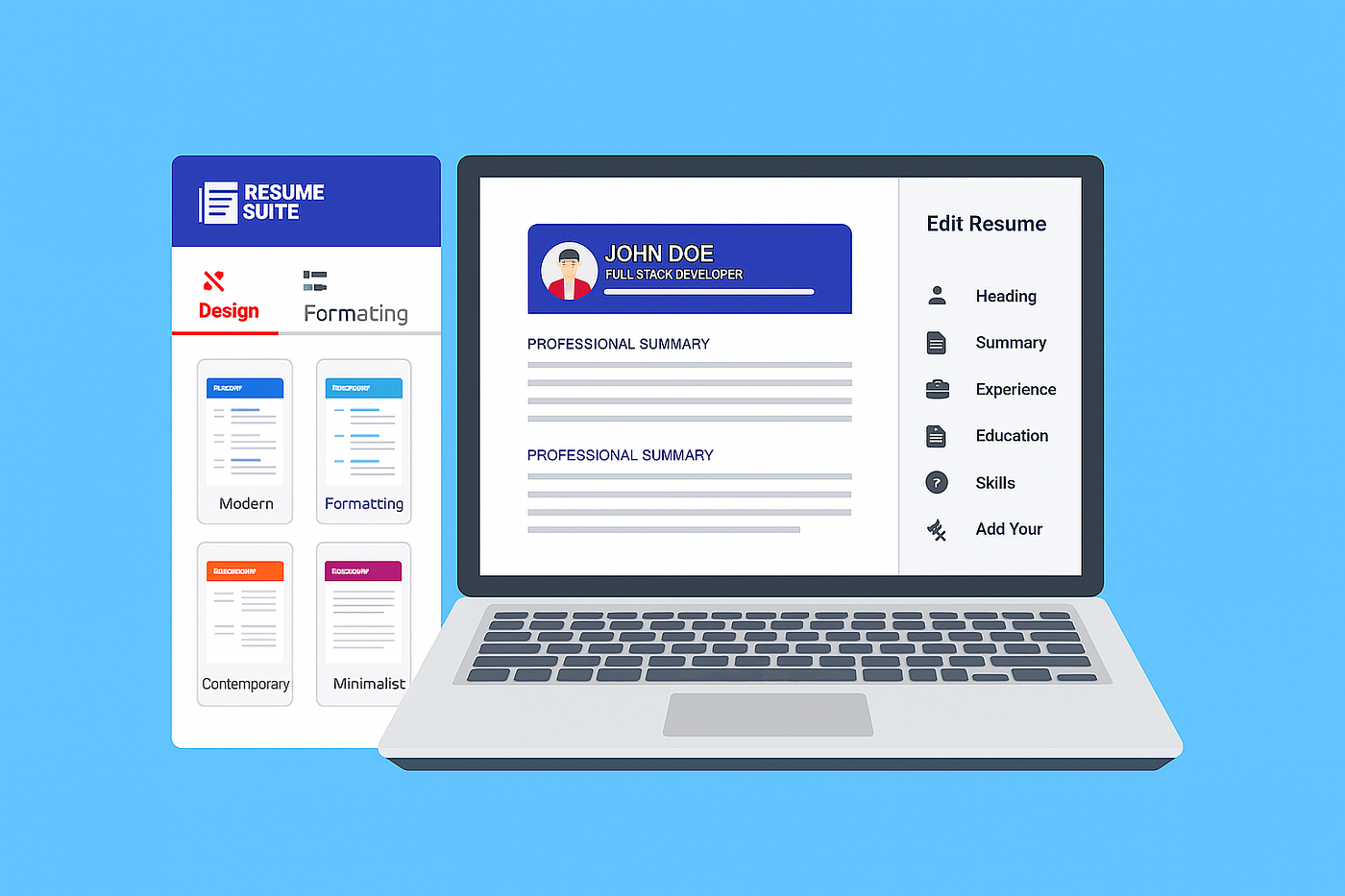
Resume Suite: The Free AI-Powered, ATS-Friendly Resume Maker
Resume Suite is a free online resume builder that helps job seekers create professional, ATS-optimized resumes in minutes. Its value…
Resume Suite: The Free AI-Powered, ATS-Friendly Resume Maker

Resume Suite is a free online resume builder that helps job seekers create professional, ATS-optimized resumes in minutes. Its value proposition is clear: “create job-winning resumes in minutes — completely free”. With Resume Suite you get unlimited free resumes (no credit card or hidden fees). The tool offers 100+ modern templates, AI-powered writing guidance, and easy customization. All templates are ATS-friendly, meaning your resume can pass applicant-tracking systems and reach hiring managers. As of 2025, Resume Suite’s blend of AI suggestions, expert tips, and free downloads makes it a standout free resume builder for job seekers.
Key Features
- AI Writing Assistant: Resume Suite uses AI to provide personalized content suggestions and keyword-driven phrases as you fill in each section. This “AI resume builder” capability helps you craft stronger bullet points, summaries, and skill lists tailored to your job role. The builder even offers expert tips and guidance at every step, so even new graduates can highlight their potential.
- Template Library: The platform provides a gallery of professional templates (100+ designs) covering industries like IT, Nursing, Sales, etc. Each template is modern and ATS-friendly. For example, you can browse the [ATS-Friendly Resume Templates] page on Resume Suite for designs that parse correctly in automated screening. Users can also view over 100 resume examples by industry for inspiration.
- Customization: You can personalize fonts, colors, and layouts to match your personal brand. Resume Suite’s editor lets you move sections, change styles, and tweak formatting. Unlike rigid builders, it offers full design control to help you stand out, while still keeping resumes clean and ATS-compliant.
- Free Downloads: Once your resume is complete, Resume Suite lets you download it in PDF format for free. Unlike many competitors, there are no download limits — you can create and export unlimited resumes with no charge. You can also print or email directly from your dashboard. All standard features (resume/CV builder, templates, guidance) are 100% free with no premium paywalls.
- Account & Saving: Creating a free account lets Resume Suite autosave your progress. You can log back in later to continue editing. No completion deadline or forced upgrade interferes with your work, so it’s easy to pick up where you left off any time.
- Career Resources: The Job Resources section functions like a blog with guides on resumes, interviews, and ATS optimization. (See “How to Write an ATS-Friendly Resume That Gets You Hired in 2025” on their site.) These articles complement the builder, giving extra resume-writing advice tailored to 2025 job markets.
How It Works (Step-by-Step)
- Choose a Template. Start by browsing Resume Suite’s collection of ATS-friendly resume templates (via the templates page or directly in the Resume Builder). Click “Create Resume” to select a design that suits your industry.
- Enter Your Details. Fill in each section (Contact, Experience, Education, Skills, etc.). Resume Suite’s AI-driven assistant will offer content suggestions as you go. For example, typing your job title will trigger relevant bullet-point recommendations. You can also paste existing resume text or use a pre-written summary from the expert tips.
- Customize and Refine. Personalize the look by adjusting fonts, colors, and layouts. Drag sections to reorder them. Resume Suite provides inline tips on formatting and keyword usage. Since all templates are ATS-compatible, you don’t need complex tables or images — the builder ensures your resume stays machine-readable.
- Review & Optimize. Before finishing, use the Expert Tips & Suggestions feature. The tool checks for common errors or missing keywords. You can also consult Resume Suite’s Job Resources for tips on tailoring resumes, matching keywords, and interview prep.
- Download for Free. When you’re satisfied, download your resume as a PDF at no charge. (Resume Suite promises Word/TXT download features “coming soon”. You now have a polished, ATS-friendly resume ready to send to employers.
Each of these steps is fully supported in the free app with no hidden fees. In just minutes, even first-time users can produce a professional resume. (For detailed step-by-step help, see Resume Suite’s internal User Guide or FAQ, which answers common questions.)
Resume Suite vs. Other Resume Builders
To understand Resume Suite’s strengths, here’s how it compares with five major builders:
- Resume Suite vs Zety: Both are AI-driven, but Resume Suite is completely free while Zety requires payment to download a finished resume. Zety’s builder offers 18 templates and extra features like a cover letter maker and online profile, but you must subscribe (e.g. ~$1.95 for a 14-day access) to download your resume as PDF/Word. In contrast, Resume Suite gives you unlimited PDF downloads at no cost. Both platforms emphasize ATS-friendliness: Zety claims all its templates “pass ATS scans, and Resume Suite explicitly says all templates are optimized for ATS. Zety’s pros include a polished interface and extras like job-matching tools, but its drawbacks (per reviews) include limited design customization and the need to pay to unlock full download. Resume Suite avoids those costs and offers more free design flexibility, though it currently outputs PDF only (no Word export yet).
- Resume Suite vs Novorésumé: Novorésumé also offers ATS-friendly designs and AI guidance (including a chat-based assistant). Its free plan lets you build one one-page resume with basic layouts, but you cannot download it without upgrading. Resume Suite’s free plan has no page limit or downloads cap. Novorésumé’s Premium is a one-time payment (e.g. $99.99/year or $19.99/month), whereas Resume Suite has no paid tiers. In usability, Novorésumé provides a sleek live-edit builder with drag-and-drop, but some users find its styling options rigid and less customizable. Both tools emphasize ATS compliance, but Resume Suite wins on cost (free vs paid) and simplicity (no sign-up/trial hoops). Novorésumé does offer cover letter templates and a strong content editor, but Resume Suite has the edge on free unlimited resumes and a straightforward experience with AI content suggestion.
- Resume Suite vs Enhancv: Enhancv is known for its creative designs and ATS-tested resume templates. It includes AI-powered tools (like resume scoring, grammar checks, and a “tailoring” feature that adapts your resume to a job description). However, Enhancv’s free version is limited: only a 7-day trial with branding on the resume. After that, you must pay (plans start at ~$24.99/month). In contrast, Resume Suite offers all of its AI and design features at no cost. Enhancv’s pros include advanced editing and feedback tools, but its cons (per user summaries) are higher pricing and a relatively short free period. Resume Suite doesn’t have special features like resume sharing/comments or in-depth grammar checks, but it provides the core functionality for free. Both builders produce modern, ATS-friendly resumes, but Resume Suite is better for those on a budget or looking for unlimited access.
- Resume Suite vs Resume-Now: Resume-Now’s online builder is easy to use and includes AI-generated bullet points. It offers a selection of ATS-friendly templates. Like Resume Suite, you can start for free, but full functionality requires a low-cost subscription. Resume-Now charges around $1–$2 for a 14-day trial (after which it auto-renews at ~$23.85/month). Without subscribing, Resume-Now only lets you download a text (.txt) file of your resume. Resume Suite, on the other hand, allows free PDF downloads and unlimited edits. In addition, Resume-Now offers a cover-letter builder and even application tracking features, but again at a cost. In summary, Resume-Now is feature-rich but behind a paywall for polished output, whereas Resume Suite keeps the essentials free. Both use AI tips and aim to be beginner-friendly, but Resume Suite wins on cost (no purchase needed) and simplicity.
- Resume Suite vs ResumeBuilder.com: ResumeBuilder (often called “Resume Builder”) is another Bold-owned tool (like Zety) with a free tier. Its free plan lets you create and save resumes and download them as plain text To get PDF or Word downloads, you must subscribe (currently about $2.95 for a 14-day trial, then ~$23.95 per month). It offers 25+ ATS-friendly templates and AI-powered writing help. This is similar to Resume Suite’s offering, except ResumeSuite is 100% free and doesn’t watermark resumes. Both have AI content suggestions, modern templates, and customization. ResumeBuilder’s advantage is also having cover-letter tools and integrated resume examples, but again you must pay for full downloads. For someone wanting a “resume maker online free,” Resume Suite matches or exceeds its features (AI tips, examples, ATS-friendly designs) without any subscription requirement.
In all cases, ATS-friendliness is a common thread. Each competitor promises ATS-compatible templates, but Resume Suite highlights it explicitly: “All our templates are optimized to be compatible with Applicant Tracking Systems”.The other builders make similar claims (e.g., Zety designs templates to “pass ATS scans”, Enhancv tests templates on major ATS Resume-Now offers “ATS-friendly” layouts). In practice, any of these tools can produce an ATS-ready resume if used correctly, but Resume Suite’s templates and advice are built with ATS in mind from the start.
Pros and Cons
Resume Suite Advantages:
- Totally Free: Unlike most competitors, Resume Suite has no hidden fees or premium traps. You get unlimited edits and PDF downloads for free.
- AI Guidance: The built-in AI assistant helps you write better content and add relevant keywords. This is comparable to paid tools’ features but at no cost.
- ATS-Friendliness: All templates are ATS-compliant, which is crucial for modern hiring.
- Customization: Offers extensive style customization (colors, fonts, layouts), helping your resume stand out visually.
- High-Quality Templates: The templates are professional and varied, with 100+ examples available for inspiration.
- No Credit Card Needed: You can try everything without signing up or providing payment info.
Potential Drawbacks:
- Limited File Formats (for now): Currently only PDF downloads are available, whereas some competitors allow direct Word exports. The site promises Word/TXT export soon.
- Fewer Extras: Resume Suite focuses on core resumes/CVs. It does not include a cover letter builder or advanced career tools that others (like Zety or Resume-Now) offer at a price.
- Brand & Support: As a newer free platform, it may have smaller user community or fewer reviews than established brands. However, support is available via email (support@resumesuite.app) if needed.
- Browser-based: The builder requires JavaScript in the browser (as with most online apps), so extremely outdated browsers may not work.
Competitor Pros/Cons (vs Resume Suite):
- Zety, ResumeBuilder.com: Very user-friendly with many templates and extras, but require payment for final download.
- Novorésumé: Slick interface and content prompts, yet the free version is limited to one page and no PDF.
- Enhancv: Advanced customization and AI tools, but only a 7-day free trial and higher price.
- Resume-Now: Easy AI builder and cover-letter features, but you can only export TXT unless you pay.
Resume Suite holds its own by covering all essential features for free, which is rare. If your budget is zero and you need a fast, ATS-friendly resume, Resume Suite beats or ties many paid tools.
Conclusion
For job seekers in 2025, having an ATS-friendly, well-written resume is more important than ever. Resume Suite delivers this at zero cost. Its AI-assisted builder, rich template library, and unlimited downloads make it a top choice for a resume maker online free. When compared to major competitors like Zety, Novorésumé, Enhancv, Resume-Now, and ResumeBuilder.com, Resume Suite stands out for its truly free model. No trials are required — just launch the Resume Suite Builder and start writing. For inspiration and tips, explore the ATS-Friendly Resume Templates or read guides in the Job Resources section.
Ultimately, Resume Suite’s blend of AI support and free unlimited features gives job seekers an edge without any cost. Whether you’re a recent graduate or an experienced professional, Resume Suite can help you craft a polished resume quickly. As one more 2025 mantra: apply smarter, not harder, and let Resume Suite help you get 36% more interviews, just as advertised
메타데이터
- post_id
- bcf8f4631bc1
- slug
- resume-suite-the-free-ai-powered-ats-friendly-resume-maker-bcf8f4631bc1
- url
- https://medium.com/@resumesuite20/resume-suite-the-free-ai-powered-ats-friendly-resume-maker-bcf8f4631bc1
- canonical_url
- https://medium.com/@resumesuite20/resume-suite-the-free-ai-powered-ats-friendly-resume-maker-bcf8f4631bc1
- author_url
- https://medium.com/@resumesuite20
- status
- ok
- fetched_at
- 2026-07-14 11:41:45