SVAR Gantt 2.7: Now with Resource Planning & More Flexible UI
A Step Closer to Enterprise-Grade Project Scheduling
SVAR Gantt 2.7: Now with Resource Planning & More Flexible UI
A Step Closer to Enterprise-Grade Project Scheduling
SVAR Gantt 2.7 brings resource planning to the PRO edition, making it easier to assign work, balance workloads, and manage project capacity directly inside the Gantt chart. For teams building project scheduling tools in React, Svelte, or Vue, this release adds more advanced flexibility and performance right out of the box.
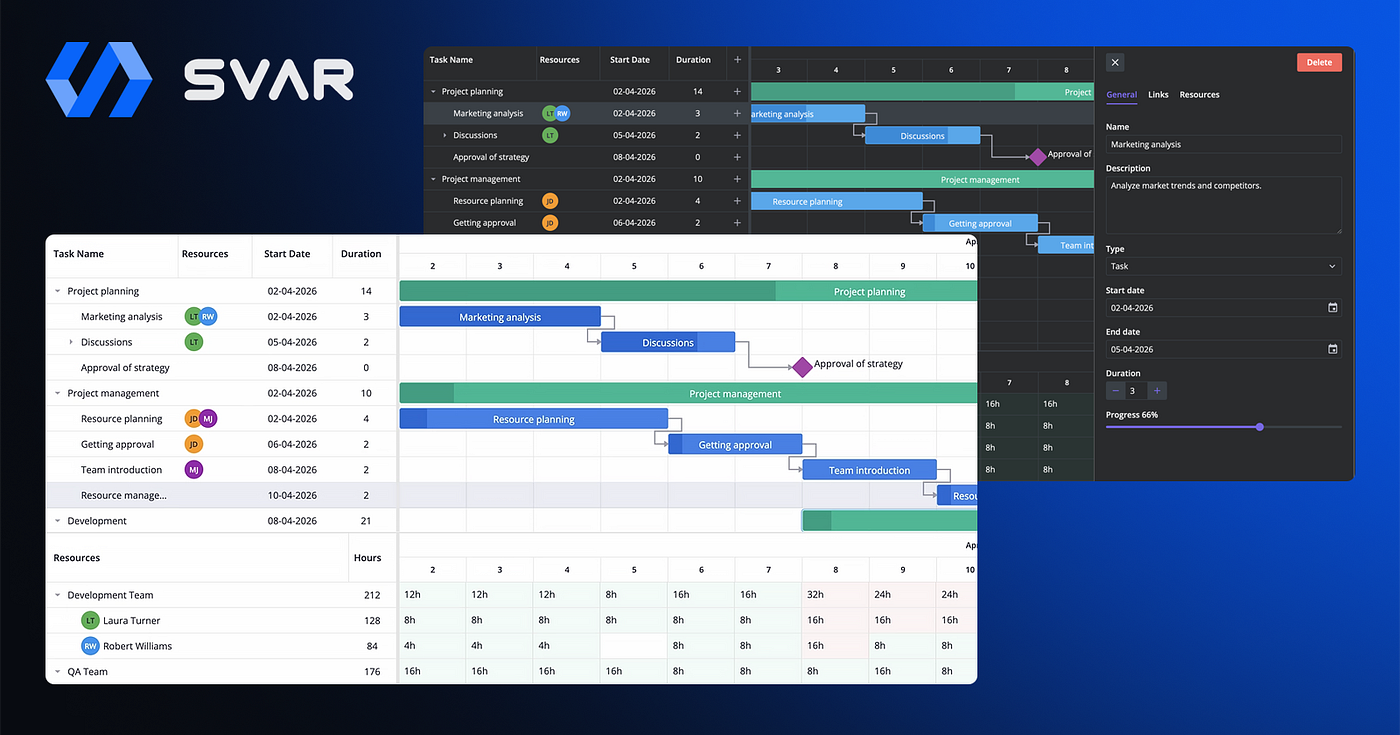
SVAR Gantt with Resource Planning
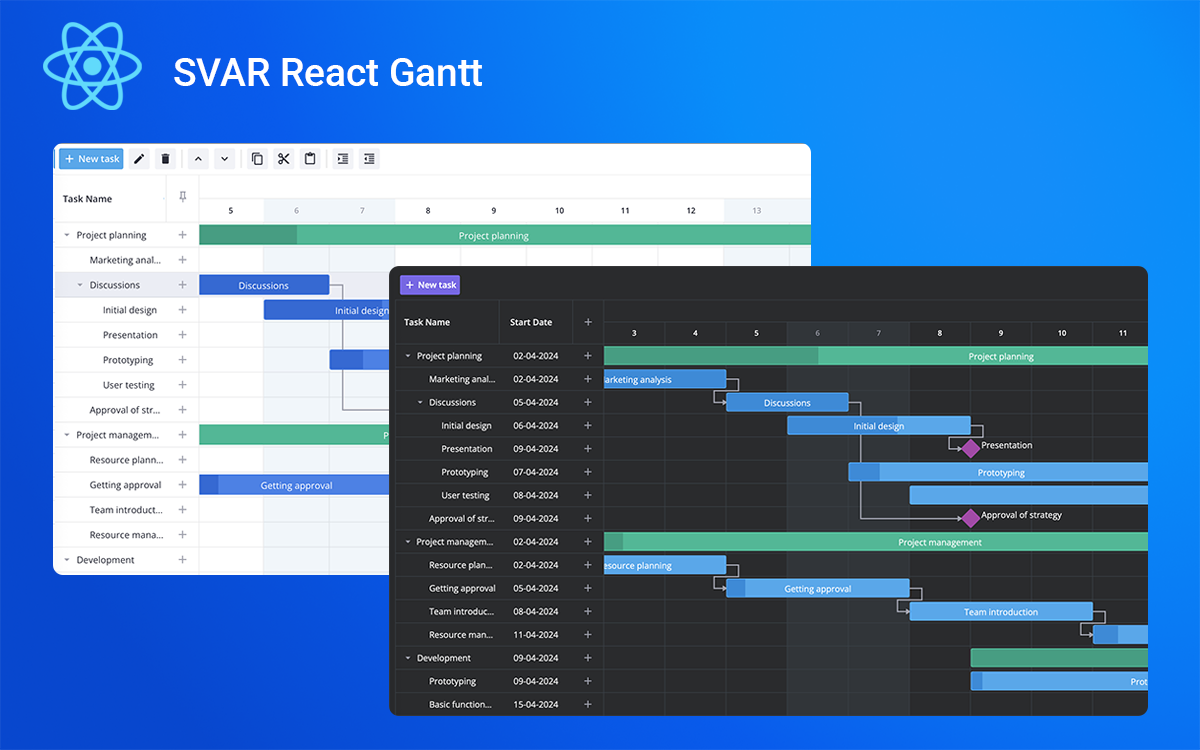
The open-source version of SVAR Gantt has also been updated with virtualized Gantt scales, a smarter task editor, and improved tooltips. Together, these updates give teams the tools they need to build modern project scheduling interfaces with better performance and more control.
Learn more about the framework-native SVAR Gantt libraries:
Open-Source Gantt Chart with Better Performance
All three framework editions — Svelte, React, and Vue — have been updated on GitHub. If you find the Gantt chart component useful, give a star to support the project 🌟
You can install the latest free versions of SVAR Gantt from npm:
npm install @svar-ui/svelte-gantt
npm install @svar-ui/react-gantt
npm install @svar-ui/vue-gantt
This is what we’ve added to the free Gantt chart component:
- Virtual Scale Rendering — now only visible time-unit cells are rendered on the scale. This means that users can create long and detailed timelines without running into performance issues. For example, you can build a multi-year chart with “hour” as the lowest unit and scroll or zoom it smoothly with no lag.
- Updated Tooltips — tooltips now support delay, position, arrow, touch behavior, and custom content. You can attach tooltips for task bars, rollups, links and resource-load cells, showing detailed, context-specific information directly on the chart.
- Import from Excel / CSV — a new ExcelImport widget for Excel / CSV import converts spreadsheet data into Gantt-ready JSON. The widget opens a wizard where users upload a file and map its columns to task or link fields. It supports auto-detection, data validation, optional ID generation, and localization, making it easy to bring existing project data into Gantt.
SVAR Gantt PRO for Resource Planning
This release brings full resource-management capabilities to SVAR Gantt PRO. It introduces a set of major enhancements that let teams assign tasks and balance workloads directly inside the component:
- Ability to assign resources to tasks — you can now manage resources and assignments collections to show who is responsible for each task. Resources may be flat or hierarchical, and assignments link each resource to a task with optional allocation units.
- Auto calculate and visualize resource load — You can now visualize resource load in the Gantt chart to see how each team member is allocated across the project timeline. Resource load can be displayed in hours (default) or as a percentage, and you can customize the output using a template function.
- Individual calendars for tasks and resources — assign task calendars through the calendars prop. A task’s calendar controls its working-time rules and how the task is scheduled and displayed. Also, each resource can have its own work-time calendar.
- Task grouping — Tasks can now be grouped by any field or by assigned resource, allowing users to explore the project by priority, status, or team. Grouping supports optional task and resource hierarchies and provides flexible handling for ungrouped tasks.
- Automatic WBS codes — SVAR Gantt PRO now supports automatic WBS (Work Breakdown Structure) numbering, assigning each task a hierarchical code based on its position in the task tree (e.g., 1, 1.2, 1.2.1). WBS codes update automatically whenever tasks are added, moved, indented, or reordered.
- Improved Editor UI — the task editor has been reorganized into focused tabs — General, Links, Resources, and Segments — so each aspect of a task can be edited without distraction. We also improved editing of split tasks.
- Improvements in Gantt scheduling engine — We have enhanced Gantt auto scheduling engine to work with summary tasks, which results in better performance and atomic scheduling operations that can be reverted with one step.
Summing Up
SVAR Gantt 2.7 makes it easier to build modern project planning and scheduling tools with better performance, resource management, and more flexible task organization. With support for resource allocation, resource load visualization, individual calendars, task grouping, and automatic WBS codes, the PRO edition gives you the building blocks for project and task scheduling apps.
To learn more about new features:
- See the demos
- Check the docs
- Fork SVAR Gantt on GitHub
Start with the free open-source edition and upgrade to PRO when your project needs advanced resource planning and scheduling features.
메타데이터
- post_id
- bd46fa5179f7
- slug
- svar-gantt-2-7-now-with-resource-planning-more-flexible-ui-bd46fa5179f7
- url
- https://medium.com/@SvarWidgets/svar-gantt-2-7-now-with-resource-planning-more-flexible-ui-bd46fa5179f7
- canonical_url
- https://medium.com/@SvarWidgets/svar-gantt-2-7-now-with-resource-planning-more-flexible-ui-bd46fa5179f7
- author_url
- https://medium.com/@SvarWidgets
- status
- ok
- fetched_at
- 2026-06-17 13:53:50