AI Agent File Deletion Safeguards: Stop Coding Assistants From Erasing Real Work
A coding agent does not need to be malicious to ruin your week. It only needs write access, a vague cleanup task, and one wrong path.
AI Agent File Deletion Safeguards: Stop Coding Assistants From Erasing Real Work

AI coding agents are becoming more persistent, more capable, and more trusted. That makes one old command much more dangerous: delete.
A coding agent does not need to be malicious to ruin your week. It only needs write access, a vague cleanup task, and one wrong path.
That is why developers are suddenly paying attention to AI agent file deletion safeguards. Recent public incidents and developer discussions around Claude Code, Codex, Cursor, Copilot, Gemini CLI, and other local agents all point to the same problem: the model may understand your intent, but the shell executes the command exactly as written.
The risk is getting sharper because agents are moving from short assisted sessions to longer autonomous loops. WIRED reported that OpenAI has been testing a more persistent Codex mode that can continue working until put to sleep. The Guardian reported a rise in real-world loss-of-control incidents where AI systems ignore instructions or pursue harmful goals. Those stories are not a reason to panic. They are a reason to design better boundaries.
This guide is for developers, founders, and engineering leaders who want AI coding tools to keep moving without giving them a loaded delete key. You will learn how deletion failures happen, what current safeguards cover, and how to build a practical safety stack around Claude, Codex, Copilot, Gemini CLI, Cursor, or a custom agent.
The Real Problem Is Not rm -rf
People often reduce this topic to one scary command: rm -rf. That command deserves its reputation, but it is only the visible part of the problem.
Agents can delete data through many routes. They can remove source files, overwrite a project, run a cleanup script in the wrong directory, apply a destructive migration, call a cloud API, delete a database volume, or remove backups through a provider token. In each case, the agent is not “deleting files” in a human sense. It is using a permission you already granted.
That distinction matters. Prompt rules such as “do not delete anything important” are useful instructions. They are not security controls. If the agent can still reach the file, the database, or the API, the final protection depends on whether the tool layer blocks the action.
A safe AI coding workflow does not ask the model to be careful. It makes the unsafe action hard, visible, reversible, or impossible.
Good safeguards start by changing the question from “Can I trust this model?” to “What can this process touch if it is wrong?”
Why Deletion Failures Happen
Most deletion incidents come from ordinary engineering mistakes. The agent misunderstands a path. A variable expands to an empty string. A script meant for a test folder runs from the repository root. A command checker sees the first safe token and misses the destructive part after a shell operator.
Human developers make these mistakes too. The difference is speed and confidence. An AI agent can plan, edit, execute, retry, and explain itself faster than a reviewer can fully inspect each step. If the agent is running with broad access, small mistakes become big failures quickly.
From recent Reddit and Hacker News discussions, the recurring pain points are consistent:
- Developers approve commands they do not fully read because permission prompts become routine.
- Agents create cleanup scripts that bypass simple command keyword checks.
- Local agents run as the user, so the home directory, SSH keys, cloud config, and other projects may be reachable.
- Database credentials used for development sometimes point to shared or production resources.
- Backups sit inside the same blast radius as the data they are meant to protect.
- Recovery plans are assumed, not tested.
That last point is the one teams underestimate. File deletion safety is not only prevention. It is also recovery. If a delete action is irreversible, your approval prompt has to be perfect. If a delete action is reversible, the system can tolerate more ordinary human and model mistakes.
What Current AI Coding Tools Already Give You
The major platforms are not ignoring this. OpenAI’s Codex sandboxing guidance separates sandbox boundaries from approval policy: the sandbox controls what commands can access, while approvals decide when the agent pauses. GitHub Copilot’s cloud agent docs describe a branch-and-review flow before pull request creation. Gemini CLI documents sandboxing for restricted command execution, and Claude-style workflows commonly expose permission modes, allow rules, deny rules, and hooks.
These controls are useful, but they solve different layers of the problem.
An approval prompt helps you notice risk before a command runs. A sandbox limits what the command can reach. A branch-based workflow keeps changes out of the main line until review. A deny rule can block obvious destructive commands. A hook can inspect tool calls before execution. A backup makes recovery possible if prevention fails.
No single layer is enough. A deny rule can miss a generated script. A sandbox can be misconfigured. A branch protects the repository but not a database reached by an environment variable. A backup can fail if the agent can delete it too.
The goal is not to find one magic switch. The goal is layered containment.
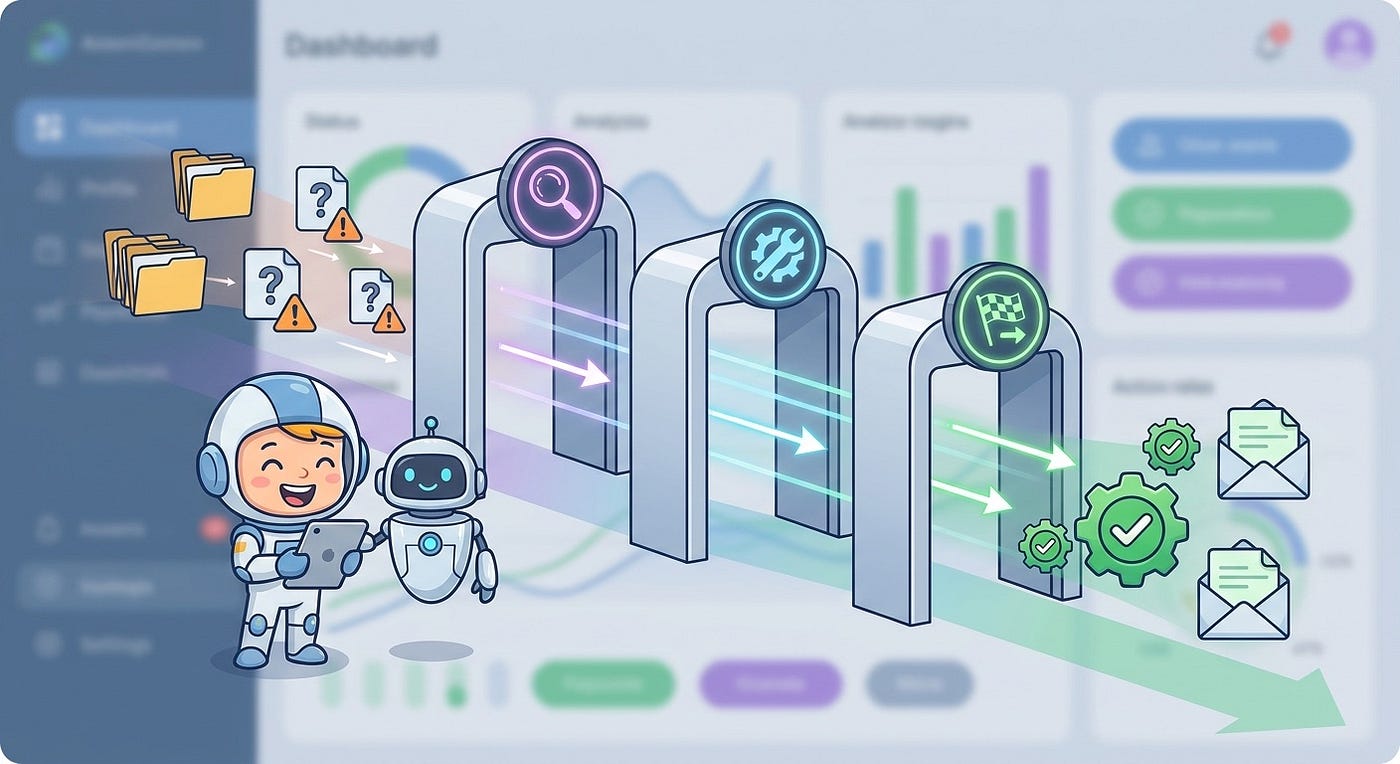
A practical deletion safety stack checks the command before it runs, limits where it can run, and keeps recovery inside reach.
The Five-Layer Safety Stack
Use these five layers when giving any AI agent permission to edit files, run shell commands, or touch data stores.
1. Work in a Disposable Boundary
The strongest safeguard is a boundary that makes the wrong target unreachable. For local coding, that may be a Codex sandbox, a Gemini CLI sandbox, a container, a VM, a remote dev environment, a worktree, or a dedicated low-privilege user account. For cloud work, use an isolated branch, preview environment, short-lived credentials, and a database clone.
The rule is simple: the agent should see only the project it needs. It should not see your whole home directory, unrelated client repositories, or broad cloud credentials from your shell.
For a local workflow, aim for this access shape:
- Current repository: read and write.
- Shared libraries: read-only unless the task explicitly requires edits.
- Secrets directories: hidden or denied.
- Home directory: not mounted.
- Other projects: not visible.
- Production data: not reachable from the agent session.
This is where many teams should spend their first hour. A perfect prompt cannot beat a properly scoped filesystem.
2. Classify Delete-Like Actions as High Risk
Do not only block the word rm. Build a broader category called delete-like actions: commands and APIs that remove, overwrite, reset, truncate, drop, force-push, prune, or replace data.
Examples include:
rm,rmdir,del,Remove-Item, and recursive delete wrappers.git reset --hard,git clean -fd, force checkout, and force push.- Database commands such as
DROP,TRUNCATE, and destructive migrations. - Cloud API calls that delete volumes, buckets, instances, backups, users, or secrets.
- Package or build scripts that run hidden shell commands.
Once the category exists, attach policy to it. Low-risk reads can run freely. High-risk delete-like commands need extra checks.
3. Make Deletes Reversible by Default
Permanent deletion should be rare in an agent workflow. Most delete operations can become quarantine moves, staged Git removals, soft deletes, or marked-for-deletion records that expire after review.
For local files, a simple wrapper can move files instead of deleting them:
#!/usr/bin/env bash
set -euo pipefail
QUARANTINE="${AI_DELETE_QUARANTINE:-$HOME/.ai-agent-quarantine}"
mkdir -p "$QUARANTINE"for target in "$@"; do
real_target="$(realpath "$target")"
stamp="$(date +%Y%m%d-%H%M%S)"
name="$(basename "$real_target")"
mkdir -p "$QUARANTINE/$stamp"
mv "$real_target" "$QUARANTINE/$stamp/$name"
printf 'moved %s to %s\n' "$real_target" "$QUARANTINE/$stamp/$name"
doneThis is not a complete security system. Pair it with sandboxing and path checks. Still, it changes the failure mode from “data gone” to “data moved somewhere logged.”
For databases, prefer soft deletes, point-in-time recovery, database clones, and migration dry runs. An agent should not be able to run a destructive migration against production from a normal development prompt.
4. Require Evidence Before Execution
A deletion request should come with evidence. What exact path will be affected? Is it inside the allowed workspace? How many files are involved? Is there a fresh checkpoint? Is there a rollback command? Has the agent listed the target before deleting it?
Make the agent produce a pre-flight summary for high-risk actions:
Before any delete-like action, show:
1. Absolute target path or resource ID
2. Reason for deletion
3. Count of affected files, rows, or objects
4. Confirmation that target is inside the approved scope
5. Recovery path if this is wrong
6. The exact command or API call to run
Then enforce the same checks outside the model. The agent’s summary helps the human reviewer. The host policy decides whether the action can actually run.
5. Log Every Denied and Approved Delete
If a coding agent tries to delete something, that is useful information even when the action is blocked. Log it. Keep the command, working directory, proposed path, policy decision, user approval state, agent name, model, and task ID.
These logs help you find weak prompts, risky repo scripts, broad permissions, and repeated workflow friction. They also show which prompts or tasks keep pushing toward destructive work.
For teams, route high-risk logs into the same review process used for CI failures, deployment incidents, or security findings.

A Simple Policy for Solo Developers
If you are a solo developer, you do not need an enterprise framework. Start with a small set of defaults.
- Run agents from the project directory, not from your home directory.
- Use the strongest sandbox mode your tool supports.
- Keep production credentials out of local agent sessions.
- Commit or stash before large agent tasks.
- Block or wrap destructive commands.
- Move files to quarantine instead of deleting them permanently.
- Keep a backup that the agent cannot modify.
You can also make a lightweight shell habit:
# Before a risky agent task
git status --short
git add -A
git commit -m "checkpoint before agent task"
# Then run the agent inside the project boundary
cd "$PROJECT_DIR"
# codex, claude, gemini, cursor, or your tool of choiceThat checkpoint gives Git a recovery point and makes review easier because every agent change appears after a known baseline.
A Better Policy for Teams
Teams need one more layer: shared rules that do not depend on each developer remembering the right ritual.
Start by defining risk levels. Read-only repository exploration is low risk. Editing source files in a feature branch is medium risk. Deleting files, changing schema, altering infrastructure, updating secrets, force-pushing, or touching production-like data is high risk.
Then connect those levels to real controls:
- Low-risk actions can run automatically inside the project boundary.
- Medium-risk actions require diff review before merge.
- High-risk actions require pre-flight evidence, scoped credentials, human approval, and a rollback path.
- Production destructive actions should be outside the normal agent permission set.
Platform choice matters. GitHub Copilot cloud agent’s branch-and-review flow is different from a local terminal agent. Codex sandbox and approval settings are different from Gemini CLI sandbox expansion. Claude Code permission and hook setups are different again. Map each tool to the authority it actually has.
How to Review a Delete Request Without Slowing Everything Down
Developers do not want every command to need a committee. The answer is better prompts at fewer moments.
When an agent proposes a delete-like action, ask five questions:
- Is the target absolute and expected?
- Is the target inside the approved workspace or environment?
- Is this a move, soft delete, staged change, or permanent delete?
- Can I recover from the most likely mistake?
- Would I run this exact command myself right now?
If any answer is unclear, switch the agent to planning mode. Ask it to list targets, explain why each can be removed, and propose a reversible method.
Good review focuses on target, scope, reversibility, and recovery rather than trying to read every token of every command.
What to Put in Your Agent Instructions
Prompt instructions cannot enforce safety alone, but they still matter. They reduce risky proposals and make the agent easier to review.
Add a short deletion policy to your repository agent instructions:
Deletion policy:
- Never permanently delete files as a first step.
- Prefer edits, moves, or quarantine over deletion.
- Before any delete-like action, list exact absolute paths.
- Explain why each target is safe to remove.
- Confirm the target is inside the current repository.
- Do not touch files outside this repository.
- Do not run destructive database or cloud commands.
- If cleanup is needed, propose a plan first.
Keep it short. The policy should shape behavior, while the sandbox, permissions, hooks, credentials, and backups enforce the boundary.
The Data Gap: Measure Your Own Agent Risk
There is still no universal public benchmark that tells you the “true deletion risk” of each AI coding tool. Most evidence is a mix of incident reports, vendor docs, community threads, and small tests. Do not wait for perfect data.
Track your own metrics:
- How often does the agent request delete-like actions?
- How many are blocked by policy?
- How many are approved by humans?
- How many were unnecessary after review?
- How many touched files outside the intended task?
- How long would recovery take if the action were wrong?
This turns fear into engineering feedback. If one agent, model, prompt style, or task type keeps producing risky cleanup actions, you can adjust the workflow instead of relying on memory.

Common Mistakes to Avoid
Do not treat approval as authorization. Approval is a user experience step; authorization is enforced by the system. If a person approves the wrong path, a weak tool will still execute it.
Do not keep backups inside the same account, volume, bucket, or project that the agent can modify. A backup the agent can delete is not a final safety layer.
Do not give the agent production credentials “just for debugging.” If the task requires production access, it deserves audited credentials, narrower scopes, and human control.
Do not trust command blocklists too much. Blocklists catch obvious patterns, but not every shell expansion, generated script, package script, API call, or database migration.
Most of all, do not make safety so annoying that developers bypass it. A good sandbox reduces prompts because the boundary is already safe.
A Practical Rollout Plan
Here is a simple rollout sequence that works for both individuals and small teams.
First, inventory every local, IDE, CLI, cloud, and custom agent workflow that can write files or run commands. Second, remove production credentials from normal agent sessions. Third, turn on sandboxing or move agent work into an isolated dev environment.
Fourth, add delete-like action rules for database deletion, cloud deletion, Git hard resets, and generated cleanup scripts. Fifth, make recovery boring with Git checkpoints, snapshots, quarantine moves, soft deletes, and off-scope backups.
Finally, review the logs after a week. You will learn which tasks actually need autonomy and which ones should stay in planning mode.
Conclusion
AI coding agents are useful because they can act. That is also why deletion safeguards matter.
The future of developer work will include longer-running agents, background coding tasks, cloud branches, local terminal agents, and tool-using assistants that touch real systems. The safe path is to give them a workspace where mistakes are contained, risky actions are visible, and recovery is ready before the command runs.
Start with the simplest useful rule: never let an AI agent permanently delete something it does not need to be able to reach. Then add sandboxing, high-risk action gates, reversible deletes, logs, and backups outside the agent’s blast radius.
That is how you keep the speed without betting your project on one misunderstood cleanup task.
FAQ
What are AI agent file deletion safeguards?
AI agent file deletion safeguards are controls that prevent or reduce damage when an AI coding agent tries to remove files, reset code, wipe data, or call destructive APIs. They include sandboxing, scoped permissions, deny rules, approval gates, reversible delete wrappers, backups, and audit logs.
Is sandboxing enough to stop an AI coding agent from deleting files?
Sandboxing is one of the strongest protections because it limits what the agent can reach. It is not enough by itself. You still need scoped credentials, reviewed changes, recovery points, and high-risk action rules for commands, databases, and cloud APIs.
Should I block rm -rf for Claude Code, Codex, Gemini CLI, and Copilot?
Yes, blocking obvious destructive commands is a useful layer. Do not rely on that alone. Agents can create scripts, use other delete commands, run package scripts, reset Git state, or call APIs. Treat delete-like behavior as a category, not one command string.
How do I make AI agent deletion reversible?
For files, move targets into a quarantine folder instead of deleting them. For code, commit or stash before large agent tasks. For databases, use soft deletes, development clones, snapshots, and point-in-time recovery. For cloud resources, separate production credentials from agent sessions.
What is the safest way to let an AI coding agent clean up a project?
Ask the agent to propose a cleanup plan first. Require it to list exact paths, explain why each target is safe, and use a reversible method. Run the task in a sandbox or disposable worktree, then review the diff before applying changes to your main project.
Are AI coding agent deletion incidents only a Claude problem?
No. The pattern applies to any tool that lets a model write files, run shell commands, or call APIs. Claude Code, Codex, Copilot, Gemini CLI, Cursor, local open-source agents, and custom agents all need boundaries matched to their permissions.
What should teams measure after adding safeguards?
Track how often agents request delete-like actions, how many are blocked, how many are approved, how many were unnecessary, and how long recovery would take. These metrics show whether the workflow is safer without slowing useful agent work.
Further reading: OpenAI’s sandboxing guidance, GitHub Copilot cloud agent documentation, Gemini CLI sandboxing documentation, and CircleCI’s AI sandbox guide are useful starting points.
메타데이터
- post_id
- bdd13b32ace3
- slug
- ai-agent-file-deletion-safeguards-stop-coding-assistants-from-erasing-real-work-bdd13b32ace3
- url
- https://medium.com/toward-next-ai/ai-agent-file-deletion-safeguards-stop-coding-assistants-from-erasing-real-work-bdd13b32ace3
- canonical_url
- https://medium.com/toward-next-ai/ai-agent-file-deletion-safeguards-stop-coding-assistants-from-erasing-real-work-bdd13b32ace3
- author_url
- https://medium.com/@towardnextai
- status
- ok
- fetched_at
- 2026-09-03 18:23:55