Building a Key-Value Store Part 2: Surviving Server Crashes with WAL and SSTables
Commits covered in this milestone: 72266a8, d34dadf
Building a Key-Value Store Part 2: Surviving Server Crashes with WAL and SSTables
Commits covered in this milestone: 72266a8, d34dadf
Series Context: This is Part 2 of our series on building a distributed key-value store from scratch in Java. If you are just joining us, in Part 1 we built the foundation: a blazing fast, thread-safe, in-memory key-value store using
ConcurrentHashMap. You can find the complete source code for the finished project here: https://github.com/rahulch07/kvstore.
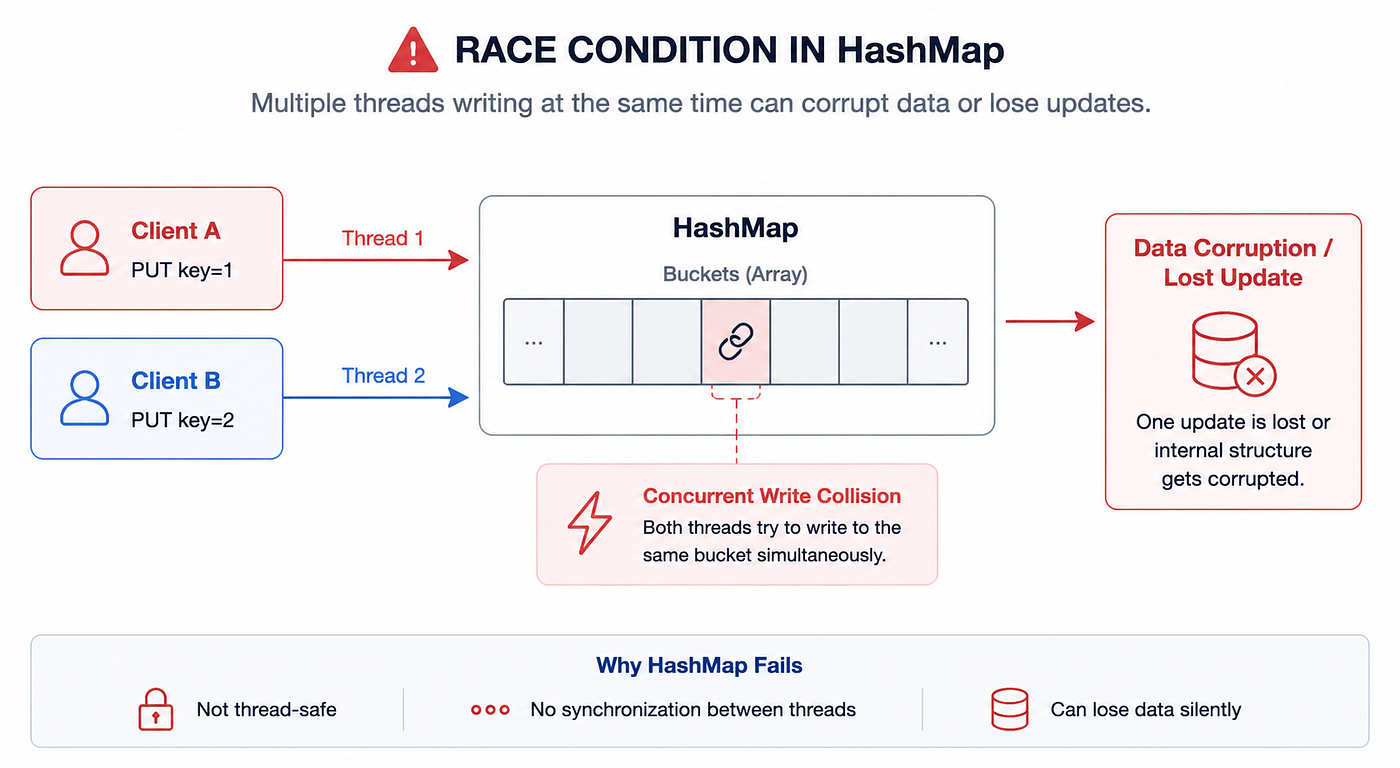
Our in-memory store from Part 1 works flawlessly, handling thousands of concurrent requests without dropping a sweat.
But it has a fatal flaw: volatility.
If the server crashes, power goes out, or we simply deploy an update, the ConcurrentHashMap is wiped out. In a real database, losing data on restart is completely unacceptable. We need durability. We need to persist our data to disk.
The First Attempt: Periodic Snapshots
The most intuitive way to save data to disk is to simply dump the entire map to a file every few seconds. We can use Jackson to serialize the ConcurrentHashMap to a JSON file (a snapshot) on a background thread.
@Component
public class SnapshotStorageEngine implements StorageEngine {
    // ...
    @Scheduled(fixedRate = 30000) // Every 30 seconds
    public void takeSnapshot() {
        objectMapper.writeValue(new File("snapshot.json"), store);
    }
}
This works, but it introduces two massive problems:
- The Data Loss Window: If the server crashes at second 29, you lose all the writes from the last 29 seconds.
- Performance Bottleneck: As the dataset grows to gigabytes, serializing the entire map takes longer and longer, freezing up resources and starving our application of CPU cycles.
We need a system that persists data immediately on every write, without destroying our write performance.
The Solution: Write-Ahead Logging (WAL) and SSTables
If we look at how production databases like Cassandra, LevelDB, and RocksDB solve this, they use a combination of a Write-Ahead Log (WAL) and Sorted String Tables (SSTables).
Here is how the architecture looks:
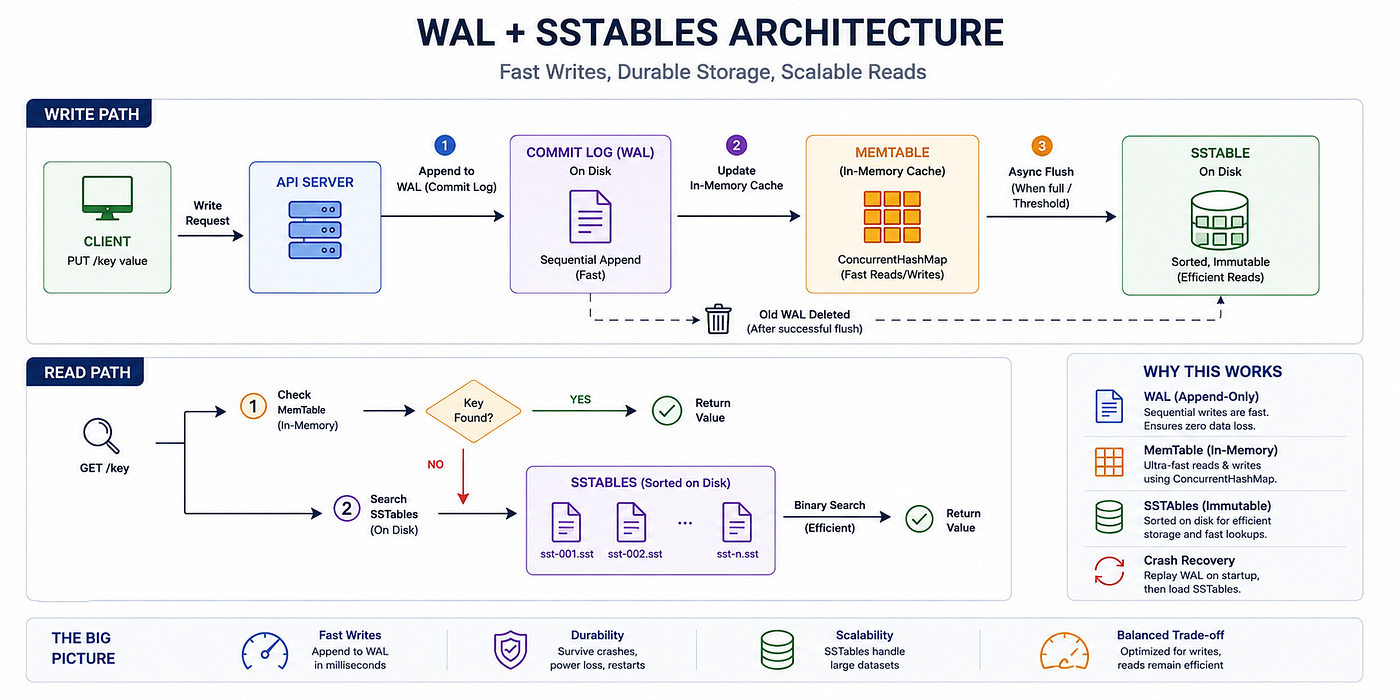
1. The Write-Ahead Log (Commit Log)
Disk I/O is famously slow, but not all disk I/O is created equal. Sequential I/O (appending data to the end of a file) is incredibly fast, often matching network speeds. Random I/O (updating a specific byte in the middle of a massive file) is what kills performance.
A Write-Ahead Log (WAL) exploits this. When a PUT request arrives, the very first thing we do is append the raw command to the end of a log file on disk.
// Inside CommitLog.java
public void append(String key, byte[] value) {
    String logEntry = "PUT " + key + " " + Base64.getEncoder().encodeToString(value) + "\n";
    fileWriter.write(logEntry);
    fileWriter.flush(); // Force write to disk
}
Because this is a pure append operation, it takes less than a millisecond. Once it is safely written to the CommitLog, we then update our ConcurrentHashMap (our in-memory cache) and return 200 OK to the client.
If the server crashes immediately after this, we haven’t lost the data! On startup, the server simply opens the CommitLog, reads the operations one by one, and replays them back into memory.
2. SSTables (Sorted String Tables)
The Commit Log gives us durability, but it grows infinitely. If we let it run for a month, it will be hundreds of gigabytes, and restarting the server (replaying the log) would take hours.
To solve this, we introduce SSTables.
When our ConcurrentHashMap reaches a certain size (or after a time threshold), a background thread kicks in. It takes the in-memory data, sorts it by key, and writes it to a new, immutable file on disk called an SSTable (sst-001.sst).
// Inside SSTableManager.java
public void flush(Map<String, byte[]> memTable) {
    // 1. Sort the keys
    List<String> sortedKeys = new ArrayList<>(memTable.keySet());
    Collections.sort(sortedKeys);

    // 2. Write to immutable file
    File sstable = new File("data/sst-" + System.currentTimeMillis() + ".sst");
    // ... write sorted entries to file ...
}
Once the flush is complete:
- We clear the
ConcurrentHashMapto free up memory. - We delete the old
CommitLog(since all that data is now safely stored in the SSTable). - We start a fresh
CommitLog.
Reading the Data
With data now split between memory and disk, how do we read a key?
- Check Memory: Is it in the current
ConcurrentHashMap? If yes, return it instantly. - Check Disk: If it’s a cache miss, we search our SSTable files. Because the SSTables are strictly sorted by key, we don’t have to scan the whole file. We can use a fast binary search on disk to find the exact byte offset of the key!
Trade-offs
By adopting this architecture, we made a conscious trade-off. We chose to prioritize blazing fast writes (append-only log) and zero data loss, at the cost of slightly slower read speeds (disk seeks on cache misses) and slower startup times (replaying the commit log). In modern, write-heavy distributed systems, this is almost always the right trade-off.
Test it Yourself
Try writing some data, violently killing the application process, and restarting it to watch the WAL recovery in action:
# Test 1 — WAL-only recovery (crash before first flush)
# Write 100 keys then immediately kill (< 60s)

for i in $(seq 1 100); do
  curl -s -X PUT http://localhost:8080/api/v1/keys/key:$i \
    -H "Content-Type: application/json" \
    -d "{\"value\": \"value-$i\"}" > /dev/null
done

# Kill immediately (Ctrl+C or kill -9 <pid>)
# Inspect the WAL:
cat ./data/commit.log

# Restart — watch the logs for "Replayed N WAL entries"
./mvnw spring-boot:run

# All 100 keys must be present
curl http://localhost:8080/api/v1/keys/key:1
curl http://localhost:8080/api/v1/keys/key:50
curl http://localhost:8080/api/v1/keys/key:100

# Test 2 — SSTable + WAL recovery
# Write 50 keys, wait 70s (flush fires), write 50 more, kill, restart
# Watch logs: "Flushed 50 entries to sst-{ts}.sst" then "Loaded: sst-{ts}.sst"
# All 100 must be present after restart

# Test 3 — Verify SSTable file format
ls -la ./data/sstables/
head -5 ./data/sstables/sst-*.sst
# → key<TAB>base64value (sorted alphabetically by key)

# Test 4 — Actuator still works
curl http://localhost:8080/actuator/health
Here is my video, doing the above test
https://drive.google.com/file/d/13BoHCxq_70ER-GIXjYKxqHOr9sLkS_t-/view?usp=sharing
What’s Next?
Our database is now incredibly fast and entirely crash-proof. But it has hit a ceiling. It is bound by the physical limits of a single machine. What happens when our data grows to 10 Terabytes and exceeds our hard drive? What happens if our server’s motherboard completely fries?
In **Article 3: Scaling Out, we will break free from a single machine. We will distribute our data across multiple servers using Consistent Hashing**, ensuring our storage and throughput can scale infinitely.
메타데이터
- post_id
- bdd7ac7a2ca3
- slug
- surviving-the-crash-implementing-wal-and-sstables-in-java-bdd7ac7a2ca3
- url
- https://medium.com/@rahulch07/surviving-the-crash-implementing-wal-and-sstables-in-java-bdd7ac7a2ca3
- canonical_url
- https://medium.com/@rahulch07/surviving-the-crash-implementing-wal-and-sstables-in-java-bdd7ac7a2ca3
- author_url
- https://medium.com/@rahulch07
- status
- ok
- fetched_at
- 2026-08-09 11:07:28