How to Automate LinkedIn Content Marketing
Tired of spending hours finding ideas, writing posts, and publishing content on LinkedIn? Good news — you can automate most of your…
How to Automate LinkedIn Content Marketing
Photo by Adem AY on Unsplash
Tired of spending hours finding ideas, writing posts, and publishing content on LinkedIn? Good news — you can automate most of your LinkedIn content marketing using smart tools like Feedly, ChatGPT, and Zapier.
In this blog, we’ll walk you through everything step by step — from collecting content ideas to publishing AI-written posts on LinkedIn. Perfect for digital marketers, content creators, and small business owners who want to save time and stay consistent.
What Is Feedly?
Feedly is a content curation tool that helps you discover the latest articles, blog posts, and industry news from your favorite websites — all in one place.
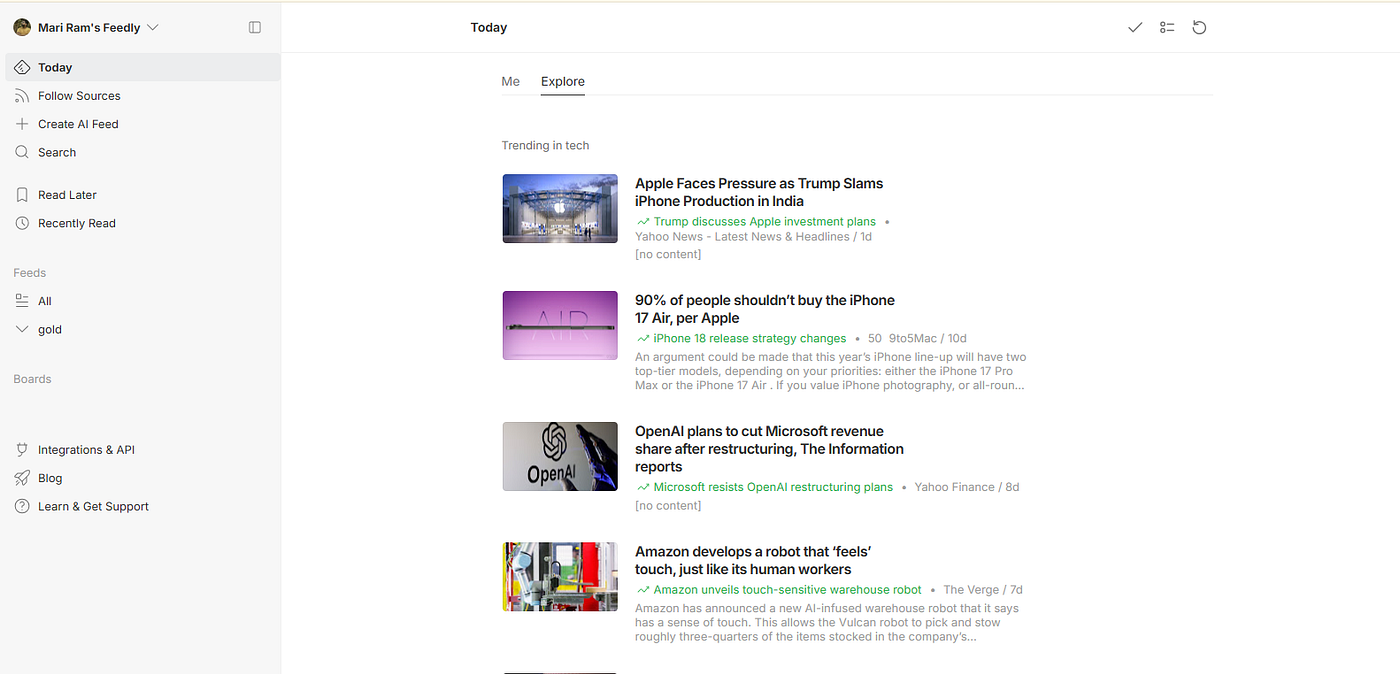
You can:
- Follow blogs, news sites, and YouTube channels
- Create boards to save useful content
- Use tags like “To Share” or “Content Ideas” for organization
Feedly is great for staying updated with your industry and collecting ideas for LinkedIn posts.
🔗 Try Feedly: https://feedly.com
How Are Feedly and ChatGPT Connected?
Feedly gives you great content, but writing a LinkedIn post from it takes time.
That’s where ChatGPT comes in.
Photo by Andrew Neel on Unsplash
You can connect Feedly to ChatGPT using Zapier, an automation tool that links different apps. Once connected, new articles saved in Feedly can be sent automatically to ChatGPT to generate a LinkedIn-style post.
Can You Do This With the Free Version?
- Feedly: Free version works, but it has limited features. You may need Pro to use advanced features like saving to boards and Zapier integration.
- ChatGPT: Free version works if you use it manually. For automation, you need access to the OpenAI API, which is available under the paid plan.
- Zapier: Free plan allows limited tasks per month. It’s enough to test the process.
How to Generate LinkedIn Post Drafts with ChatGPT
Even without automation, you can generate posts manually using ChatGPT.
Example Prompt:
“Summarize this article in 3–4 lines for a LinkedIn post. Make it sound friendly and professional: [Paste article or summary]”
You can also ask ChatGPT to:
- Add hashtags
- Include a call to action
- Rewrite in your brand tone
💡 I’ve also written a blog about how to write effective prompts for ChatGPT. Be sure to check it out if you’re just starting!
🔗 Try ChatGPT: https://chat.openai.com
Should You Create an Agent in ChatGPT?
Yes! Creating your own Custom GPT (Agent) helps you streamline the content creation process. You can train it to follow your tone, style, and instructions — making it perfect for consistent LinkedIn content generation.
How to Create a Custom GPT Agent in ChatGPT (Step-by-Step)
Step 1: Open ChatGPT (Pro account required)
Go to: https://chat.openai.com
Step 2: Click on “Explore GPTs” or “Create a GPT”
You’ll find this in the left-hand menu under “Explore GPTs.”
Step 3: Click “Create”
Select Create a GPT to start building your own custom AI assistant.
Step 4: Walk Through the Setup
- Add a name (e.g., “LinkedIn Content Assistant”)
- Upload any files if needed (brand tone guide, templates, etc.)
- Set instructions like:
- “You are a friendly and professional content writer who creates short and engaging LinkedIn posts from news articles or summaries. Use simple words, include 3–5 relevant hashtags, and avoid jargon.”
Step 5: Test Your GPT
Try a sample prompt like:
“Create a 4-line LinkedIn post based on this article summary: [paste content]”
Step 6: Save and Share
Once you’re happy, you can make your GPT private or shareable with a link.
Now every time you or Zapier interacts with ChatGPT, it will follow your brand voice and generate relevant LinkedIn content.
What Is Zapier?
Zapier is a no-code automation tool that connects your favorite apps and services. Each automation is called a Zap.

Example:
- Trigger: You save a new article in Feedly
- Action: ChatGPT writes a LinkedIn post
- Next Action: Save the post to Google Sheets
🔗 Try Zapier: https://zapier.com
What Are the Benefits of Automation?
Here’s why automating your LinkedIn content marketing is a game-changer:
- Saves Time — No more copy-pasting or rewriting manually
- Consistency — Keeps your posting schedule on track
- Better Focus — You can focus on strategy instead of repetitive tasks
- calability — Easily handle more content as your brand grows
- Less Burnout — Reduces daily content stress
Why Prefer Automation Over Manual Posting?
Manual posting can be:
- Time-consuming
- Prone to inconsistency
- Difficult to scale as you grow
Automation takes care of the heavy lifting, so you can be more strategic and creative. It helps you stay active on LinkedIn without having to be online all the time.
Step-by-Step: Connect Feedly and ChatGPT with Zapier
Step 1: Sign Up
- Create accounts on Feedly, Zapier, and OpenAI
Step 2: Create a New Zap
Click “Create Zap” in Zapier.
Step 3: Add Trigger (Feedly)
- App: Feedly
- Trigger: New article saved in board
- Choose a board (e.g., “To Share”)
Step 4: Add Action (OpenAI / ChatGPT)
- App: OpenAI
- Action: Send prompt
- Prompt: Use content from Feedly Example:
- “Write a 3-line LinkedIn post from this article summary: {{Article Summary}}”
How to Store or Review Generated Posts
Send the AI-written post to a place where you can review or schedule it.
Common options:
- Google Sheets
- Notion
In Zapier:
- App: Google Sheets
- Action: Create Spreadsheet Row
- Include columns like: Article Title, Post Text, Date, Status
How to Send AI-Generated Content to LinkedIn
Option 1: Manual Posting
- Review the post in your Google Sheet
- Copy and paste it into LinkedIn
Option 2: Fully Automated Posting
Step-by-Step via Zapier:
- Add LinkedIn as your final step in Zapier
- Choose Action: Create Share Update
- Use ChatGPT’s output as post content
- Test and Turn On the Zap
🔗 Connect LinkedIn to Zapier: https://zapier.com/apps/linkedin/integrations
- Save article in Feedly
- Zapier picks it up
- ChatGPT (or your custom GPT) writes a LinkedIn post
- Store it in Google Sheets
- Automatically post it on LinkedIn
LinkedIn content marketing can be time-consuming — but it doesn’t have to be. By combining Feedly, ChatGPT, and Zapier, you can automate everything from idea to publishing.
You’ll save hours every week, maintain consistency, and stay visible to your network — without doing all the work manually.
Ready to Start?
Use Feedly to collect valuable content Let ChatGPT or your custom GPT agent write your posts Automate the process with Zapier Focus on strategy and let automation handle the rest!
👉 Need help setting this up? Drop a comment or reach out — I’d love to help you automate your LinkedIn content the smart way!
📢 Coming up next: I’m going to share how to automate LinkedIn to generate leads organically by building meaningful connections. So, follow me to stay updated — I’ll keep you posted with practical tips and step-by-step guides!
메타데이터
- post_id
- bde48a8a45c0
- slug
- how-to-automate-linkedin-content-marketing-bde48a8a45c0
- url
- https://medium.com/@mariram.mr/how-to-automate-linkedin-content-marketing-bde48a8a45c0
- canonical_url
- https://medium.com/@mariram.mr/how-to-automate-linkedin-content-marketing-bde48a8a45c0
- author_url
- https://medium.com/@mariram.mr
- status
- ok
- fetched_at
- 2026-07-19 20:59:00




