What Is Dynamic Workflow in Claude Opus 4.8?
8 Powerful Use Cases for Automation and AI Agents
Claude Opus 4.8 Features | Dynamic Workflow Claude Code | AI Agent Automation 2026
What Is Dynamic Workflow in Claude Opus 4.8?
8 Powerful Use Cases for Automation and AI Agents
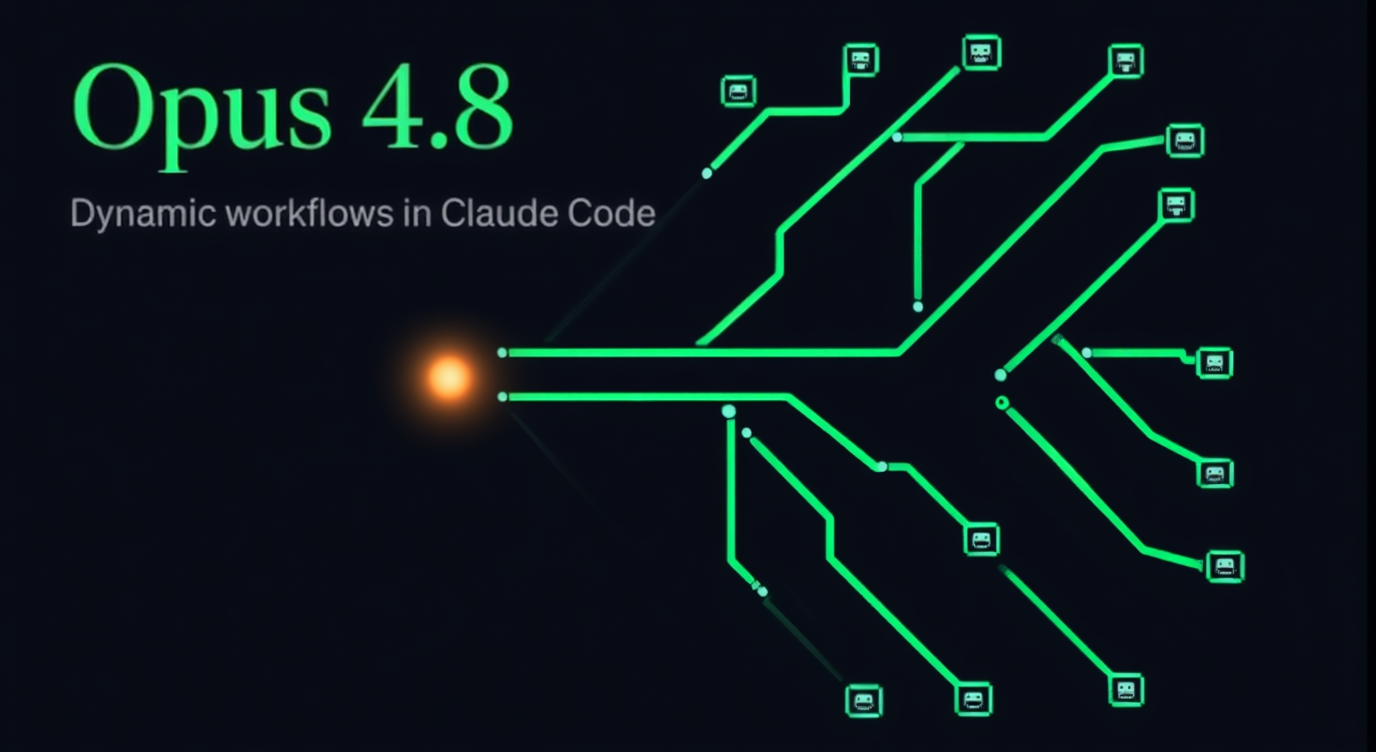
Opus 4.8 (Dynamic Workflow)
Read here for FREE
Jarred Sumner rewrote 750,000 lines of Bun’s source code in 11 days using one Claude Code feature that most developers hadn’t even heard of.
(For context: a migration this large would normally be planned in quarters, not days, often taking half a year to a year for a dedicated team.)
That number is real. Bun is a widely used JavaScript runtime, and Sumner moved the entire codebase from one systems language (Zig) to another (Rust) with 99.8% of the existing test suite still passing at the end. Hundreds of agents worked in parallel, two reviewing every single file. This wasn’t a demo. It was a real project, using a real feature called Dynamic Workflows that Anthropic shipped alongside Claude Opus 4.8 on May 28, 2026.
If you’ve seen the name floating around and aren’t sure what it actually is or whether it matters for your work, here’s a clear breakdown.
What Is a Dynamic Workflow?
Most of the time, when you ask Claude something, one agent reads your input, thinks through it, and gives you an answer. That’s fine for most tasks.
But what happens when your task is too large for a single context window? Or when you need hundreds of files reviewed at once? Or when the cost of a wrong answer is high enough that you want independent verification before anything reaches you?
Dynamic Workflow is Claude’s answer to those situations.
Instead of one agent handling everything from start to finish, Claude acts as an orchestrator. It looks at your task, writes a JavaScript script to manage the work, and launches tens to hundreds of parallel subagents that each take a piece of the problem. Results are cross-checked before they come back to you. And it all runs in the background while your session stays responsive.
Think of the difference between one person reading through an entire filing cabinet folder by folder, versus an entire team going through it together and fact-checking each other. That’s what changes here.
How It Works (Simply)
You don’t need to understand the underlying code to use this. Here’s the basic shape of what happens:
- You describe your task (include the word “workflow” anywhere in your prompt, or turn on a setting called ultracode)
- Claude reads the task and writes an orchestration script
- A runtime launches the script in the background
- Subagents work in parallel, each with its own context window
- Results are verified before being folded into a final answer
- You get one coordinated, checked response
If something interrupts the workflow midway, it saves progress and picks back up without starting from scratch.
The plan moves into code rather than living only in Claude’s memory. That’s what makes it different from just spawning a few subagents manually. The orchestration itself becomes a reusable script.
Who Can Use It
Dynamic Workflows is currently in research preview.
It runs inside:
- Claude Code CLI
- Claude Code Desktop app
- VS Code and JetBrains extensions
- The Claude API, Amazon Bedrock, Google Cloud Vertex AI, and Microsoft Foundry
Plan requirements: Max, Team, and Enterprise plans. Pro users can enable it from the /config menu. Enterprise admins need to turn it on before it’s available to their team.
One important cost note: this feature uses significantly more tokens than a regular Claude Code session. A single run can spawn up to 1,000 subagents. Anthropic recommends starting with a smaller, well-defined task before running anything at full scale.
8 Use Cases for Automation and AI Agents
Here’s where this gets practical.
1. Large-Scale Code Migrations
Porting a framework, moving to a new language, or swapping out a deprecated API across hundreds of files is exactly the kind of task that breaks a single-agent approach. The agent loses the thread. It forgets what it already changed.
With Dynamic Workflows, one agent maps the full dependency structure, parallel agents handle each target file, and a verification loop runs against your test suite until it passes. That’s how the Bun port worked. One workflow mapped every Rust lifetime for every struct field in the Zig codebase. The next wrote every target file in parallel. A fix loop ran until both the build and test suite were clean.
2. Codebase-Wide Bug Hunts
Ask Claude to find a bug in a 500-file service without workflows, and you’re asking it to hold the entire codebase in memory while tracking what it already checked. It doesn’t scale well.
With workflows, Claude searches the entire service in parallel, then runs independent verification on every finding before surfacing it. The final report covers everything, not just what fit inside one conversation.
3. Security Audits
Authentication gaps, missing input validation, unsafe patterns scattered across a whole repository. Claude can run a hardening pass in parallel across every file, with separate agents cross-checking results before they reach you.
Klarna’s engineering team described finding dead code and cleanup opportunities through this approach that their traditional static analysis tools had missed entirely.
4. Dead Code Discovery
Finding unused functions, deprecated imports, and leftover code from old features is tedious to do manually and easy to miss. A workflow can sweep an entire codebase, flag dead code across all modules, and surface refactoring opportunities at a scale no linting tool typically reaches.
5. Deep Research with Cross-Verification
There’s a built-in command called /deep-research. You ask a research question, and the workflow fans out across multiple web sources simultaneously, fetches them in parallel, cross-checks claims against each other, and runs a kind of vote on every assertion before it makes it into the final report.
It’s not just faster than doing this manually. It’s more reliable, because every claim has to survive comparison before it’s included.
6. Plans Stress-Tested from Multiple Angles
When you have a big architectural decision, a single agent gives you one take. A workflow can run independent agents on each approach, have separate adversarial agents try to poke holes in each plan, and surface the best options with their tradeoffs laid out side by side.
You end up with something closer to the thinking of a small team than a single point of view.
7. Performance Optimization Audits
Profiler-guided optimization across an entire codebase, not just the one hot path you already know about. Workflows can run audits in parallel across modules and surface inefficiencies you wouldn’t have looked at otherwise.
8. High-Stakes Work That Needs to Be Checked Twice
When a wrong answer is genuinely costly, independent agents can approach the same problem from different angles. Separate adversarial agents then actively try to break each result. The workflow keeps iterating until the answers converge.
It’s slower and more expensive than a single pass. But it’s how you build confidence in something before it goes to production.
A Few Honest Limitations
Dynamic Workflows is still a research preview, and Anthropic has been upfront about what that means.
Token costs add up fast. This isn’t a casual feature to run on every task. Starting small and scoping your first workflow tightly is the right move before you hand it a 500-file codebase.
It also doesn’t remove the need for human review. The Bun port is an impressive result, but that rewrite isn’t in production yet. The outputs still need to be evaluated by the people responsible for the code.
And for simple, focused tasks, a regular Claude Code session is more efficient. Workflows are for when the task is genuinely too big for one conversational pass.
How to Get Started
The simplest path: open Claude Code, make sure you’re on Opus 4.8 (run /model opus if needed), and include the word "workflow" in your prompt.
Or run /effort ultracode to get xhigh reasoning effort plus automatic workflow orchestration. Claude will decide when to spin up a workflow based on what your task actually needs.
The /deep-research command is available out of the box from Claude Code version 2.1.154 onward, no setup required.
Start with something scoped. Get a feel for token usage. Then scale from there.
Dynamic Workflow doesn’t change what Claude is. It changes the size of problem you can reasonably hand off to it. That’s a meaningful shift worth understanding before you actually need it.
메타데이터
- post_id
- bed0e7bf4dc6
- slug
- what-is-dynamic-workflow-in-claude-opus-4-8-bed0e7bf4dc6
- url
- https://medium.com/the-ai-studio/what-is-dynamic-workflow-in-claude-opus-4-8-bed0e7bf4dc6
- canonical_url
- https://medium.com/the-ai-studio/what-is-dynamic-workflow-in-claude-opus-4-8-bed0e7bf4dc6
- author_url
- https://medium.com/@coustom.no.03
- status
- ok
- fetched_at
- 2026-06-12 18:14:10