Running All RSpec Tests Using a Label in GitHub Pull Requests — Part 2
In Part 1, we explored why a label-based RSpec workflow is useful. Running full test suites on every pull request is slow, inconsistent…
Running All RSpec Tests Using a Label in GitHub Pull Requests — Part 2
In Part 1, we explored why a label-based RSpec workflow is useful. Running full test suites on every pull request is slow, inconsistent across machines, and often skipped under time pressure.
Now, in this blog, let’s dive into how this workflow works, why it’s designed this way, and best practices for scaling it in large Rails projects — complete with diagrams and step-by-step explanations.
Why Label-Based RSpec Runs?
Many Rails teams face the following problems:
- Slow feedback loops — Full test suites take minutes, sometimes hours, to run.
- Inconsistent results — Local machines can have slightly different environments, causing flaky tests.
- Tests skipped unintentionally — Developers sometimes bypass heavy CI runs to save time.
- Unclear merge confidence — Without a full test run, merging code feels risky.
Label-based triggers solve this:
Developers choose when to run the full suite, keeping CI meaningful without slowing daily workflows.
Core Idea: One Label to Rule Them All
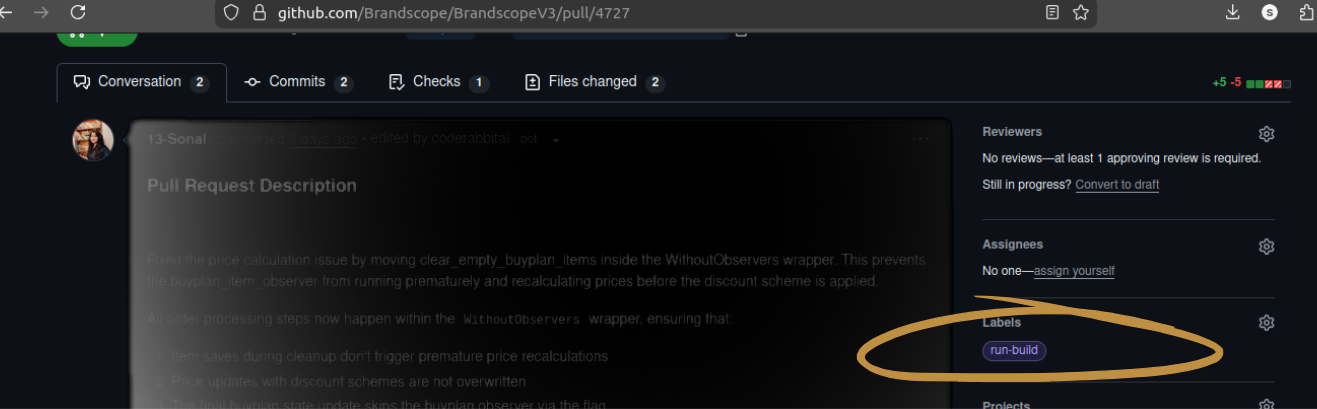
The label run-build becomes the single source of intent for heavy test runs:
run-build
Benefits:
- Visible — Everyone on the PR sees it.
- Intentional — Tests only run when explicitly requested.
- Consistent — All developers and CI runs behave the same.
Workflow Overview (Visual)
Here’s the full workflow:

Steps in the workflow:
- PR Event — PR opened, commits pushed, or label added.
- Conditional Check — GitHub Actions evaluates if run-build exists.
- Environment Setup — A clean runner spins up PostgreSQL, Redis, and any other required services.
- Database Preparation — DB is dropped, recreated, migrated, and seeded.
- Running Specs — All spec folders are explicitly executed.
- Coverage Report — SimpleCov generates coverage data and uploads it as an artifact.
Workflow Trigger Explained
on:
  pull_request:
    types: [opened, synchronize, labeled]
    branches:
      - master
The workflow listens for three events:
- PR Opened — Fresh PR starts the listener.
- New Commits (synchronize) — Updates automatically trigger a check.
- Label Added — Only the run-build label starts the full RSpec run.
Gatekeeper: Conditional Execution
if: contains(github.event.pull_request.labels.*.name, 'run-build')This ensures:
- No label → no heavy test run.
- Label present → run full RSpec suite.
This keeps CI efficient and gives developers control over when tests execute.
Runner and Service Setup
runs-on: blacksmith-4vcpu-ubuntu-2204

services:
  postgres:
    image: postgres:11
  redis:
image: redis- Runner — Handles Rails, multiple services, and resource-intensive jobs.
- PostgreSQL & Redis — Matches production services for realistic test conditions.
Why services matter: Tests often fail due to stale data or missing dependencies. Running fresh services every time ensures reliable, reproducible results.
Dependency Setup and Caching
Ruby Version
ruby-version: 3.2.8
Locking Ruby prevents version mismatches between local and CI environments.
Bundler & Gem Caching
Ruby Version
ruby-version: 3.2.8
Cache speeds up builds:
- ✅ Faster CI runs
- ✅ Reduced network usage
- ✅ Stable gem versions
But we still run bundle install every time for correctness.
Database Setup
bin/rails db:drop
bin/rails db:create
bin/rails db:migrate
bin/rails db:seed- Drop → Remove old data
- Create → Prepare a fresh database.
- Migrate → Apply schema changes.
- Seed → Add essential test data.
This guarantees clean, predictable tests every run.
Running All Specs Explicitly
bundle exec rspec spec/controllers/ spec/models/ spec/services/ …
Why explicitly list folders?
- Avoids missing specs in new or unusual directories.
- Ensures 100% test coverage.
- Prevents accidental partial test runs.
Coverage: Automatic & Uploaded
COVERAGE=true
uses: actions/upload-artifact@v4
if: always()- SimpleCov starts automatically.
- Coverage report is uploaded even if tests fail.
- Developers don’t need extra setup.
Coverage artifacts can be used for comparisons, CI quality gates, or metrics dashboards.
rspec.yml Integration
rspec.yml centralizes test configurations:
- Common flags and options
- Clean CLI commands
- Consistent behavior across local and CI runs
No duplication, no hidden flags — just reliable results.
Scaling for Large Projects
- Saves CI resources for trivial PRs
- Reduces developer friction for minor changes
- Ensures intentional, meaningful test runs for critical changes
Even for large teams with hundreds of specs, label-based execution keeps CI predictable and manageable.
Troubleshooting & Best Practices
- Missing services — Ensure PostgreSQL, Redis, or other dependencies are included in workflow services.
- Stale DB issues — Always drop, create, migrate, and seed for reproducible results.
- Flaky tests — Use explicit spec folder execution to avoid missing new tests.
- Coverage gaps — Monitor uploaded artifacts and integrate with dashboards for metrics.
Final Verdict
Label-based RSpec workflow gives control, consistency, and confidence:
- Run tests only when needed
- Ensure fresh environments every run
- Guarantee full coverage and reproducible results
메타데이터
- post_id
- beeb8f9cef19
- slug
- running-all-rspec-tests-using-a-label-in-github-pull-requests-part-2-beeb8f9cef19
- url
- https://medium.com/@sachdevsonal9131/running-all-rspec-tests-using-a-label-in-github-pull-requests-part-2-beeb8f9cef19
- canonical_url
- https://medium.com/@sachdevsonal9131/running-all-rspec-tests-using-a-label-in-github-pull-requests-part-2-beeb8f9cef19
- author_url
- https://medium.com/@sachdevsonal9131
- status
- ok
- fetched_at
- 2026-06-17 18:46:00


