Retrieving and Displaying Uniswap v3 NFT Images via Metadata
Expanding on the principles of retrieving liquidity, price range, and uncollected fees from Uniswap v3 NFTs, this analysis incorporates NFT…
Retrieving and Displaying Uniswap v3 NFT Images via Metadata
Expanding on the principles of retrieving liquidity, price range, and uncollected fees from Uniswap v3 NFTs, this analysis incorporates NFT metadata to visualize the corresponding NFT image. This enhances the understanding of liquidity positions by providing a graphical representation alongside the extracted data.
Disclaimer: The information provided here is for informational purposes only and is not intended to be personal financial, investment, or other advice.
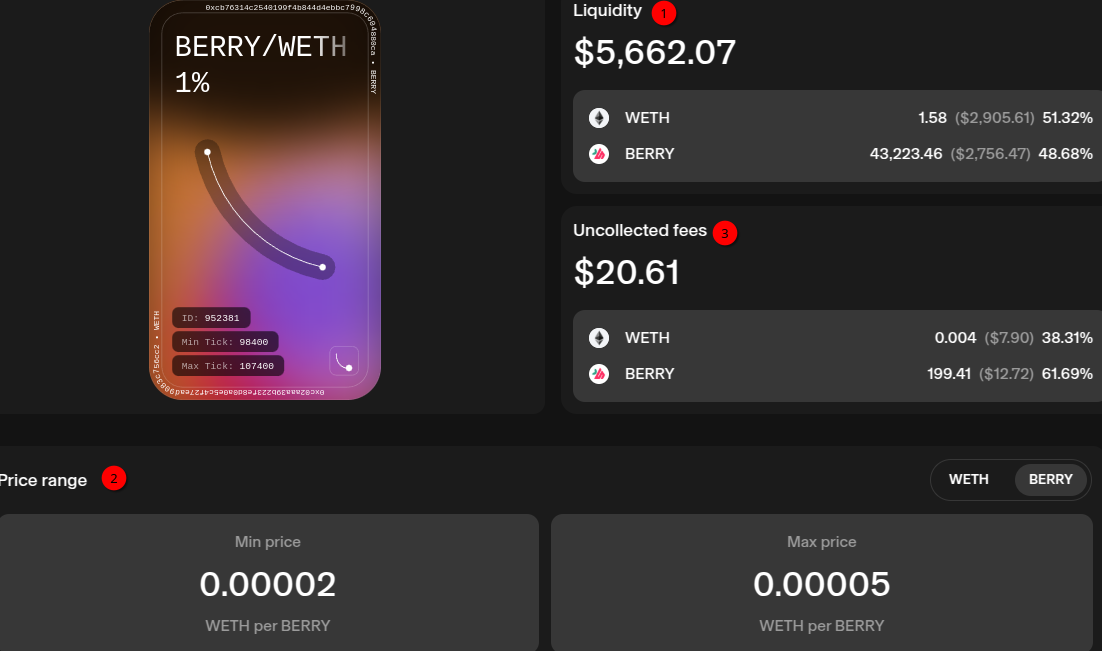
Building upon the principles outlined in Interacting with Uniswap v3 Liquidity NFTs: Retrieving Position Data, which details the process of extracting liquidity, price range, and uncollected fees (highlighted with green circles below), we extend this analysis to include the visualization of the corresponding NFT image. By leveraging NFT metadata, we can display the visual representation (denoted by a red circle), providing a more complete understanding of the Uniswap v3 liquidity position.
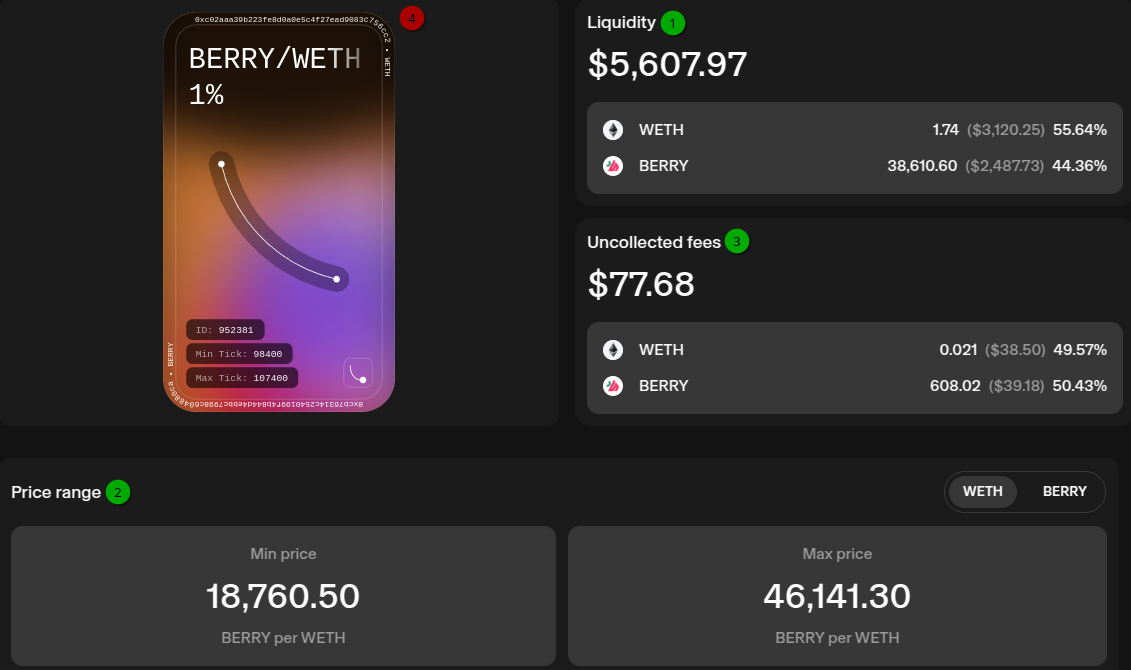
An NFT position on Uniswap App
Familiarity with fundamental Python is required. Code is available as a Jupyter notebook on GitHub.
Setup
Please refer to Interacting with Uniswap v3 Liquidity NFTs: Retrieving Position Data.
Import Libraries
from web3 import Web3

# To read environment property file
import os
from dotenv import load_dotenv
from pathlib import Path

# To load ABI
import json

# For Http calls
import requests

# For regular expressions
import re

# To decode base64
import base64

# Display HTML contents
from IPython import display
Few additional imports for regular expressions, base64 decoding and for display HTML code in Jupyter.
Constants
We only need NFT_POSITION_MANAGER and ETHERSCAN_ENDPOINT; see the previous article for details.
Load environment variables
No change.
NFT Contract
# Instantiate web3 instance for us to interact with the chain
web3 = Web3(Web3.HTTPProvider(PROVIDER_URL))

# NFT ABI
nft_abi = get_abi(address=NFT_POSITION_MANAGER)
assert nft_abi != None, 'NFT Position Manager ABI not available'

# Create nft contract
nft_contract = web3.eth.contract(address=NFT_POSITION_MANAGER, abi=nft_abi)
assert nft_contract != None, 'NFT contract does not exist'
A utility method, documented in the notebook, retrieves the NFT ABI. The assertion statement validates the need for the ABI. The NFT contract is instantiated using its ABI and address.
Token Metadata
# Token ID of interest
token_id = 952381

token_metadata = nft_contract.functions.tokenURI(tokenId=token_id).call()
assert token_metadata != None, 'Token metadata must exist'

token_metadata[:70]
Initialize the token id of interest. This token ID is just an example. Any valid token ID will work as a replacement. Call the tokenURI function to get the token data. The initial 70 characters of the token data show:
'data:application/json;base64,eyJuYW1lIjoiVW5pc3dhcCAtIDElIC0gQkVSUlkvV'It’s encoded in base64; let’s decode token data:
decoded_metadata = base64.b64decode(re.sub(r'^data:\w+\/\w+;base64,', '', token_metadata))
decoded_metadata[:70]
All non-decoded text is removed via the regular expression library’s sub function before decoding. The output is a byte sequence (indicated by a leading ‘b’), and the first 70 characters are:
b'{"name":"Uniswap - 1% - BERRY/WETH - 18760<>46141", "description":"Thi'From characters 570 to 650, we observe:
b' "image": "data:image/svg+xml;base64,PHN2ZyB3aWR0aD0iMjkwIiBoZWlnaHQ9IjUwMCIgdml'The decoded metadata contains a name, a description, as well as an image.
Convert bytes To a JSON object:
json_obj = json.loads(decoded_metadata.decode('utf-8'))

# We should have these metadata values
assert set(json_obj.keys()) == {'name', 'description', 'image'}, 'Missing keys'
name = json_obj['name']
description = json_obj['description']
image = json_obj['image']
Name, description, and image are populated using data from json_obj.
Name
The name includes the fees, token pair, and range, as detailed below:
'Uniswap - 1% - BERRY/WETH - 18760<>46141'Description
Description text includes line breaks:

Metadata description field
display.HTML(f’{description}’) ignores line breaks as shown below. Despite a line break preceding them, the BERRY and WETH addresses are shown on the same line.

Output using display.HTML(f’{description}’)
Adding the HTML span tag, as shown below, is necessary to keep line breaks intact.
display.HTML(f'<span style="white-space: pre-line">{description}</span>')
Output with line breaks preserved
BERRY and WETH addresses are now displayed on separate lines.
Image
Now, let’s proceed to the final part: the image. The initial 70 characters of the image show:
'data:image/svg+xml;base64,PHN2ZyB3aWR0aD0iMjkwIiBoZWlnaHQ9IjUwMCIgdmll'It is a base64 encoded SVG image. We need to remove non encoded characters as we did earlier:
svg_base64 = re.sub(r'^data:\w+\/\w+\+\w+;base64,', '', image)Let’s put together all 3 parts: name with H2 tag, followed by description with line breaks preserved and finally the base64 encoded SVG image.
display.HTML(f'''
    <h2>{name}</h2>
    <span style="white-space: pre-line">{description}</span>
    <p></p>
    <img src="data:image/svg+xml;base64,{svg_base64}"/>
    ''')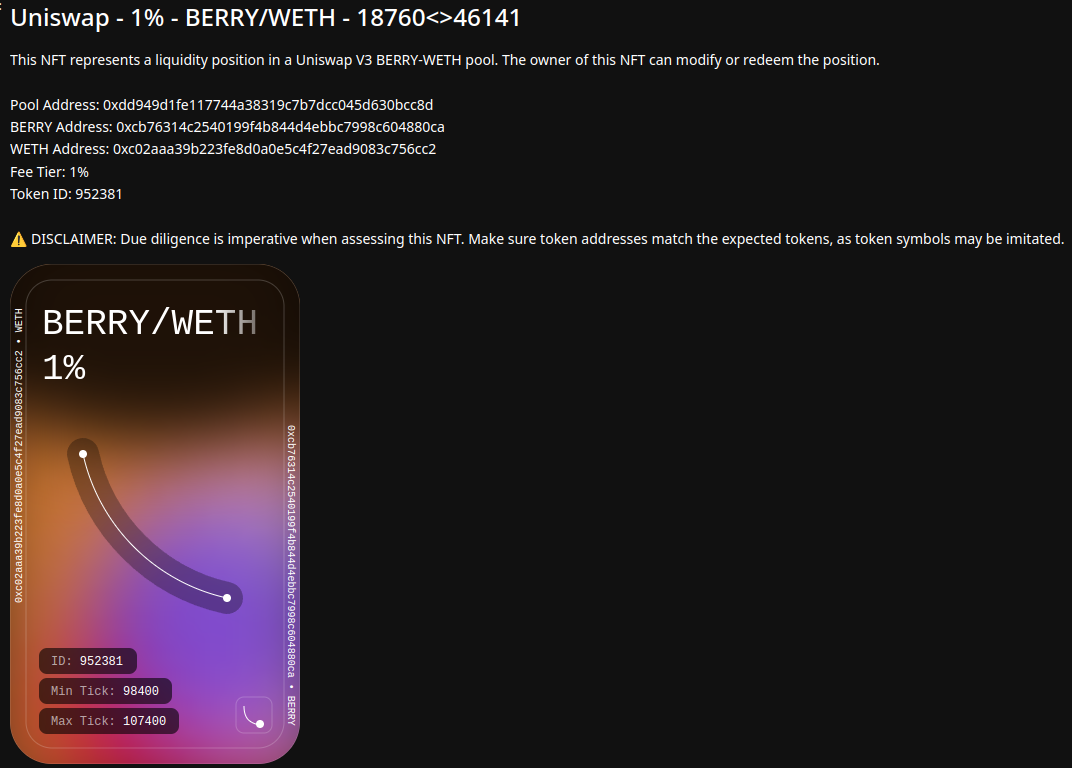
With all three parts together
For smaller images, adjust the width and height attributes as shown below:

Image as an icon
Conclusion
Building on the foundation of retrieving liquidity, price range, and uncollected fees from Uniswap v3 NFTs, this analysis took a step further by integrating NFT metadata to display the associated NFT image. By combining visual representations with extracted data, this approach provided a more comprehensive understanding of liquidity positions, making it easier to interpret and analyze the information.
If you found this guide valuable, leaving a comment or giving applause would be greatly appreciated. Your support helps in creating more detailed and insightful educational content for the Web3 community!
Thank you!
Further Reading
메타데이터
- post_id
- befa99ba0ba9
- slug
- retrieving-and-displaying-uniswap-v3-nft-images-via-metadata-befa99ba0ba9
- url
- https://medium.com/@sugath.mudali/retrieving-and-displaying-uniswap-v3-nft-images-via-metadata-befa99ba0ba9
- canonical_url
- https://medium.com/@sugath.mudali/retrieving-and-displaying-uniswap-v3-nft-images-via-metadata-befa99ba0ba9
- author_url
- https://medium.com/@sugath.mudali
- status
- ok
- fetched_at
- 2026-07-20 11:39:40