Installing Docker & Running Your First Real Container (Nginx Example)
Most tutorials stop at: “Run docker run nginx and you’re done.”
Installing Docker & Running Your First Real Container (Nginx Example)
Most tutorials stop at: “Run docker run nginx and you’re done.”
In real DevOps work, that’s not enough.
Today, we’ll:
- Install Docker properly
- Run an Nginx container
- Understand what’s actually happening
- Debug common beginner mistakes
⚙️ Installing Docker (Production Mindset)
On Linux (Most Common in Real Projects)
sudo apt update
sudo apt install docker.io -y
sudo systemctl start docker
sudo systemctl enable docker
Real-world check:
docker --version
docker info
If docker info fails → Docker daemon is not running.
👉 This is a very common CI/CD failure reason.
🧑💻 Common Beginner Issue (Very Real)
Problem:
Got permission denied while trying to connect to the Docker daemon socketWhy it happens:
Docker runs as root, but your user is not in the docker group.
Fix (Real DevOps Practice):
sudo usermod -aG docker $USER
newgrp docker
This issue appears frequently in:
- New servers
- CI agents
- Fresh EC2 instances
🚀 Running Your First Real Container (Nginx)
Now let’s run something meaningful:
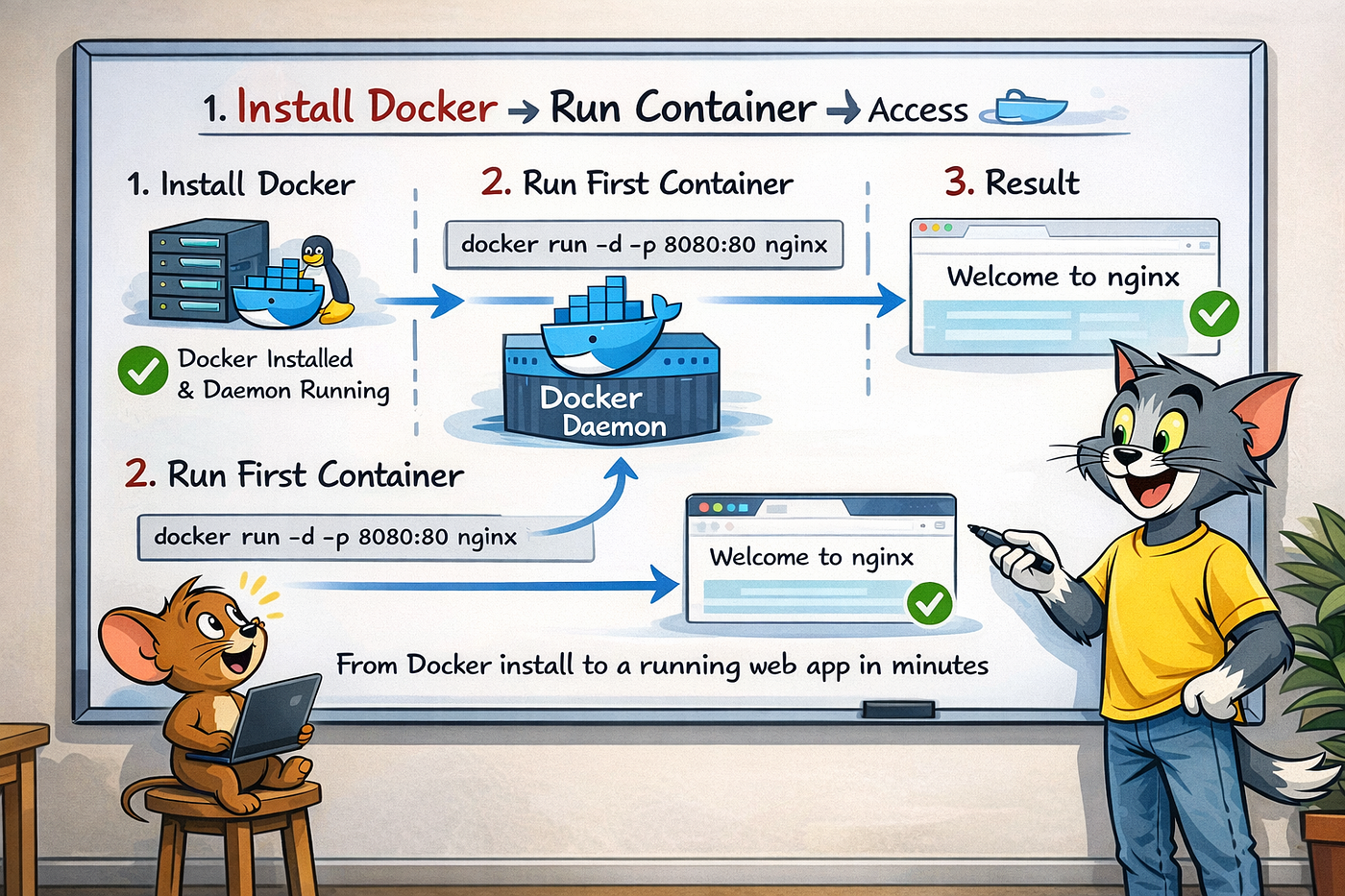
docker run -d -p 8080:80 nginxWhat this actually means:
-d→ Run in background (detached mode)-p 8080:80→ Map host port to container portnginx→ Image name
🌐 Real-Time Verification
Check running containers:
docker pOpen browser:
http://localhost:8080👉 If you see Welcome to nginx, your container is working.
🛠️ Real Troubleshooting Scenarios
❌ Browser not loading?
Check:
docker ps
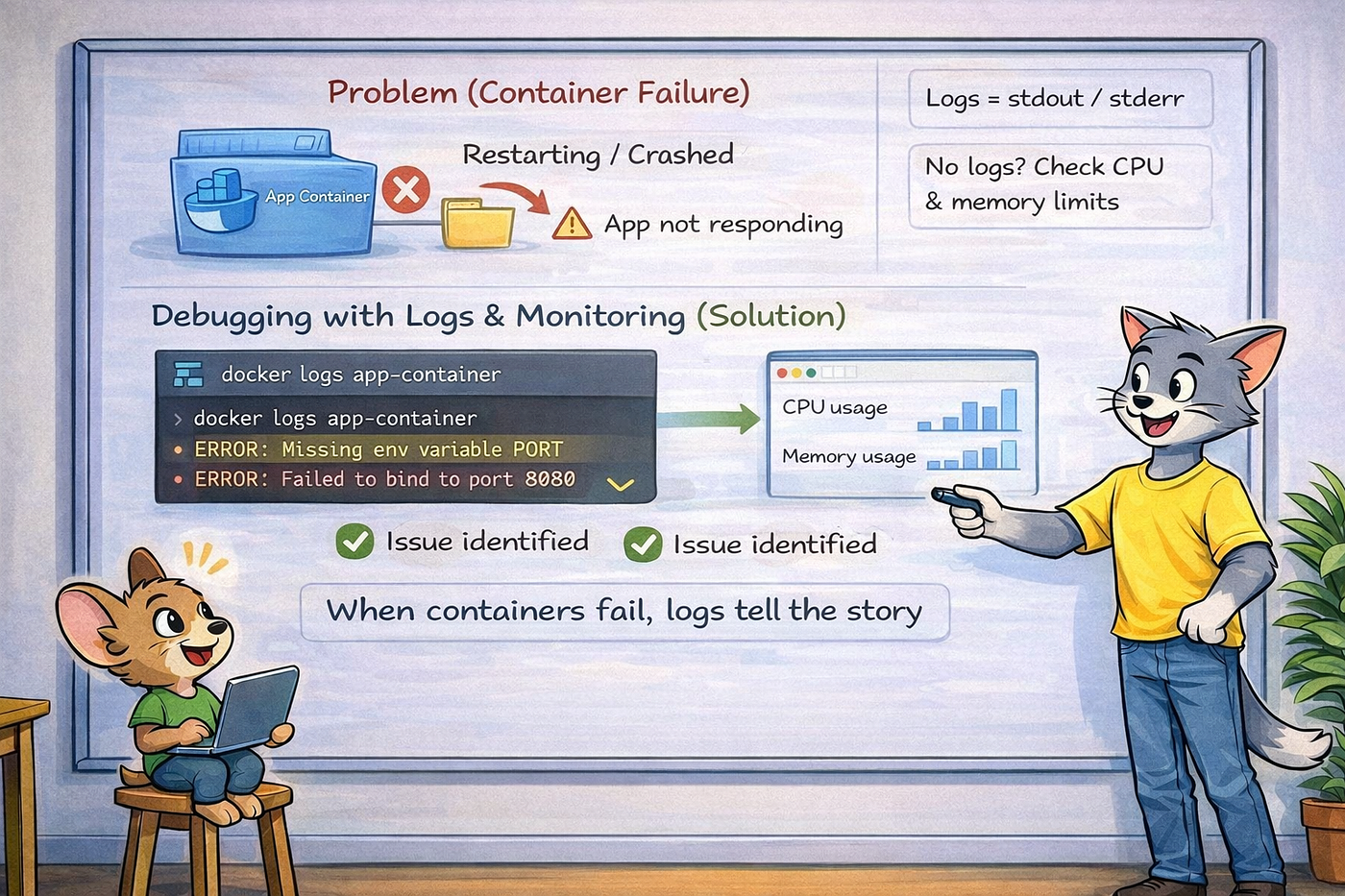
docker logs <container_id>
Common causes:
- Port already in use
- Container exited
- Firewall blocking port
❌ Container stopped immediately?
Check logs:
docker logs <container_id>Most of the time, it’s due to:
- Wrong image
- Wrong command
- Port conflicts
🧠 Important DevOps Concept (Early Learning)
Containers are ephemeral
If the container stops:
- Data is lost
- Logs may disappear
- Container must be recreated
This is why:
- Logs go to STDOUT
- Data goes to volumes (later topic)
🎯 Interview Alignment (Very Important)
Interview Question:
How do you run an application using Docker?
❌ Weak Answer:
I use docker run command.
✅ Strong Practical Answer:
First, I ensure Docker daemon is running. Then I run the container using docker run with proper port mapping. I verify using docker ps and docker logs. If the application is not accessible, I troubleshoot using logs, port conflicts, and container state.
This answer shows hands-on experience, not theory.
🧠 Day 3 Key Takeaways
- Installing Docker correctly matters
- Docker daemon issues are common in real projects
docker runis only the start- Logs and ports are your first debugging tools
👉 Next (Day 4): Docker Images vs Containers (Why Most Beginners Get This Wrong)
메타데이터
- post_id
- bf245aa05a06
- slug
- installing-docker-running-your-first-real-container-nginx-example-bf245aa05a06
- url
- https://medium.com/@jagadeeshkema/installing-docker-running-your-first-real-container-nginx-example-bf245aa05a06
- canonical_url
- https://medium.com/@jagadeeshkema/installing-docker-running-your-first-real-container-nginx-example-bf245aa05a06
- author_url
- https://medium.com/@jagadeeshkema
- status
- ok
- fetched_at
- 2026-06-09 15:37:30