TORCS SET UP: MAC OS
The easiest way to get TORCS running on macOS is honestly the “follow the IBM guide and trust the process” route. Most people start by…
TORCS SET UP: MAC OS
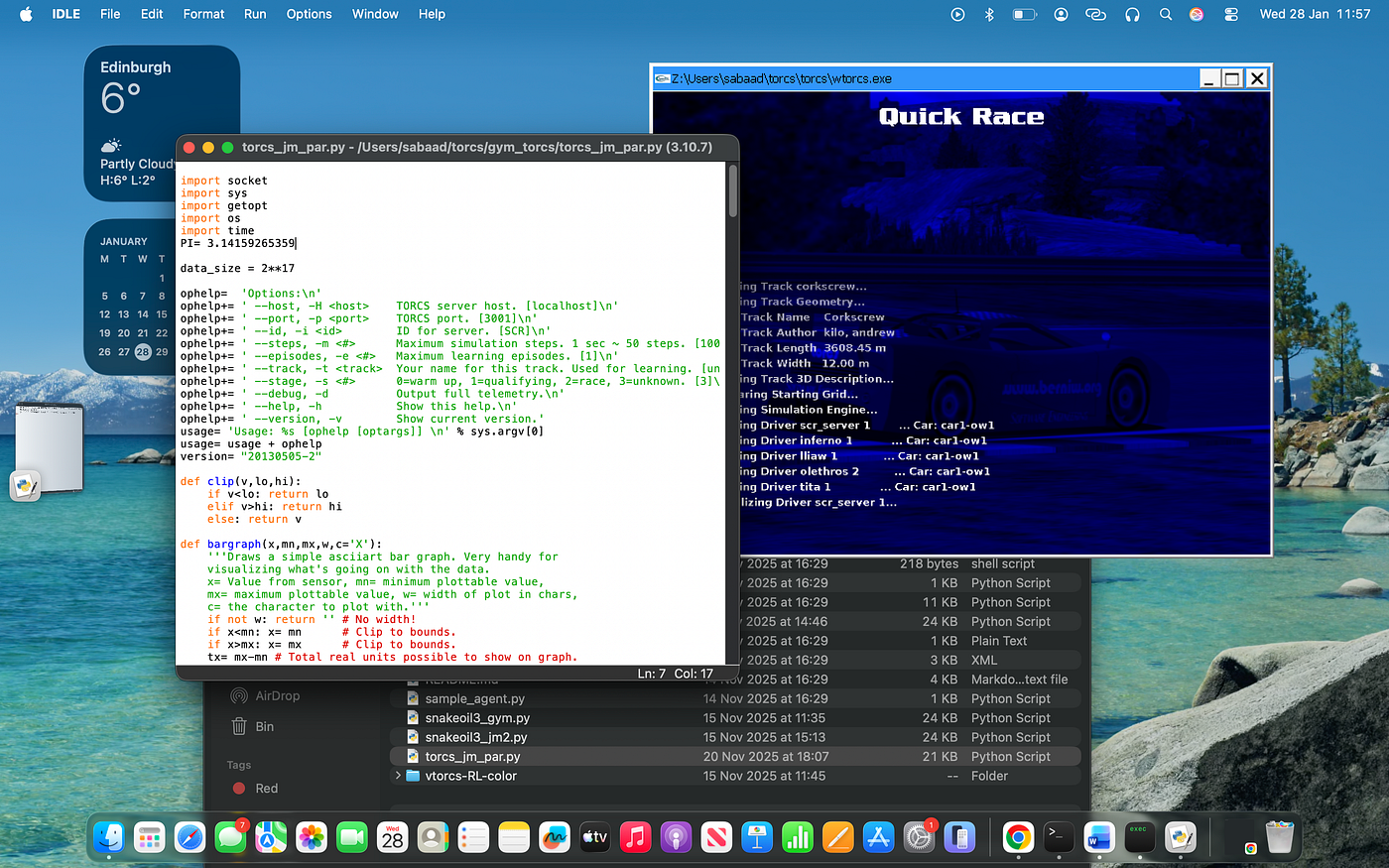
The easiest way to get TORCS running on macOS is honestly the “follow the IBM guide and trust the process” route. Most people start by installing Python 3, grabbing TORCS, and then using Wine to bridge the macOS gap since TORCS is Windows-native. On paper, it sounds simple: install Wine, run TORCS, connect your Python bot, done. In reality, it’s still the smoothest path if you stick closely to the official AI Racing League quick-start steps and don’t freestyle too early. Once it works, it really works, that first moment when the simulator opens and the car loads properly, feels like a small victory. Speaking from experience, seeing TORCS launch after hours of setup genuinely feels better than completing a lap.
Another way to set things up is the more experimental, trial-and-error approach that a lot of Mac users accidentally end up taking. This usually involves manually poking around Wine folders, launching different .exe files, testing ports, and figuring out which terminal commands actually do something versus which ones just look like they should. This route gives you more control and a deeper understanding of what’s happening under the hood, but it comes with frustration baked in. There were moments where everything looked correct, but TORCS still refused to connect to Python, which led to a lot of “okay, let me just try one more thing” energy. It does pay off long-term; once it clicks, debugging later issues becomes way less scary.
Now for the don’ts, because these will save you actual hours. Don’t assume TORCS is broken just because it doesn’t show up where you expect it to. Don’t mix Python versions halfway through setup. Don’t launch TORCS five different ways at once and hope one magically connects. And definitely don’t start rewriting bot code before you’ve confirmed a clean lap works with a basic setup. One hard-earned lesson was realising that most issues weren’t “advanced AI problems”, they were setup problems pretending to be something deeper. Slow down, check one thing at a time, and remember: if everyone else struggled here too, you’re probably doing it right.
메타데이터
- post_id
- bf2d201d882d
- slug
- torcs-set-up-mac-os-bf2d201d882d
- url
- https://medium.com/@sabaad_ahmed/torcs-set-up-mac-os-bf2d201d882d
- canonical_url
- https://medium.com/@sabaad_ahmed/torcs-set-up-mac-os-bf2d201d882d
- author_url
- https://medium.com/@sabaad_ahmed
- status
- ok
- fetched_at
- 2026-06-22 12:55:45





