Day 6 — Functions (Building Reusable Logic)
“Good developers don’t just write code. They organize it.”
Day 6 — Functions (Building Reusable Logic)
“Good developers don’t just write code. They organize it.”
Up until now, you’ve been writing code step by step. Each line runs once, does its job, and that’s it. But what happens when you need the same logic multiple times?
For example:
- Calculating something repeatedly
- Validating user input
- Formatting data
You could copy and paste the same code again and again. But that quickly becomes messy. This is where functions come in.
What Is a Function?
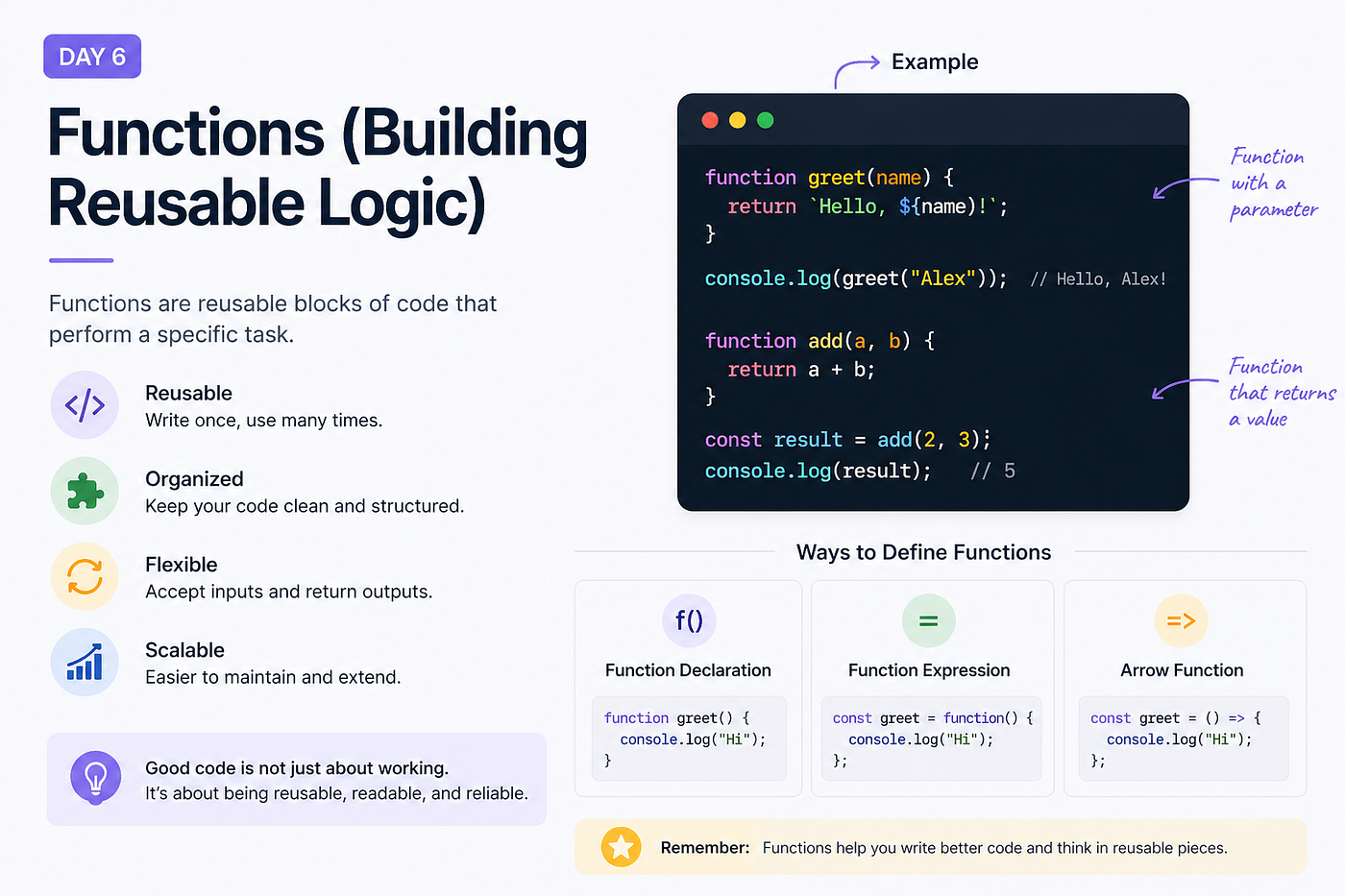
A function is a reusable block of code that performs a specific task.
Instead of rewriting logic, you define it once and reuse it whenever needed.
function greet() {
  console.log("Hello");
}
This creates a function.
To run it:
greet();Why Functions Matter
Functions help you:
- Avoid repetition
- Keep code organized
- Make logic reusable
- Improve readability
“Write once, use many times.”
Parameters and Arguments
Functions become powerful when they accept inputs.
function greet(name) {
  console.log("Hello " + name);
}greet("Alex");Here:
nameis a parameter"Alex"is an argument
This allows your function to behave differently based on input.
Returning Values
So far, functions are printing values.
But often, you want them to return something.
function add(a, b) {
  return a + b;
}
let result = add(2, 3);
console.log(result);The return keyword sends the result back.
Without return, the function gives back undefined.
Function Declaration vs Expression
There are multiple ways to define functions.
Function Declaration
function greet() {
  console.log("Hello");
}
Function Expression
const greet = function () {
  console.log("Hello");
};
The difference is subtle for now, but both are commonly used.
Arrow Functions
A more modern and concise way:
const greet = () => {
  console.log("Hello");
};
With parameters:
const add = (a, b) => {
  return a + b;
};
Shorter version:
const add = (a, b) => a + b;“Arrow functions make your code cleaner and more compact.”
A Common Beginner Mistake
Forgetting to return values.
function add(a, b) {
  a + b;
}
console.log(add(2, 3));This prints undefined.
Because nothing is returned.
Another Mistake
Hardcoding values inside functions.
function greet() {
  console.log("Hello Alex");
}
This works, but it’s not flexible.
Better:
function greet(name) {
  console.log("Hello " + name);
}
Try This
Open your console and try:
function multiply(a, b) {
  return a * b;
}
console.log(multiply(3, 4));Now modify it:
- Add default values
- Try an arrow function
- Return different outputs
Note
Functions in JavaScript are more powerful than they appear. They can be passed around, stored, and used in advanced patterns. We’ll explore this later in the series.
Why This Matters
Functions are one of the most important concepts in JavaScript.
Almost everything you build will involve them.
If you understand functions well, writing complex logic becomes much easier.
What’s Next?
In the next article, we’ll build your first proper project using functions, combining everything you’ve learned so far.
“This is where things start coming together.”
See you in Day 7.
메타데이터
- post_id
- bf91c618cc78
- slug
- day-6-functions-building-reusable-logic-bf91c618cc78
- url
- https://medium.com/@codePeasant/day-6-functions-building-reusable-logic-bf91c618cc78
- canonical_url
- https://medium.com/@codePeasant/day-6-functions-building-reusable-logic-bf91c618cc78
- author_url
- https://medium.com/@codePeasant
- status
- ok
- fetched_at
- 2026-08-20 18:25:04