The Best Modem for Xfinity: Your 2026 Guide to Faster, Reliable Internet
Looking for the best modem for Xfinity in 2026? Discover top-performing options that deliver faster speeds, reliable connections, and a…
The Best Modem for Xfinity: Your 2026 Guide to Faster, Reliable Internet
Looking for the best modem for Xfinity in 2026? Discover top-performing options that deliver faster speeds, reliable connections, and a smoother internet experience for work, streaming, and gaming.

If you’ve ever felt like your Xfinity internet is slower than it should be, you’re not alone. I’ve been there, streaming a show only for it to buffer endlessly or struggling to upload large files for work. Often, the culprit isn’t your plan or your devices; it’s the modem sitting quietly in the corner. Your modem is the foundation of your home network, and upgrading it can make a dramatic difference in speed, reliability, and even your monthly bill.
In this guide, I’ll show you how to choose a modem that’s perfect for Xfinity, why it matters, and highlight a few top options that can unlock the internet you’re already paying for.
Why Upgrading Your Xfinity Modem Matters
Save Money on Rental Fees
Many Xfinity users rent their modem, which can cost $10–$15 a month. Over a year, that adds up to $120–$180. Owning your modem is a one-time purchase that pays for itself within a year or two, and you gain the flexibility to upgrade whenever you want. I swapped my rented modem for a high-performance one and instantly noticed better speeds while eliminating a recurring fee.
Unlock Your True Internet Speeds
ISP-provided modems are often designed to be “good enough” for everyday use. They rarely handle peak speeds efficiently, especially if you’re on a multi-gig plan. A modern DOCSIS 3.1 modem with mid/high-split technology ensures you get close to the speeds Xfinity promises. This is especially noticeable if you stream 4K shows, video conferences frequently, or games online.
Future-Proof Your Network
Xfinity is rolling out higher-speed plans, including multi-gig options. A capable modem today means you won’t need to upgrade again soon. Investing in a modem that can handle 2.5Gbps download speeds or more keeps your home network ready for tomorrow’s demands.
Top Xfinity-Compatible Modems to Consider
1. Nighthawk CM3000 Cable Modem

The CM3000 is a DOCSIS 3.1 modem with mid/high-split technology, delivering up to 2.5Gbps download and 1Gbps upload speeds. It’s perfect for streaming in 4K/8K, gaming, or handling multiple devices at once. What I love about this modem is how seamless it is to pair with any WiFi router for maximum coverage. It’s a bit of an investment, but the speed and reliability make it worth every penny.
Best for: Gamers, streamers, or anyone with a multi-device household. Pros: Multi-gig speeds, future-proof, reliable. Cons: Slightly higher price point.
2. ARRIS SURFboard SB8200
This DOCSIS 3.1 modem is another solid choice for Xfinity users. It supports up to 2Gbps download speeds and works well with most routers. I’ve noticed it handles heavy traffic without slowing down, making it ideal for work-from-home setups or homes with multiple active users.
Best for: Remote workers and families with high internet demand. Pros: Strong performance, widely compatible, cost-effective. Cons: No built-in WiFi; requires a separate router.
3. Motorola MB8611

The MB8611 is a sleek, high-speed modem that supports up to 2.4Gbps download speeds. It’s easy to set up and works reliably with Xfinity. In my experience, pairing it with a high-quality router gives you seamless coverage, even in larger homes.
Best for: Users who want a balance of performance and affordability. Pros: Easy setup, great speeds, compact design. Cons: Requires an external router for WiFi.
Pair Your Modem with the Right Router
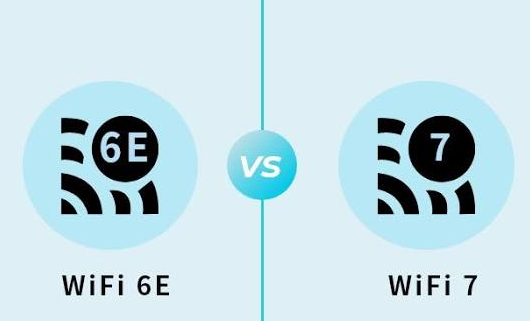
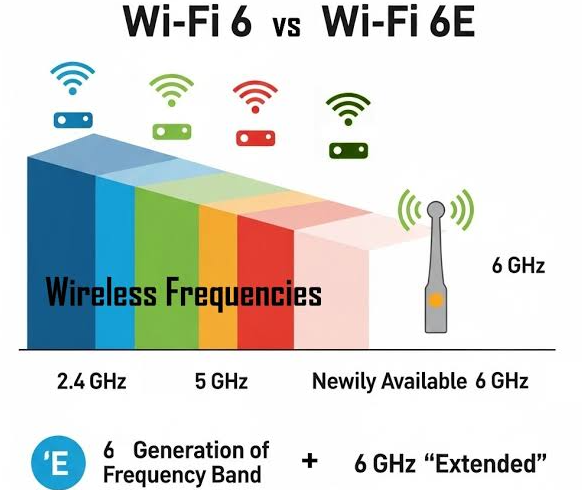
A common mistake I see is using the modem’s built-in WiFi. While convenient, it can limit speed and coverage. Separating your modem and router allows each to perform optimally. Pairing one of the above modems with a modern WiFi 6 or WiFi 7 router ensures you get consistent speeds in every room.
How to Replace Your Xfinity Modem in 3 Steps
Replacing your Xfinity modem doesn’t have to be complicated. Here’s a simple process I follow:
- Connect your modem to the coaxial cable and plug in the power adapter.
- Activate it through the Xfinity app or website, most activations are automated and take just a few minutes.
- Connect your router for WiFi coverage and enjoy your upgraded network.
If you have Xfinity Voice (home phone) service, make sure you choose a modem with voice capabilities.
FAQs
Q1: How do I know if my modem is compatible with Xfinity? Check Xfinity’s website for their list of approved modems. Look for DOCSIS 3.1 compatibility if you want multi-gig speeds.
Q2: Do I need a new router when I upgrade my modem? Not necessarily, but pairing a modern router with a high-speed modem ensures you unlock full WiFi coverage and speeds.
Q3: Can I activate my own modem with Xfinity? Yes! Xfinity has a simple self-service activation process through their app or online portal — no tech calls required.
Q4: Will a new modem improve my WiFi? A new modem improves your internet speed and stability but pairing it with a high-quality router is key for WiFi performance throughout your home.
Final Thoughts
Owning a high-performance modem is one of the simplest ways to take control of your home internet, save money, and enjoy the speeds you’re paying for. Whether you choose the Nighthawk CM3000 for ultra-fast performance, the ARRIS SURFboard SB8200 for steady reliability, or the Motorola MB8611 for affordability and ease of use, upgrading your modem is a decision you won’t regret. Pair it with a modern router, and you’ve built a future-proof home network ready for streaming, gaming, and remote work.
Affiliate Disclaimer: Some links in this article are affiliate links. If you purchase through them, I may earn a small commission at no extra cost to you. This helps me keep creating helpful, unbiased content.
메타데이터
- post_id
- bf9c6f32cfc4
- slug
- the-best-modem-for-xfinity-your-2026-guide-to-faster-reliable-internet-bf9c6f32cfc4
- url
- https://medium.com/@mukhaledumer/the-best-modem-for-xfinity-your-2026-guide-to-faster-reliable-internet-bf9c6f32cfc4
- canonical_url
- https://medium.com/@mukhaledumer/the-best-modem-for-xfinity-your-2026-guide-to-faster-reliable-internet-bf9c6f32cfc4
- author_url
- https://medium.com/@mukhaledumer
- status
- ok
- fetched_at
- 2026-08-12 12:54:48