The top_k and top_p Parameters Explained
Learn how top-k and top-p (nucleus) sampling work in text generation, with Python examples and tips for tuning these parameters.
The top_k and top_p Parameters Explained
When generating text with AI, controlling randomness is key to balancing creativity and coherence. This article explains top-k and top-p (nucleus) sampling — two popular techniques that shape output quality and diversity. With clear Python examples and tuning tips, you’ll learn how to apply these methods to get results that match your goals.
Top-k Sampling
So far, we have covered greedy sampling and probabilistic sampling.
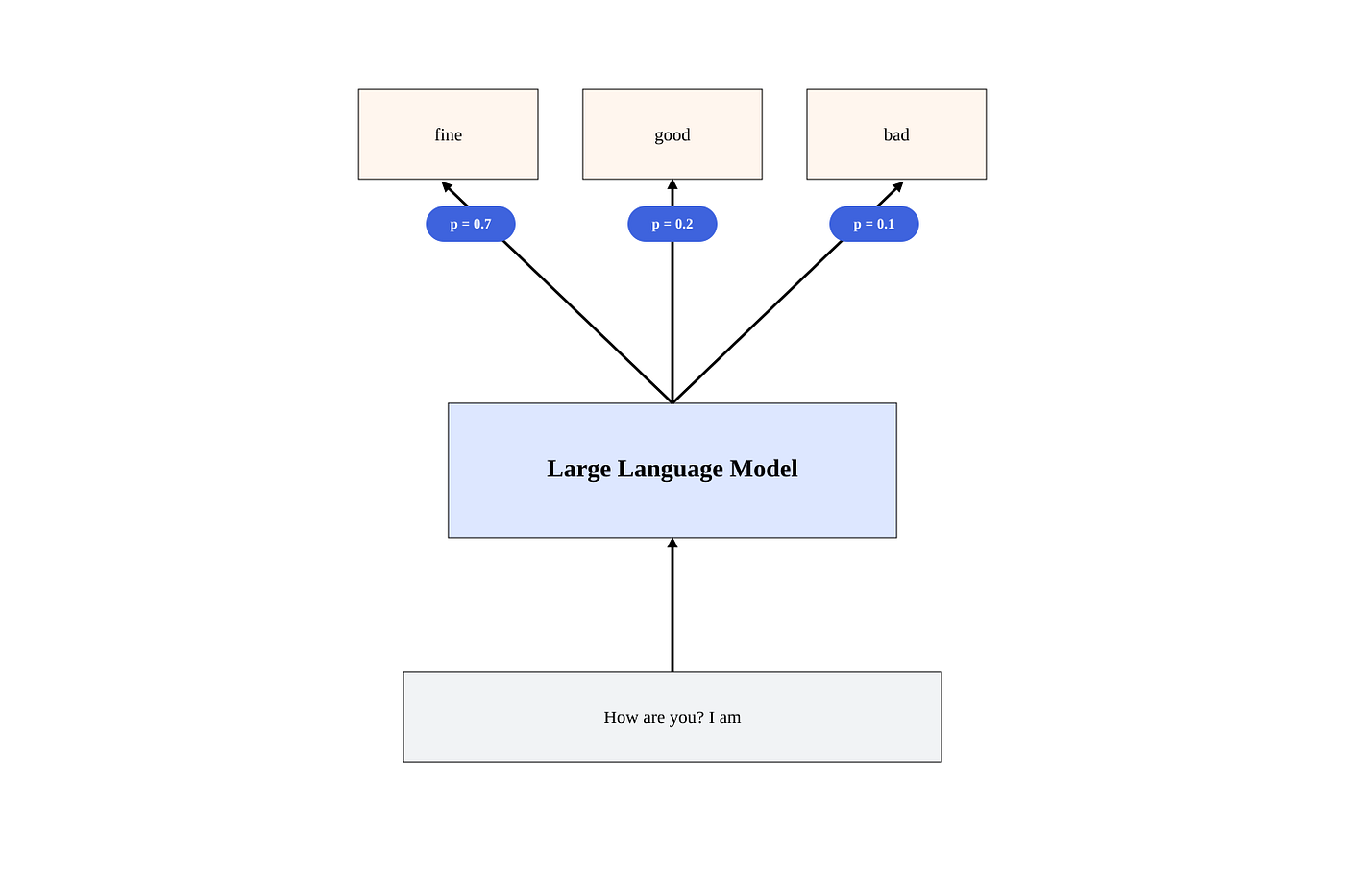
Greedy sampling is deterministic and always picks the most likely token. Probabilistic sampling is non-deterministic and picks a token from the distribution potentially adjusted by the temperature parameter.
Sometimes, we want a middle ground: sampling probabilistically while constraining the selection to avoid low-quality tokens.
In top-k sampling, we consider only the top k most probable tokens and then sample from this restricted set:
import random

def sample_top_k(probabilities, k):
    top_k_probabilities = sorted(probabilities, key=lambda item: item["prob"], reverse=True)[:k]
    return random.choices(top_k_probabilities, weights=[item["prob"] for item in top_k_probabilities], k=1)[0]
Let’s use this function in a simple example:
from collections import defaultdict

probabilities = [
    {"token": "Apple", "prob": 0.5},
    {"token": "Banana", "prob": 0.3},
    {"token": "Cherry", "prob": 0.1},
    {"token": "Durian", "prob": 0.05},
    {"token": "Elderberry", "prob": 0.05},
]

counts = defaultdict(int)
for _ in range(1000):
    counts[sample_top_k(probabilities, k=3)["token"]] += 1

print(counts)
This will output something like:
{'Cherry': 110, 'Banana': 312, 'Apple': 578}Note that we only select from the top 3 tokens — everything else is ignored.
The parameter k is a hyperparameter that you can tune for your task. The higher k is, the more diverse the output will be.
Top-p Sampling
Top-k sampling is a simple and effective way to limit the tokens considered. However, since k is fixed, it can be problematic: in some cases, the top k tokens may capture 99% of the probability mass, while in others, only 30%.
To address this, we can use top-p sampling (also known as nucleus sampling).
In top-p sampling, we include just enough tokens to capture a certain probability mass p. We then sample from this set:
import random

def sample_top_p(probabilities, p):
    sorted_probabilities = sorted(probabilities, key=lambda item: item["prob"], reverse=True)

    top_p_probabilities = []
    cumulative_prob = 0

    for item in sorted_probabilities:
        top_p_probabilities.append(item)
        cumulative_prob += item["prob"]
        if cumulative_prob >= p:
            break

    return random.choices(top_p_probabilities, weights=[item["prob"] for item in top_p_probabilities], k=1)[0]
Let’s use this function in a simple example:
from collections import defaultdict

logprobs = [
    {"token": "Apple", "prob": 0.5},
    {"token": "Banana", "prob": 0.3},
    {"token": "Cherry", "prob": 0.1},
    {"token": "Durian", "prob": 0.05},
    {"token": "Elderberry", "prob": 0.05},
]

counts = defaultdict(int)
for _ in range(1000):
    counts[sample_top_p(logprobs, p=0.9)["token"]] += 1

print(counts)
Here, we include all tokens whose cumulative probability meets or exceeds p=0.9. This means that the tokens “Apple”, “Banana” and “Cherry” are included, while “Durian” and “Elderberry” are not.
We can see this in the output:
{'Banana': 356, 'Apple': 531, 'Cherry': 113}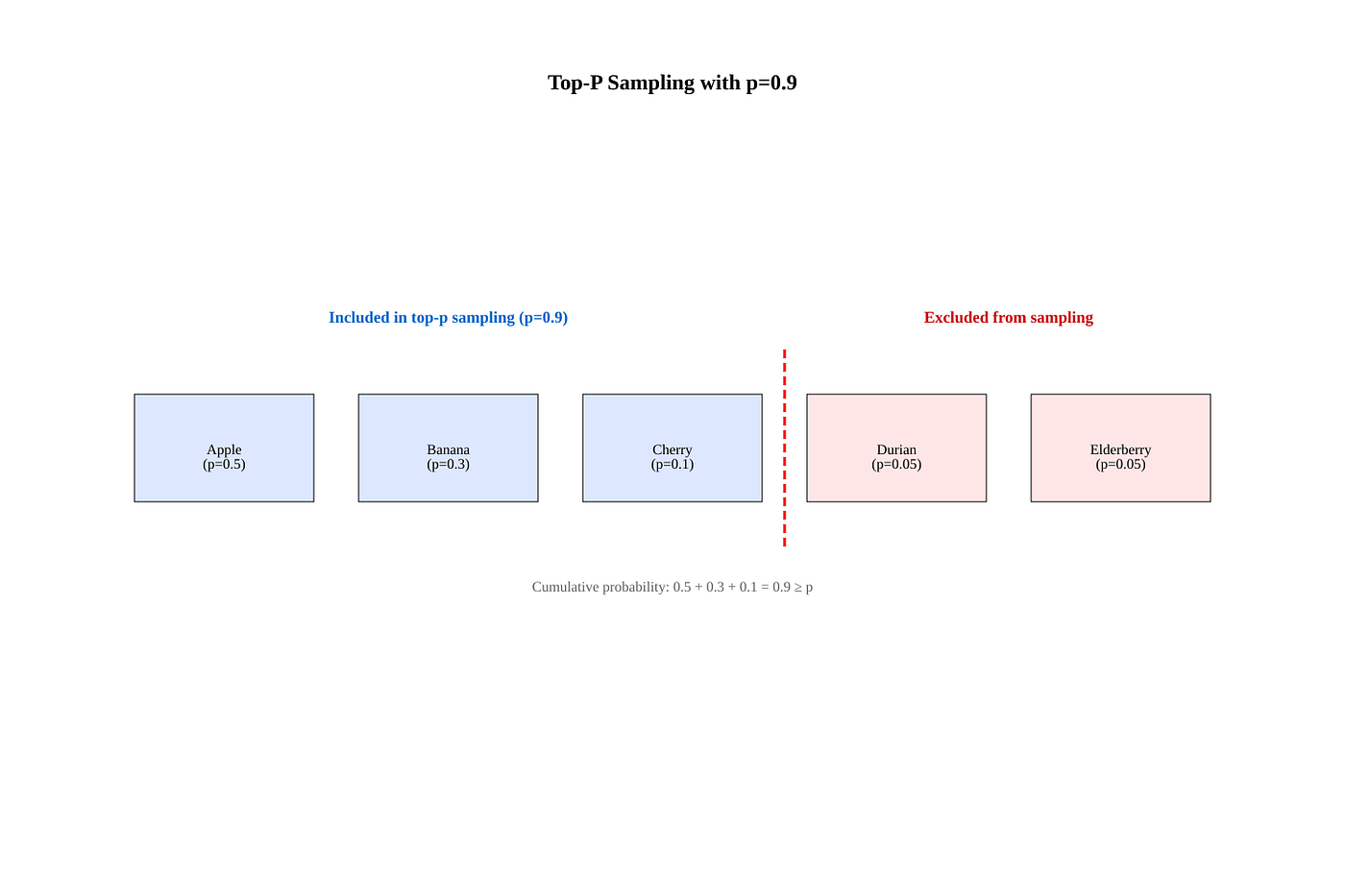
Let’s what happens if we set p=0.8:
counts = defaultdict(int)
for _ in range(1000):
    counts[sample_top_p(logprobs, p=0.8)["token"]] += 1

print(counts)
This will output something like:
{'Apple': 624, 'Banana': 376}In this case, only the “Apple” and “Banana” tokens are sampled because their cumulative probability is already p=0.8.
As with k, p is a tunable hyperparameter. The higher p is, the more diverse the output will be.
In practice, top-p sampling is often preferred over top-k because it’s adaptive — it dynamically includes enough high-probability tokens to capture most of the probability mass.
You can specify the value of p using the top_p parameter in the OpenAI API:
import os, requests

response = requests.post(
    "https://api.openai.com/v1/chat/completions",
    headers={
        "Authorization": f"Bearer {os.getenv('OPENAI_API_KEY')}",
        "Content-Type": "application/json",
    },
    json={
        "model": "gpt-4o",
        "messages": [
            {"role": "user", "content": "How are you?"}
        ],
        "top_p": 0.9
    }
)

response_json = response.json()
content = response_json["choices"][0]["message"]["content"]
print(content)
It is generally recommended to specify either the temperature or the top_p parameter, but not both.
If you found this helpful, give it a few 👏 (you can hit up to 50!) and tap Subscribe to get more insights in your feed.
메타데이터
- post_id
- bfaecc8cd342
- slug
- the-top-k-and-top-p-parameters-explained-bfaecc8cd342
- url
- https://medium.com/thinking-sand/the-top-k-and-top-p-parameters-explained-bfaecc8cd342
- canonical_url
- https://medium.com/thinking-sand/the-top-k-and-top-p-parameters-explained-bfaecc8cd342
- author_url
- https://medium.com/@uhasker
- status
- ok
- fetched_at
- 2026-06-12 18:14:10