Building Offline-First Mobile Systems: Designing Real Offline Features
It is easy to say:
Building Offline-First Mobile Systems: Designing Real Offline Features
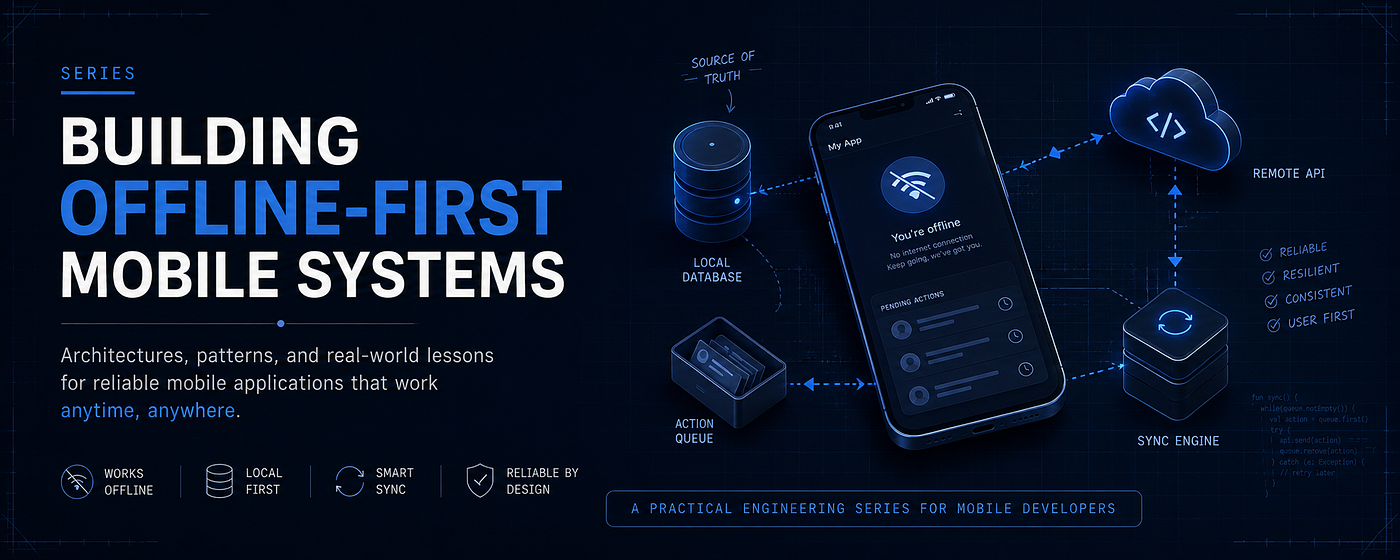
It is easy to say:
Save the data locally, then sync it later.
And honestly, this sentence is correct.
But it is also too simple.
Because real features are not that clean.
A text message is not like a voice note. A voice note is not like a POS order.
Each feature has its own lifecycle, failure cases, retry rules, and user experience decisions.
This is where Offline-First starts to become interesting.
In the previous articles, we talked about the foundation:
- Local database as the source of truth
- Offline-first architecture
- Pending operations queue
- Sync engine
- Retry policies
- Idempotency
- Conflict handling
Now let’s move from concepts to real features.
In this article, we will look at how Offline-First design works in real production-inspired features:
- Chat messages
- Voice notes
- POS orders
The goal is not to memorize an implementation.
The goal is to understand how to think.
The Foundation We Already Built
Before we jump into the examples, let’s quickly remember the base idea.
In an Offline-First system, the UI should not depend directly on the network.
The UI reads from the local database.
The app updates the local database first.
Then the sync engine is responsible for sending changes to the server.
The basic flow looks like this:

This pattern is simple.
But the hard part is applying it correctly to different features.
Because not every action should behave the same way.
Some actions can be retried silently.
Some actions need the user to manually retry.
Some actions can be rolled back.
And some actions should never be rolled back automatically.
That is the real engineering work.
Case Study 1: Offline Chat Messages
Let’s start with a chat app.
The user opens a conversation, writes a message, and taps Send.
But the network is weak.
What should happen?
Should the app wait for the server before showing the message?
Probably not.
That would make the app feel slow.
A good chat experience should feel instant.
So instead of waiting for the network, we save the message locally first and show it immediately.
The message starts as a local message with a pending state.
Chat Message Lifecycle
A message does not go directly from “created” to “done”.
It usually moves through multiple states.

There is an important difference here.
Pending, Sent, and Failed are related to sending the message from the current device to the server.
But Delivered and Read are different.
They are related to what happens after the server accepts the message.
This separation matters because a pending message cannot be delivered or read yet.
It does not officially exist on the server.
The Local Message ID Problem
If we wait for the server to generate the message ID, we cannot show the message immediately.
So the client needs to generate a local ID.
That local ID allows the app to store and display the message before the server responds.
val localMessageId = generateLocalId()This ID is not just for UI.
It is also useful for retries and idempotency.
If the network fails and the sync engine retries the same message, the server should recognize it as the same message, not a new one.
Without this, retry can create duplicate messages.
Sending a Message Offline
The send message flow may look like this:
suspend fun sendMessage(
    conversationId: String,
    text: String
) {
    val localMessageId = generateLocalId()
    val message = Message(
        id = localMessageId,
        conversationId = conversationId,
        text = text,
        status = MessageStatus.Pending,
        createdAt = currentTime()
    )
    localDatabase.insertMessage(message)
    pendingActionsQueue.enqueue(
        PendingAction.SendMessage(
            actionId = generateActionId(),
            localMessageId = localMessageId,
            conversationId = conversationId,
            text = text
        )
    )
}
Notice something important.
This function does not wait for the API response.
It does two main things:
- Saves the message locally.
- Adds a pending action to the queue.
The UI will observe the local database and show the message immediately.
The sync engine will handle the network later.
Chat Message Flow

This is a very common Offline-First pattern.
But even in this simple feature, we already have many decisions:
- How do we generate local IDs?
- How do we prevent duplicate messages?
- How many times should we retry?
- When do we show
Failed? - Should failed messages retry automatically or wait for the user?
There is no single correct answer for every app.
But the important point is this:
The message should not disappear just because the network failed.
Once the user sends it, the action must become recoverable.
Case Study 2: Offline Voice Notes
Now, let’s make the feature harder.
A voice note looks similar to a text message.
The user records something and sends it inside the conversation.
But technically, it is very different.
A text message is small.
A voice note has a file.
That file needs to be stored locally, uploaded, linked to a message, retried if upload fails, and maybe played before it is uploaded.
So the lifecycle is more complex.
Voice Notes Are Not Just Messages
For a text message, the payload may be something like:
conversationId + textFor a voice note, the app needs to handle:
conversationId + local audio file + duration + upload state + remote URLThis means the local file is part of the feature state.
If the database says the voice note exists, but the local file is missing, the feature is broken.
So we need to think about both:
- Database state
- File system state
Voice Note Lifecycle

The user experience should still be fast.
After recording, the voice note should appear in the conversation immediately.
But internally, the app may still need to upload the file.
Voice Note States
A voice note may need more states than a normal text message.
enum class VoiceNoteStatus {
    PendingUpload,
    Uploading,
    Sent,
    Failed
}
The exact states depend on the backend design.
For example, some APIs may require uploading the file first, then sending a message with the uploaded file URL.
Other APIs may allow sending the voice note as one request.
But from an Offline-First perspective, the same rule applies:
Save locally first. Upload later. Make the action recoverable.
Voice Note Upload Flow

Now the sync engine is not just sending JSON.
It may be uploading files.
And file upload introduces new problems:
- What if the app closes during upload?
- What if the upload reaches 70%, then fails?
- What if the user deletes the voice note while it is still uploading?
- What if the local file is deleted before the upload succeeds?
- What if the server accepts the file, but the app crashes before saving the remote URL?
These are the details that make real Offline-First features harder than diagrams.
Important Engineering Decisions for Voice Notes
1. The local file path must be stored
The database should know where the local audio file exists.
data class VoiceMessage(
    val id: String,
    val conversationId: String,
    val localFilePath: String,
    val remoteUrl: String?,
    val durationInSeconds: Int,
    val status: VoiceNoteStatus
)
Before the upload succeeds, remoteUrl may be null.
That is normal.
The message can still exist locally.
2. Upload should be retryable
A voice note upload should not depend only on the current screen.
If the user leaves the conversation, the upload should still be recoverable.
That means the upload action should be stored in a queue.
pendingActionsQueue.enqueue(
    PendingAction.UploadVoiceNote(
        actionId = generateActionId(),
        messageId = localMessageId,
        localFilePath = filePath
    )
)
3. Failed upload should be visible
For text messages, a small failed icon may be enough.
For voice notes, failure can be more frustrating because the user spent time recording it.
So the UI should clearly show that the voice note is not uploaded yet.
The user should know whether the voice note is:
- Waiting
- Uploading
- Failed
- Sent
Offline-First is not only about data.
It is also about giving the user confidence.
Case Study 3: Offline POS Orders
Now let’s move to a more sensitive example.
Imagine a cashier in a supermarket.
The customer pays.
The cashier taps “Complete Order”.
Then the internet disconnects.
What should the app do?
Should it cancel the order?
Should it wait for the server?
Should it block the cashier?
In many POS systems, blocking the cashier is not acceptable.
The business must continue.
So the order needs to be saved locally and synced later.
But this is much more serious than a chat message.
Because now we are dealing with:
- Money
- Receipts
- Inventory
- Taxes
- Order numbers
- Refunds
- Duplicate transactions
- Reconciliation
This is where Offline-First becomes a business-critical decision.
POS Order Lifecycle

The key difference here is failure handling.
In chat, a failed message can show:
Tap to retry.
But in POS, it is not that simple.
The customer may have already paid.
The receipt may have already been printed.
The cashier may have already moved to the next customer.
So automatic rollback can be dangerous.
POS Order States
A POS order may have states like:
enum class OrderSyncStatus {
    PendingSync,
    Syncing,
    Synced,
    NeedsReview
}
The NeedsReview State is important.
It means the app could not safely complete the sync automatically.
Maybe the server rejected the order.
Maybe the product price changed.
Maybe the order number conflicts with another order.
Maybe the payment status is unclear.
In these cases, the app should not silently hide the problem.
It should make the issue visible to someone who can review and fix it.
POS Sync Flow

This is why POS systems need stronger guarantees.
A duplicate chat message is annoying.
A duplicate order can be expensive.
So POS sync usually requires careful idempotency, local audit logs, and reconciliation tools.
The Common Pattern
Most Offline-First features follow this pattern:

The pattern is reusable.
But the final failure decision changes depending on the feature.
For example:
- A failed like can rollback.
- A failed message can show a retry.
- A failed POS order may need review.
- A failed voice note upload may stay locally and retry later.
This is why designing Offline-First features requires product thinking, not only technical thinking.
Retry vs Rollback vs Review
When a pending action fails, you usually have three options.
1. Retry
Retry is useful when the failure is temporary.
Examples:
- No internet
- Timeout
- Server unavailable
- Upload interrupted
Retry works well for:
- Chat messages
- Voice notes
- Offline orders
- Form submissions
But retry must be safe.
If retry can create duplicates, you need idempotency.
2. Rollback
Rollback is useful when the action is simple and easy to undo.
Examples:
- Like button
- Save item
- Follow user
If the server rejects the action, the app can return the UI to the previous state.
But rollback is not always a good experience.
If the user sees something happen, then it suddenly disappears, it can feel confusing.
So, rollback should be used carefully.
3. Needs Review
Some failures cannot be fixed automatically.
Examples:
- POS order rejected by the server
- Payment status unclear
- Inventory conflict
- Permission or business rule issue
In these cases, the app should mark the item as NeedsReview.
This is not a failure of the Offline-First design.
Actually, it is a sign of good design.
Because the system is admitting:
I cannot safely solve this automatically.
That honesty is important in production systems.
Common Mistakes
Mistake 1: Treating All Offline Actions the Same
This is one of the biggest mistakes.
A message, a voice note, and a POS order may all use a queue.
But they should not have the same failure strategy.
The business risk is different.
The user expectation is different.
The recovery flow is different.
Mistake 2: Updating UI Without Durable Local State
Sometimes developers update the UI immediately, but do not save the action locally.
That looks good for a few seconds.
But if the app crashes, the action disappears.
That is not Offline-First.
In a real Offline-First system, the local database should be updated first.
Then the UI should react to it.
Mistake 3: Forgetting Idempotency
Retries are dangerous without idempotency.
If the app retries the same request three times, the server must know whether these retries represent the same action or three different actions.
Without idempotency:
- One message can be sent multiple times.
- One order can be created twice.
- One payment can be recorded incorrectly.
Retry is not enough.
Retry must be safe.
Mistake 4: Hiding Failed States
A pending action should not stay pending forever without explanation.
The user needs feedback.
For example:
- Message failed to send
- Voice note upload failed
- Order needs review
Good Offline-First UX does not mean hiding problems.
It means making the system usable even when problems happen.
Mistake 5: Assuming Network Failure Is the Only Failure
Not every failure is caused by the internet.
The server can reject a request because of:
- Validation rules
- Permissions
- Business rules
- Deleted resources
- Inventory changes
- Duplicate actions
Offline-First systems should handle both temporary failures and permanent failures.
Temporary failures can be retried.
Permanent failures need another decision.
메타데이터
- post_id
- bfb1aba6db73
- slug
- building-offline-first-mobile-systems-designing-real-offline-features-bfb1aba6db73
- url
- https://medium.com/@muhmmadnabil/building-offline-first-mobile-systems-designing-real-offline-features-bfb1aba6db73
- canonical_url
- https://medium.com/@muhmmadnabil/building-offline-first-mobile-systems-designing-real-offline-features-bfb1aba6db73
- author_url
- https://medium.com/@muhmmadnabil
- status
- ok
- fetched_at
- 2026-07-16 14:13:17




