HTTPS Everywhere Is Not Enough — Security Headers Every Web App Needs
🔐 What Are HTTP Security Headers?
HTTPS Everywhere Is Not Enough — Security Headers Every Web App Needs
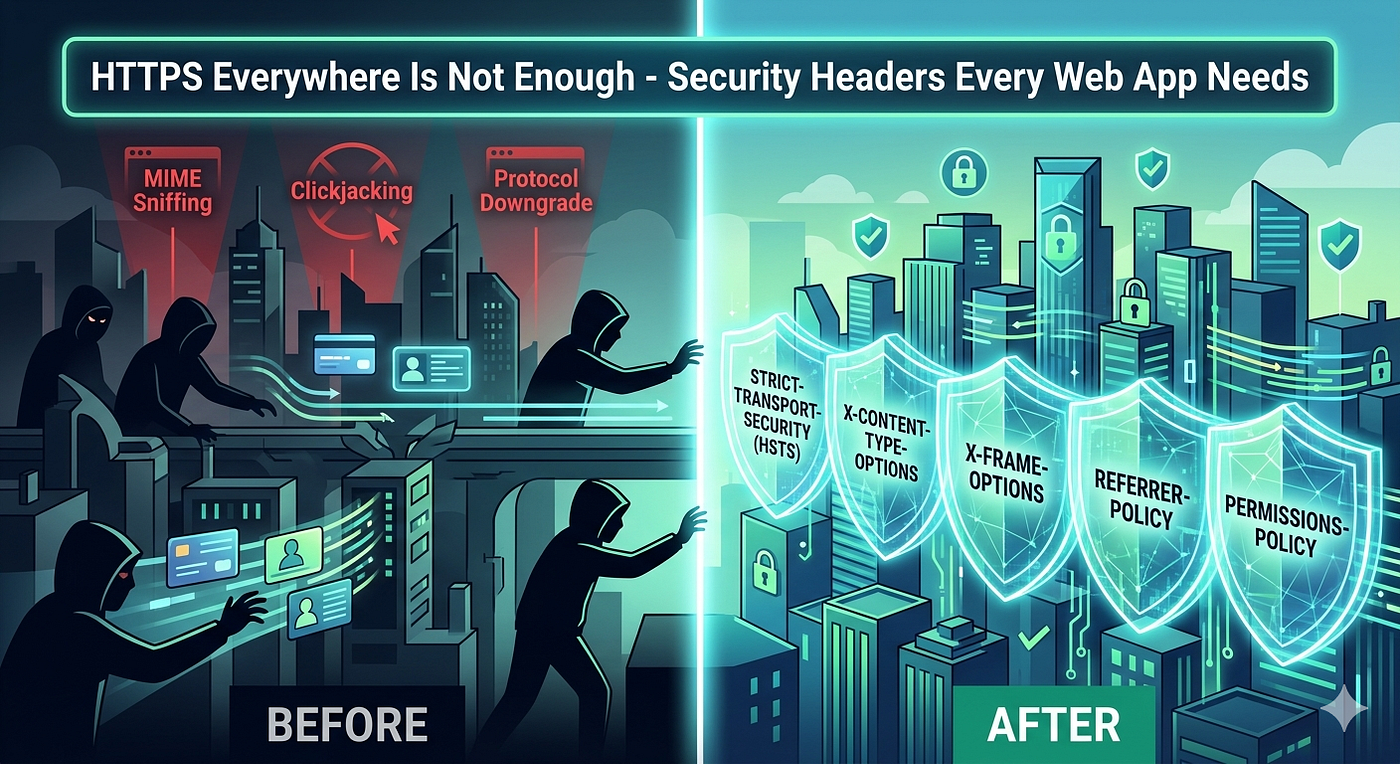
🔐 What Are HTTP Security Headers?
- Think of them as response-level guardrails.
- Every time your server sends HTML, JS, CSS, or JSON back to the browser, it can include metadata instructions.
- The browser reads these headers and enforces restrictions automatically.
- Unlike server-side validation or database encryption, headers operate at the presentation layer. They don’t replace secure coding practices.
- They add a defensive layer that blocks entire categories of client-side attacks before they execute.
The best part? You can implement them in under an hour. The impact lasts for the lifetime of your application.
🛡️ The 5 Essential Headers You Must Configure
Here’s exactly what each header does, why it matters, and how to set it correctly.
**Strict-Transport-Security (HSTS)**
- What it does: Forces the browser to always use HTTPS for your domain, even if a user types
http://or clicks an insecure link. - Why it matters: Prevents SSL stripping attacks, cookie hijacking, and protocol downgrade exploits. Stops Man-in-the-Middle attacks on public Wi-Fi.
- How to set it:
max-age=31536000; includeSubDomains; preloadmax-ageis in seconds. One year is standard.includeSubDomainsapplies the rule to all subdomains.preloadsubmits your domain to the browser’s hardcoded HSTS list (irreversible without careful planning).- Pro tip: Start with
max-age=86400(1 day) in staging. Verify everything works before bumping to 1 year and submitting to hstspreload.org.
**X-Content-Type-Options**
- What it does: Stops browsers from “MIME sniffing” (guessing a file’s type based on content instead of the declared
Content-Type). - Why it matters: Attackers can upload a file named
avatar.pngthat actually contains JavaScript. Without this header, some browsers will ignore the image declaration and execute the script. - How to set it:
X-Content-Type-Options: nosniff- Only one valid value. Always use it.
- Pro tip: This is one of the safest headers to deploy. Zero breaking changes. Enable it immediately.
**X-Frame-Options**
- What it does: Controls whether your site can be embedded in
<iframe>,<object>, or<embed>tags on other domains. - Why it matters: Prevents clickjacking. Attackers can overlay transparent iframes of your site on a malicious page, tricking users into clicking buttons they can’t see (like “Delete Account” or “Transfer Funds”).
- How to set it:
DENY→ Never allow embedding.SAMEORIGIN→ Allow embedding only from your own domain.- Pro tip: Modern browsers prefer
Content-Security-Policy: frame-ancestors 'self'or'none', butX-Frame-Optionsstill provides critical fallback coverage for legacy clients. Use both if possible.
**Referrer-Policy**
- What it does: Controls how much URL information is sent in the
Refererheader when users navigate away from your site. - Why it matters: Default behavior leaks full URLs, including query parameters, session tokens, or internal paths to third-party sites, analytics providers, or CDN logs.
- How to set it:
strict-origin-when-cross-origin→ Sends full URL for same-origin navigations. Sends only domain for cross-origin. Sends nothing when downgrading from HTTPS to HTTP.- Pro tip: Avoid
no-referrerunless you’re building a privacy-first product. It breaks analytics, affiliate tracking, and debugging.strict-origin-when-cross-originis the industry standard balance.
**Permissions-Policy**
- What it does: Replaces the deprecated
Feature-Policy. Restricts which browser APIs (camera, microphone, geolocation, autoplay, payment, etc.) can be used by your page and embedded third-party content. - Why it matters: Prevents malicious ads, compromised third-party scripts, or supply-chain attacks from abusing sensitive device features without user consent.
- How to set it:
camera=(), microphone=(), geolocation=(self), autoplay=()()disables the feature globally.(self)allows your origin only.()with no value means “blocked by default.”- Pro tip: Only enable what you actually use. If you don’t need geolocation, disable it at the header level. No JavaScript can override this.
⚙️ Helmet.js Tutorial: Implementing Headers in Node/Express
If you’re running Node.js with Express, helmet is the industry standard middleware for setting secure defaults. It’s actively maintained, lightweight, and aligns with OWASP recommendations.
Step 1: Install
npm install helmetStep 2: Basic Setup (Recommended for 90% of apps)
const express = require('express');
const helmet = require('helmet');
const app = express();// Apply secure defaults
app.use(helmet());That’s it. helmet() automatically sets:
X-Content-Type-Options: nosniffX-Frame-Options: SAMEORIGINReferrer-Policy: no-referrer(you’ll likely override this)Strict-Transport-Securitywith sensible defaultsX-DNS-Prefetch-Control,X-Download-Options, and more
Step 3: Customize for Production
app.use(
  helmet({
    // Keep HSTS but extend max-age for production
    strictTransportSecurity: {
      maxAge: 31536000,
      includeSubDomains: true,
      preload: true
    },
    // Use modern referrer policy
    referrerPolicy: { policy: 'strict-origin-when-cross-origin' },
    // Disable X-Frame-Options if you're using CSP frame-ancestors instead
    frameguard: false,
    // Explicitly disable unused permissions
    permissionsPolicy: {
      camera: [],
      microphone: [],
      geolocation: ['self'],
      payment: [],
      autoplay: []
    }
  })
);
Framework-Agnostic Alternatives:
- Next.js: Add headers to
next.config.jsunder theheaders()function. - Nginx: Use
add_headerdirectives in your server block. - Vercel/Cloudflare: Configure via dashboard or
vercel.json/cloudflare.jsonrouting rules. - Apache: Use
Header always setin.htaccessor virtual host config.
Critical reminder: Never rely solely on defaults. Audit what helmet enables, disable what you don’t need, and test in staging before deploying.
🔍 How to Test & Verify Your Headers
Deploying headers means nothing if you don’t verify they’re actually being sent and enforced.
1. Browser DevTools
- Open
F12→ Network tab → Refresh page → Click your main HTML/JS request → Scroll toResponse Headers. - Verify each header is present and matches your config.
2. Command Line
curl -I <https://yourdomain.com>Look for your headers in the output. Quick, reliable, CI-friendly.
3. Online Scanners
securityheaders.com→ Instant grade (A-F) with actionable feedback.observatory.mozilla.org→ Comprehensive security report including TLS, CSP, and header analysis.- Both are free and widely used by security teams.
4. Automated CI Checks
- Add a step in GitHub Actions or your pipeline that runs
curl -Ior useslighthouse/web-vitalsto assert header presence. - Fail the build if critical headers are missing.
What to watch for in scan results:
A+grade is achievable and realistic.- Red flags: Missing HSTS, weak Referrer-Policy, permissive Permissions-Policy, or absent CSP.
- False positives: Scanners sometimes flag
X-Frame-Optionsas redundant if CSPframe-ancestorsis present. That’s fine. Keep both for backward compatibility.
📋 Production Deployment Checklist
- [ ] Enable
Strict-Transport-Securitywith appropriatemax-ageandincludeSubDomains - [ ] Set
X-Content-Type-Options: nosniffon all responses - [ ] Configure
X-Frame-Optionsor CSPframe-ancestorsbased on embedding needs - [ ] Apply
Referrer-Policy: strict-origin-when-cross-origin - [ ] Lock down
Permissions-Policyto only enabled browser features - [ ] Test headers in staging with
curland securityheaders.com - [ ] Verify no critical third-party embeds break (payment widgets, chat support, analytics)
- [ ] Add header checks to CI/CD pipeline
- [ ] Document header rationale for onboarding and audits
- [ ] Schedule quarterly header reviews (browsers evolve, policies change)
🔚 Final Thoughts
- HTTPS is the floor, not the ceiling. Security headers are the first line of client-side defense, and they cost almost nothing to implement.
- A few lines of configuration block entire attack vectors that would otherwise require months of patching, incident response, or PR damage control.
- You don’t need a security degree to ship this.
- You need awareness, a clear checklist, and the discipline to treat headers as core infrastructure, not afterthoughts.
- Start with HSTS,
nosniff, andReferrer-Policy. AddPermissions-Policyfor feature control. Test. Deploy. Sleep better.
메타데이터
- post_id
- bfc11addccb4
- slug
- https-everywhere-is-not-enough-security-headers-every-web-app-needs-bfc11addccb4
- url
- https://medium.com/@atnoforwebdev/https-everywhere-is-not-enough-security-headers-every-web-app-needs-bfc11addccb4
- canonical_url
- https://medium.com/@atnoforwebdev/https-everywhere-is-not-enough-security-headers-every-web-app-needs-bfc11addccb4
- author_url
- https://medium.com/@atnoforwebdev
- status
- ok
- fetched_at
- 2026-07-26 02:20:04




