Executing PHPUnit tests in DDEV for Drupal projects.
My motivation to write this article was the lack of information out there regarding detailed process for setting up, writing and executing…
Executing PHPUnit tests in DDEV for Drupal projects.
My motivation to write this article was the lack of information out there regarding detailed process for setting up, writing and executing PHPUnit tests for Drupal on DDEV
In a previous article, I’ve explained how to set up your local machine to run Browser based tests locally. But today let’s look into how we can set up the necessary services inside a docker container, For this reason we will be utilising DDEV.
Prerequisites
Composer, Docker and DDEV installed locally.
Preparation
Step 1
I will be using my demo Drupal project https://github.com/pasankg/drupal-playground to demonstrate the DDEV setup and other relevant components.
First, let's clone the project using the terminal.
git clone [git@github.com](mailto:git@github.com):pasankg/drupal-playground.git
and cd drupal-playground
Execute ddev config command.
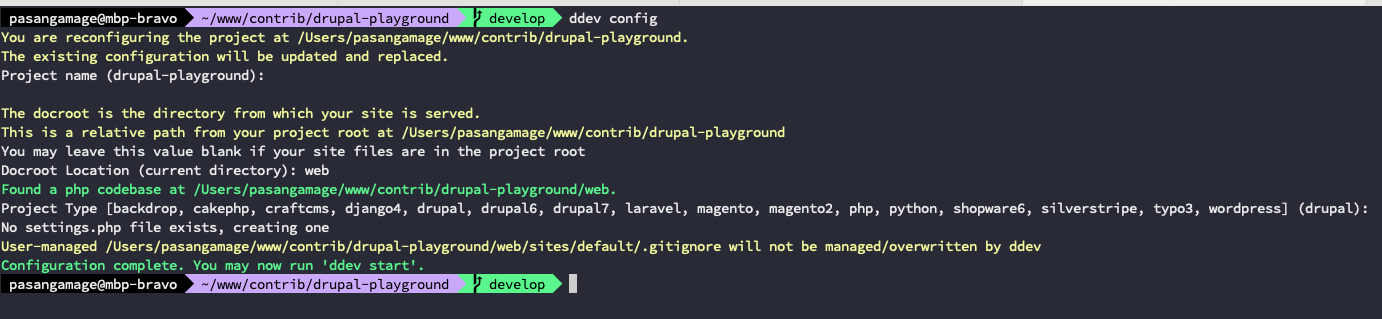
You should see a .ddevfolder in your project folder and inside there a file named config.yml and also settings.ddev.php file in web/sites/default/ path.
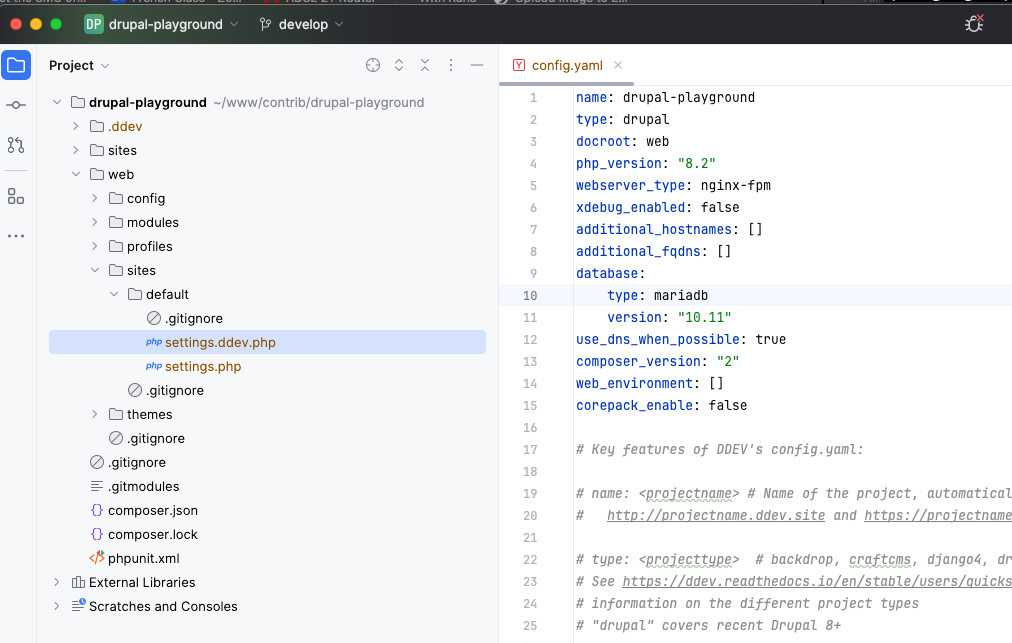
You can use the auto generated config.yml configurations, but give below is the config file that I use.
name: drupal-playground
type: drupal
docroot: web
php_version: "8.3"
webserver_type: nginx-fpm
xdebug_enabled: false
additional_hostnames: []
additional_fqdns: []
database:
    type: mariadb
    version: "10.11"
use_dns_when_possible: true
composer_version: "2"
web_environment: []
corepack_enable: false
nodejs_version: "20"
To spin up the DDEV environment, you need to have docker running on your local. Executing ddev start will start the build process. Once completed, you should see;

The settings.ddev.php gets regenerated everytime you restart the container, if you want to retain any custom code make sure to remove the comments at the top of the file.
/**
 * @file
 * This is a Drupal 11 settings.ddev.php file automatically generated by DDEV.
 *
 * DDEV manages this file and may delete or overwrite it unless this
 * comment, marked with #ddev-generated, is removed. It is recommended
 * that you leave this file alone.
 */
Step 2
Please note that I’ve already installed the following composer dev dependencies. And in my composer.json file under “require-dev” I have something like this.
"require-dev": {
        "behat/mink": "^1.12",
        "behat/mink-selenium2-driver": "^1.4",
        "drupal/core-dev": "^11.0",
        "phpspec/prophecy": "^1.19",
        "phpspec/prophecy-phpunit": "^2.2",
        "phpunit/phpunit": "^10.5"
    }
For any other project, you can do the same and install the composer dev dependencies. The required ones are;
composer require --dev drupal/core-dev --with-dependencies
composer require --dev phpunit/phpunit --with-dependencies
composer require --dev behat/mink-selenium2-driver --with-dependencies
Execute ddev composer install to install dependencies inside the container.
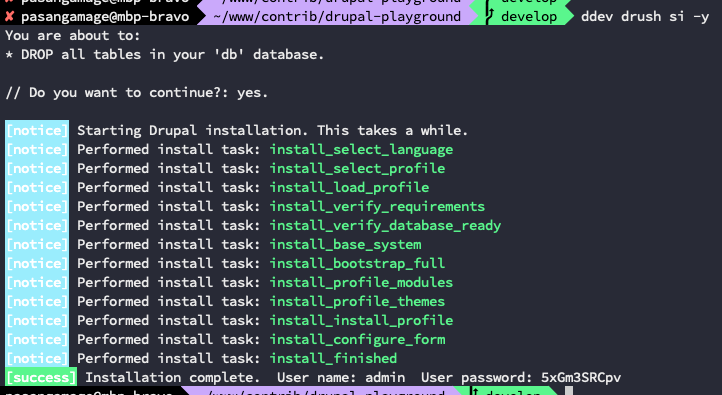
To set up a fresh Drupal install, execute ddev drush si -y
Step 3
In order to execute Functional JavaScript tests, we need to have chrome selenium driver running on the background. For this, we can use DDEV Selenium Standalone Chrome from https://github.com/ddev/ddev-selenium-standalone-chrome
ddev add-on get ddev/ddev-selenium-standalone-chrome and ddev restart

If you check the .ddev folder, you may notice two new files are created.
config.selenium-standalone-chrome.yaml and
docker-compose.selenium-chrome.yaml
By default, you do not need to make any changes to the settings.ddev.php or to above config files.
Step 4
Now, let's create our phpunit.xml file. We can use a copy of the Drupal core phpunit.xml.dist file in web/core path. Copy it and paste in your project root. In this case I’ve already checked it in to the git repository so you will be able to see it there. It is a trimmed down version of the core phpunit.xml.dist file.
You may see some commented lines of code, these are to demonstrate that this file can be edited if you need it to be.
The main changes are updating the SIMPLETEST_BASE_URL value to
<env name=”SIMPLETEST_BASE_URL” value=”[http://web](http://web)"/> and updating the <testsuites> element according to the project. If you are wondering what[http://web](http://web) is, it is same as localhost in DDEV.
Step 5
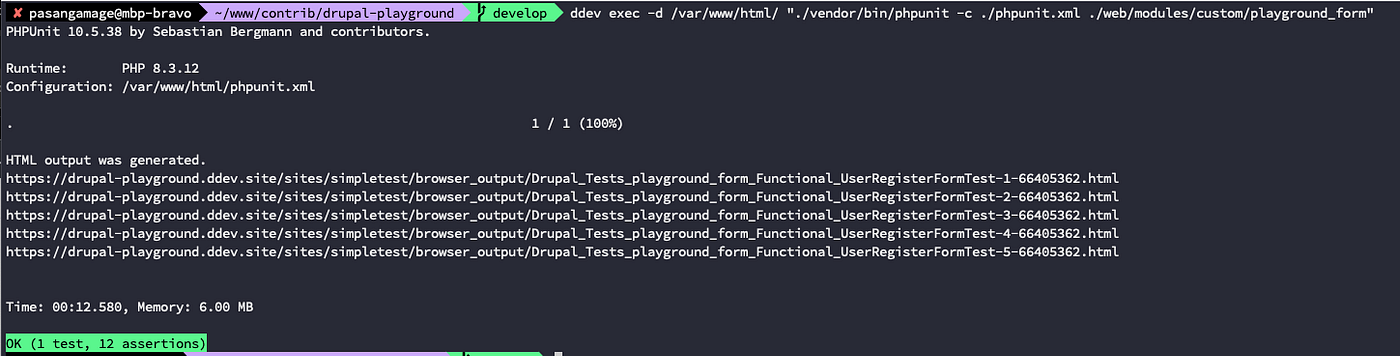
Now that we have everything setup, let's execute an existing Functional test that I’ve created for a custom module playground_form
Functional test
Because the Functional test is executed on a fresh Drupal install, we do not need anything extra to test its functionality.
ddev exec -d /var/www/html/ “./vendor/bin/phpunit -c ./phpunit.xml ./web/modules/custom/playground_form”
Unit test
Now let’s try executing an existing Unit test, which also executes on a fresh Drupal install and not on the existing database.
ddev exec -d /var/www/html/ “./vendor/bin/phpunit -c ./phpunit.xml ./web/modules/custom/playground_address_search/tests/src/Unit”

Functional JavaScript test
Functional JavaScript test also run against a fresh Drupal installation. However, I came across interesting observations where the test behaviour is different for logged-in users vs anonymous users. We will look into Functional JavaScript in the future posts.
Stay tuned and happy testing 💻
Gotchas
If you come across any lock wait errors or deadlocks try disabling Xdebug, Specially if you are on Xdebug 3.x or higher.
Resources
메타데이터
- post_id
- bfc8fea52fda
- slug
- executing-phpunit-tests-in-ddev-for-drupal-projects-bfc8fea52fda
- url
- https://medium.com/@pasankg/executing-phpunit-tests-in-ddev-for-drupal-projects-bfc8fea52fda
- canonical_url
- https://medium.com/@pasankg/executing-phpunit-tests-in-ddev-for-drupal-projects-bfc8fea52fda
- author_url
- https://medium.com/@pasankg
- status
- ok
- fetched_at
- 2026-06-27 07:40:21