The Most Comprehensive and Robust Fiction Plugin for Obsidian
StoryLine is my preferred writing tool for my vault.
[embed]
Over the last two decades I’ve made minicomix, edited short story anthologies, done audio dramas, and now I keep myself busy with video stuff. I share the tools, mindsets, and projects I’m working on over on The Self Discovery Channel on YouTube.
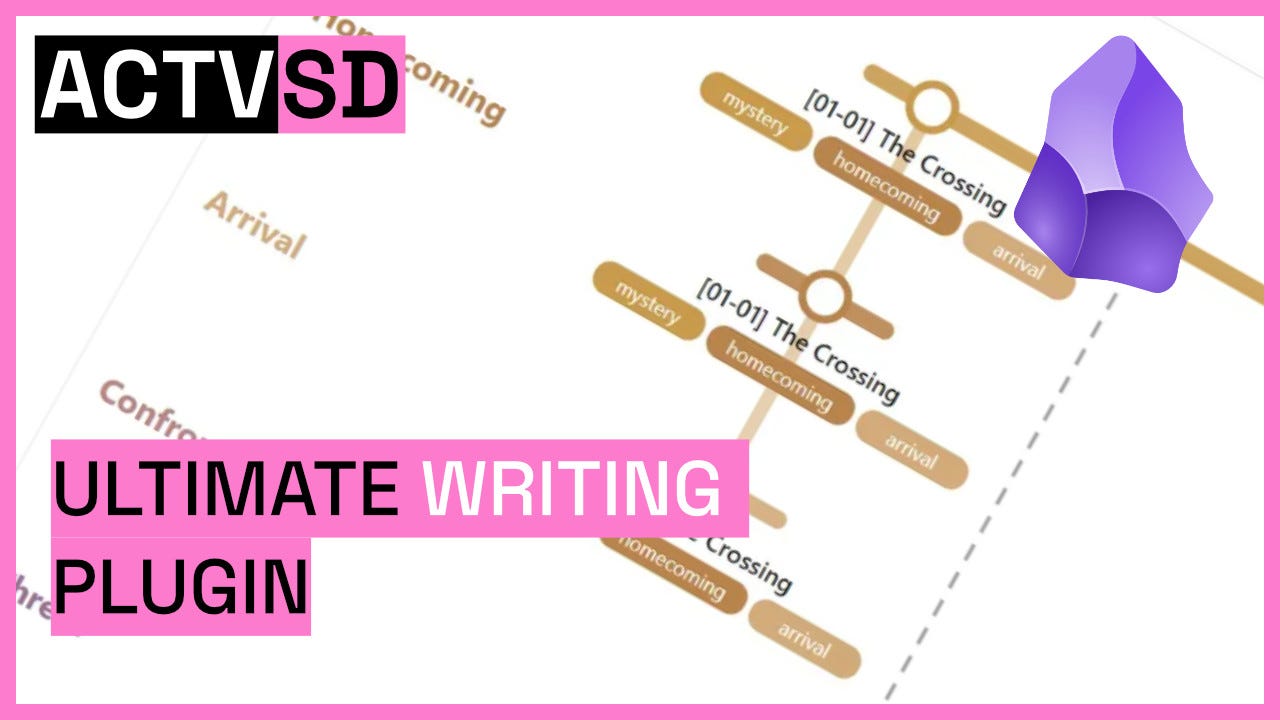
StoryLine (Community Page, Github Page) is a plugin for Obsidian that provides you with a very robust and comprehensive set of tools inside the app to help you plan and write your fiction projects. The most important thing to know is that you can customize almost every aspect of how this plugin deals with your writing. Let’s take a little look at each view it gives you. Scenes are the specific writings that make up your narrative and are viewed all at once in the Manuscript tab, the Codex tab holds all of the specifics of your worldbuilding, and the other tabs are different views for specific purposes.
I love this plugin. It stores everything in markdown notes and JSON files inside of its own folder.
I have a sample vault zipped up here: https://animalcracker.link/StoryLineVault
It is the same vault I use in the video and screenshots. It is a plain vault with only this plugin installed and the info I’ve put into the StoryLine plugin.

Corkboard/Kanban

The left most “Board” tab has two views inside it. The corkboard view lets you create colored sticky NOTES that you can move around, add images to, and customize the appearance of. These notes can also be converted to a SCENE. Scenes are the backbone of the actual story you are writing.
By default, Scenes do not show up on your Corkboard — Only notes with a toggle to also show Scenes. The other view, Kanban, has the opposite default view. It shows only Scenes at first with a toggle to also show Notes.

Switching to the Kanban view will show all of your Scenes grouped up by Act by default. You can also have the columns represent the “status” of the scenes within the writing lifestyle (Draft, idea, revised, final, etc (And you can of course have custom Scene Statuses)).
Plotgrid

The Plotgrid is a way to manually track information. It’s basically a spreadsheet type view for your Scenes and Notes with some visual customization. You get to name the rows and columns and you manually fill in the information in the cells.
Timeline

Organize your Scenes by Reading Order, Chronological Order, and more to quickly understand the timeline of your narrative.
Plotlines

Assign Scenes to specific plotlines and then get an overview of how frequently plotlines are addressed, which scenes touch on one or more plotlines, and visualize any stretches of Scenes that don’t deal with plotlines.
Scenes


Scenes hold the actual text you are writing along with a whole bunch of metadata such as:
- In-universe time/day
- Whether it’s a linear scene, a flashback, etc
- Character POV of the scene
- Emotion/tone of the scene
- Whether this scene is a set up or a pay off (And what other scenes make up the other half of that)
- Codex items mentioned in the text
- Related research
- And more!
Clicking on a Scene in any view will open up a pane on the right side that will let you edit the Scene. Everything is stored as YAML except the Scene Draft Text so you can open the note proper and write all of the Scene text you need in the note body for a nicer writing experience.
The Codex
The Codex functions as an integrated world bible. Default categories include:
- Characters: Profile templates with role designation (protagonist, antagonist, supporting, etc.), personality fields, backstory, character arc tracking, and relationship mapping. Characters display statistics: percentage of scenes from their POV, total scene mentions, and presence gaps across the narrative.
- Locations: Hierarchical structure supporting nesting (world → region → city → neighborhood → building → room). Each entry includes fields for geography, culture, politics, and story significance.
- Items: Ownership and origin tracking with customizable properties.
- Optional Categories: Organizations, Lore, Culture, Systems, Creatures you can turn on in the settings
- Custom Categories: User-defined Codex types with custom icons.

Character Codex List

Character Profile

Relationship mapping between characters (Auto links the other connected character)

Relationship mapping between characters (Auto links the other connected character)

Add custom fields to Codex categories
Stats, Manuscript, Export

Lastly, we have a very comprehensive Stats page that will tell you any of the technical stats of your Scene collection you might wanna know.
Which characters go the longest continuous stretch of Scenes without appearing? What percentage of scenes are Final? How many words have I written during this session? Does every Scene marked as a set up have a pay off?


Everything seems to be tracked and everything seems to be customizable.
Read through your Scene text in the Manuscript tab and, whenever needed, go and Export it to send to someone or share online.

This is a small taste of StoryLine (Community Page, Github Page), my new obsession inside Obsidian.
Over the last two decades I’ve made minicomix, edited short story anthologies, done audio dramas, and now I keep myself busy with video stuff. I share the tools, mindsets, and projects I’m working on over on The Self Discovery Channel on YouTube.
메타데이터
- post_id
- c0a256ea2ccd
- slug
- over-the-last-two-decades-ive-made-minicomix-edited-short-story-anthologies-done-audio-dramas-c0a256ea2ccd
- url
- https://medium.com/@animalcrackerart/over-the-last-two-decades-ive-made-minicomix-edited-short-story-anthologies-done-audio-dramas-c0a256ea2ccd
- canonical_url
- https://medium.com/@animalcrackerart/over-the-last-two-decades-ive-made-minicomix-edited-short-story-anthologies-done-audio-dramas-c0a256ea2ccd
- author_url
- https://medium.com/@animalcrackerart
- status
- ok
- fetched_at
- 2026-06-17 08:20:12