Beyond Coda’s AddRow
Mastering the ‘Existing Row’ Check
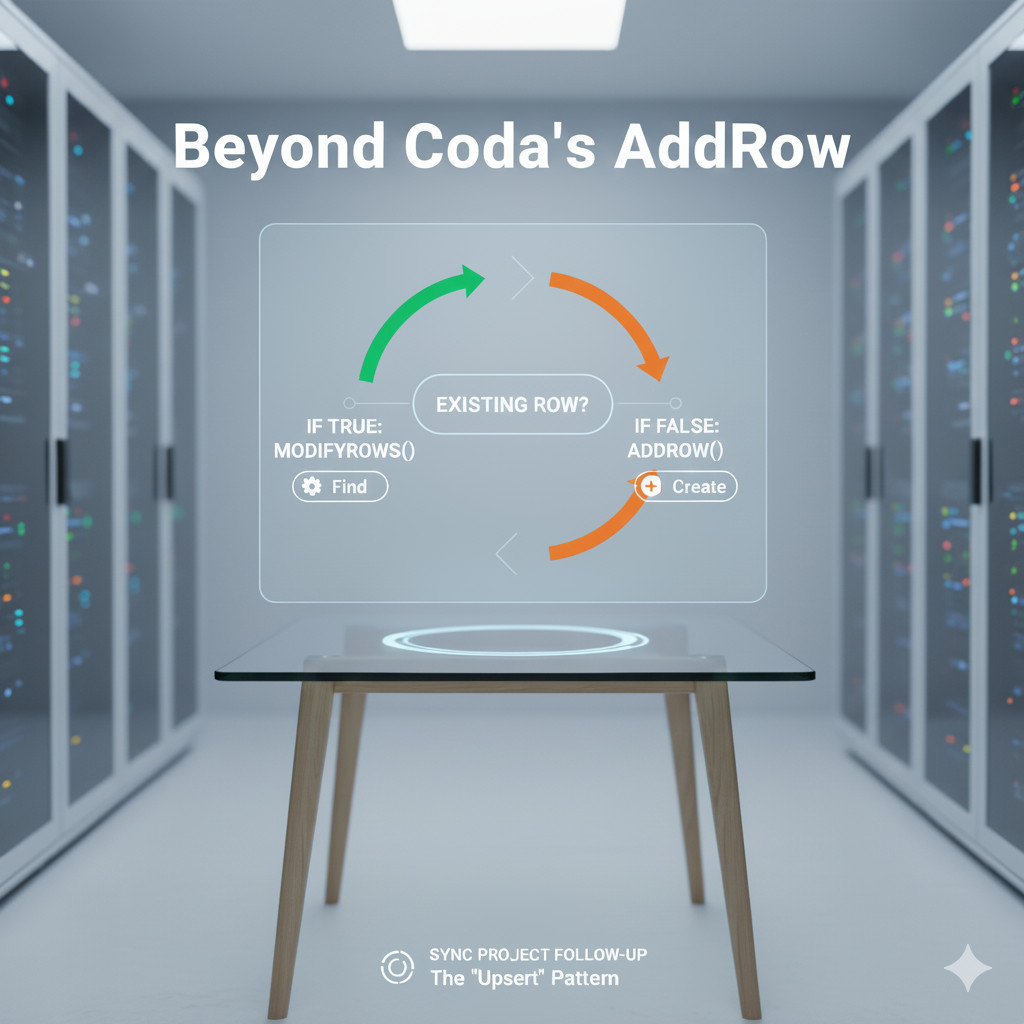
made by Gemini AI
Beyond Coda’s AddRow
Mastering the ‘Existing Row’ Check
In a previous post, we explored how to use AddRow() and canvas controls to build dynamic project templates. This AddRow()-only logic is a perfect fit for that specific scenario: applying a template. Templates are, by nature, a fixed set of variables—a list of items linked in a strict manner. Our original logic was efficient for this: it would filter out the parts already in the receiving table and only add the missing rows.
The Limit of a Creation-Only Model
However, while that template logic functions perfectly for its purpose, a live project quickly moves beyond the setup phase. We can now imagine new scenarios our old button can’t handle.
What if we need to follow up on a budget for an existing task? Or what if we need to mark a specific sub-task as ‘Stuck’?
These are management actions. They require us to find an existing row and update it. Our previous setup, built only to AddRow, simply cannot do this.
The Core Logic: Checking for an ‘Existing Row’
The robust solution is to combine AddRow() and ModifyRows() into a single, intelligent action. This is the "Find or Create" (or "Upsert") pattern, and its entire power hinges on one simple question: Does this row already exist?
This “existing row” check is the pivot. The logic is: “Look for a specific row. If you find it, update it. If you don’t, create it.”
This makes your button idempotent — a technical term meaning you can run it over and over, and it will only create the missing records once, then keep the existing ones up to date.
Why Not AddOrModifyRows()?
You might ask, “Why not use Coda’s native AddOrModifyRows() function?" t’s a valid question and there are two critical reasons why the explicit If/Filter pattern is preferred over AddOrModifyRows(): reliability in complex loops and performance via granular control.
1. The Reliability Problem: Scope Resolution Failure
The primary, deal-breaking issue with AddOrModifyRows() is its well-documented failure in scope resolution, especially when nested inside ForEach or FormulaMap loops.
- The “Scope Collision”:
AddOrModifyRows()is a "black box" that tries to do two things at once: find a row based on an expression and then modify it using new values. The problem occurs when the modification itself depends on the loop's context. - The “Duplicate Row” Anomaly: The function often struggles to resolve
CurrentValueor other iterators from the outer loops. When this "scope collision" occurs, the function's internal filter expression fails to find the existing row. Instead of modifying the row, it incorrectly defaults to itsAddRowpath, resulting in the creation of duplicate rows—the exact behavior it's meant to prevent. - The Superior Architecture: our explicit
Filter().First().WithName()pattern is architecturally sound precisely because it avoids this. It decouples the "read" operation from the "write" operation. It first executes the complex, nested-scopeFilter()query, stores the result in a stableWithNamevariable , and then branches the logic with a simpleIf(). This separation guarantees correct scope resolution and reliable "upsert" behavior whereAddOrModifyRows()consistently fails.
2. The Performance Problem: Lack of Granular Control
The second issue is about “avoiding unnecessary calculations,” and this is where the explicit pattern truly outperforms the native function.
- The “Black Box” Write:
AddOrModifyRows()is a blunt instrument. If it finds a match, it will perform aModifyRowsaction , even if the new data is identical to the old data (we come back to this point later).
In summary, while AddOrModifyRows() is convenient for simple, top-level use cases , advanced builders avoid it in nested loops or high-performance contexts. They favor the explicit If/Filter/WithName pattern because it is architecturally reliable and tunable for performance.
See also this post from Paul.
The ‘Existing Row’ Pattern in Practice
Here’s how this logic applies directly to our construction project.
Imagine you have a complex data hierarchy: Zones -> Subtasks -> Main Tasks -> Actions. You need a button to "Sync Project Follow-Up" that generates a master list. The code below does this for you.

hte check existingRow logic in action
Pushing the button generates a view like below:

upserting the project
Why This is Better?
See the difference? The **existingRow **check is the entire pivot.
The formula chain Filter(...).First().WithName(existingRow, ...) is the Coda-native way to ask, "Do I have this one already?"
Based on the ‘yes’ or ‘no’ answer from existingRow.isBlank(), your action can intelligently branch between AddRow() and ModifyRows().
The benefit of this approach is that all the heavy logic is consolidated into a single button action. The data tables ([DB Project Follow Up]) can hold simple, static values, which dramatically improves doc performance and maintainability.
You’ve provided your team with a simple, reliable “Sync” button, and in the process, engineered your doc to function less like a spreadsheet and more like a fast, robust application.
This pattern is robust, but it still performs a “write” operation on every existing row (18 rows added and 9 rows modified). In a future post, we’ll explore how to optimize this even further with a “dirty check” — a small addition that can save thousands of unnecessary calculations by only running ModifyRows() when data has actually changed.
On a personal note, creating these in-depth posts takes a lot of time and effort. While I love sharing my knowledge, a little support goes a long way. If you found this helpful, what about a donation and sharing this post with your fellow Coda enthusiasts? Every bit of encouragement helps!
My name is Christiaan, and I regularly blog about Coda. While this article is free, my professional services (including consultations) are not, but I’m always happy to chat and explore potential solutions. You can find my free contributions in the Coda Community and on X. The Coda Community is a fantastic resource for free insights, especially when you share a sample doc.
메타데이터
- post_id
- c0e36f2b0256
- slug
- beyond-codas-addrow-c0e36f2b0256
- url
- https://medium.com/@huizer/beyond-codas-addrow-c0e36f2b0256
- canonical_url
- https://medium.com/@huizer/beyond-codas-addrow-c0e36f2b0256
- author_url
- https://medium.com/@huizer
- status
- ok
- fetched_at
- 2026-07-15 11:43:50