Recommendation System
Association Rule
Recommendation System
Association Rule

What is the infrastructure that makes recommendation systems so successful? How is it that all the content that comes our way is so compatible with us? Let’s take a look at the basic algorithm logic and software stages under the recommendation systems. Our aim in this article is to suggest products to users according to the products in their basket by applying association rules on the data of the online-site that sells online gifts.
Association Rule It is an important theory that should be understood in terms of understanding the basic logic of recommendation systems, which are frequently used and based on data mining methods that analyze the co-occurrence of events and products.
Please ***click ***here to access the data set. We will follow the steps below in order.
#1. Data Preprocessing
#2. Preparing the ARL Data Structure (Invoice-Product Matrix)
#3. Extracting Association Rules
#4. Recommending a Product to Users at the Basket Stage- Data Preprocessing
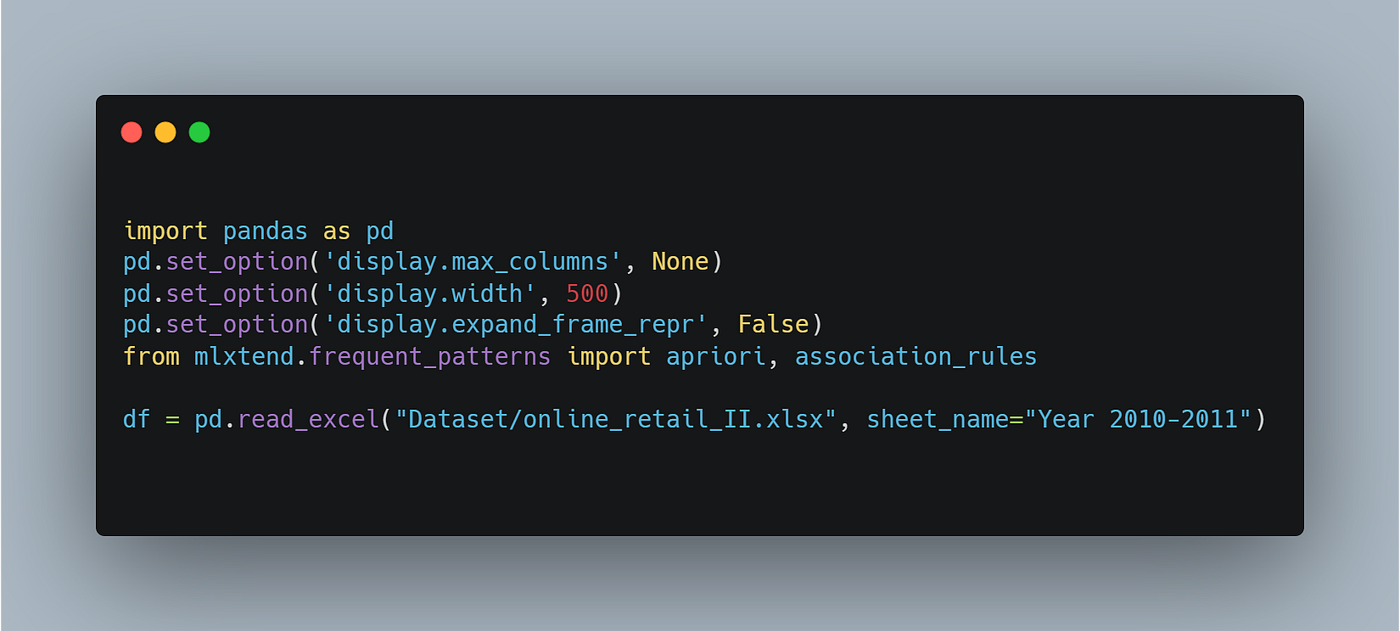
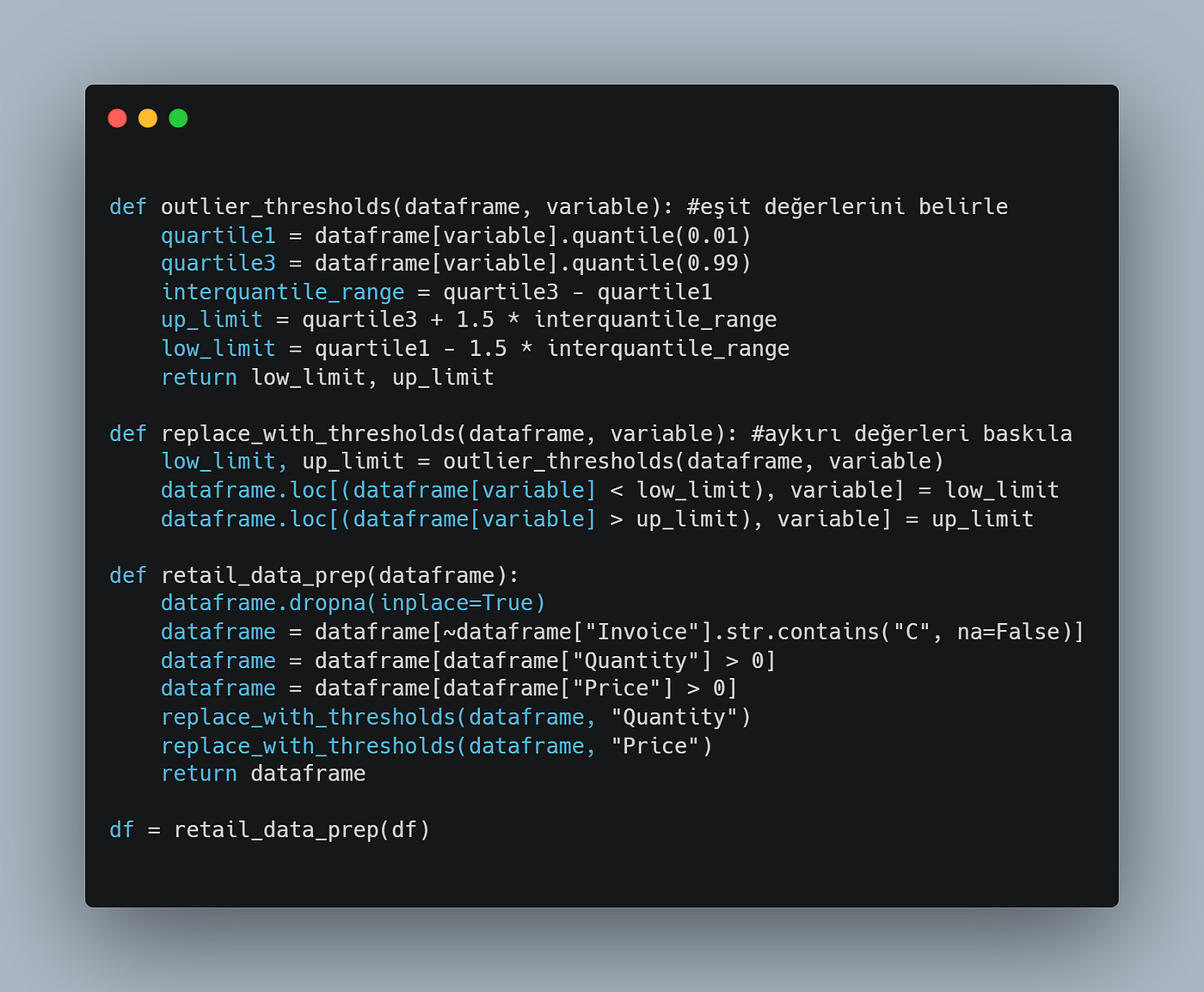
We suppressed outliers with our “thresholds” functions that we created after calling our data. We deleted the null values and invoice cancellations in our dataset. Note: To apply association theory, if the library is not installed !pip install mlxtendile, after installing the library, import it with from mlxtend.frequent_patterns import apriori, association_rules.
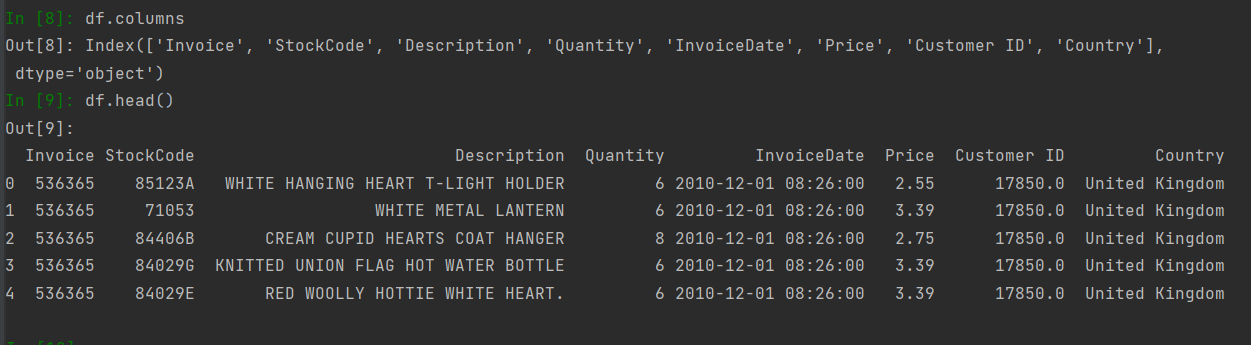
Let’s take a look at our preprocessed data.
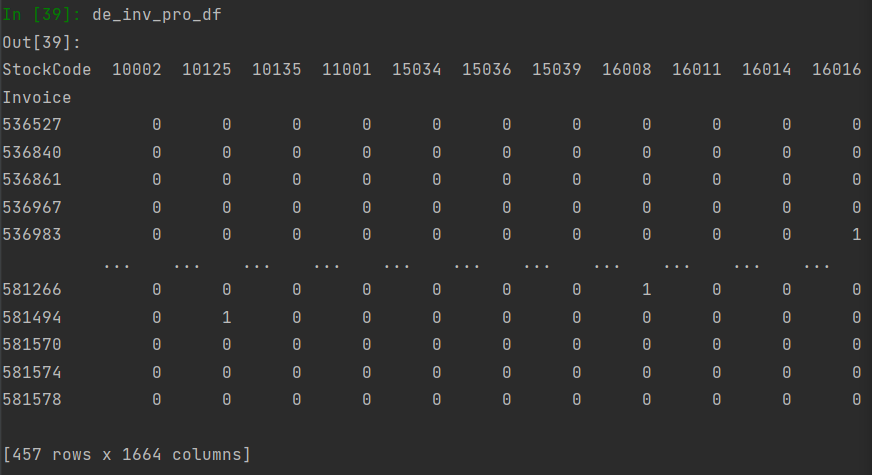
- Preparing ARL Data Structure (Invoice-Product Matrix) We are in a step to consider that could change the path of analysis. The most critical point is to define the basket. What’s the basket? The critical point needs to be well defined. In this case, we analysis the invoices and considering the Invoice-Product pair, instead of Customer-Product. Country selection may vary according to demand, we will proceed on Germany. Since we have the Invoice-StockCode pair we want, we tabulated these variables with groupby and defined them inside the function. Thanks to Unstack(), Invoice will be in the row and our StockCode values will be in the column.
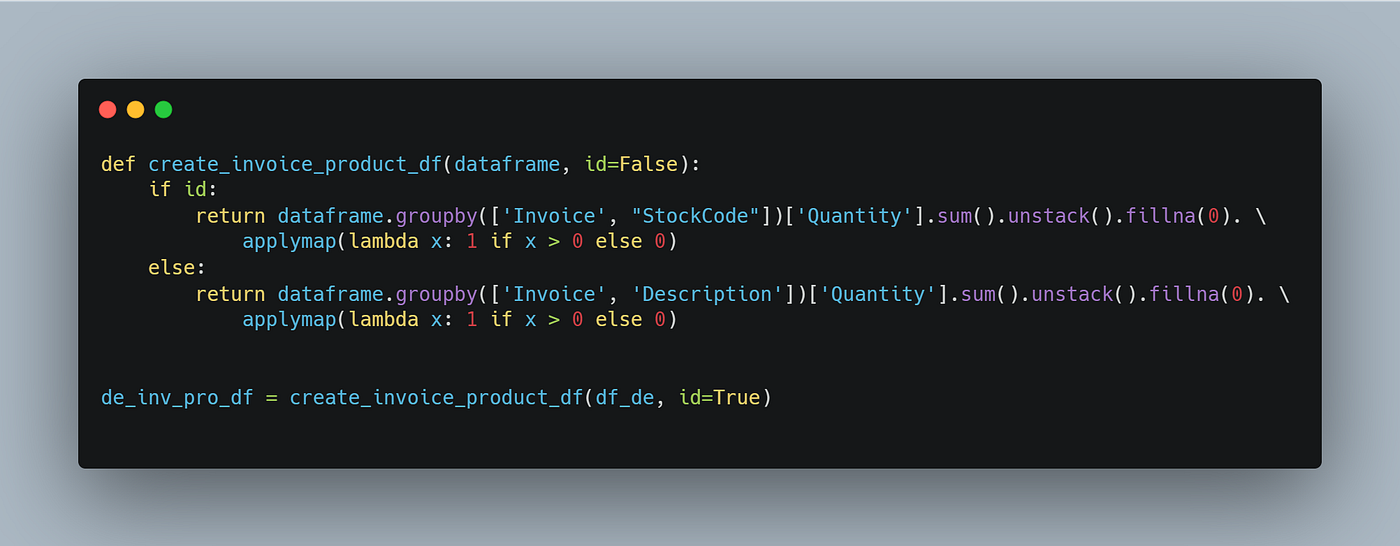
Let’s take a look at our output.
- Apply Association Rules We used the apriori function used at this stage to reveal product associations. Then we sorted them according to their frequency with the sort_values function. A min_support value of 0.01 means that the probability of any multiple products appearing together is greater than 0.01.

Then, we got the output of the association metrics with the association_rules function. Let’s examine our output and useful output titles.
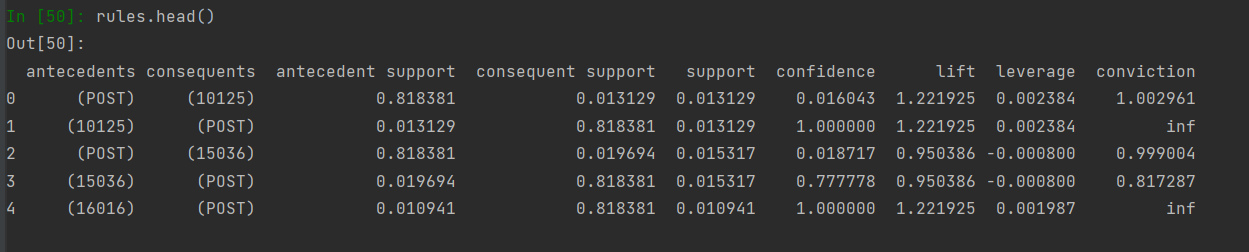
antecedents: our 1st product consequents: Our 2nd or more products that appear together in the same basket with the 1st product. antecedent support: probability of product1 appearing in cart alone consequent support: The probability that the 2nd item will appear in the basket alone support: The probability of both products appearing in the basket together (p) confidence: The probability of receiving the 2nd product when the 1st product is received lift: How many times increase the probability of getting the 2nd product when the 1st product is bought

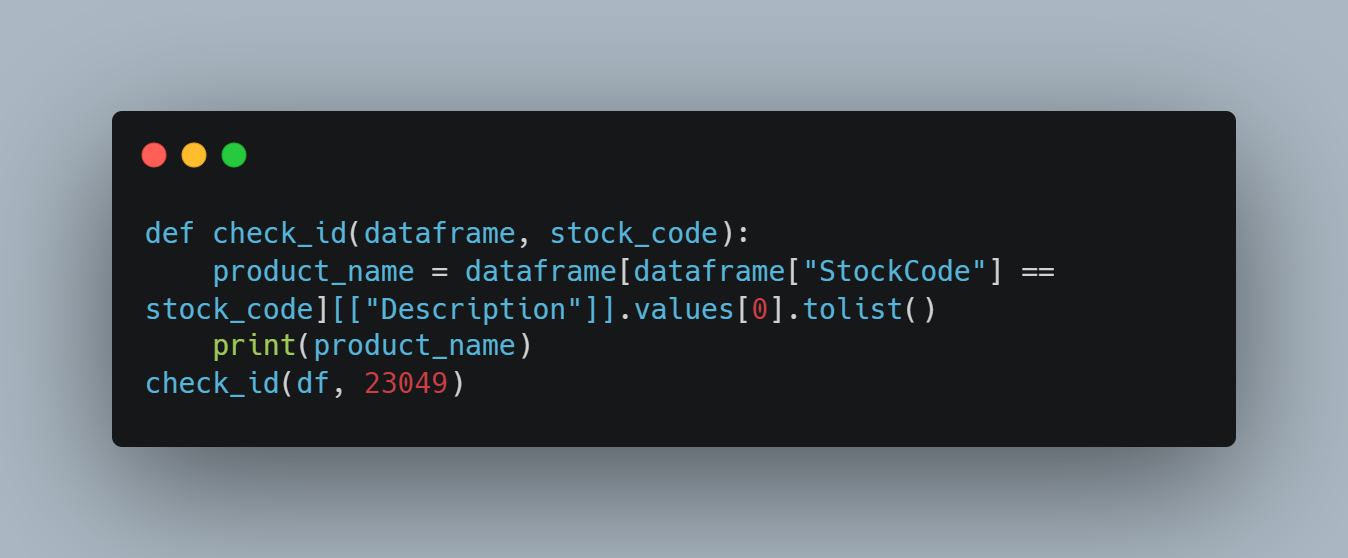
4. Suggesting a Product to a User at the Basket Stage Suggesting other products that a user selected in our last step can buy together according to the products in his cart. Note: The product_id was chosen randomly. check_df function; We created it to call the name of the product according to the id we entered.
We defined the arl_recommender function to suggest 3 different products for our product with ID 23049, which we consider in our cart. And we have assigned a list called recommendation_list to keep these recommendations in it.
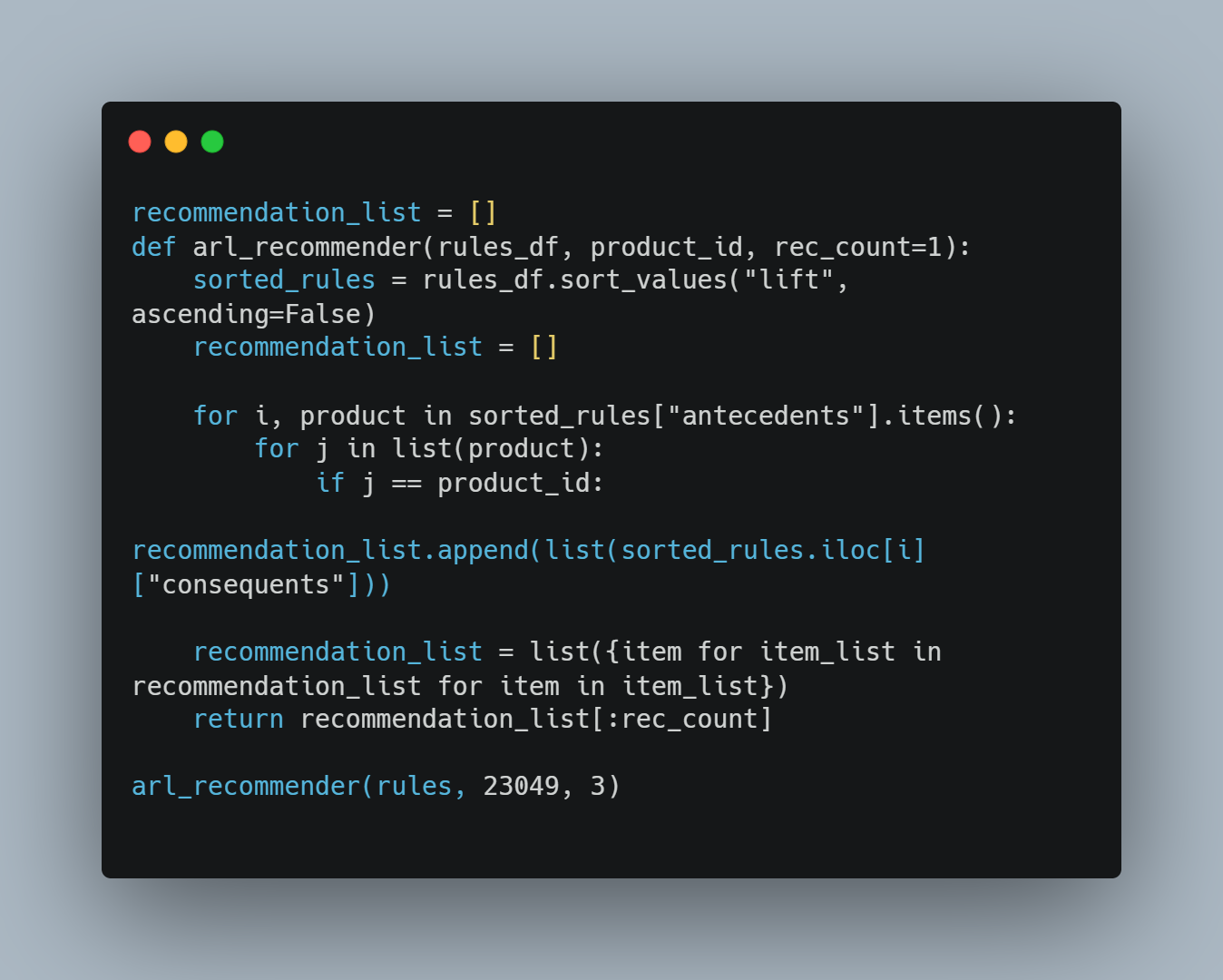
According to our last output below, the three most appropriate products to be recommended are listed according to the ‘RECYCLED ACAPULCO MAT RED’ product in the basket, according to the probability of being seen together.

See you in other articles.
You can reach my ***LinkedIn *and [git.hub](https://github.com/zeyland)** accounts that we can communicate with.
Turkish version of Recommendation System is below.
메타데이터
- post_id
- c29705d8f7d2
- slug
- recommendation-system-c29705d8f7d2
- url
- https://medium.com/@zeyland/recommendation-system-c29705d8f7d2
- canonical_url
- https://medium.com/@zeyland/recommendation-system-c29705d8f7d2
- author_url
- https://medium.com/@zeyland
- status
- ok
- fetched_at
- 2026-07-27 16:19:55