I Tested OpenAI’s New Codex Desktop App. The UI Is the Real Product
OpenAI shipped a genuinely novel interface. Then the model opened its mouth.
I Tested OpenAI’s New Codex Desktop App. The UI Is the Real Product
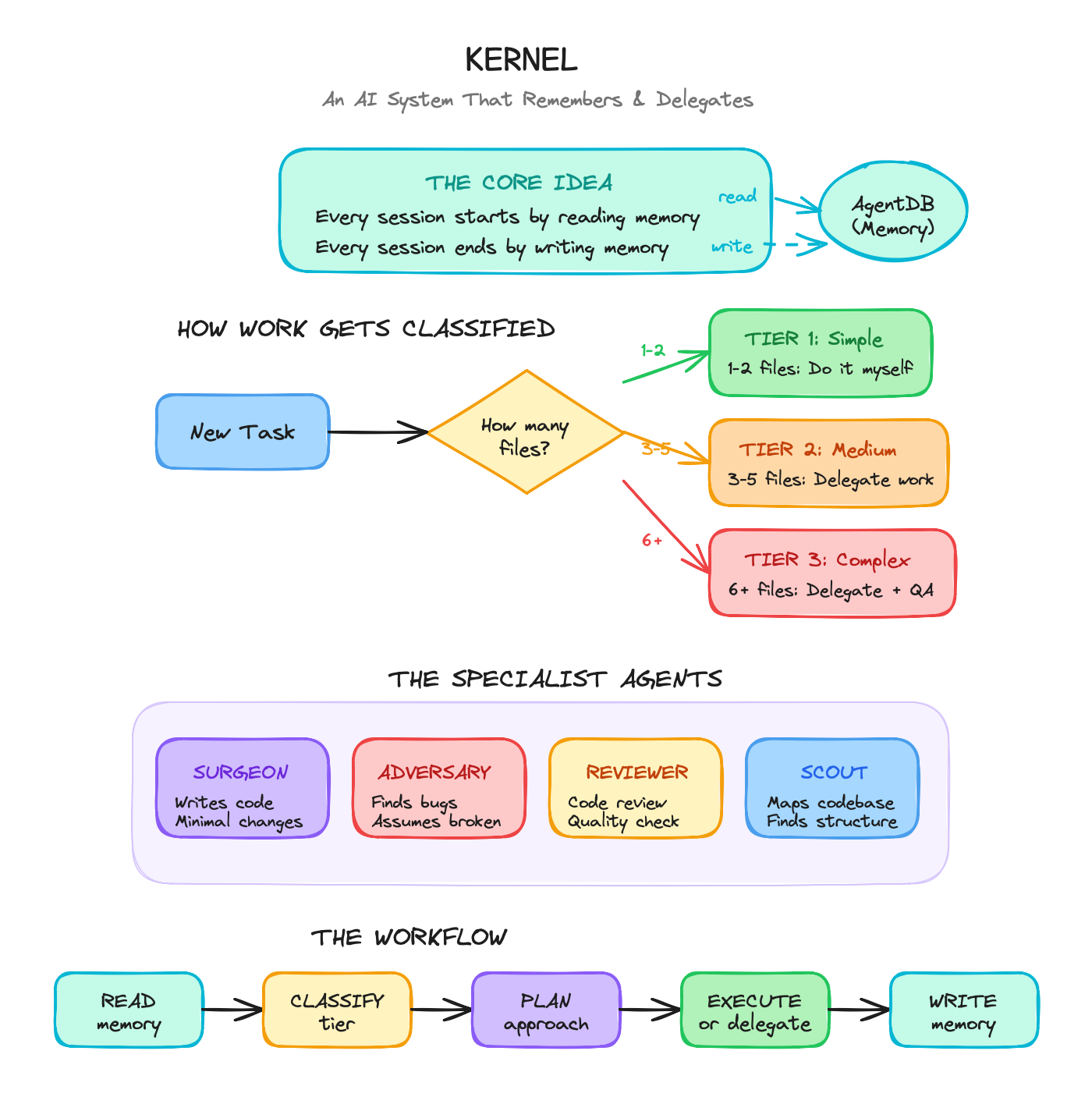
I started the way I always start: by having the tool design its own configuration.
If you’re going to evaluate an AI coding agent, make it work on itself first. Codex passed. It pulled its full range of agentic functionalities and generated the memo I asked for.
Then it gave me something I’ve been waiting for: a direct link to open the file in Cursor.
Such a small thing. I’ve been wishing the terminal did that for weeks.

Preview of memo describing coexistence plan between Codex and Claude Code
But don’t get too excited. The link is broken 80% of the time.
The UI is the Story

Codex chat with diff view open
Look at the bar in the top right corner. It’s not an IDE. It’s not a chatbot.
It’s the first genuinely agent-native interface I’ve seen, and it nails exactly what I reach for most when coding with AI.
Git operations (commit, push, worktrees) tucked into convenient locations. Terminal toggle. IDE toggle. All the friction points I hit multiple times per session, smoothed away.
And a special favorite of mine? AI-powered run controls in a button with environment settings.

Run button in Codex for commands and env settings
Automations
This is my favorite part so far. I asked Codex to generate a daily automation based on my context (existing projects, AI configs, Claude Code conversations, etc.). It decided on, appropriately, a Context drift radar and drafted it up in the chat with a clean “Create” button.

Codex chat offering to make a daily automation with a create button
Then a quick modal, already filled in so all I have to do is hit “Save.”

Codex automation creation modal with AI-filled fields
I appreciate that it builds the full automation instead of ever asking me to type into an empty box. You can test your automations in the Automations panel with a single click, and it triggers seamless creation of a new conversation and corresponding worktree.
Skills
Skills let you extend Codex beyond code generation. Bundle instructions, resources, and scripts into a reusable package; Codex picks them up automatically or on command.
I converted one of my Claude Code commands into a Codex Skill. All I had to do was ask.

Codex chat reporting back creation of a build skill based on a /build command
The openai.yaml format produced a clean UI-ready entry.

UI view of the /build command skill generated by Codex
I like that the skill system respects complexity. This isn’t “generate boilerplate”; it’s a multi-phase workflow with branching logic, and Codex handles it cleanly. Skills sync across app, CLI, and IDE extension, and you can check them into your repo for team access.
OpenAI ships built-in skills (Figma, Linear, Vercel, image generation, document creation). But the real value is bringing your own.
Models
The Codex models are what’s available; no support for external models yet (based on the current UI). You can log in with either your ChatGPT subscription or your API account.

A super not confusing list of the few model options
When I tried GPT-5.2 Codex Medium, it failed with an error saying the model isn’t supported on ChatGPT accounts. Swapped to GPT-5.2 Codex Low and it responded much faster, but the quality drop was drastic. First impressions put it below Claude’s Haiku.

Model not supported with ChatGPT account error on Codex
Personalization
OpenAI is offering a choice between two interaction styles: terse/pragmatic or conversational/empathetic. Same capabilities, different tone.
I set mine to pragmatic: “concise, task-focused, and direct.”

Personalization for Codex: Friendly/Pragmatic Personality selection and Custom instructions
In response, it decided to answer every message by complimenting my request.
“This is a thoughtful automation prompt, and I like that you want it grounded in real review signals.”
“This is a great prompt to work on together, and I can already see a few high-leverage spots to tighten your flow.”
Sounds a lot more like “warm, collaborative, and helpful” than pragmatic.
I’ll tune it with my own system prompt, but it’s amusing that they landed on exactly two options and then didn’t quite commit to the distinction.
The Catch
The UI is exciting. The models are not.
GPT-5.2 Codex Medium doesn’t work consistently. This is brand new, so some slack is warranted. But GPT-5.2 Codex Low quickly revealed itself as inadequate for actual code generation, and that left me with very few options.
What This Means
OpenAI shipped something important: an interface that finally looks like it was designed for AI-native development. The chatbot paradigm is cracking.
The execution on UI details is sharp. Git integration, environment controls, diff views; these aren’t features, they’re the removal of obstacles. And the automation is clean. That’s what’s been missing, and I’ve been working around it with hooks and commands and all sorts of patches. I appreciate having it all built in.
But I’ve been tired of the ChatGPT voice for a long time, and it’s back in full force here. Even “pragmatic mode” didn’t help. The models need work, both in voice and in quality of execution.
My verdict for now: use Codex for the workflow automation. Test the models. Experiment with what they can and can’t do.
The real signal isn’t what this tool can do today. It’s that OpenAI finally built a UI that admits the chatbot was the wrong frame all along.
메타데이터
- post_id
- c2c59bdcb5f6
- slug
- i-tested-openais-new-codex-desktop-app-the-ui-is-the-real-product-c2c59bdcb5f6
- url
- https://medium.com/@ariaxhan/i-tested-openais-new-codex-desktop-app-the-ui-is-the-real-product-c2c59bdcb5f6
- canonical_url
- https://medium.com/@ariaxhan/i-tested-openais-new-codex-desktop-app-the-ui-is-the-real-product-c2c59bdcb5f6
- author_url
- https://medium.com/@ariaxhan
- status
- ok
- fetched_at
- 2026-06-17 08:20:12