Leveling Up Pull-to-Refresh in .NET MAUI: LoadingView, Bug Fixes & New Examples
An update to my previous post Building Beautiful Pull-to-Refresh Experiences in .NET MAUI
Leveling Up Pull-to-Refresh in .NET MAUI: LoadingView, Bug Fixes & New Examples
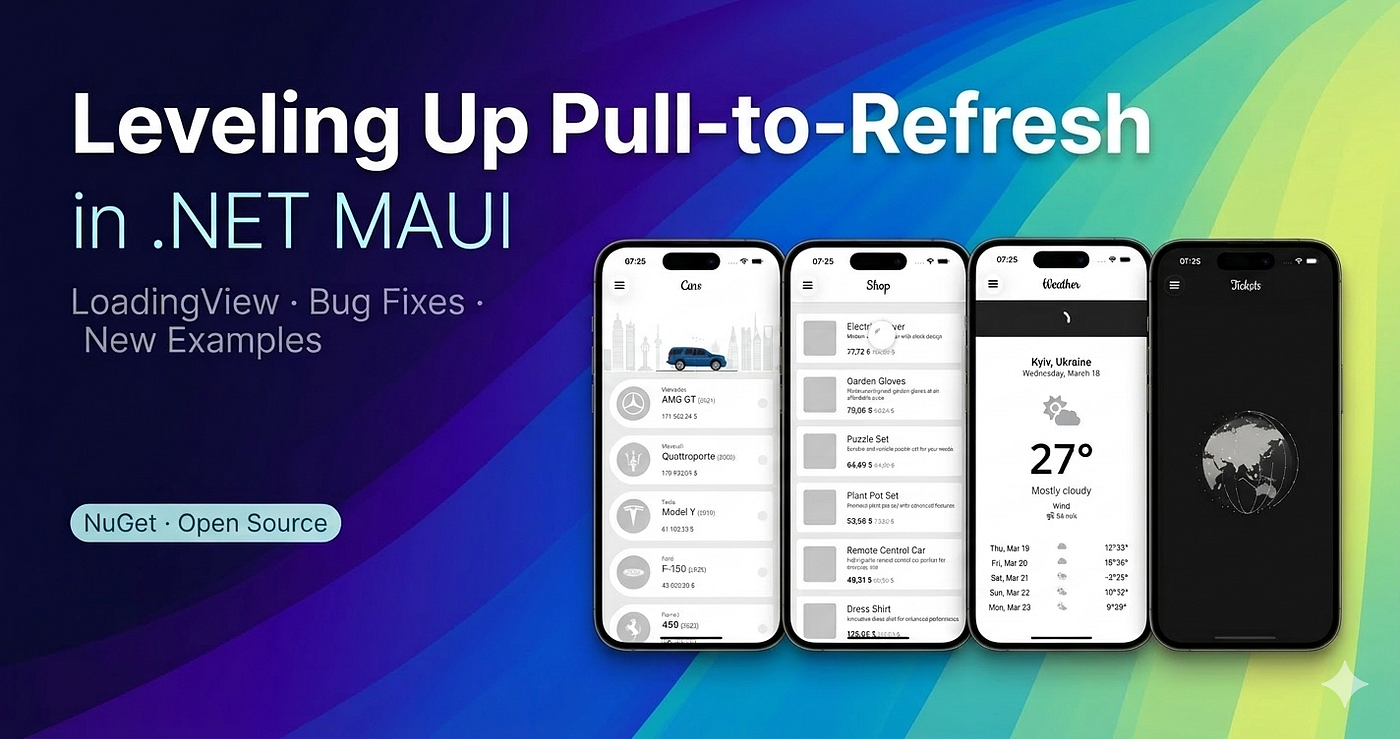
An update to my previous post Building Beautiful Pull-to-Refresh Experiences in .NET MAUI
Since publishing the original article on Palmy.Maui.PullToRefresh, the library has received a meaningful round of improvements — a new LoadingView feature, several bug fixes, and a new example that shows the Overlay strategy at its best. This post walks through every change, explains the design decisions behind them, and shows you how to put it all to use.
1. The New LoadingView Property
The biggest addition is a new bindable property: LoadingView. Previously, when a user triggered a refresh, the RefreshView (your custom pull indicator) would snap back into place and wait for IsRefreshing to turn false. There was no built-in way to say “while the data is loading, cover the whole screen with something else.”

LoadingView fills that gap. Set it to any View and the control will:
1. Fade it in (over ~300 ms) immediately when the user releases and triggers a refresh. 2. Fade it out automatically when IsRefreshing goes back to false.
<pullToRefresh:PullToRefreshView IsRefreshing="{Binding IsRefreshing}"
                                    RefreshCommand="{Binding RefreshCommand}">

      <pullToRefresh:PullToRefreshView.LoadingView>
          <Grid BackgroundColor="#CC000000">
              <lottie:LottieView Source="loading.json"
                                 RepeatMode="Infinite"
                                 HorizontalOptions="Fill"
                                 VerticalOptions="Fill" />
          </Grid>
      </pullToRefresh:PullToRefreshView.LoadingView>

      <!-- your content here -->
      <CollectionView ItemsSource="{Binding Items}" />

  </pullToRefresh:PullToRefreshView>
It works with both strategies (Normal and Overlay) and the property is fully bindable, so you can swap the view at runtime.
2. New example Weather
The sample app now includes a Weather page that shows a clean, minimal use of the Pull-to-Refresh control with the ScrollView.

— Clean white UI with a large current temperature display, weather icon (FontAwesome), and a 5-day forecast list — A RefreshView with a branded header bar containing a Lottie spinner animation — Each refresh regenerates random weather data (temperature, wind, weather type), simulating a real API call with a 3-second delay
<pullToRefresh:PullToRefreshView IsRefreshing="{Binding IsRefreshing}"
                                    RefreshCommand="{Binding RefreshCommand}"
                                    RefreshHeight="80"
                                    MaxPullDistance="160"
                                    Type="Normal">

      <pullToRefresh:PullToRefreshView.RefreshView>
          <Border BackgroundColor="{StaticResource Tertiary}"
                  HeightRequest="80"
                  StrokeThickness="0">
              <lottie:LottieView Source="spinner.json"
                                 HeightRequest="40" WidthRequest="40"
                                 AutoPlay="True"
                                 RepeatMode="Infinite"
                                 HorizontalOptions="Center"
                                 VerticalOptions="Center" />
          </Border>
      </pullToRefresh:PullToRefreshView.RefreshView>

      <ScrollView>
          <!-- City, current temperature, weather icon, 5-day forecast -->
      </ScrollView>

  </pullToRefresh:PullToRefreshView>
3. Bug Fixes & Improvements (v0.1.0-alpha → v1.1.0)
Here’s everything that was fixed and improved since the first alpha:
— iOS scroll conflict — Gesture recognition on iOS conflicted with native scroll, causing the pull gesture to interfere with list scrolling. Reworked with a custom TouchInterceptorGestureRecognizer (moved to its own file) and improved null-guard handling in InitializeCollectionView. — Android hidden cells in CollectionView — Items at the top of a CollectionView would become invisible after a pull gesture on Android. Fixed in the Normal strategy by correcting how the refresh row layout was measured and applied. — Android touch/Down gesture — The DOWN touch event wasn’t being captured correctly, causing missed or delayed pull starts. Replaced inline listener code with dedicated GenericTouchListener and OnItemTouchListener classes wired to RecyclerView via SetOnTouchListener + AddOnItemTouchListener. — Normal strategy layout rewrite — The Normal strategy previously translated the entire container. It was rewritten to animate HeightRequest on a dedicated grid row, resulting in cleaner pull behaviour and correct layout during the animation. — Memory leaks — Strategies now use WeakReference<PullToRefreshView> and properly clear all view references on Dispose. Platform handlers unsubscribe from all event listeners on detach. AbortAnimation is called during disposal to prevent dangling animation callbacks. — RefreshView freeze on cancel with LoadingView — When a LoadingView was set and the user released before reaching the ReleaseToRefresh threshold, the RefreshView would freeze. — Overlay strategy percentage starting at −100 — The Pulling event’s Progress value was reporting −100 → 0 instead of 0 → 100. — Weather page example — Added a third example page with a weather-themed refresh flow, including a custom WeatherTypeConverter helper. — AutoResize property removed — The AutoResize bindable property was removedas it was superseded by the new strategy architecture.
— - All the code is available in the https://github.com/kolodiichyk/Palmy.Maui.PullToRefresh. If you hit any issues or have feature ideas, open an issue or start a discussion there. Happy refreshing!
— - Follow me for more .NET MAUI content.
메타데이터
- post_id
- c38b294041f2
- slug
- leveling-up-pull-to-refresh-in-net-maui-loadingview-bug-fixes-new-examples-c38b294041f2
- url
- https://medium.com/@kolodiichyk/leveling-up-pull-to-refresh-in-net-maui-loadingview-bug-fixes-new-examples-c38b294041f2
- canonical_url
- https://medium.com/@kolodiichyk/leveling-up-pull-to-refresh-in-net-maui-loadingview-bug-fixes-new-examples-c38b294041f2
- author_url
- https://medium.com/@kolodiichyk
- status
- ok
- fetched_at
- 2026-06-09 14:34:10



