OWASP crAPI Walkthrough Series
Broken Object Level Authorization (BOLA) — API 1:2023
OWASP crAPI Walkthrough Series
Broken Object Level Authorization (BOLA) — API 1:2023
The Completely Ridiculous API (crAPI) is an open-source tool designed by OWASP to demonstrate the top 10 API security vulnerabilities and to facilitate the learning and testing of by developers and security professionals in a deliberately vulnerable environment. I came across crAPI while doing the API Penetration Testing on ApiSec University.
In this walkthrough series, I’ll be demonstrating how to exploit the different OWASP Top 10 API vulnerabilities. I’ve decided to make this into a series instead of compressing them into one article to make it easy for readers to follow without being cumbersome. In this article, we will be exploiting the BOLA vulnerability .
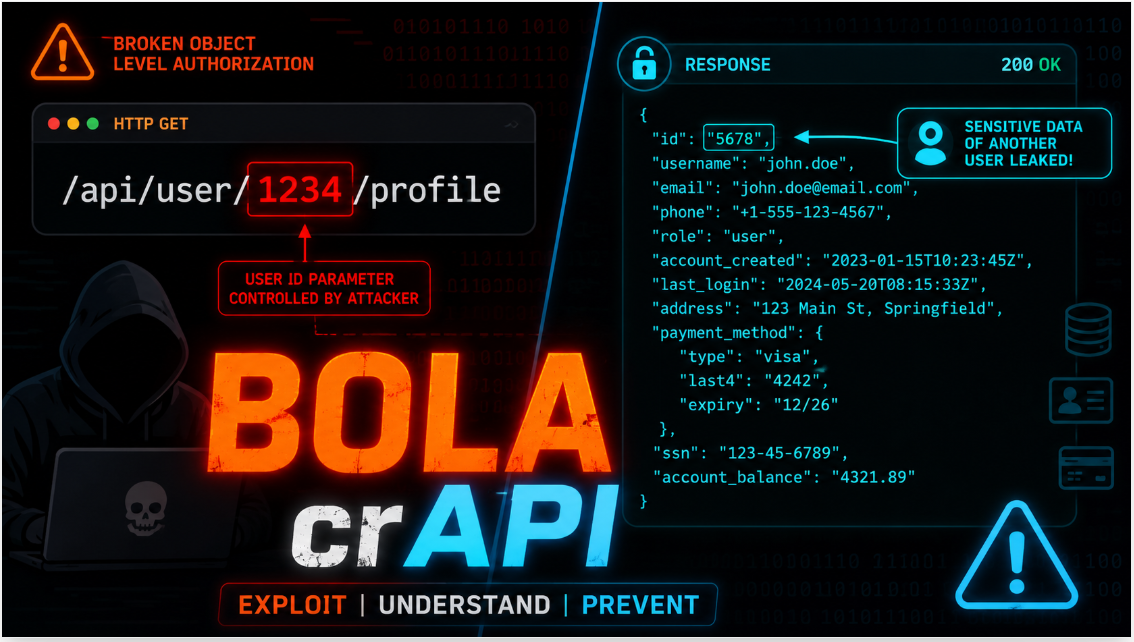
Broken Object Level Authorization or BOLA is a security vulnerability that occurs when an application does not have sufficient controls in place to enforce authorization. This means that unauthorised users can gain access to sensitive data or perform actions that they should not be allowed to access or perform in the application.
Before we begin, let’s do some housekeeping.
Please refer to the readme section of the crAPI Github repository https://github.com/OWASP/crAPI for instructions on how to set it up on your machine. The installation can take a while, so allow some time for this. It took me about an hour to finish setting mine up.
Start BurpSuite. In this walkthrough, I used the BurpSuite Community Edition. I prefer to use the browser in BurpSuite because the traffic from the browser is automatically captured under Proxy > HTTP History.
Let’s begin…
Challenge 1 — Access details of another user’s vehicle
After signing up and logging into the application through the browser, I added a vehicle using the vehicle details (VIN and PIN) sent to my email which I received using the Mailhog mailbox. The car is added successfully, and I can see a picture of the car along with the car details and a map view in the Dashboard page. I also see three buttons on this page; Vehicle Service History, Contact Us and Refresh Location. I clicked each button and checked them in BurpSuite.

The */identity/api/v2/vehicle/{vehicleId}/location endpoint was called when I clicked Refresh Location. This is the endpoint that we need to access other user’s details. Since the vehicle IDs are not sequential, it is difficult to guess another user’s vehicle ID, so I had to keep looking for a way to expose this. I forwarded this request to Repeater in BurpSuite so I could return to it when I found another user’s vehicleID. I noticed that the full name, vehicle longitude and latitude* are returned in the response which are considered sensitive information.

The next thing I did was to click Community on the navigation bar, which opens the Forum page, this action triggered the */community/api/v2/community/posts/recent *endpoint.

The response body of this endpoint contained details of every user who had made a post on the forum including their vehicleIds.

Finally, I copied one of the vehicleIds from this response, went to BurpSuite > Repeater and changed the vehicleId in the request to the one I just copied. Sure enough, I can see sensitive details of the user including their full name, longitude and latitude.

Challenge 1 — Access details of another user’s vehicle
This completes the challenge and confirms the presence of BOLA vulnerability.
Challenge 2 — Access mechanic reports of other users
For this next challenge, I started by clicking Contact Mechanic button on the Dashboard page where I came across a Service Request Form. I filled the form and submitted it. Then I went into BurpSuite to inspect the API request and response. In the response body of /workshop/api/merchant/contact_mechanic, I saw another API endpoint titled report_link with request url /workshop/api/mechanic/mechanic_report?report_id=6, and I can see that this endpoint takes a sequential report_id value.

I then copied this endpoint url and tried to reach it from the browser but it requested for a JWT token, so I went back to BurpSuite, copied a JWT from another request and then forwarded the report_link request url to repeater, and then changed the report_id to 4, added the authorization token and sent the request. I was able to not only see a mechanic’s report even though I shouldn’t be able to, and these reports contained sensitive data about the users and their vehicles.

Challenge 2 — Access mechanic reports of other users
This completes the challenge and presents another form of BOLA vulnerability.
If you made it this far, thank you for joining me and I hope this has been a helpful guide in identifying BOLA vulnerabilities in the crAPI application. I will be exploiting more vulnerabilities in the OWASP API Security Top 10 2023, so please stay tuned for that.
메타데이터
- post_id
- c3fe9ef59ec9
- slug
- owasp-crapi-walkthrough-series-c3fe9ef59ec9
- url
- https://medium.com/@tifedada/owasp-crapi-walkthrough-series-c3fe9ef59ec9
- canonical_url
- https://medium.com/@tifedada/owasp-crapi-walkthrough-series-c3fe9ef59ec9
- author_url
- https://medium.com/@tifedada
- status
- ok
- fetched_at
- 2026-06-09 15:37:30