AI Agent Runbook: How Developers Should Handle Silent Failures, Retry Loops, and Stuck Agents
Your AI agent will not always fail like normal software.
AI Agent Runbook: How Developers Should Handle Silent Failures, Retry Loops, and Stuck Agents
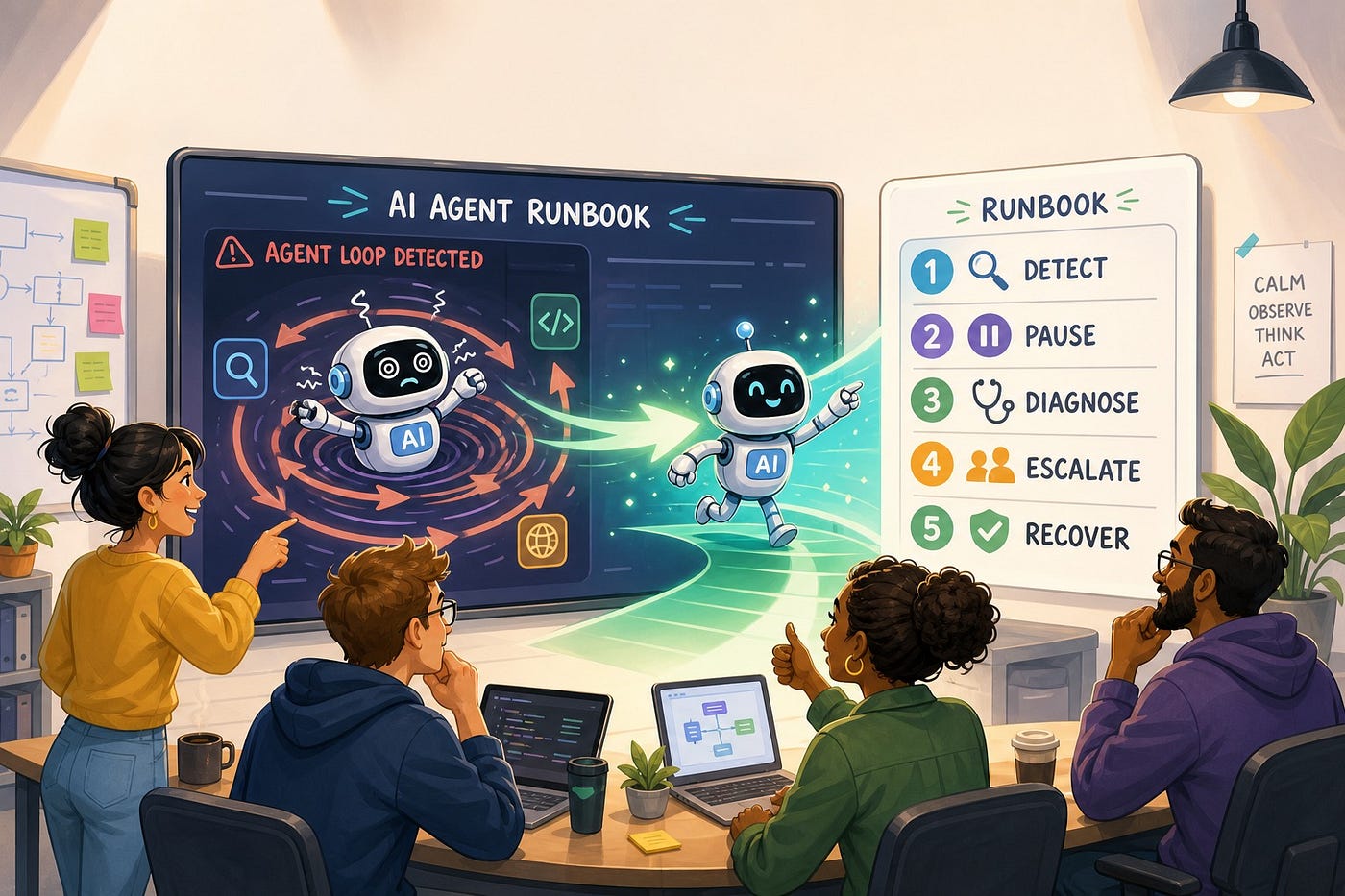
AI Agent Runbook
Your AI agent will not always fail like normal software.
Sometimes it returns a clean “success” message after doing the wrong thing. Sometimes it retries the same broken tool call until the budget disappears. Sometimes it plans forever, asks for one more clarification, or claims it fixed a bug that the test suite still rejects.
That is why production AI systems need more than prompts, evals, dashboards, and a hopeful “human in the loop.” They need a runbook: a clear operating process for what happens when an agent gets stuck, acts uncertain, fails silently, or keeps spending money without making progress.
This guide is for developers, AI engineers, founders, and technical leads who are moving from agent demos to real workflows. The goal is simple: make agent failure visible, recoverable, and less likely to repeat.
Why AI Agent Failures Feel Different
Traditional software usually fails through known surfaces. An API returns a bad status code. A job exits with a stack trace. A database transaction rolls back. You may still need hours to debug the root cause, but at least the system admits something broke.
AI agents blur that boundary. They combine model output, tool calls, memory, user instructions, retrieved context, retry logic, and third-party APIs. The final answer may look confident even when the internal path was messy. A tool may return HTTP 200 while hiding the real error in the response body. A browser agent may keep clicking a button that no longer exists. A coding agent may keep applying patches after the first two attempts prove it is solving the wrong problem.
Recent developer discussions show the same pain again and again: silent failures, non-converging test loops, retry storms, tool hallucinations, missing error codes, and unclear escalation. This is not only a model-quality issue. It is an operations issue.
That shift is showing up in platform updates too. Google added developer log support for Gemini API Interactions API calls in AI Studio, which points to a wider need for inspectable AI runs. Microsoft’s Visual Studio update added built-in .NET and Azure skills for Copilot workflows, giving developers more guided agent behavior inside the IDE. OpenAI’s Codex changelog has continued to emphasize app reliability, review flows, terminal awareness, and task ergonomics. The direction is clear: serious agent work is becoming operational work.
An AI agent runbook is not a document you open after everything catches fire. It is the recovery path your system follows the moment progress stops being measurable.
What Is an AI Agent Runbook?
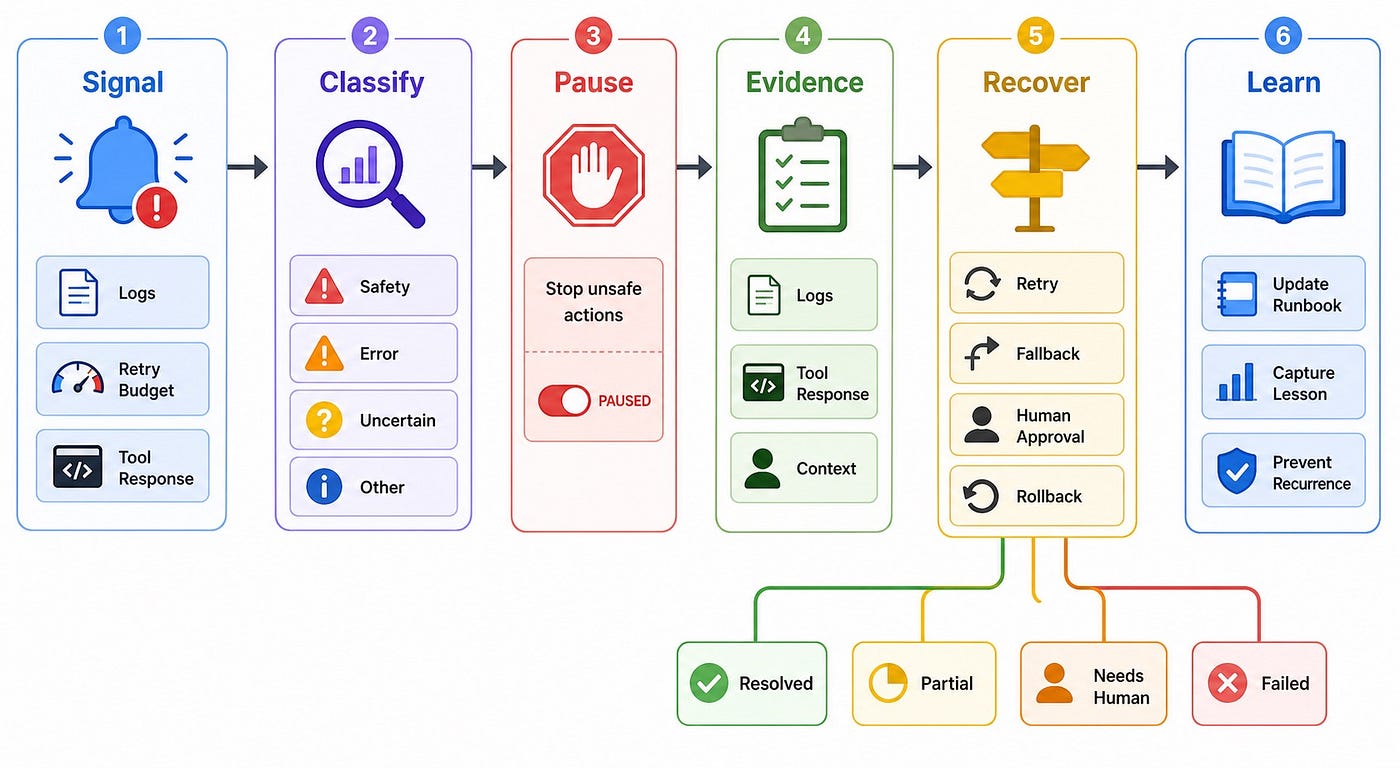
An AI agent runbook is a practical response plan for agent failures. It tells your system and your team how to detect bad runs, pause unsafe actions, collect evidence, choose a recovery path, escalate to humans, and update the workflow afterward.
Think of it as incident response for agent behavior. It is smaller than a full governance program and more concrete than a reliability principle. A good runbook answers questions like:
- How do we know the agent is stuck?
- When should retries stop?
- What evidence should the agent collect before asking for help?
- Which actions need human approval?
- How do we roll back a partial action?
- What should be changed so the same failure does not happen next week?
The important part is that a runbook is not only for humans. Parts of it should be machine-readable. Your agent harness, workflow engine, or orchestration layer should know the failure classes, budgets, escalation rules, and recovery options.
The Six-Step AI Agent Runbook
You can adapt this runbook to coding agents, customer-support agents, browser agents, research agents, internal automation agents, or multi-agent workflows. The details change, but the shape stays stable.
1. Detect the Failure Signal
The first job is to define what “bad” looks like before a user complains.
Do not rely only on thrown exceptions. AI agents fail through weak signals. A runbook should watch for repeated tool calls, repeated plans, empty successful responses, rising token spend, too many clarification turns, repeated test failures, unexpected permission requests, and long periods without state changes.
For a coding agent, useful signals include:
- The same test fails after two attempted fixes.
- The diff keeps growing while the failure stays the same.
- The agent edits files outside the requested area.
- The agent says it completed the task but does not run the verification command.
- The agent repeats a diagnosis it already tried.
For a tool-using business agent, useful signals include:
- The same API endpoint is called with similar arguments more than the allowed limit.
- A tool returns success with an empty result, missing ID, or suspicious fallback value.
- The agent asks for user clarification even though a safe default exists.
- The task remains in progress after the expected completion window.
- The output violates a validation rule even though no exception was thrown.
Your runbook should treat these as first-class failure signals, not weird edge cases.
2. Classify the Failure
Once a signal appears, classify the failure quickly. Classification keeps the response from becoming another round of random prompting.
Most agent incidents fall into a few practical classes:
- Retry loop: The agent repeats an action without measurable progress.
- Tool loop: The agent keeps calling tools because it lacks a decision rule.
- Clarification loop: The agent asks questions instead of using a safe default or escalating.
- Silent failure: The agent claims success while the task is incomplete or wrong.
- Scope drift: The agent starts solving a larger or different problem.
- Partial side effect: The agent changed external state but did not finish the workflow.
- Context failure: The agent is missing the logs, files, examples, permissions, or constraints needed to continue.
Do not overcomplicate this taxonomy. The point is not academic precision. The point is to choose the next safe move.
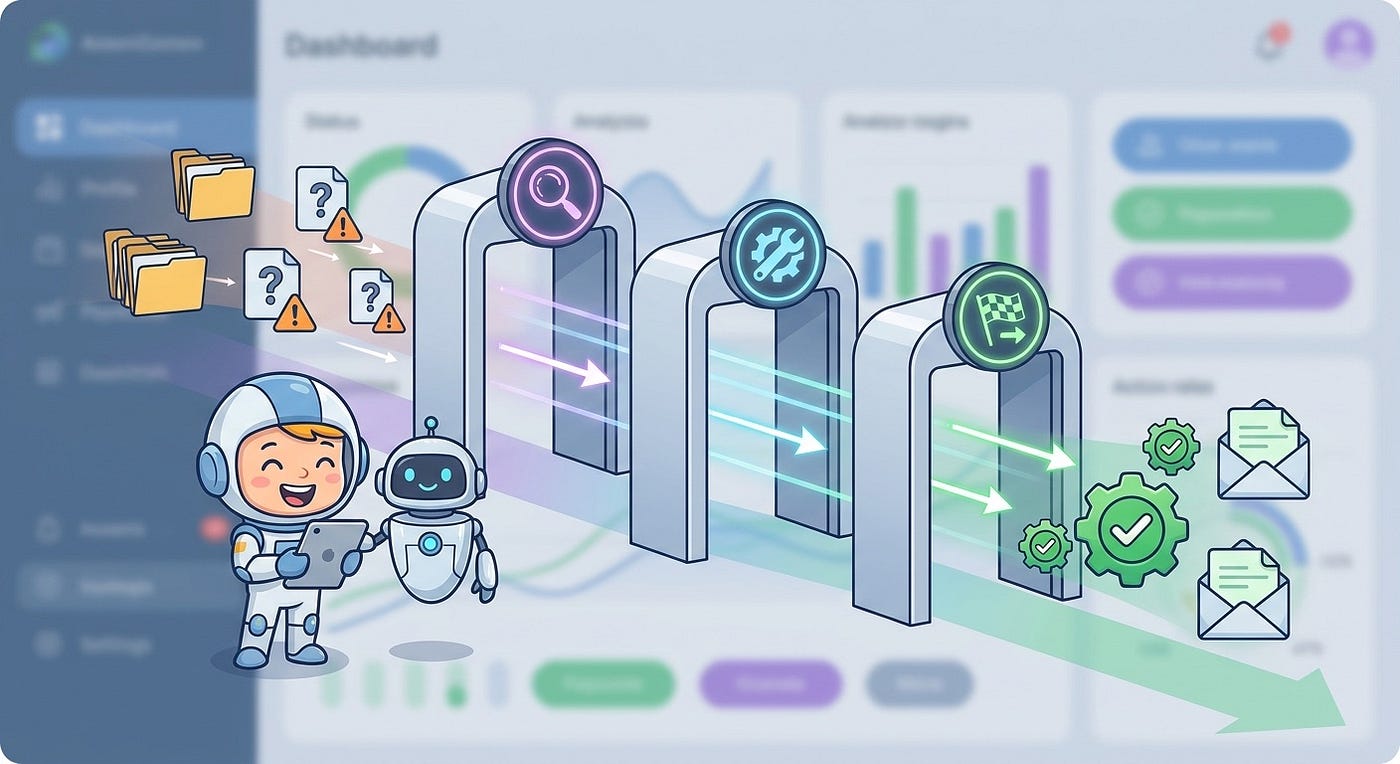
A useful runbook turns vague agent failure into a repeatable triage flow.
3. Pause Unsafe Actions
The agent should not keep acting while the system is unsure.
A runbook needs stop rules. These are simple conditions that move the agent from autonomous mode into paused, limited, or approval-required mode.
Examples:
- After two failed fixes, the coding agent may inspect but cannot edit.
- After three repeated tool calls, the workflow must stop and produce a diagnostic summary.
- After a payment, email, deployment, deletion, or permission change is prepared, the agent must request approval.
- After a validation failure, the agent may retry once with new evidence but cannot blindly repeat the same action.
- After a token or time budget is reached, the agent must summarize progress and ask for a decision.
This is where many teams go wrong. They add a global timeout and call it safety. A timeout is useful, but it is not enough. You need action-specific limits. Reading logs is not the same as deleting data. Re-running a unit test is not the same as deploying a rollback. Different actions need different stop rules.
4. Collect Evidence Before Retrying
The worst retry is a retry with no new information.
Your runbook should require the agent to collect evidence before the next attempt. That evidence might be logs, raw tool responses, screenshots, failed test output, a diff summary, a trace ID, user-visible impact, the exact input that triggered the problem, or a list of constraints the agent may have violated.
A simple evidence checklist might look like this:
- What was the agent trying to do?
- What did it actually do?
- Which tool calls were made?
- What raw responses came back?
- Which validation failed?
- What changed in external state?
- What has already been tried?
- What is the safest next action?
This evidence should be structured. A paragraph is better than nothing, but a typed object is easier to route, search, review, and learn from.
{
  "run_id": "agent_run_7421",
  "failure_class": "retry_loop",
  "goal": "Fix failing checkout tax test",
  "last_successful_step": "Reproduced failing test locally",
  "failed_validation": "npm test -- checkout-tax.spec.ts",
  "attempts": 2,
  "repeated_signal": "same assertion failed after both patches",
  "files_changed": ["src/tax/calculateTax.ts"],
  "external_side_effects": [],
  "safe_next_actions": ["inspect logs", "ask human", "try smaller patch"],
  "blocked_actions": ["deploy", "edit unrelated files"]
}
The key detail is what has already been tried. Agents often waste money because each new attempt starts with weak memory of the failed path. A runbook should make failed paths visible.
5. Choose a Recovery Path
Recovery should not mean “let the agent keep thinking.” Pick one of a few approved paths.
Common recovery paths include:
- Retry with new evidence: Allowed when the failure is understood and the next attempt changes the input, context, or approach.
- Use a fallback model or tool: Useful when the current model is weak at a specific task or the tool is flaky.
- Ask for a narrow human decision: Best when judgment is needed, but the human should receive a brief, not a mystery.
- Roll back partial state: Required when the agent changed files, records, permissions, tickets, or external systems.
- Split the task: Useful when the agent was given a broad goal and kept replanning instead of executing.
- Abort and create a follow-up: Correct when the task is unsafe, underspecified, or no longer worth the cost.
The human escalation path deserves special attention. Do not ask a reviewer, “What should I do?” Ask a precise question:
The checkout tax test still fails after two patches. The failing assertion is the same. I changed only
calculateTax.ts. Should I inspect rounding rules, revert my patch, or check whether the fixture is outdated?
This kind of escalation saves time because it gives the human context, options, and a narrow decision.
6. Update the Runbook After the Incident
A failure that teaches nothing will repeat.
After the run is resolved, capture the lesson in a place the agent can use. That might be a test, a validation rule, an AGENTS.md instruction, a workflow template, a tool schema improvement, a prompt constraint, or an orchestration rule.
Examples:
- If the agent kept retrying a 200 OK response with an empty body, update the tool wrapper to treat empty success as a failure class.
- If the coding agent edited too many files, add a file-scope rule and require approval for broader edits.
- If the agent got stuck because context was missing, add a preflight step that fetches the right logs or docs before execution.
- If the agent kept asking broad questions, add safe defaults and escalation thresholds.
- If the same test failed three times, add a stop rule that switches from patching to diagnosis.
The goal is not to make the agent perfect. The goal is to make recurring failure more expensive for the system than learning.
A Developer-Friendly Runbook Template
Here is a compact template you can adapt for your own agent workflows.
Runbook: AI Agent Stuck or Silent FailureTrigger:
- Same action repeated 3 times
- Same validation failure after 2 attempted fixes
- Tool returns success with empty or invalid output
- Agent exceeds task budget without measurable progress
- Agent requests unsafe permission or changes scopeImmediate action:
- Pause write actions
- Preserve current state
- Collect logs, tool responses, diffs, validation output, and run IDClassification:
- retry_loop
- tool_loop
- clarification_loop
- silent_failure
- scope_drift
- partial_side_effect
- missing_contextRecovery:
- Retry only with new evidence
- Switch tool or model if the failure source is isolated
- Ask human a narrow decision question
- Roll back partial state when needed
- Abort if risk or cost exceeds valueLearning:
- Add missing validation
- Improve tool error schema
- Update instructions or task template
- Add stop rule
- Record incident patternThis template is intentionally boring. That is a feature. During an agent incident, boring is useful.
Implementation Pattern: Add a Runbook Layer to the Agent Harness
You do not need a large platform to start. Add a small runbook layer between the agent loop and the tools it can use.
The layer should track attempts, classify repeated signals, enforce budgets, and decide when the agent can continue.
function shouldPauseAgent(run) {
  const repeatedToolCall =
    run.lastToolCalls.length >= 3 &&
    sameToolAndSimilarArgs(run.lastToolCalls);
const repeatedValidationFailure =
run.failedValidations.length >= 2 &&
sameFailure(run.failedValidations); const emptySuccess =
run.lastToolResult?.status === "success" &&
isEmptyOrInvalid(run.lastToolResult.payload); const overBudget =
run.tokensUsed > run.budget.tokens ||
run.elapsedMs > run.budget.elapsedMs; return (
repeatedToolCall ||
repeatedValidationFailure ||
emptySuccess ||
overBudget ||
run.requestedAction.risk === "high"
);
}Then make the pause useful. The system should produce a recovery brief, not just stop.
function buildRecoveryBrief(run) {
  return {
    runId: run.id,
    goal: run.goal,
    failureClass: classifyFailure(run),
    evidence: {
      lastToolCalls: run.lastToolCalls,
      failedValidations: run.failedValidations,
      changedResources: run.changedResources,
      rawErrors: run.rawErrors
    },
    attemptedFixes: run.attemptedFixes,
    recommendedNextStep: chooseRecoveryPath(run),
    allowedActions: ["inspect", "summarize", "ask_human"],
    blockedActions: ["deploy", "delete", "change_permissions"]
  };
}
This pattern works because it moves safety out of the prompt and into the runtime. Prompts still matter, but a prompt is not a reliable circuit breaker.

What to Log for Every Agent Run
If you cannot reconstruct what happened, you do not have a runbook. You have a story.
At minimum, log:
- Run ID, user ID, workflow ID, and model ID.
- The user goal and the agent’s interpreted goal.
- Tool calls with raw inputs and raw outputs.
- Validation commands and results.
- Retry count, token count, elapsed time, and cost estimate.
- Files, records, tickets, or systems changed.
- Approval requests and decisions.
- Final status: resolved, partial, failed, aborted, or escalated.
Be careful with sensitive data. Logs should be useful without becoming a new privacy or security problem. Redact secrets, avoid storing unnecessary user content, and apply the same retention rules you use for other operational data.
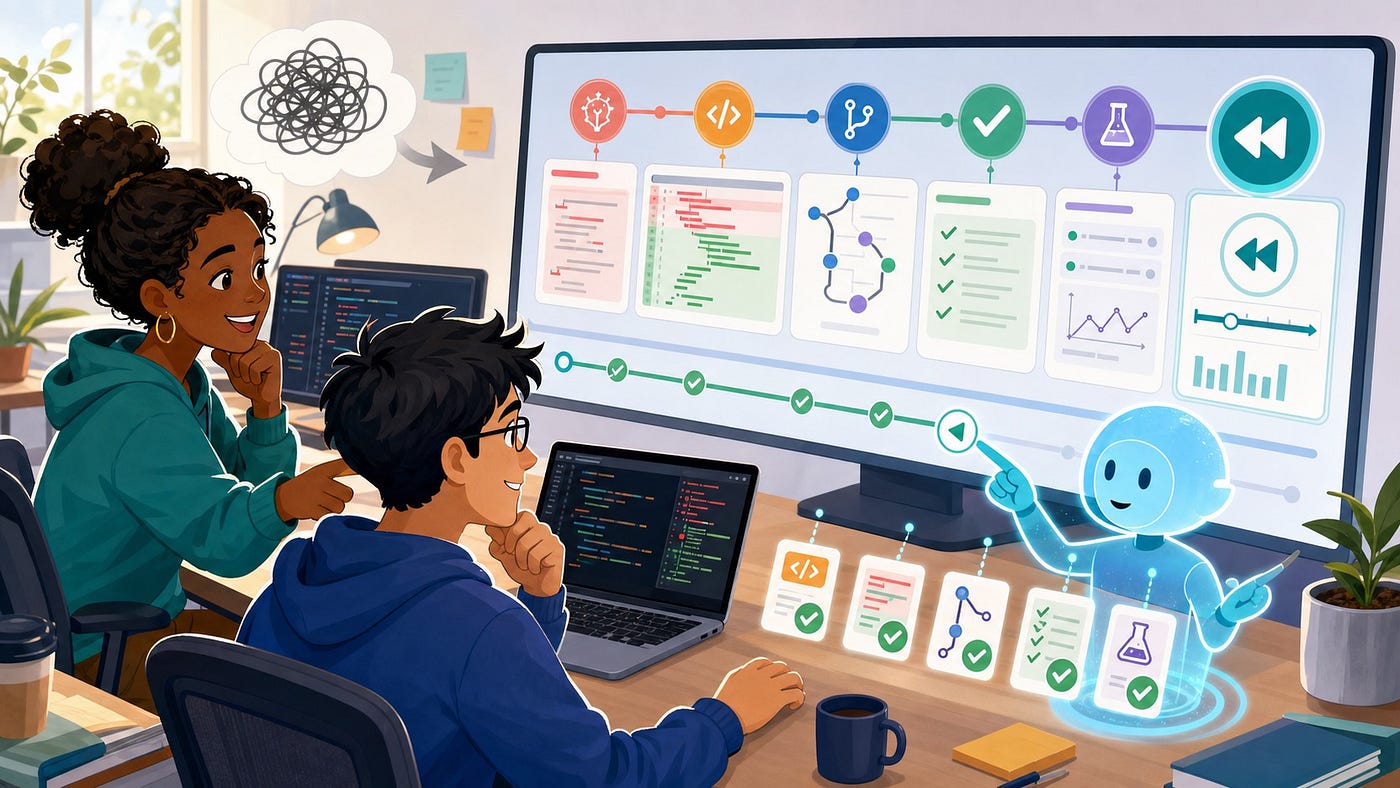
Agent incidents should produce evidence your team can review, not just a vague transcript.
Common Mistakes to Avoid
Letting the Model Decide When It Is Stuck
Models can help classify a run, but they should not be the only judge. Use deterministic checks for retries, repeated tool calls, unchanged failures, budgets, and risky actions.
Retrying Without Changing the Conditions
A retry is only useful when something changes: new evidence, a smaller task, a different tool, a different model, or a corrected input. Otherwise, it is just a loop with better branding.
Escalating Too Late
Human review is most valuable before the agent has created a large cleanup problem. Escalate early when the decision is narrow and the state is still easy to understand.
Writing Runbooks Only for Engineers
If your agent runtime cannot read the runbook rules, the process depends on memory and discipline. Turn the most important parts into code, configuration, tests, and templates.
Ignoring Partial Side Effects
Many agent failures are not clean failures. The agent may create a ticket, update a CRM record, open a pull request, send a message, or change a file before stopping. Your runbook needs rollback or reconciliation steps for these half-finished states.
How to Start This Week
You do not need to boil the ocean. Pick one agent workflow that already matters and add a lightweight runbook around it.
- Choose one workflow, such as coding-agent bug fixes, support-ticket triage, report generation, or browser automation.
- List the top five ways it fails today.
- Add stop rules for the two most expensive failure modes.
- Log raw tool responses and validation results.
- Generate a recovery brief when the run pauses.
- Require retries to include new evidence.
- Review paused runs once a week and update the runbook.
This is also a good place to connect your work to broader AI operations. Your runbook will feed observability, evaluations, approval workflows, cost controls, and product analytics. It becomes the practical bridge between “we have an agent” and “we can trust this workflow.”
Final Takeaway
The teams that get value from AI agents will not be the teams that never see failures. They will be the teams that make failures visible early, stop unsafe action quickly, recover with evidence, and teach the system from every bad run.
An AI agent runbook gives you that operating loop. It turns silent failures into signals. It turns retry loops into pause decisions. It turns vague human review into narrow escalation. Most importantly, it turns each incident into a better workflow.
That is how agents become production systems instead of impressive demos with expensive surprises.
FAQ
What is an AI agent runbook?
An AI agent runbook is a repeatable process for detecting, pausing, diagnosing, recovering from, and learning from AI agent failures. It covers issues like retry loops, silent failures, bad tool calls, partial side effects, and human escalation.
How is an AI agent runbook different from AI observability?
Observability helps you see what happened. A runbook tells the system and team what to do next. The two work together: logs and traces provide evidence, while the runbook defines recovery actions.
When should an AI agent stop retrying?
An agent should stop retrying when it repeats the same action without new evidence, hits the same validation failure multiple times, exceeds a task budget, requests risky permissions, or changes scope. A retry should only happen when the next attempt uses a different input, tool, model, or diagnosis.
Do coding agents need runbooks?
Yes. Coding agents often fail through non-converging test loops, broad edits, missing context, or false completion claims. A runbook helps them pause, summarize evidence, ask better questions, and avoid making a messy diff worse.
What should an AI agent recovery brief include?
A recovery brief should include the run ID, goal, failure class, last successful step, failed validation, raw tool responses, changed resources, attempted fixes, risk level, recommended next action, allowed actions, and blocked actions.
Can prompts replace an agent runbook?
No. Prompts can describe desired behavior, but critical stop rules should live in the runtime, workflow engine, tool wrapper, or orchestration layer. A prompt is guidance. A runbook-backed control is enforcement.
What is the easiest first runbook rule to add?
Start with a repeated-failure stop rule. For example: if the same validation fails after two attempted fixes, pause editing, collect evidence, and ask for a narrow human decision before continuing.
Sources and Further Reading
메타데이터
- post_id
- c7764ea93e2f
- slug
- ai-agent-runbook-how-developers-should-handle-silent-failures-retry-loops-and-stuck-agents-c7764ea93e2f
- url
- https://medium.com/toward-next-ai/ai-agent-runbook-how-developers-should-handle-silent-failures-retry-loops-and-stuck-agents-c7764ea93e2f
- canonical_url
- https://medium.com/toward-next-ai/ai-agent-runbook-how-developers-should-handle-silent-failures-retry-loops-and-stuck-agents-c7764ea93e2f
- author_url
- https://medium.com/@towardnextai
- status
- ok
- fetched_at
- 2026-08-10 19:08:02