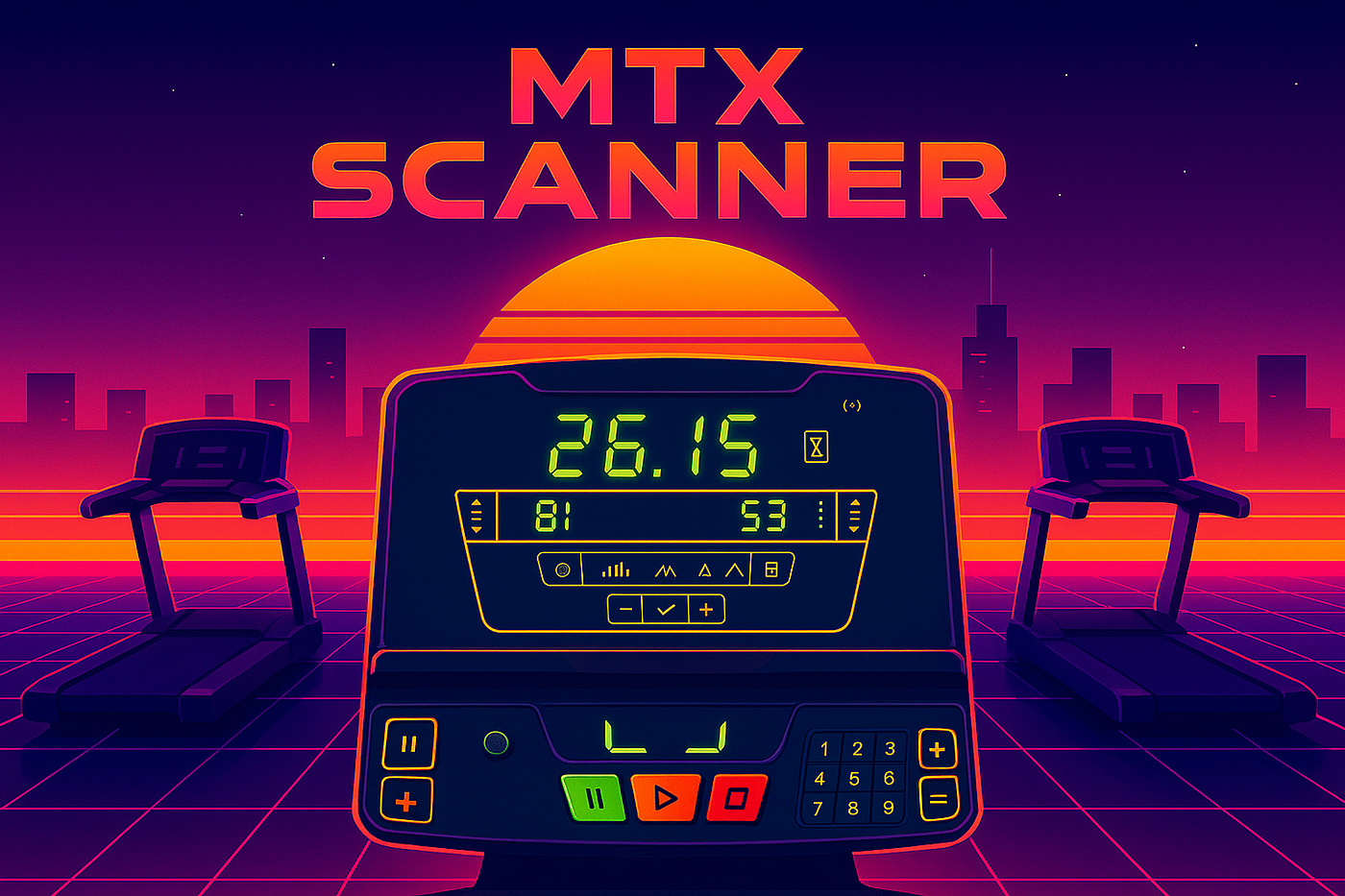
Treadmill Display Scanner mobile app
Lightweight object detection and OCR mobile app — built to help indoor joggers capture treadmill performance using just their phones.
Wiki topics:
📱 · Mobile Development
Treadmill Display Scanner mobile app
Lightweight object detection and OCR mobile app — built to help indoor joggers capture treadmill performance using just their phones.
Problem Solved
- Automatically read and digitize performance from rudimentary treadmill displays
- Store data locally and build personal performance stats — no IoT needed
Stack

- Dataset labeled with Roboflow
- Models trained with Python YOLOv12
- Frontend built in Flutter
Technical Highlights
- Real-time object detection (YOLOv12) in an isolate
- OCR segmentation using a secondary isolate pipeline
- Smart motion gating prevents inference while user is moving
- Runs fully offline with TensorFlow Lite
- Clean Bloc state management architecture
- Built entirely with Flutter, ready for Android & iOS
What the Project Does
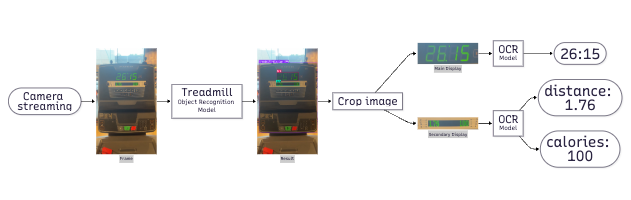
Recognition flow
- Captures live camera frames from the rear lens, streams them into a ScannerBloc, and throttles processing so only one inference runs at a time
- Runs a custom TensorFlow Lite model in an isolate to locate treadmill display regions, forwarding the cropped displays to two OCR pipelines (segment and dot readers) that each queue up to five images for recognition
- Aggregates OCR outputs into a ResultSummaryModel, tracks completion flags from both OCR paths, and once both are satisfied, stores the summary locally and navigates to the analytics view
- Presents on the summary page both the latest session pills and a multi-metric line chart across historical runs, normalized per metric for quick trend inspection
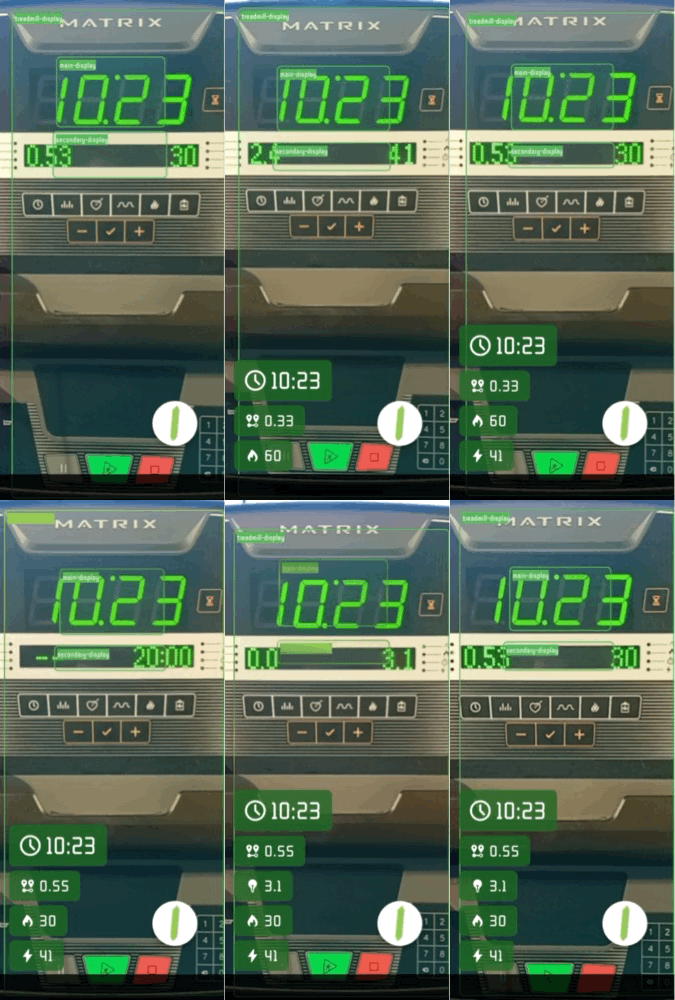
Testing on real life
Key Components & Responsibilities
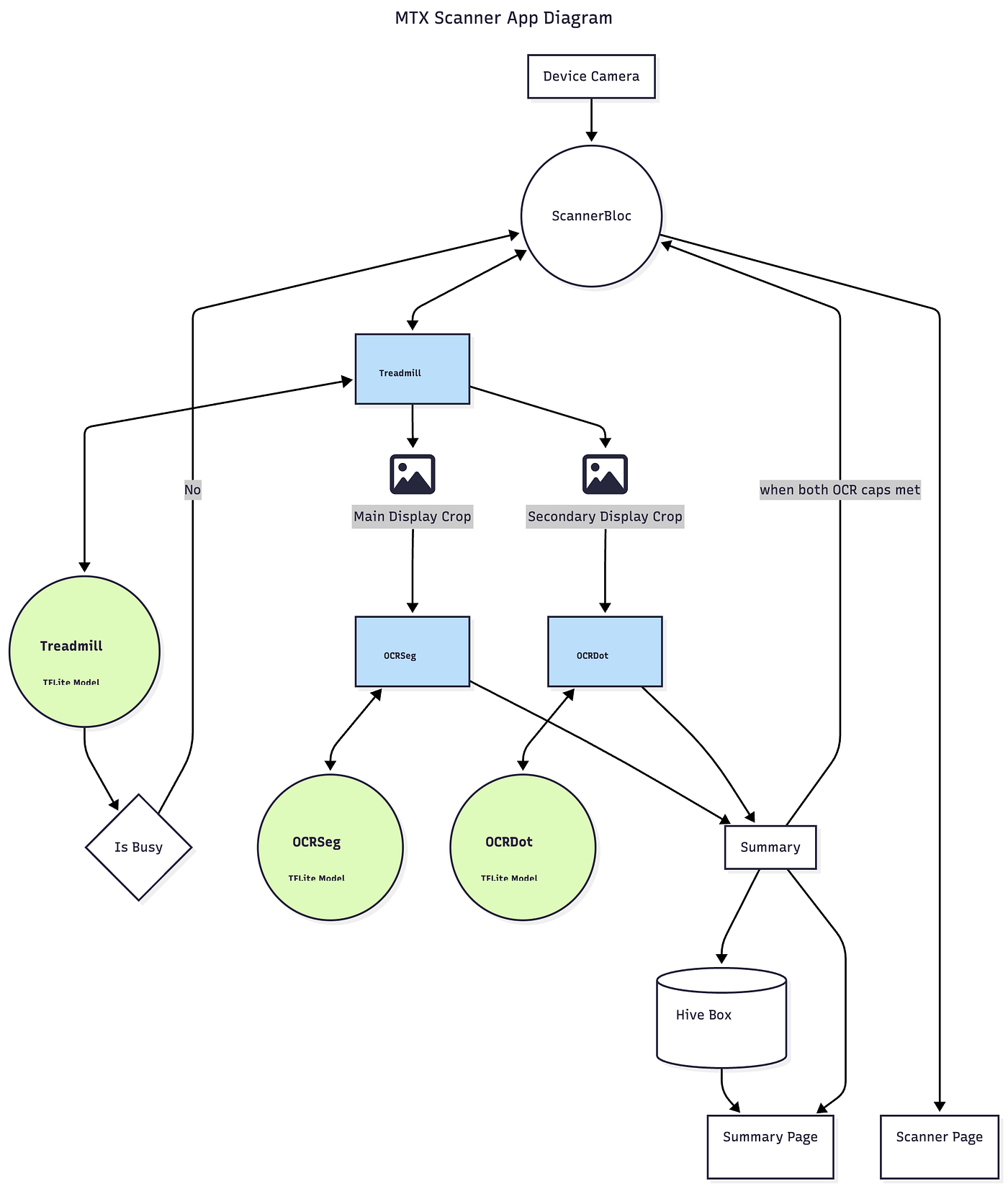
- On init bootstraps the three interpreters (treadmill detector, segmented OCR, dotted OCR) and wires their callbacks directly into the ScannerBloc before the Flutter app launches, ensuring models are warm and Hive is ready
- ScannerRepository orchestrates isolate lifecycle, label loading, and dispatching of cropped images to the OCR repositories while guarding against overlapping inferences via _isolateBusy
- OcrSegRepository / OcrDotRepository (structure mirrored) manage a static queue, reuse a single interpreter address, and signal when their per-session processing cap (maxProcessedImages) is reached so the UI knows when to stop scanning
- ResultSummaryModel and SummaryStorageService turn OCR results into typed pills, time-stamp them, and persist the session history on Local Storage for charting and later review
Notable Behaviors & Design Choices
- Uses WidgetsBinding.ensureInitialized and manual interpreter initialization to avoid race conditions when isolates request the TFLite address
- Leverages availableCameras() and a delayed start to ensure the preview is stabilized before streaming frames
- Stops image streaming once both OCR pipelines report quotas met, preventing unnecessary computation and battery drain
- Maintains extensibility for additional metrics because ResultSummaryModel maps OCR result types dynamically
- Summary chart currently hardcodes the X-axis date range (October 2025), implying a TODO to derive min/max from stored data
Diagram
What’s Next
- Improve the accuracy of the OCR DOT model
- Export/sharing options
메타데이터
- post_id
- c7e34fcd0f05
- slug
- treadmill-display-scanner-mobile-app-c7e34fcd0f05
- url
- https://medium.com/@gabolauro/treadmill-display-scanner-mobile-app-c7e34fcd0f05
- canonical_url
- https://medium.com/@gabolauro/treadmill-display-scanner-mobile-app-c7e34fcd0f05
- author_url
- https://medium.com/@gabolauro
- status
- ok
- fetched_at
- 2026-06-28 04:42:08




