VSCode MacOs (ctrl^+c) interrupt/Kill terminal process
if you are used to the keybinding shortcut to kill/interrupt the process using Windows VS Code ( ctrl + C ).
Wiki topics:
ML · Machine Learning
VSCode MacOs (ctrl^+c) interrupt/Kill terminal process
if you are used to the keybinding shortcut to kill/interrupt the process using Windows VS Code ( ctrl + C ).
and if you are facing the issue where this is not working in VS Code Mac.
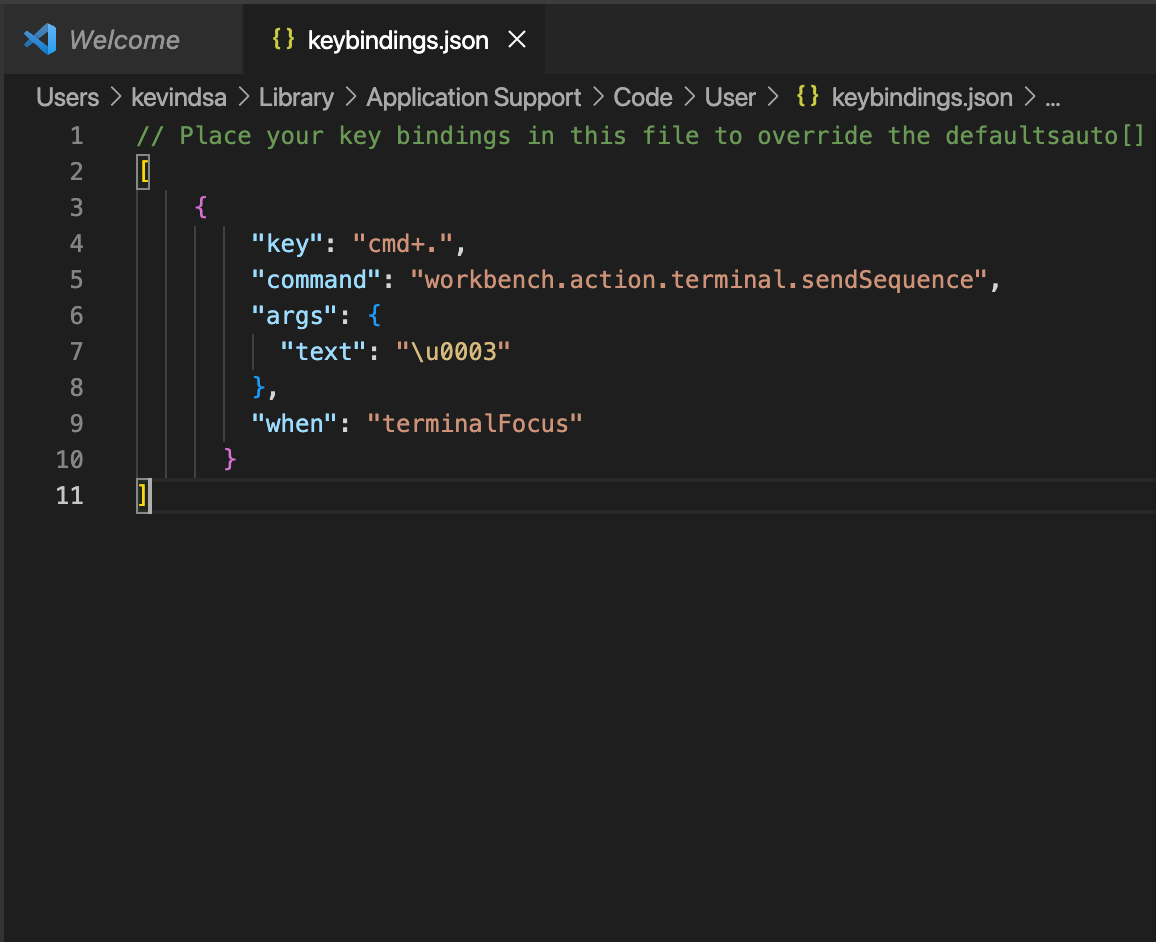
you can use this hack where you can override the key binding
Steps:
- open VS Code
- Open Command palette (Cmd + shift + P)
- type “preferences: Open Keyboard Shortcuts (JSON)” select the following option
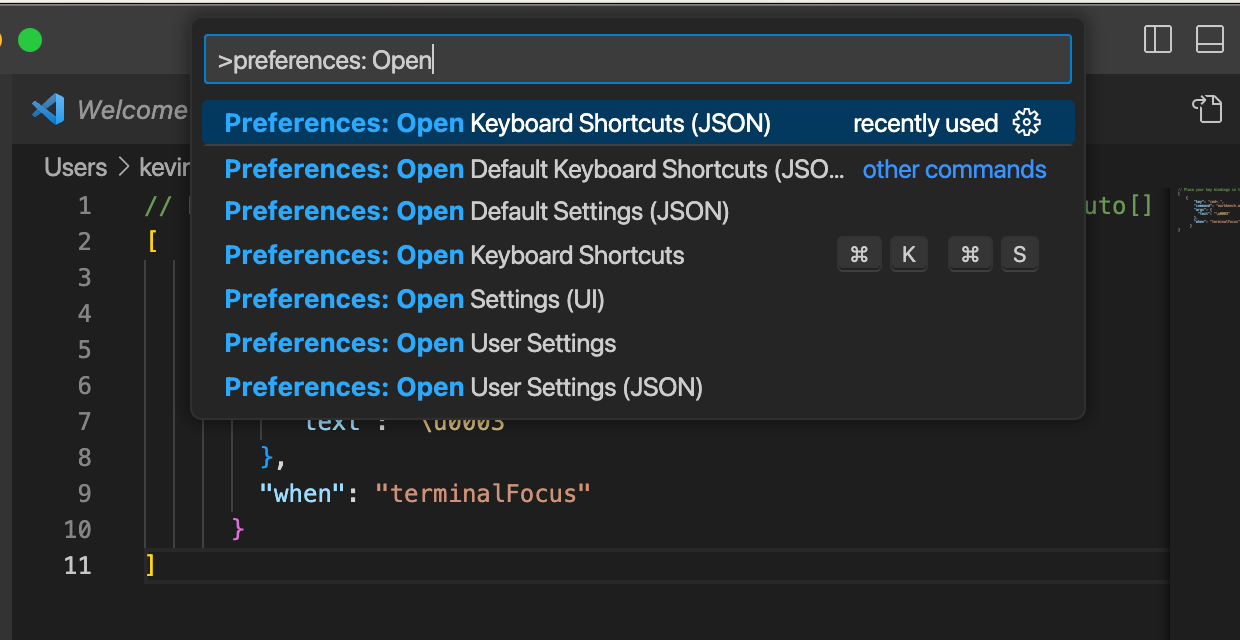
- selecting that option should open “keybindings.json”
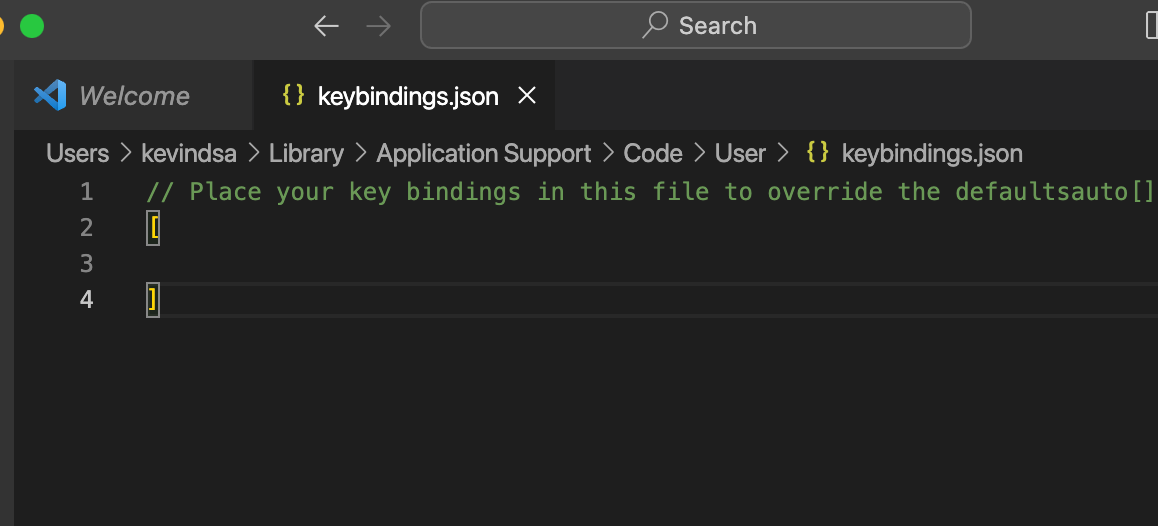
- type the following code into “keybindings.json”
메타데이터
- post_id
- c8571e4e9c06
- slug
- vscode-macos-ctrl-c-interrupt-kill-terminal-process-c8571e4e9c06
- url
- https://medium.com/@kevin0108dsa/vscode-macos-ctrl-c-interrupt-kill-terminal-process-c8571e4e9c06
- canonical_url
- https://medium.com/@kevin0108dsa/vscode-macos-ctrl-c-interrupt-kill-terminal-process-c8571e4e9c06
- author_url
- https://medium.com/@kevin0108dsa
- status
- ok
- fetched_at
- 2026-07-24 05:32:43




