Your Minimum Viable Tech Stack as a Small Business
Your tech stack is probably too complicated. A 12-person startup doesn’t need the infrastructure of a 1,200-person enterprise. Yet founders…
Your Minimum Viable Tech Stack as a Small Business
Stop over-engineering. Start with these essentials and scale when revenue justifies it.
Your tech stack is probably too complicated. A 12-person startup doesn’t need the infrastructure of a 1,200-person enterprise. Yet founders regularly burn $40K-80K annually on tools they barely use while neglecting the three systems that actually drive revenue.
The minimum viable tech stack for small businesses in 2026 looks radically different than even two years ago. AI assistants handle tasks that required full-time hires. No-code tools solve problems that needed custom development. Integrated platforms replace 8–10 specialized tools.
Research from Deloitte’s 2025 Small Business Technology report shows that businesses under 50 employees waste an average of $63,000 annually on redundant or underutilized software. The optimal tech stack for most small businesses costs $12K-24K annually, not $60K-100K.
Here’s what you actually need, what you don’t, and how to make smart decisions as you scale.
The Core Principle: Revenue-Generating vs Cost Center
Every tool should either directly generate revenue or drastically reduce costs. Everything else is optional until proven necessary.
Revenue-generating tools:
- CRM managing customer relationships and sales pipeline
- Payment processing enabling transactions
- Marketing automation driving customer acquisition
- E-commerce or booking platform (if applicable)
Critical cost reducers:
- Accounting software preventing costly errors and saving accountant time
- Communication platform reducing coordination overhead
- Project management preventing missed deadlines and rework
- Cloud storage ensuring data security and accessibility
Common waste:
- Enterprise tools with features you’ll never use
- Specialized software for infrequent tasks (rent/outsource instead)
- Multiple tools with overlapping capabilities
- “Nice to have” features that don’t impact revenue or costs materially
A professional services firm with 15 employees cut their monthly software spend from $4,800 to $1,600 by ruthlessly applying this filter. Revenue impact: zero. Time savings: 8 hours monthly previously spent managing disparate systems.
Pro Tip: For any tool costing over $100/month, calculate specific ROI. “It might be useful” doesn’t justify ongoing expense.
Layer 1: Customer and Revenue Management
This is where your business lives or dies. Invest here first.
CRM: HubSpot Free or Pipedrive ($15–50/user/month)
You need centralized customer data, sales pipeline visibility, and basic automation. For most small businesses, HubSpot Free tier provides surprising capability at zero cost. When you outgrow it, Pipedrive offers excellent value.
Critical CRM features:
- Contact management and interaction history
- Sales pipeline visualization
- Email integration and tracking
- Basic reporting on sales metrics
- Mobile access for field teams
Skip expensive CRM enterprise editions until you have dedicated sales ops or complex multi-stage enterprise sales. Features like advanced forecasting, territory management, and custom objects rarely justify the cost for businesses under $5M revenue.
Payment Processing: Stripe ($0 base, 2.9% + $0.30 per transaction)
Even if you’re not primarily e-commerce, accepting online payments reduces friction and accelerates revenue. Stripe’s developer-friendly approach and extensive integrations make it the default choice for small businesses.
When to consider alternatives:
- High-volume physical retail: Square offers better POS integration
- Subscription-heavy model: Recurly or Chargebee if complex billing needs
- International business: Wise or Payoneer for cross-border payments
Marketing Automation: Mailchimp Free or ConvertKit ($15–50/month)
Email remains the highest-ROI marketing channel for small businesses. Mailchimp’s free tier serves businesses under 500 contacts. ConvertKit excels for content-driven businesses.
Essential capabilities:
- Email campaign creation and scheduling
- List segmentation for targeted messaging
- Basic automation (welcome sequences, abandoned cart)
- Performance analytics and A/B testing
E-commerce/Booking Platform (if applicable):
- Shopify ($29–79/month) for physical products
- WooCommerce (free + hosting ~$25/month) for flexibility
- Calendly ($10–15/user/month) for service bookings
- Square Appointments (free-$50/month) for local service businesses
Choose based on your primary revenue model, not theoretical flexibility you might need someday.
Layer 2: Operations and Productivity

Tools enabling efficient work without drowning in overhead.
Communication: Slack Free or Google Workspace ($6–12/user/month)
Internal communication fragmented across email, text, and meetings wastes hours weekly. Centralize it.
Slack Free works well for teams under 10–15 people despite message history limits. For larger teams or those needing email hosting, Google Workspace provides email, documents, and chat in one platform.
What you don’t need:
- Microsoft Teams (unless already Microsoft 365 users)
- Specialized team chat plus separate email platform
- Multiple communication channels creating confusion
Project Management: Notion Free or Asana ($11–25/user/month)
Small teams need task tracking, project visibility, and document collaboration. Notion’s free tier is remarkably capable for teams under 10. Asana scales better for larger teams or complex workflows.
Essential PM features:
- Task assignment and due dates
- Project/board views for visualization
- File attachment and basic document collaboration
- Mobile access for remote teams
What you don’t need until 50+ people:
- Jira (over-engineered for small teams)
- Monday.com (expensive for limited additional value)
- Microsoft Project (completely unnecessary complexity)
Cloud Storage: Google Drive ($6–12/user/month) or Dropbox ($12–20/user/month)
Centralized, secure file storage isn’t optional. Local storage creates data loss risk and collaboration friction.
Google Drive integrates seamlessly with Google Workspace. Dropbox offers better syncing and is platform-agnostic. Both work fine; choose based on other tools in your stack.
Accounting: QuickBooks Online ($30–200/month) or Xero ($15–70/month)
Proper accounting prevents expensive mistakes and saves significant accountant/bookkeeper time. QuickBooks dominates small business accounting in the US. Xero is strong internationally and has cleaner UX.
What you actually need:
- Income and expense tracking
- Invoicing and payment collection
- Basic financial reporting
- Tax preparation integration
What you don’t need yet:
- Advanced inventory management
- Multi-currency support (unless actually operating internationally)
- Complex project-based accounting
- Advanced reporting beyond standard P&L and balance sheet
Real Case: A consulting firm using spreadsheets for accounting spent $12K annually on bookkeeper time fixing errors and reconciling accounts. QuickBooks Online ($50/month) reduced bookkeeper time by 60%, saving $7,200 annually. ROI: 1,100%.
Layer 3: AI and Automation
This is where 2026 differs dramatically from 2024. AI tools now deliver measurable ROI for small businesses.
AI Assistant: ChatGPT Plus ($20/month) or Claude Pro ($20/month)
AI assistants handle tasks that previously required hiring or significant time investment:
- First drafts of content, proposals, job descriptions
- Research and data analysis
- Code generation for simple automation
- Customer service response drafting
- Email and document summarization
One team member with AI assistant access can be 30–40% more productive on knowledge work. $20/month per knowledge worker is trivial compared to value delivered.
AI Agent Integration (for specific use cases):
Custom AI agents handle repetitive tasks specific to your business. Common high-ROI applications:
- Customer inquiry routing and initial response
- Data entry and extraction from documents
- Appointment scheduling and confirmation
- Invoice processing and data extraction
- Social media content creation and scheduling
Before investing in AI automation, calculate ROI carefully. AI agent implementation for small businesses typically costs $5K–$25K depending on complexity, and if a task consumes 20+ hours monthly, automation often pays for itself within 6–12 months.
Automation Platform: Zapier ($20–50/month) or Make ($9–29/month)
Connect your tools so data flows automatically. Common valuable automations:
- New CRM contacts → Marketing automation list
- Payment received → Accounting software + CRM update
- Form submission → CRM contact + Slack notification
- Calendar booking → Automated email sequence
Start with 5–10 critical automations. Add more as you identify manual processes consuming significant time.
What you don’t need:
- Enterprise automation platforms (too complex, too expensive)
- Custom-built integrations (use Zapier/Make unless very high volume)
- Automation of infrequent tasks (manual is fine for monthly activities)
Layer 4: Security and Compliance (Non-Negotiable Minimums)
Skipping security to save money creates existential risk. These aren’t optional.
Password Management: 1Password ($8/user/month) or Bitwarden ($3–5/user/month)
Weak passwords and password reuse across services create massive security vulnerability. Password managers solve this completely.
Every team member should use password manager with strong, unique passwords for every service. This single investment prevents most common security breaches.
Two-Factor Authentication (2FA): Free via Authenticator Apps
Enable 2FA on every service offering it, especially:
- Email accounts
- Banking and payment platforms
- CRM and customer data systems
- Cloud storage and collaboration tools
- Social media accounts
Use authenticator apps (Google Authenticator, Authy) not SMS-based 2FA when possible.
Backup Solution: Backblaze ($7/month/computer) or Cloud Sync
Local data must be backed up. Ransomware, hardware failure, and theft happen. Automated cloud backup is insurance you hope to never use but can’t operate without.
What compliance you actually need:
For most small businesses:
- Basic data security practices
- Privacy policy if collecting customer data
- Payment security (PCI compliance via Stripe/Square)
- Employment law compliance (varies by jurisdiction)
Industry-specific requirements:
- HIPAA for healthcare
- SOC 2 for B2B SaaS serving enterprises
- GDPR for European customers
- Industry-specific certifications
Don’t over-invest in compliance you don’t need yet. But don’t skip what’s required or you’ll pay far more later.
The Anti-Stack: What You Probably Don’t Need
Enterprise everything: Salesforce, Oracle, SAP are built for large organizations. Their complexity and cost rarely justify value for businesses under $10M revenue.
Specialized tools for rare tasks: Video editing software used twice yearly? Rent Adobe Premiere for one month when needed, not $50/month subscription.
Multiple overlapping tools: Don’t pay for project management in 3 tools (Asana + Monday.com + Jira). Pick one, use it fully.
Expensive hosting: Most small business websites don’t need $200/month managed WordPress hosting. $10/month shared hosting works fine until proven otherwise.
Premium tiers before you need them: Start with free/cheap tiers. Upgrade when specific limitations hurt. Don’t pre-pay for features you might need someday.
Custom development too early: Most startups spend $15K–$75K on initial MVP development, so it’s critical to validate demand before writing custom code. Most small businesses should fully explore no-code and low-code tools before investing in bespoke software development.
A marketing agency eliminated 8 tools by fully utilizing their existing stack. Savings: $3,400 monthly. Productivity improvement: significant (less context switching, simpler processes).
The Total Cost Breakdown

Minimal viable stack (team of 5–10):
- CRM: $0–200/month (HubSpot Free or basic Pipedrive)
- Payment processing: Transaction-based, no fixed cost
- Email marketing: $0–50/month (Mailchimp Free or ConvertKit)
- Google Workspace: $60–120/month
- Project management: $0–100/month (Notion Free or Asana)
- Accounting: $30–70/month (QuickBooks or Xero)
- AI assistants: $60–200/month (3–10 users)
- Automation: $20–50/month (Zapier or Make)
- Security: $50–100/month (1Password + Backblaze)
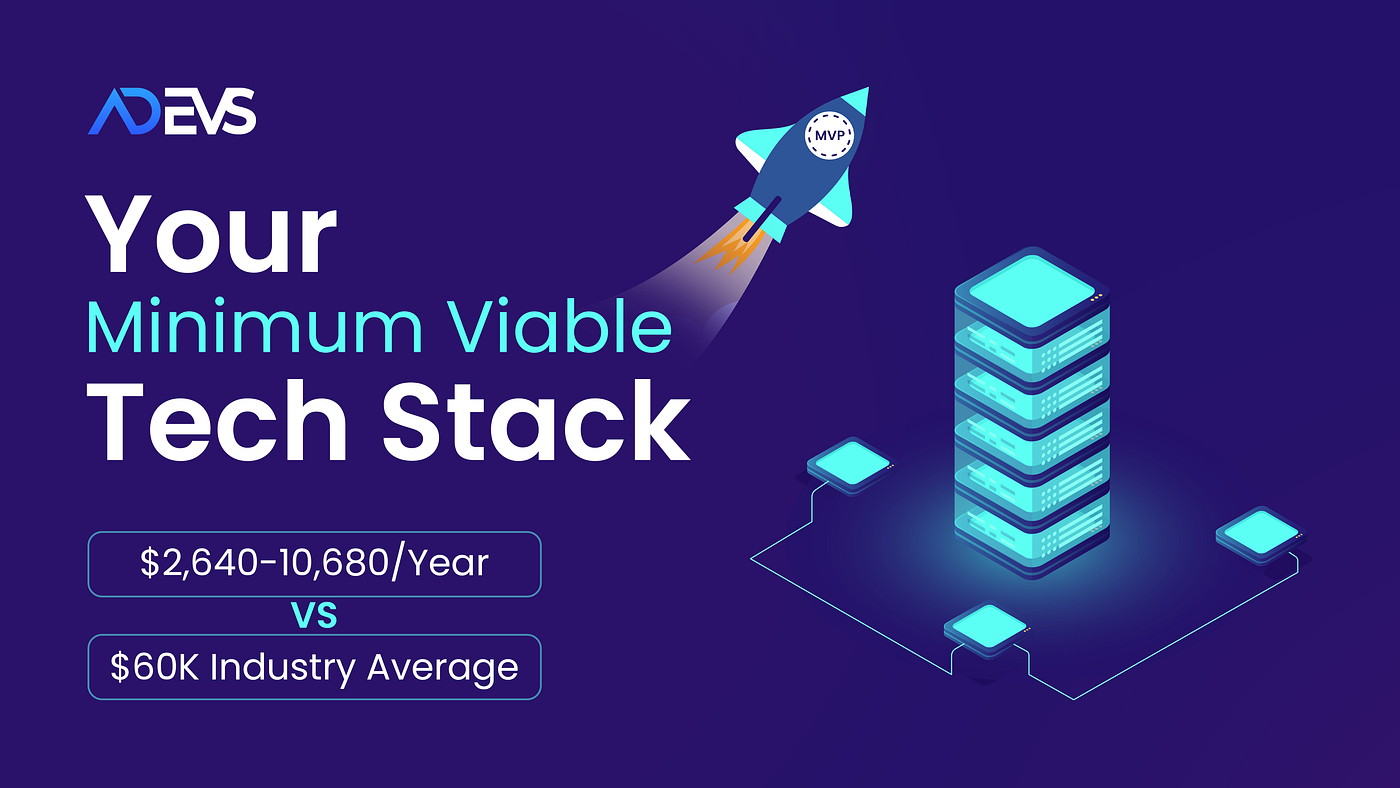
Total: $220–890/month ($2,640–10,680 annually)
Compare this to the $5,000–8,000 monthly many small businesses spend on bloated tech stacks.
Scaling thresholds:
At 25 employees, add:
- Dedicated HRIS/payroll (Gusto, Rippling: $40–80/employee/month)
- Employee onboarding and training platform
- More sophisticated project management
- Enhanced security and compliance tools
At 50 employees, consider:
- Advanced CRM capabilities or Salesforce
- Dedicated DevOps/IT management tools
- Business intelligence and analytics platform
- Enterprise-grade security and compliance
The Build vs Buy Decision Framework
As businesses grow, the question shifts from “buy off-the-shelf” to “build custom.”
Buy off-the-shelf when:
- Problem is common across many businesses
- Available tools serve 80%+ of your needs
- Building would cost more than 2 years of buying
- Speed to implementation matters more than perfect fit
Build custom when:
- Specific workflows provide competitive advantage
- Available tools force significant process compromises
- Integration requirements are complex and specific
- Long-term cost of buying exceeds building by 3x+
Use MVP development guidance for startups to decide when custom builds actually make sense. For most small businesses, custom development should wait until off‑the‑shelf tools clearly block growth.
AI development decisions:
Consider building custom AI solutions when:
- Your AI use case is central to your competitive advantage
- You handle thousands of transactions monthly
- Off‑the‑shelf AI tools can’t handle your specific domain or workflows
- ROI projections show 300%+ return within 12–18 months
For most small businesses, AI assistants like ChatGPT Plus and AI automation via Zapier provide 80–90% of value at 5–10% of custom development cost.
Maintenance and Hidden Costs
Software costs extend beyond subscription fees. Ongoing software maintenance often adds 15–20% on top of your annual budget once you factor in updates, training, integrations, and troubleshooting.
Hidden costs to budget:
- Training time for new tools (8–20 hours per major system)
- Integration setup and maintenance (2–5 hours monthly)
- Data cleanup and migration when switching tools
- Support and troubleshooting time
- Upgrade-driven workflow changes
Maintenance best practices:
Quarterly review: Every 90 days, audit your stack. Cancel unused subscriptions. Evaluate whether tools are delivering value.
Usage tracking: Monitor actual usage vs paid licenses. Downgrade or eliminate unused seats.
Integration monitoring: Ensure automated workflows still function. Update when services change APIs or features.
Security updates: Keep tools updated. Review access permissions quarterly. Remove access for departed team members immediately.
A financial services startup saved $18,000 annually by quarterly audits revealing 14 unused subscriptions and 23 inactive user licenses across their tools.
The Implementation Sequence
Don’t implement everything simultaneously. Phase adoption strategically.
Month 1: Revenue essentials
- Set up CRM with existing customer data
- Implement payment processing if not already present
- Configure basic email marketing
Month 2: Operations foundation
- Migrate to unified communication platform
- Implement project management system
- Set up cloud storage and file organization
Month 3: Efficiency and security
- Deploy password manager across team
- Enable 2FA on all critical services
- Implement automated backups
- Set up 3–5 critical automations via Zapier
Month 4+: Optimization and AI
- Add AI assistants for knowledge workers
- Identify and automate repetitive tasks
- Implement advanced features in existing tools
- Optimize based on actual usage patterns
This phased approach prevents overwhelming teams with simultaneous changes while building foundation for efficiency.
The 2026 Small Business Reality
The minimum viable tech stack in 2026 costs less and delivers more than ever before. Free tiers are surprisingly capable. AI tools handle work that required hiring. Automation connects systems seamlessly.
The pattern among successful small businesses:
- $10K-25K annual software spend (not $60K-100K)
- 8–12 core tools (not 25–30)
- Heavy utilization of free/cheap tiers
- Strategic AI adoption for automation
- Ruthless elimination of underutilized tools
The key insight: optimal tech stack maximizes revenue per dollar spent, not features per dollar spent.
Start minimal. Add tools only when specific pain points cost more than tool would. Eliminate tools when usage doesn’t justify cost. Invest in revenue-generating and critical operations tools before nice-to-have productivity enhancers.
Your tech stack should enable growth, not consume the resources needed to fuel it. In 2026, that’s more achievable than ever for small businesses willing to be strategic rather than aspirational in tool selection.
Calculate what your current stack costs annually. Then audit what you actually use and what directly drives revenue. The gap between those numbers is opportunity.
메타데이터
- post_id
- c8ad810a79ea
- slug
- your-minimum-viable-tech-stack-as-a-small-business-c8ad810a79ea
- url
- https://medium.com/@adevsinc/your-minimum-viable-tech-stack-as-a-small-business-c8ad810a79ea
- canonical_url
- https://medium.com/@adevsinc/your-minimum-viable-tech-stack-as-a-small-business-c8ad810a79ea
- author_url
- https://medium.com/@adevsinc
- status
- ok
- fetched_at
- 2026-06-29 01:02:39