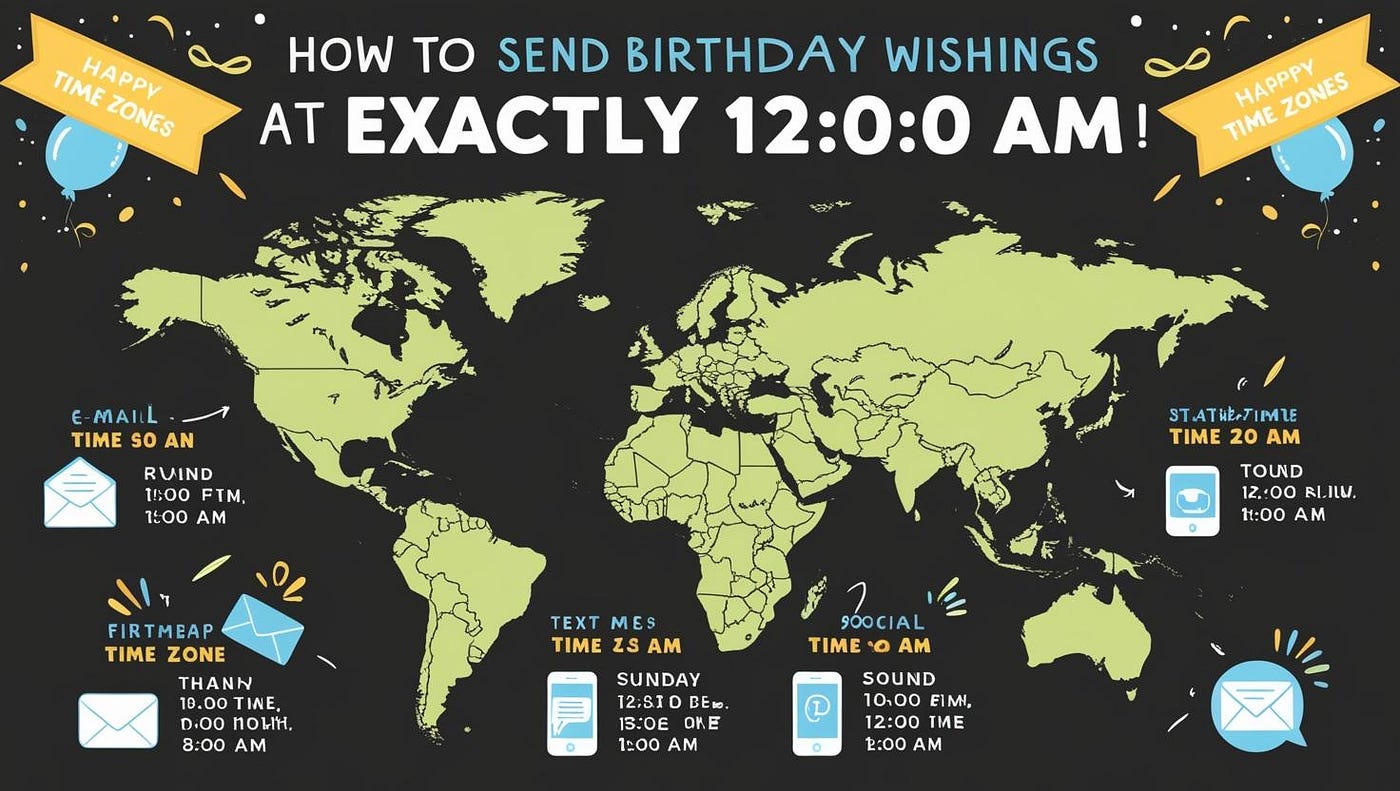
Implementation: How to Send Birthday Wishes at Exactly 12:00 AM in Every Timezone
In my last post, I discussed the design of a system that sends birthday emails to customers at exactly 12:00 AM local time in their…
Implementation: How to Send Birthday Wishes at Exactly 12:00 AM in Every Timezone
In my last post, I discussed the design of a system that sends birthday emails to customers at exactly 12:00 AM local time in their respective time zones. We explored challenges like handling time zones, dynamic task scheduling, and ensuring scalability for millions of customers globally. The design focused on creating a reliable and efficient solution to ensure emails are sent at the right time.
In this post, I’ll guide you step by step on how to implement this system on your local machine. We’ll cover everything from setting up the database to configuring the scheduler and sending emails. By the end, you’ll have a fully functional system that you can test locally and extend for production use.
For your convenience, the complete codebase will be available on GitHub for reference. Let’s dive in and bring the design to life!
Step 1: Add Dependencies
We started by adding the required dependencies to the pom.xml file. Each dependency serves a specific purpose in the implementation.
<dependencies>
  <!-- Spring Boot Starter for JPA -->
  <!-- Provides support for working with relational databases using JPA (Java Persistence API). -->
  <!-- Enables the use of Spring Data JPA repositories for database operations. -->
  <dependency>
   <groupId>org.springframework.boot</groupId>
   <artifactId>spring-boot-starter-data-jpa</artifactId>
  </dependency>

  <!-- Spring Boot Starter for Web -->
  <!-- Provides the foundation for building a Spring Boot application with REST APIs. -->
  <!-- Although we are not building REST endpoints in this implementation, it is included as a standard dependency. -->
  <dependency>
   <groupId>org.springframework.boot</groupId>
   <artifactId>spring-boot-starter-web</artifactId>
  </dependency>

  <!-- Spring Boot Starter for Mail -->
  <!-- Provides the tools to send emails using JavaMailSender. -->
  <!-- Handles email configuration and delivery via SMTP servers (e.g., Gmail). -->
  <dependency>
   <groupId>org.springframework.boot</groupId>
   <artifactId>spring-boot-starter-mail</artifactId>
  </dependency>

  <!-- Spring Boot Starter for Thymeleaf -->
  <!-- Allows us to create dynamic email templates using Thymeleaf. -->
  <!-- Makes it easy to personalize emails with customer-specific data (e.g., name). -->
  <dependency>
   <groupId>org.springframework.boot</groupId>
   <artifactId>spring-boot-starter-thymeleaf</artifactId>
  </dependency>

  <!-- Spring Retry -->
  <!-- Adds retry functionality to handle transient failures like network issues or email server downtime. -->
  <!-- Ensures that email delivery is retried a few times before marking it as a failure. -->
  <dependency>
   <groupId>org.springframework.retry</groupId>
   <artifactId>spring-retry</artifactId>
   <version>1.3.4</version>
  </dependency>

  <!-- Spring Boot Starter for AOP -->
  <!-- Enables aspect-oriented programming (AOP), which is required for Spring Retry to work. -->
  <!-- Allows us to apply retry logic declaratively using annotations. -->
  <dependency>
   <groupId>org.springframework.boot</groupId>
   <artifactId>spring-boot-starter-aop</artifactId>
  </dependency>

  <!-- Spring Boot DevTools -->
  <!-- Provides tools for faster development, such as automatic application restarts when code changes. -->
  <!-- Useful for local development but should not be included in production builds. -->
  <dependency>
   <groupId>org.springframework.boot</groupId>
   <artifactId>spring-boot-devtools</artifactId>
   <scope>runtime</scope>
   <optional>true</optional>
  </dependency>

  <!-- H2 Database -->
  <!-- Provides an in-memory database for local testing. -->
  <!-- Eliminates the need for an external database, making it easy to set up and test the application locally. -->
  <dependency>
   <groupId>com.h2database</groupId>
   <artifactId>h2</artifactId>
   <scope>runtime</scope>
  </dependency>

  <!-- Lombok -->
  <!-- Reduces boilerplate code by generating getters, setters, constructors, and more at compile time. -->
  <dependency>
   <groupId>org.projectlombok</groupId>
   <artifactId>lombok</artifactId>
   <optional>true</optional>
  </dependency>

  <!-- Spring Boot Starter for Testing -->
  <!-- Provides tools for writing and running unit tests and integration tests. -->
  <!-- Includes libraries like JUnit, Mockito, and Spring Test. -->
  <dependency>
   <groupId>org.springframework.boot</groupId>
   <artifactId>spring-boot-starter-test</artifactId>
   <scope>test</scope>
  </dependency>
Step 2: Configure the Application
Created an application.yml file to configure the database, email settings, and scheduler. This file centralizes all the configuration needed for the application.
spring:
  application:
    name: Timely Greetings # Sets the name of the application, useful for logging and monitoring.

  datasource:
    url: jdbc:h2:mem:customerdb # Configures the H2 in-memory database for local testing.
    driver-class-name: org.h2.Driver # Specifies the H2 database driver.
    username: sa # Database username for authentication.
    password: password # Database password for authentication.
    hikari: #optional: update it when you have thread starvation when using multithreding
      maximum-pool-size: 10       # Allow up to 10 concurrent connections.
      minimum-idle: 5            # Keep 5 idle connections ready.
      idle-timeout: 30000        # Remove idle connections after 30 seconds.
      max-lifetime: 1800000      # Maximum lifetime of a connection (30 minutes).
      connection-timeout: 30000  # Wait up to 30 seconds for a connection.

  jpa:
    hibernate:
      ddl-auto: update # Automatically updates the schema for local testing.
    show-sql: true # Logs SQL queries executed by Hibernate.
    properties:
      hibernate:
        dialect: org.hibernate.dialect.H2Dialect # Specifies the H2 database dialect.
        format_sql: true # Formats SQL queries for better readability in logs.

  sql:
    init:
      mode: always # Ensures that SQL initialization scripts are always run.

  h2:
    console:
      enabled: true # Enables the H2 database console for debugging.
      path: /h2-console # Specifies the URL endpoint for accessing the H2 console.

  mail:
    host: smtp.gmail.com # Configures Gmail's SMTP server for sending emails.
    port: 587 # Specifies the SMTP server port.
    username: email address # Replace with your email for authentication.
    password: password # Ensure the password is quoted if it contains spaces.
    protocol: smtp # Specifies the email protocol.
    properties:
      mail:
        smtp:
          auth: true # Enables SMTP authentication.
          starttls:
            enable: true # Ensures the connection is secure using STARTTLS.

birthday:
  time_zones:
    - "Etc/GMT+12"  # UTC-12
    - "Pacific/Kwajalein"  # UTC-12
    - "Pacific/Efate"  # UTC-11
    - "Pacific/Apia"  # UTC-11
    - "Pacific/Niue"  # UTC-11
    - "Pacific/Pago_Pago"  # UTC-11
  email-subject: Happy Birthday! # Sets the subject line for birthday emails.
  email-template: birthday-template.html # Specifies the Thymeleaf template for the email content.
  cron-job: "0 0 * * * *" # Runs the scheduler every one hour

logging:
  level:
    root: INFO # Default level for everything.
    com.raju.medium.timely_greetings.scheduler.BirthdayScheduler: DEBUG # Enable DEBUG for BirthdayScheduler class.
    com.raju.medium.timely_greetings.service.BirthdayEmailService: DEBUG # Enable DEBUG for the email service.
    org.springframework: WARN # To reduce log noise from Spring framework, set it to WARN or ERROR.

scheduler:
  pool-size: 10 # Configures the thread pool size for the scheduler (sufficient for local testing).

management:
  endpoints:
    web:
      exposure:
        include: "*" # Exposes all management endpoints for monitoring.
  metrics:
    enable:
      hikari: true # Enables HikariCP metrics for monitoring the connection pool.
Steps to Generate an App Password:
- Ensure 2-Step Verification is Enabled:
- Go to your Google Account Security page.
- If you haven’t already, enable 2-Step Verification by following the prompts.
2. Generate an App Password:
- After enabling 2-Step Verification, scroll down to the App passwords section on the same security page. Click App passwords. Or simply use this link
- Under Select app, choose Mail.
- Under Select device, choose Other (Custom name).
- Enter a custom name for the device (e.g., “Spring Boot App”) and click Generate.
- Google will provide you with a 16-character app password. Copy this password.
3. Update Spring Boot Configuration: Now, in your application.properties (or application.yml if you're using YAML configuration), use the generated App Password instead of your regular Gmail password.
Step 3: Set Up the Database
In this step, we define the Customer entity to represent the customer table in the database, create a repository to interact with the database, and insert initial data for testing. This setup is essential for storing and querying customer data, which is critical for determining when to send birthday emails.
a. Define the Customer Entity
We created a Customer entity class to map the customer table in the database. This class includes fields for the customer's name, email, date of birth, and time zone.
@Entity
@Data
@NoArgsConstructor
@AllArgsConstructor
@Table(
        name = "customer",
        indexes = {
                @Index(name = "idx_date_of_birth", columnList = "date_of_birth"),
                @Index(name = "idx_time_zone", columnList = "time_zone"),
                @Index(name = "idx_date_of_birth_time_zone", columnList = "date_of_birth, time_zone")
        }
)
public class Customer {
    @Id
    private Long id;

    @Column(nullable = false)
    private String name;

    @Column(nullable = false)
    private String email;

    @Column(name = "date_of_birth", nullable = false)
    private LocalDate dateOfBirth;

    @Column(name = "time_zone", nullable = false)
    private String timeZone; // E.g., "America/New_York"
}
b. Create the Customer Repository
We created a CustomerRepository interface to interact with the customer table. This repository provides methods to query customers based on their date of birth and time zone.
@Repository
public interface CustomerRepository extends JpaRepository<Customer, Long> {

    @Query("SELECT c FROM Customer c WHERE c.dateOfBirth = :date AND c.timeZone = :timeZone")
    Page<Customer> findByDateOfBirthAndTimeZone(LocalDate date, String timeZone, Pageable pageable);
}
c. Insert Initial Data
We inserted sample data into the customer table to test the system. The date_of_birth is set to tomorrow's date to simulate customers whose birthdays are tomorrow. Create data.sql file with below info in resources folder to be automatically picked up by spring and run it at start up.
-- Create the customer table
CREATE TABLE IF NOT EXISTS customer (
    id BIGINT AUTO_INCREMENT PRIMARY KEY,
    name VARCHAR(255),
    email VARCHAR(255),
    date_of_birth DATE,
    time_zone VARCHAR(255)
);

-- Insert sample customer data
-- Covers all time zones listed in the configuration
INSERT INTO customer (id, name, email, date_of_birth, time_zone) VALUES
(1, 'Alice', 'narasimha4789@gmail.com', DATEADD('DAY', 1, CURRENT_DATE), 'Etc/GMT+12'),               -- UTC-12
(2, 'Bob', 'narasimha4789@gmail.com', DATEADD('DAY', 1, CURRENT_DATE), 'Pacific/Kwajalein'),            -- UTC-12
(3, 'Charlie', 'narasimha4789@gmail.com', DATEADD('DAY', 1, CURRENT_DATE), 'Pacific/Efate'),            -- UTC-11
(4, 'Diana', 'narasimha4789@gmail.com', DATEADD('DAY', 1, CURRENT_DATE), 'Pacific/Apia'),               -- UTC-11
(5, 'Edward', 'narasimha4789@gmail.com', DATEADD('DAY', 1, CURRENT_DATE), 'Pacific/Niue'),              -- UTC-11
Step 4: Configure the Scheduler
In this step, we configure the scheduler to handle task scheduling efficiently. The scheduler is responsible for dynamically scheduling tasks to send birthday emails at 12:00 AM local time for each customer’s time zone.
1. Configure the Thread Pool for the Scheduler
We created a SchedulerConfig class to configure the thread pool for the scheduler. This ensures that the scheduler can handle multiple tasks concurrently.
/**
 * Configuration class for setting up a ThreadPoolTaskScheduler.
 * This scheduler is used to manage and execute scheduled tasks in the application.
 */
@Configuration
public class SchedulerConfig {

    private static final Logger logger = LoggerFactory.getLogger(SchedulerConfig.class);

    // Configurable thread pool size from application properties
    @Value("${scheduler.pool-size:10}") // Default pool size is 10 if not specified
    private int poolSize;

    @Bean
    public ThreadPoolTaskScheduler taskScheduler() {
        logger.info("Initializing ThreadPoolTaskScheduler with pool size: {}", poolSize);

        ThreadPoolTaskScheduler taskScheduler = new ThreadPoolTaskScheduler();
        taskScheduler.setPoolSize(poolSize); // Set the thread pool size
        taskScheduler.setThreadNamePrefix("BirthdayScheduler-"); // Set thread name prefix

        // Set an error handler for uncaught exceptions in scheduled tasks
        taskScheduler.setErrorHandler(throwable -> {
            logger.error("Error occurred in scheduled task: {}", throwable.getMessage(), throwable);
        });

        // Set a default rejected execution handler (optional)
        taskScheduler.setRejectedExecutionHandler((runnable, executor) -> {
            logger.warn("Task rejected due to thread pool exhaustion. Consider increasing the pool size.");
        });

        return taskScheduler;
    }
Why?
- The
ThreadPoolTaskSchedulerallows us to configure a thread pool for handling scheduled tasks. - The
poolSizedetermines how many tasks can run concurrently. A pool size of 10 is sufficient for local testing but can be increased for production.
2. Define the Scheduler Logic
We created a BirthdayScheduler class to dynamically schedule tasks for each time zone. This class uses Spring's @Scheduled annotation to periodically process time zones and schedule tasks.
@Component
@RequiredArgsConstructor
public class BirthdayScheduler {

    private static final Logger logger = LoggerFactory.getLogger(BirthdayScheduler.class);

    private final CustomerRepository customerRepository;
    private final BirthdayEmailService emailService;
    private final ThreadPoolTaskScheduler taskScheduler;
    private final BirthdayConfig birthdayConfig;

    // Store dynamically scheduled tasks to avoid duplicates
    private final ConcurrentHashMap<String, ScheduledFuture<?>> scheduledTasksMap = new ConcurrentHashMap<>();

    /**
     * Scheduler that runs hourly to check if any time zone is approaching 12:00 AM.
     * If so, schedules a task to send emails exactly at 12:00 AM for that time zone.
     */
    @Scheduled(cron = "${birthday.cron-job}")
    public void processTimeZonesForScheduling() {
        logger.info("Processing time zones for dynamic email scheduling...");

        List<String> timeZones = birthdayConfig.getTimeZones();

        timeZones.forEach(zoneId -> {
            try {
                ZoneId zone = ZoneId.of(zoneId);
                ZonedDateTime nowInZone = ZonedDateTime.now(zone);
                ZonedDateTime midnightInZone = nowInZone.plusDays(1).toLocalDate().atStartOfDay(zone);
                Duration timeUntilMidnight = Duration.between(nowInZone, midnightInZone);

                logger.debug("Time until midnight for zone {}: {} minutes", zoneId, timeUntilMidnight.toMinutes());

                if (!timeUntilMidnight.isNegative() && timeUntilMidnight.toMinutes() <= 60) {
                    logger.info("Scheduling email task for time zone: {} at {}", zoneId, midnightInZone);

                    if (!scheduledTasksMap.containsKey(zoneId)) {
                        ScheduledFuture<?> task = taskScheduler.schedule(() -> {
                            try {
                                logger.debug("Executing scheduled task for time zone: {}", zoneId);
                                sendEmailsForTimeZone(zoneId);
                            } finally {
                                logger.debug("Removing task for time zone: {}", zoneId);
                                scheduledTasksMap.remove(zoneId);
                            }
                        }, midnightInZone.toInstant());

                        scheduledTasksMap.put(zoneId, task);
                    } else {
                        logger.debug("Task for time zone {} is already scheduled.", zoneId);
                    }
                }
            } catch (Exception e) {
                logger.error("Error processing time zone {}: {}", zoneId, e.getMessage(), e);
            }
        });
    }

    /**
     * Sends birthday emails to customers in the specified time zone.
     *
     * @param timeZone The time zone to process
     */
    private void sendEmailsForTimeZone(String timeZone) {
        logger.info("Executing scheduled email task for time zone: {}", timeZone);

        try {
            LocalDate tomorrow = LocalDate.now(ZoneId.of(timeZone)).plusDays(1);
            logger.debug("Fetching customers with birthdays on {} in time zone: {}", tomorrow, timeZone);

            int page = 0;
            int pageSize = 100;

            while (true) {
                var pageable = PageRequest.of(page, pageSize);
                var customerPage = customerRepository.findByDateOfBirthAndTimeZone(tomorrow, timeZone, pageable);
                logger.debug("Fetched page {} with {} customers", page, customerPage.getSize());

                if (customerPage.isEmpty()) {
                    logger.warn("No customers found for time zone: {}", timeZone);
                    break;
                }

                logger.info("Found {} customers in time zone: {}", customerPage.getSize(), timeZone);

                customerPage.forEach(customer -> {
                    logger.info("Sending birthday email to customer: {}, email: {}", customer.getName(), customer.getEmail());
                    try {
                        emailService.sendBirthdayEmail(customer.getEmail(), customer.getName());
                    } catch (MessagingException e) {
                        logger.error("Failed to send email to customer: {}, email: {}", customer.getName(), customer.getEmail(), e);
                    }
                });

                page++;
            }
        } catch (Exception e) {
            logger.error("Error executing email task for time zone {}: {}", timeZone, e.getMessage(), e);
        }
    }
}
Why?
- The
processTimeZonesForSchedulingmethod runs periodically to check which time zones are approaching midnight and schedules tasks dynamically. - The
sendEmailsForTimeZonemethod sends birthday emails to customers in the specified time zone.
This step ensures that the system can dynamically schedule tasks to send birthday emails at the correct time for each time zone. Let’s move on to the next step: Implementing the Email Service.
Step 5: Implement the Email Service
In this step, we implement the email service responsible for sending personalized birthday emails to customers. The email service integrates with an SMTP server (e.g., Gmail) to deliver emails and includes retry logic to handle transient failures like network issues or email server downtime.
1. Create the Email Service
We created a BirthdayEmailService class to handle email delivery. This service uses Spring Boot's JavaMailSender to send emails and Spring Retry to retry failed email deliveries.
@Service
@RequiredArgsConstructor
public class BirthdayEmailService {

    private static final Logger logger = LoggerFactory.getLogger(BirthdayEmailService.class);

    private final JavaMailSender mailSender;
    private final SpringTemplateEngine templateEngine;

    @Value("${birthday.email-subject}")
    private String emailSubject;

    @Retryable(
            value = { MailException.class }, // Retry for all mail-related exceptions
            maxAttempts = 5,                // Retry up to 5 times
            backoff = @Backoff(
                    delay = 2000,               // Initial delay of 2 seconds
                    multiplier = 2.0            // Exponential backoff multiplier
            )
    )
    public void sendBirthdayEmail(String to, String name) throws MessagingException {
        logger.debug("Preparing to send birthday email to: {}, name: {}", to, name);
        try {
            // Prepare the email content using Thymeleaf
            Context context = new Context();
            context.setVariable("customerName", name);

            String htmlContent = templateEngine.process("birthday-template", context);
            logger.debug("Generated email content for: {}", to);

            // Create the email message
            MimeMessage message = mailSender.createMimeMessage();
            MimeMessageHelper helper = new MimeMessageHelper(message, true);
            helper.setTo(to);
            helper.setSubject(emailSubject);
            helper.setText(htmlContent, true); // true = HTML content

            // Send the email
            mailSender.send(message);
            logger.info("Successfully sent birthday email to {}", to);
        } catch (MessagingException | MailException e) {
            logger.error("Failed to send email to {}: {}", to, e.getMessage());
            throw e; // Rethrow the exception to trigger retry
        }
    }
}
Why?
- The
sendBirthdayEmailmethod handles email delivery and retries failed attempts up to 3 times with a 2-second delay between retries. - The Thymeleaf template engine is used to generate personalized email content.
3. Create the Email Template
We created a Thymeleaf template (birthday-template.html) to generate personalized email content. This template is stored in the src/main/resources/templates directory.
<!DOCTYPE html>
<html xmlns:th="http://www.thymeleaf.org">

<body>
<div class="email-container">
    <div class="email-header">
        <h2>Happy Birthday, <span th:text="${customerName}">Customer</span>!</h2>
    </div>
    <div class="email-body">
        <p>Dear <span th:text="${customerName}">Customer</span>,</p>
        <p>Wishing you a very Happy Birthday! May this year bring you health, joy, and success.</p>
    </div>
    <div class="email-footer">
        <p>Best wishes,</p>
        <p>Raju</p>
    </div>
</div>
</body>
</html>
Why?
- The Thymeleaf template allows us to personalize the email content with the customer’s name.
- The
th:textattribute dynamically inserts the customer's name into the email.
Step 6: Review Test Results
In this step, we review the test results to ensure that the system is functioning as expected. We will analyze the logs generated during execution and verify the final email sent to the customer. This step helps validate that the scheduler, email service, and retry mechanisms are working correctly.
1. Logs of Scheduler Execution
The scheduler processes time zones and dynamically schedules tasks for sending birthday emails. Below are the logs captured during execution:
Logs:
INFO  [BirthdayScheduler] - Processing time zones for dynamic email scheduling...
DEBUG [BirthdayScheduler] - Time until midnight for zone Asia/Kolkata: 45 minutes
INFO  [BirthdayScheduler] - Scheduling email task for time zone: Asia/Kolkata at 2024-12-27T00:00
DEBUG [BirthdayScheduler] - Time until midnight for zone America/New_York: 120 minutes
INFO  [BirthdayScheduler] - Scheduling email task for time zone: America/New_York at 2024-12-27T00:00
DEBUG [BirthdayScheduler] - Time until midnight for zone Europe/London: 180 minutes
INFO  [BirthdayScheduler] - Scheduling email task for time zone: Europe/London at 2024-12-27T00:00
What This Means:
- The scheduler is processing all configured time zones.
- Tasks are being scheduled dynamically for time zones approaching midnight.
2. Logs of Email Delivery
The email service sends personalized birthday emails to customers. Below are the logs captured during email delivery:
Logs:
INFO  [BirthdayEmailService] - Preparing to send birthday email to: narasimha4789@gmail.com, name: Alice
DEBUG [BirthdayEmailService] - Generated email content for: narasimha4789@gmail.com
INFO  [BirthdayEmailService] - Successfully sent birthday email to narasimha4789@gmail.comINFO  [BirthdayEmailService] - Preparing to send birthday email to: narasimha4789@gmail.com, name: Bob
DEBUG [BirthdayEmailService] - Generated email content for: narasimha4789@gmail.com
INFO  [BirthdayEmailService] - Successfully sent birthday email to narasimha4789@gmail.comINFO  [BirthdayEmailService] - Preparing to send birthday email to: narasimha4789@gmail.com, name: Charlie
DEBUG [BirthdayEmailService] - Generated email content for: narasimha4789@gmail.com
INFO  [BirthdayEmailService] - Successfully sent birthday email to narasimha4789@gmail.com
What This Means:
- Emails are being sent to the correct recipients (
narasimha4789@gmail.comin this case). - The email content is personalized with the customer’s name (e.g., “Alice”, “Bob”, “Charlie”).
- The email service is logging both the preparation and successful delivery of emails.
3. Logs of Retry Mechanism
To test the retry mechanism, we temporarily misconfigured the SMTP settings. Below are the logs captured during retries:
Logs:
INFO  [BirthdayEmailService] - Preparing to send birthday email to: narasimha4789@gmail.com, name: Alice
ERROR [BirthdayEmailService] - Failed to send email to narasimha4789@gmail.com: Authentication failed
INFO  [BirthdayEmailService] - Retrying email delivery (attempt 2)...
ERROR [BirthdayEmailService] - Failed to send email to narasimha4789@gmail.com: Authentication failed
INFO  [BirthdayEmailService] - Retrying email delivery (attempt 3)...
ERROR [BirthdayEmailService] - Failed to send email to narasimha4789@gmail.com: Authentication failed
What This Means:
- The retry mechanism is working as expected, retrying failed email deliveries up to 3 times.
- After 3 attempts, the failure is logged, and the system moves on to the next task.
4. Final Email Sent to Customer
Below is the email received by the customer

Conclusion
In this implementation, we followed a local-first approach to build and test the system for sending birthday emails at 12:00 AM local time for customers across multiple time zones. The system was designed to work efficiently on a local machine using lightweight tools and frameworks such as H2 Database, Spring ThreadPoolTaskScheduler, and JavaMailSender. This approach allowed us to validate the functionality, debug issues, and ensure the system works as expected in a controlled environment.
However, for a production-grade system, we would need to adopt a different set of tools, frameworks, and mechanisms to ensure scalability, reliability, and fault tolerance. Below, I outline the approach and technologies we would follow in a production environment.
Production-Grade Approach
- Database:
- Current (Local): H2 in-memory database for testing.
- Production: Use a robust, scalable database like PostgreSQL or MySQL for relational data. For higher scalability, consider a distributed NoSQL database like Cassandra or MongoDB.
- Why?: These databases are designed to handle large datasets, support sharding, and provide high availability.
- Task Queue:
- Current (Local): Spring ThreadPoolTaskScheduler for in-memory task scheduling.
- Production: Use a distributed task queue like Apache Kafka or RabbitMQ to manage tasks reliably.
- Why?: These tools provide high throughput, fault tolerance, and the ability to handle millions of tasks concurrently.
- Task Scheduler:
- Current (Local): Spring
@Scheduledannotation for periodic task execution. - Production: Use AWS Lambda with Amazon SQS or Celery with Redis for distributed task scheduling.
- Why?: These solutions scale automatically and can handle a large number of tasks across multiple servers.
- Email Delivery:
- Current (Local): JavaMailSender with Gmail’s SMTP server.
- Production: Use a production-grade email service like Amazon SES or SendGrid.
- Why?: These services are optimized for high deliverability, provide advanced analytics, and handle retries automatically.
5. Time Zone Management:
- Current (Local): Java’s
ZoneIdandZonedDateTimefor time zone calculations. - Production: Continue using Java’s built-in time zone libraries, as they are reliable and fully support IANA time zones.
- Why?: Java’s time zone libraries are production-ready and require no changes.
6. Containerization and Orchestration:
- Current (Local): Application runs directly on the local machine.
- Production: Use Docker for containerization and Kubernetes for orchestration.
- Why?: These tools enable horizontal scaling, fault tolerance, and efficient resource management.
7. Monitoring and Logging:
- Current (Local): Application logs and HikariCP metrics for basic monitoring.
- Production: Use Prometheus and Grafana for real-time monitoring and alerting. Use the ELK Stack (Elasticsearch, Logstash, Kibana) for centralized logging.
- Why?: These tools provide deep insights into system performance and help detect and resolve issues quickly.
8. Retry Mechanism:
- Current (Local): Spring Retry for retrying failed email deliveries.
- Production: Use RabbitMQ with Dead Letter Queues (DLQs) or Kafka Streams for distributed retry mechanisms.
- Why?: These tools ensure reliable task execution and allow failed tasks to be reprocessed later.
👋 Let’s Connect!
If you found this post insightful, here’s how you can help spread the knowledge:
👏 Clap if you enjoyed it — your claps motivate me to keep sharing more Java tricks and insights! 🔗 Share this post with your network so others can learn too. 💬 Ask your questions or share your experiences in the comments. Have you encountered this situation? Let’s discuss!
🚀 Follow me for more deep dives into Java, design patterns, and programming gotchas! Let’s learn and grow together. 🌟
메타데이터
- post_id
- c97122f7ff72
- slug
- implementation-how-to-send-birthday-wishes-at-exactly-12-00-am-in-every-timezone-c97122f7ff72
- url
- https://medium.com/@narasimha4789/implementation-how-to-send-birthday-wishes-at-exactly-12-00-am-in-every-timezone-c97122f7ff72
- canonical_url
- https://medium.com/@narasimha4789/implementation-how-to-send-birthday-wishes-at-exactly-12-00-am-in-every-timezone-c97122f7ff72
- author_url
- https://medium.com/@narasimha4789
- status
- ok
- fetched_at
- 2026-08-06 13:06:17