I Installed OpenClaw So You Don’t Have To — Here’s What Worked, What Didn’t, and What I’d Warn You…
Why I Even Decided to Install OpenClaw After Writing About Its Risks
I Installed OpenClaw So You Don’t Have To — Here’s What Worked, What Didn’t, and What I’d Warn You About
Why I Even Decided to Install OpenClaw After Writing About Its Risks
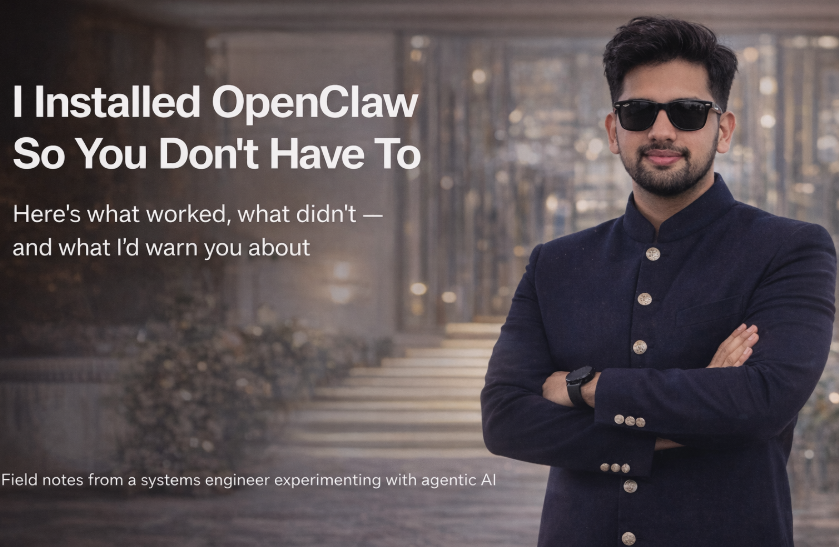
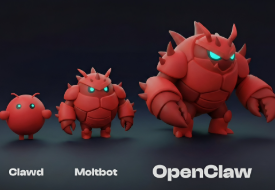
A few days ago, I published an article after spending 24 hours with Clawdbot (which later became Moltbot, and is now known as OpenClaw). That piece wasn’t a setup guide. It was a reaction.
Free !!->
I wrote about why OpenClaw felt like what AI assistants were always supposed to be — and why that same power made me deeply uncomfortable.
After publishing it, something interesting happened.
People didn’t just ask “Is it cool?” They asked “Should I run it?” And more importantly: “How did you set it up?”
So I did the thing I usually do as an engineer when opinions start floating around without enough ground truth.
I installed it myself. Properly. Slowly. With intent.
This article is not hype, not a quick-start, and definitely not encouragement. It’s a field report from actually running OpenClaw — what worked, what didn’t, and what I think you should know before you even think about installing it.
Before Anything Else: What You’re Really Installing
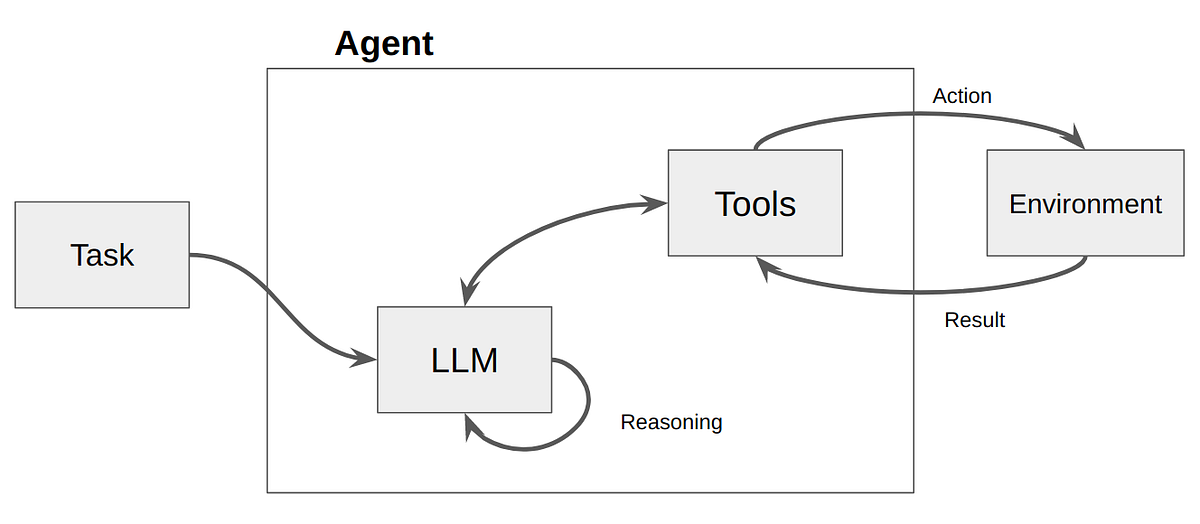
OpenClaw is not a chatbot.
It’s an agent layer that sits between:
- a large language model
- your real-world tools (browser, files, chats, APIs)
Once it’s running, you don’t “open an app”. You message it on WhatsApp, Telegram, Discord, etc — like a teammate.
That alone should make you pause.
This thing can:
- remember context across days
- open your browser
- fetch files
- execute actions on your behalf
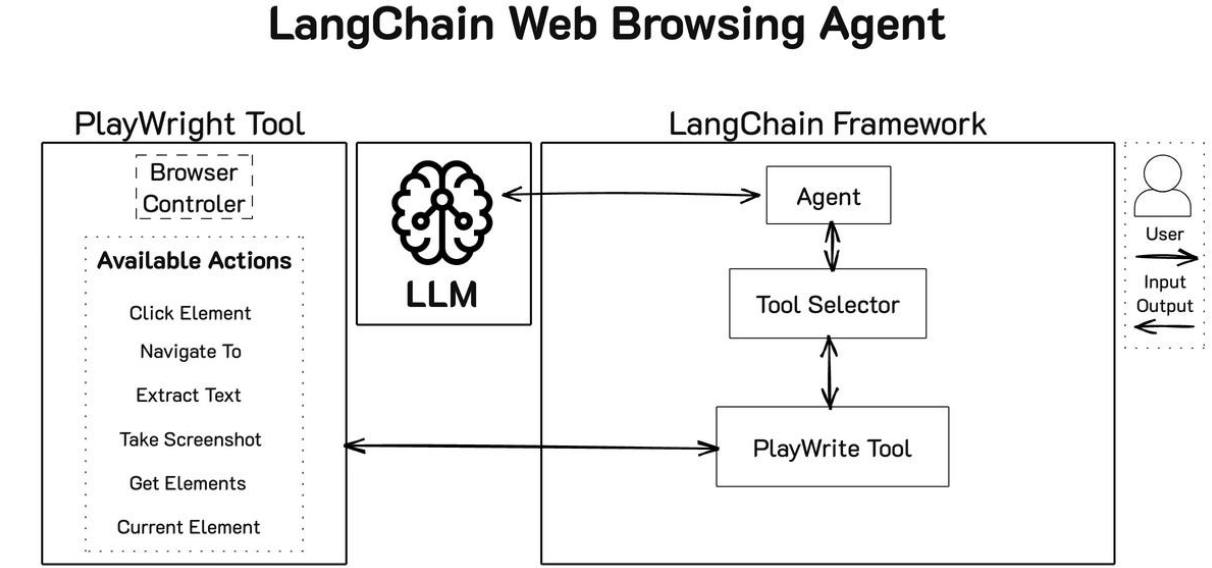
So when we talk about “setup”, we’re not talking about installing VS Code. We’re talking about deciding where you’re comfortable giving autonomy.
The Three Ways People Are Setting Up OpenClaw Today
After digging through docs, community posts, and other Medium articles — and trying it myself — there are three real-world setup paths people are taking.
Each comes with very different trade-offs.
1. One-Click Cloud Setup (Fastest, Riskiest)
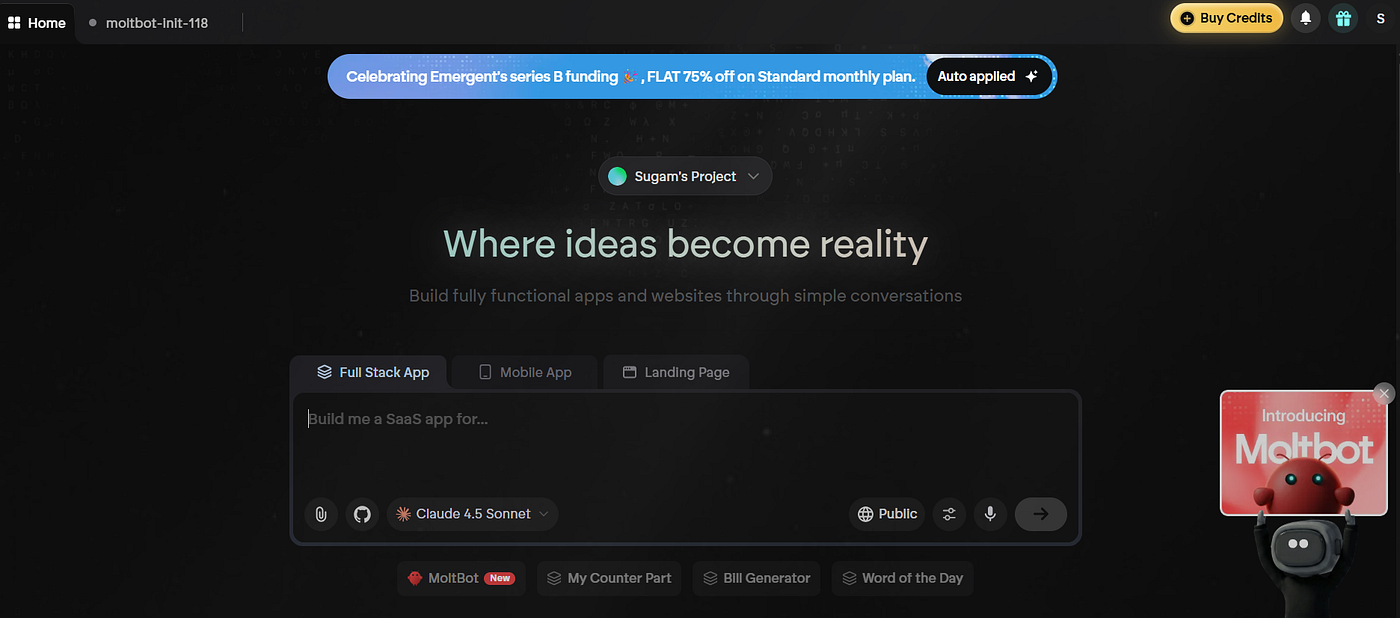
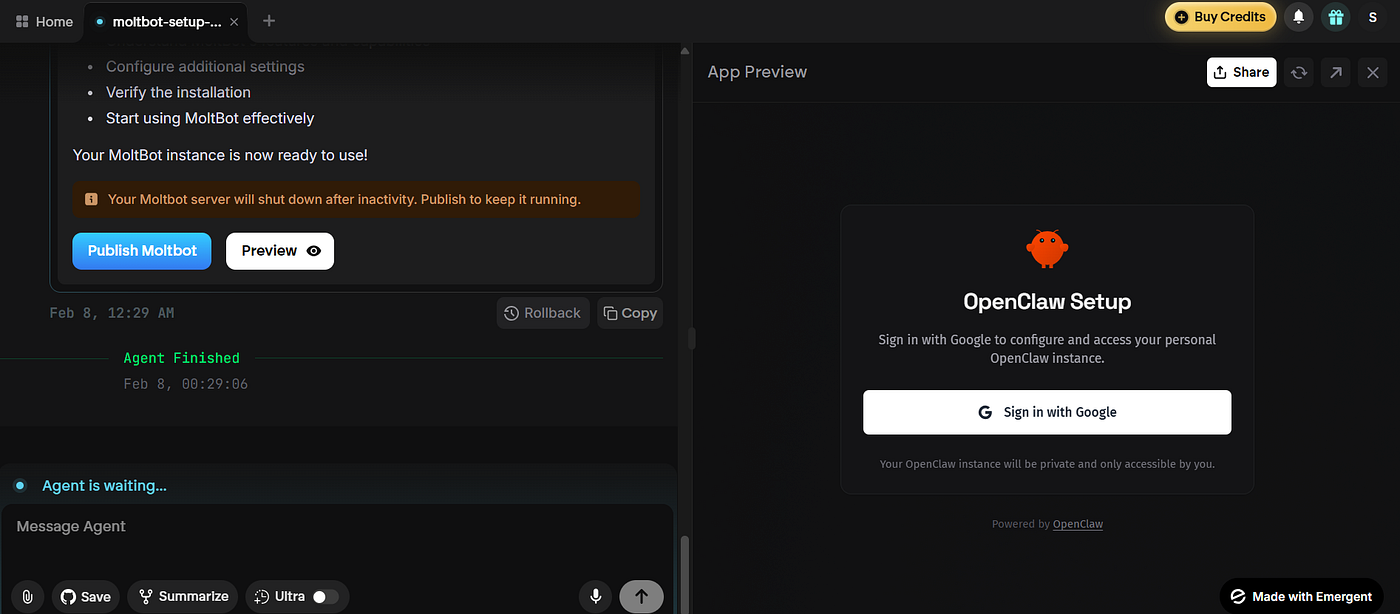
Emergent recently launched a one-click setup flow for Moltbot/OpenClaw.
You click a button. A cloud server spins up. Scripts auto-run. Your agent is live.
From a product standpoint? Impressive. From a systems standpoint? Terrifying.
Benefits
- Zero friction
- Always-on
- No local dependencies
- Great for demos
Downsides
- You’re running an autonomous agent on a public server
- Networking, firewalling, auth are abstracted away
- Easy to misconfigure without realizing it
- A perfect target for scanning and abuse if exposed
If you don’t already know how to lock down a VPS, this is not beginner-friendly — no matter how friendly the UI looks.
I deliberately avoided this path.
2. Cloud VPS (DigitalOcean / EC2) — Power With Responsibility
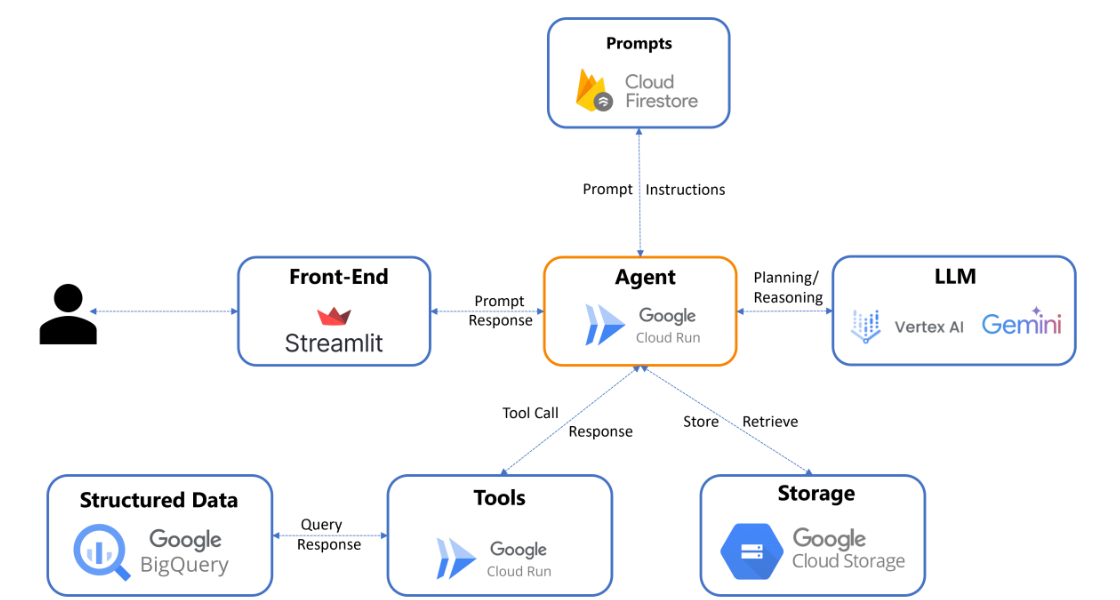
The second option is manually deploying OpenClaw on a cloud VM (DigitalOcean droplet, EC2, etc).
This is what many guides recommend for “production-like” usage.
Benefits
- 24/7 availability
- Accessible from anywhere
- Cleaner separation from your personal machine
- Better for long-running workflows
Downsides
- You are now responsible for:
- SSH hardening
- firewalls
- port exposure
- auth boundaries
- Many users accidentally expose the gateway publicly
- If compromised, the blast radius is huge
Several real-world incidents already happened because of this exact setup being done casually.
Unless you’re very comfortable with Linux security, I don’t recommend starting here.
3. Local Setup
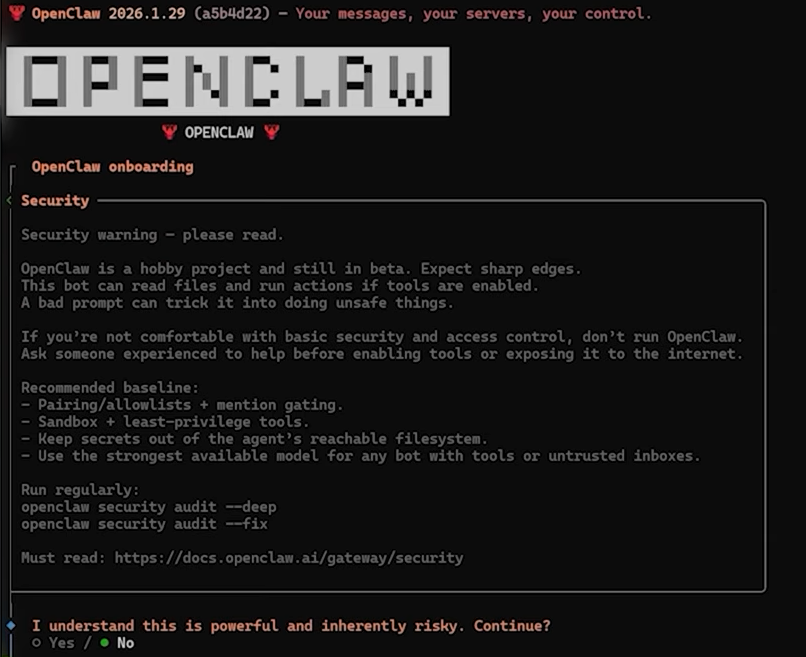
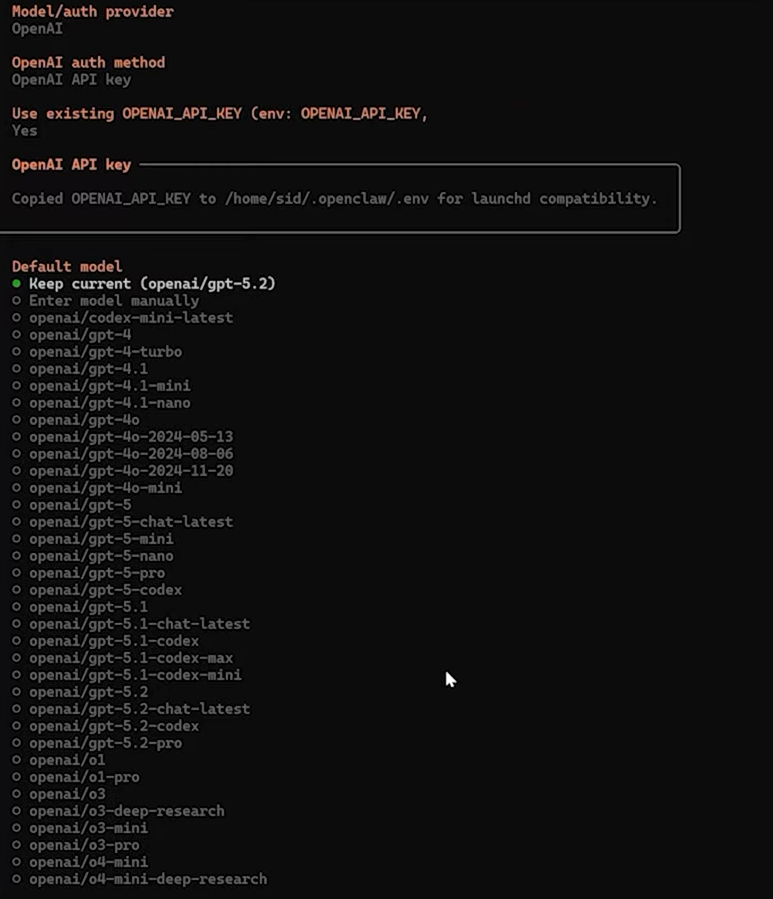
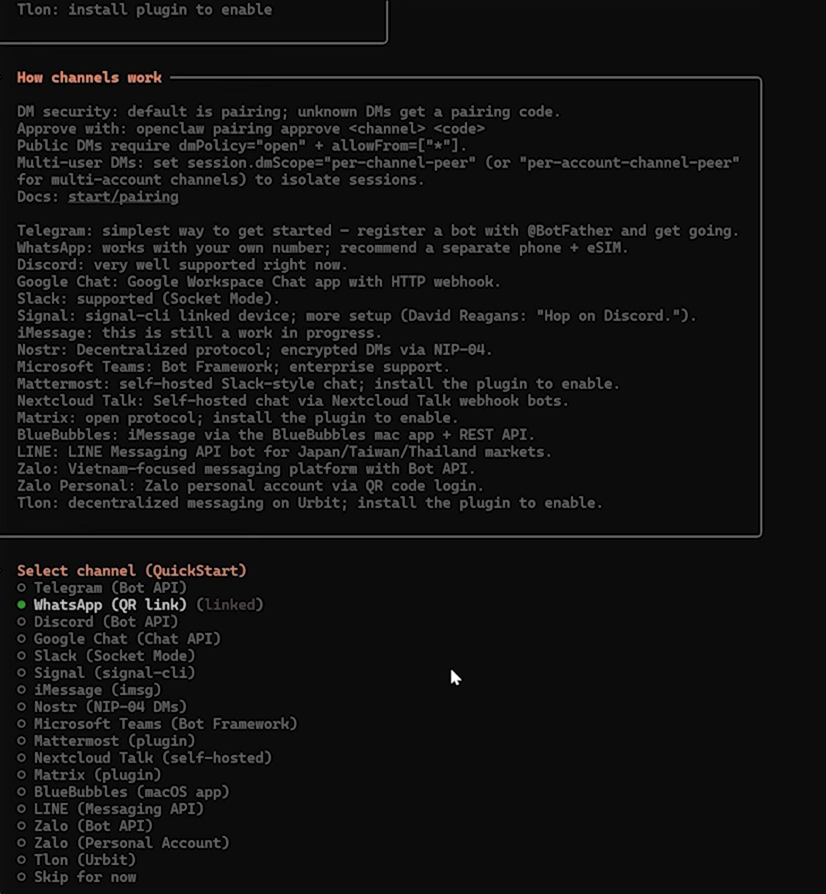
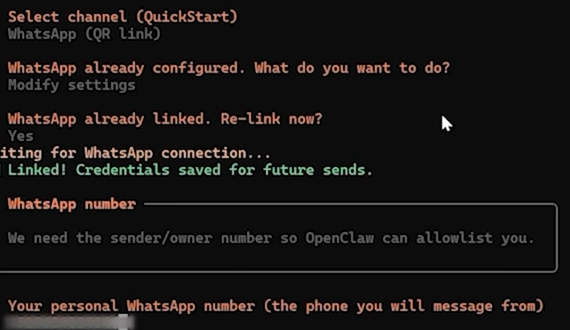
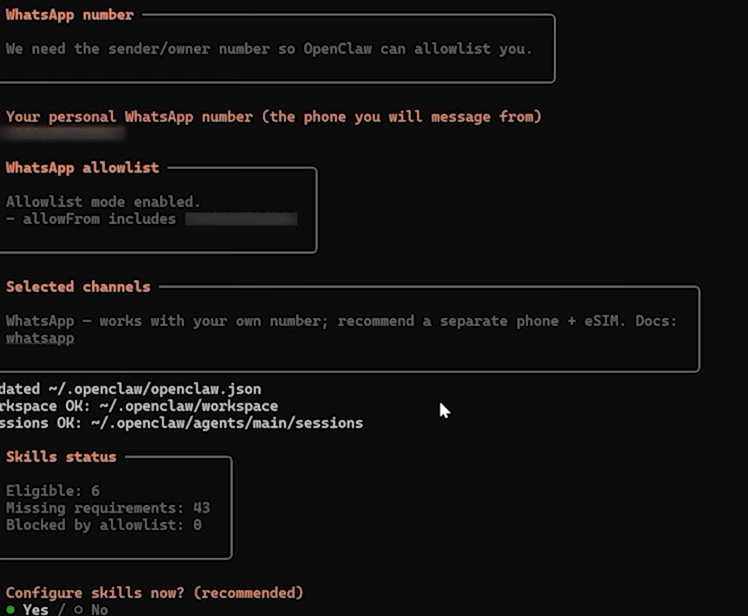
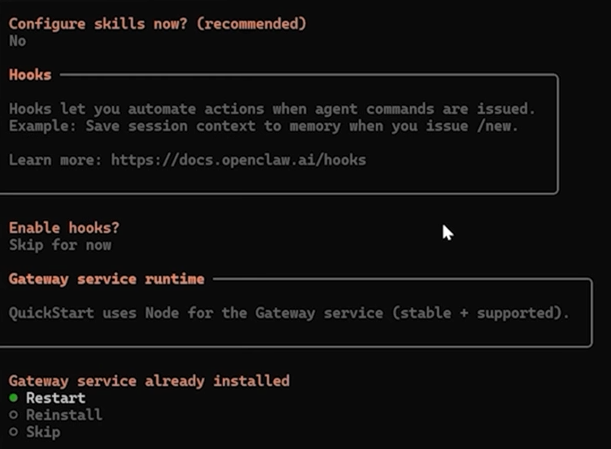
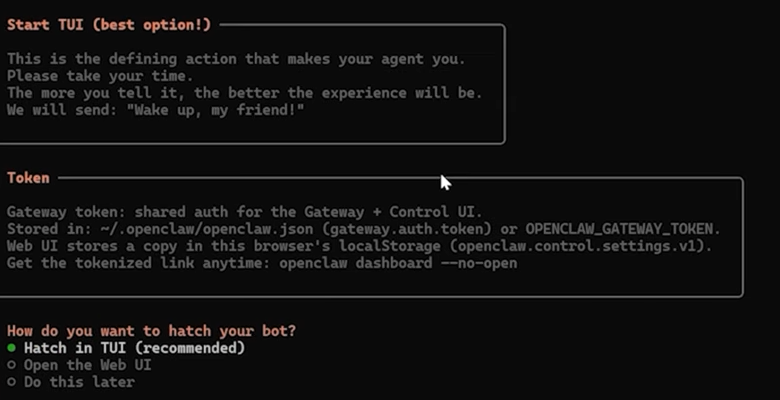
I ran OpenClaw locally — and that choice was intentional — for you people.
Yes, it’s slightly more effort. Yes, it’s less “always-on”.
But it’s also far more forgiving.
What I did (high level)
- Downloaded OpenClaw from the official website based on my OS
- Set up WSL (Windows Subsystem for Linux)
- Installed Node.js
- Ran the installer inside WSL:
npm install -g openclaw- Started onboarding:
openclaw onboardFrom there, the setup wizard walks you through:
- model selection
- permissions
- which channels to connect
- how the agent should run
Nothing fancy. No shortcuts.
Why local felt safer
- No public IP exposure
- Easy to kill the process
- Clear visibility into what’s running
- Lower consequences if something goes wrong
For an early-stage, fast-moving open-source agent, this mattered to me more than convenience.
One Small Recommendation That Matters More Than It Sounds
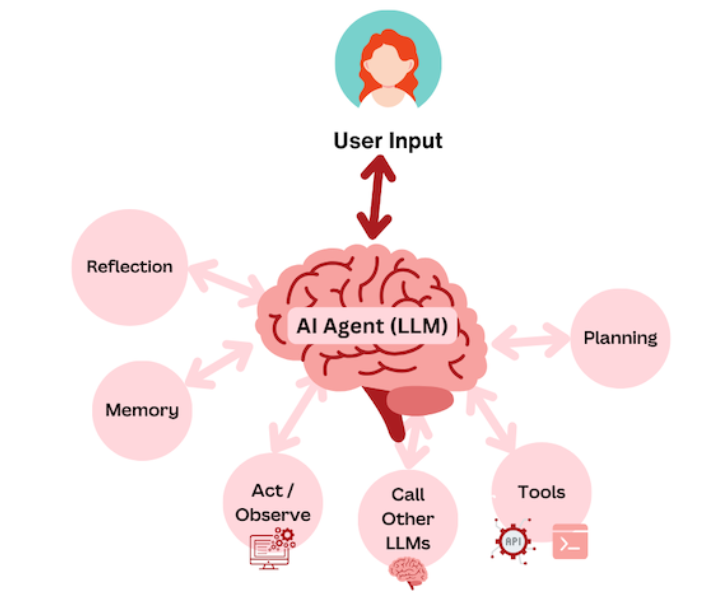
Use a reasoning-capable LLM.
This isn’t about response quality. It’s about interpretation.
When an agent can:
- reason step-by-step
- resist vague or malicious instructions
- pause before acting
…the difference is noticeable.
You’re not just choosing “smarter answers”. You’re choosing how safely intent is interpreted.
The Moment OpenClaw Actually Impressed Me
I messaged OpenClaw on WhatsApp:
“I need to check flights from Delhi to Sydney. Not too expensive. Minimal layovers.”
That’s it. No prompt engineering.
OpenClaw:
- opened the browser
- searched flights
- filtered results
- navigated based on constraints
All without me touching a keyboard.
This is where it clicks why people are excited.
This isn’t AI suggesting. This is AI operating.
The Moment I Got Uncomfortable
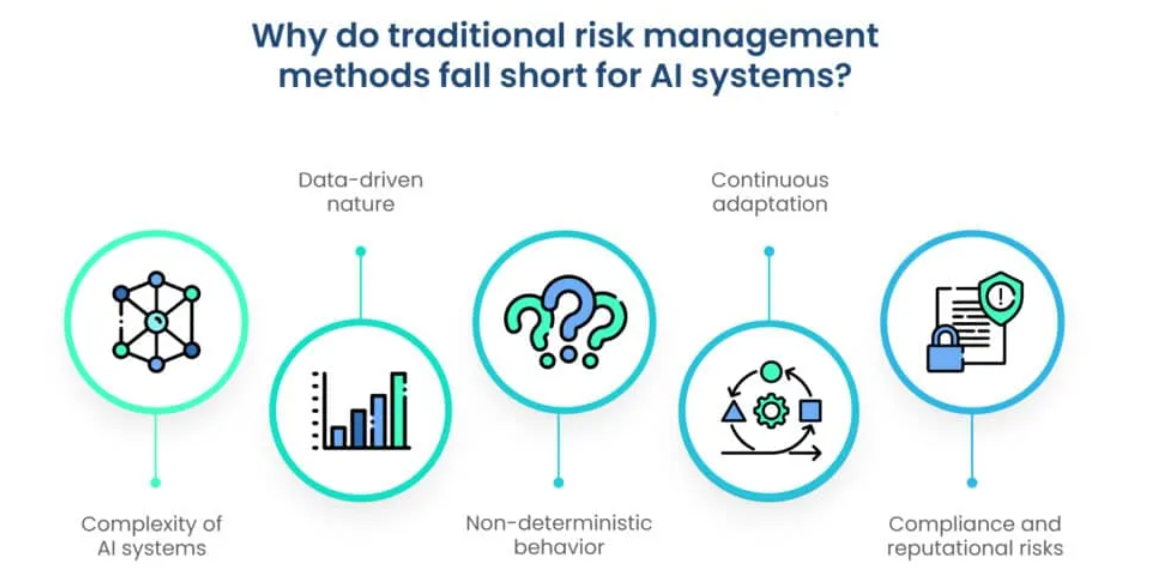
That same power is exactly what made me pause.
Because:
- it didn’t ask for clarification
- it didn’t ask before opening tools
- it assumed intent correctly — this time
And in agent systems, “this time” is doing a lot of work.
A misinterpreted instruction here isn’t a bad answer. It’s a real action.
My Personal Recommendation (Read This Carefully)
Right now, OpenClaw should be treated as:
An experiment, not an assistant.
If you are:
- a backend engineer
- a systems thinker
- comfortable sandboxing
- curious about agent architectures
→ Try it locally. Carefully.
If you are:
- non-technical
- dealing with sensitive work data
- expecting guardrails by default
→ Do not install this yet. Try the first or the second way
The project is moving faster than its security model can stabilize.
That’s not malice. That’s reality.
How OpenClaw Should Be Used Today
- Isolate it
- Minimize permissions
- Avoid cloud exposure unless you know what you’re doing
- Treat every integration as a trust boundary
- Kill it the moment something feels off
This isn’t fear. This is how you run powerful systems responsibly.
Final Thoughts
OpenClaw is a glimpse of the future.
A future where AI:
- remembers
- acts
- integrates deeply
- and can genuinely break things
Installing it made one thing very clear to me:
The next wave of AI won’t be about bigger models. It’ll be about who we trust with autonomy — and under what constraints.
OpenClaw gets the direction right.
Now it needs time, discipline, and boundaries to earn wider trust.
Until then: experiment — but don’t sleepwalk into it.
Written by Sugam Arora — trying to make system design (and AI) more honest, not more hyped.
Thank you for taking the time to read my blog. Your feedback is immensely valuable to me. Please feel free to share your thoughts and suggestions
메타데이터
- post_id
- c9d9b474d0ef
- slug
- i-installed-openclaw-so-you-dont-have-to-here-s-what-worked-what-didn-t-and-what-i-d-warn-you-c9d9b474d0ef
- url
- https://medium.com/devsecops-ai/i-installed-openclaw-so-you-dont-have-to-here-s-what-worked-what-didn-t-and-what-i-d-warn-you-c9d9b474d0ef
- canonical_url
- https://medium.com/devsecops-ai/i-installed-openclaw-so-you-dont-have-to-here-s-what-worked-what-didn-t-and-what-i-d-warn-you-c9d9b474d0ef
- author_url
- https://medium.com/@sugamsays
- status
- ok
- fetched_at
- 2026-07-13 06:23:13