Unreal Engine 5 vs Chaos Vantage for Archviz: Which One Actually Fits Your Workflow in 2026?
Subtitle: I’ve used both on real client projects. Here’s an honest comparison of model transfer, materials, assets, lighting, animation…
Unreal Engine 5 vs Chaos Vantage for Archviz: Which One Actually Fits Your Workflow in 2026?
Subtitle: I’ve used both on real client projects. Here’s an honest comparison of model transfer, materials, assets, lighting, animation, and render speed — with updated info for 2026.
Last Updated: April 2026
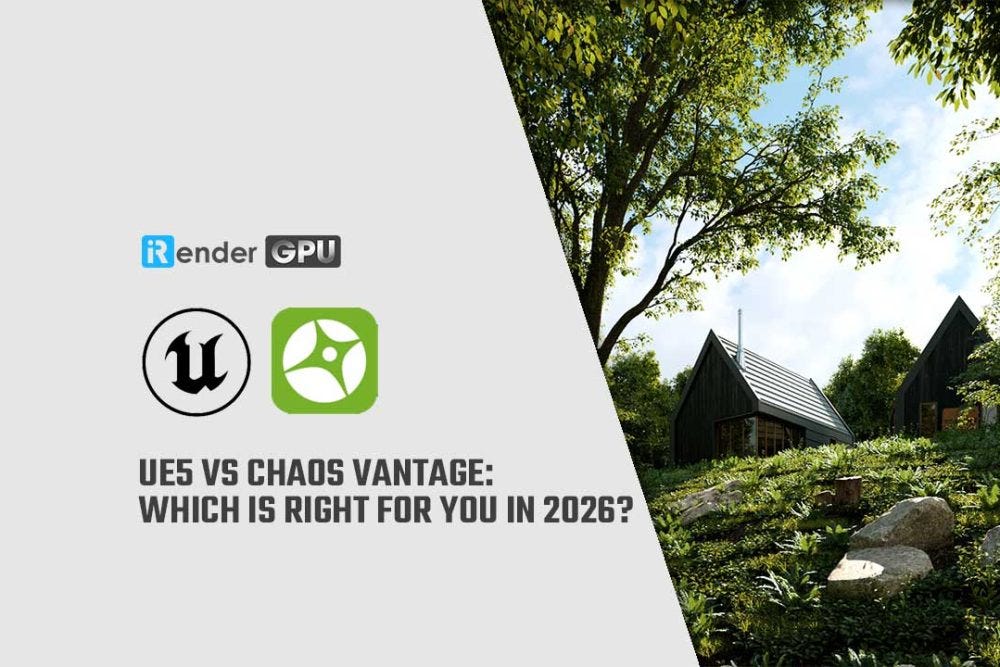
Unreal Engine 5 and Chaos Vantage are both real-time visualization tools used in archviz, but they serve different workflows. UE5 excels at interactive environments, nature-heavy scenes, and creative lighting through Lumen, while Vantage 3 delivers physically accurate ray tracing that matches V-Ray output with near-zero learning curve for existing V-Ray users. This guide compares them across 8 categories based on real project experience, updated for the latest 2026 versions.
Quick comparison:

How does model transfer compare between UE5 and Vantage?
Both handle 3ds Max models well. UE5 uses Epic’s Datasmith plugin for import — the process is stable and preserves most geometry and UV data. Vantage takes V-Ray and Corona scenes directly, which means if you’re already rendering in V-Ray, the transition is essentially instant — drag, drop, and your scene is live.
The biggest change in 2026: Vantage 3 now supports USD and MaterialX. This means you’re no longer locked into the V-Ray ecosystem. Houdini artists can use the new Hydra Delegate to get Vantage rendering directly in the Houdini viewport, and Maya users get enhanced Live Link. This is a significant shift from even a year ago when Vantage was exclusively a V-Ray companion tool.
Which tool handles materials better for archviz?
For V-Ray users, Vantage is still unmatched. V-Ray and Vantage share the same rendering core, so materials transfer with 100% fidelity — what you built in 3ds Max with V-Ray looks identical in Vantage. No conversion artifacts, no manual tweaking.
UE5’s material system is more powerful in absolute terms, but it’s also more complex. Many archviz artists build materials in 3ds Max with V-Ray, export via Datasmith, and find that most convert well to UE — but “most” isn’t “all.” Complex V-Ray materials with procedural elements occasionally need manual adjustment in UE’s node-based editor, which has a real learning curve if you’re coming from a traditional rendering background.
What about asset libraries — Megascans vs Cosmos?
This is where the landscape changed significantly in 2025. Megascans moved to the Fab marketplace and is no longer free for Unreal Engine users — most content now requires purchase under Fab’s Standard License. The exception: Megaplants, Quixel’s new procedural vegetation assets designed for UE 5.7’s Procedural Vegetation Editor, remain free.
The core strength difference still holds: Megascans focuses on nature and organic environments (rocks, terrain, vegetation), while Cosmos focuses on man-made architectural elements (furniture, fixtures, lighting, accessories). For an interior archviz project, Cosmos gives you drag-and-drop furniture and props that just work in Vantage. For an exterior environment heavy on landscaping, UE5 + Megascans/Megaplants is still stronger — but factor in the cost now that Megascans isn’t free.
How does lighting differ between Lumen and Vantage’s ray tracing?
This is the fundamental philosophical difference. UE5’s Lumen is a real-time global illumination system that prioritizes speed over physical accuracy. You get beautiful results at 30+ fps, which makes creative iteration incredibly fast. The trade-off: Lumen approximates light behavior rather than calculating it physically, so architectural clients who need precise daylighting analysis won’t get it from Lumen.
Vantage renders with full path tracing at all times — every reflection, refraction, and GI bounce is physically calculated. The result is V-Ray–level accuracy in a real-time viewport. It won’t match Lumen’s frame rate, but for archviz where lighting accuracy matters to the client, Vantage delivers exactly what V-Ray users expect.
UE5 does offer a path tracing mode for physically accurate rendering, but activating it sacrifices real-time performance — at that point, you’re essentially using UE5 as an offline renderer.
Which is faster for final animation rendering?
UE5 renders faster when using Lumen because it’s estimating GI rather than calculating it. Vantage renders slower because it’s doing full ray tracing on every frame. The actual time difference depends heavily on GPU and scene complexity.
One important note for 2026: Vantage 2.8+ added support for Shader Execution Reordering (SER) on NVIDIA Ada and Blackwell GPUs (RTX 4090, RTX 5090), which delivers up to 80% performance improvement in both real-time and offline rendering. If you’re comparing on modern hardware rather than the RTX 2080 Ti used in older benchmarks, the render time gap between UE5 and Vantage has narrowed considerably.
For either tool, a single RTX 4090 handles most archviz animations comfortably. When I hit projects with 2000+ frames at high resolution, I offload to iRender’s cloud machines — they run both UE5 and Vantage on dedicated RTX 4090 servers with full RDP access, so I can use whichever tool the project requires without maintaining two separate high-end workstations locally.
Which should you choose?
If your workflow is 3ds Max + V-Ray and you primarily do interior archviz, Vantage 3 is the more natural choice. You stay in a familiar ecosystem, materials transfer perfectly, and Cosmos gives you ready-made architectural assets. The learning curve is almost zero.
If you work on nature-heavy exterior scenes, need interactive walkthroughs, or want maximum creative control over atmosphere and post-processing, UE5 is stronger — especially with Megaplants and the foliage painting tools that let you build environments in real-time.
The honest answer for most archviz professionals: you’ll probably end up using both, depending on the project. Interior luxury apartment? Vantage. Residential development with extensive landscaping? UE5. The tools complement each other more than they compete.
iRender — The best render farm for Unreal Engine and Chaos Vantage
If you’re working with Unreal Engine or Chaos Vantage and want the fastest, smoothest rendering experience, **iRender** is the ideal choice. Our cloud render farm is built for high-performance workflows, supporting all major 3D software, render engines, and plugins, from 3ds Max or V-Ray to every tool your pipeline requires. With powerful GPU servers on demand, you can boost speed, reduce waiting time, and avoid the cost of constantly upgrading your own hardware. All servers are equipped with:
- AMD Ryzen™ Threadripper™ PRO 3955WX (3.9–4.2GHz) or
- AMD Ryzen™ Threadripper™ PRO 5975WX (3.6–4.5GHz)
- (1/2/4/6/8x) — NVIDIA RTX 4090
- 256GB RAM
- 2TB NVMe SSDs
Unreal Engine uses a single GPU, so 3S (1xRTX 4090) will be the best option. While Chaos Vantage can utilize 2 GPUs, check out the 4S (2xRTX 4090) server.
Why choose iRender?
iRender stands out from traditional render farm services by giving you more flexibility, more control, and a smoother workflow. You can upload and download files even when the server is offline, helping you save both time and costs. We provide a full-featured Desktop app for Windows and a simple Drive app for macOS and Ubuntu, making file transfers effortless across platforms. Here’s what makes iRender a top choice for artists and studios:
- 100% Software Support: We support all 3D software, their plugins, and render engines.
- Full Control: Our service will give you full control over the servers you rent. Therefore, you are free to create your own working environment.
- Go Green: We are committed to using 100% solar renewable energy towards environmental sustainability.
- Real-human 24/7 Support: Our professional support agents and technicians guarantee to bring you the best rendering experience.
Let’s see how Unreal Engine performs on our server!
[embed]
[embed]
If you still wonder if this is the right place for your project, REGISTER NOW to get a trial and receive a 100% bonus promotion for your first transaction with us.

For more detailed information, please contact us via Live chat 24/7 or WhatsApp: +(84) 912–785–500 or Email: support@irender.net.
iRender — Happy Rendering!
메타데이터
- post_id
- ca4e589c454d
- slug
- unreal-engine-5-vs-chaos-vantage-for-archviz-which-one-actually-fits-your-workflow-in-2026-ca4e589c454d
- url
- https://medium.com/@irenderofficial/unreal-engine-5-vs-chaos-vantage-for-archviz-which-one-actually-fits-your-workflow-in-2026-ca4e589c454d
- canonical_url
- https://medium.com/@irenderofficial/unreal-engine-5-vs-chaos-vantage-for-archviz-which-one-actually-fits-your-workflow-in-2026-ca4e589c454d
- author_url
- https://medium.com/@irenderofficial
- status
- ok
- fetched_at
- 2026-06-14 11:28:49