Failover in System Design: Why Every Reliable System Needs a Backup Plan
A system that performs well during normal conditions isn’t necessarily a good system.
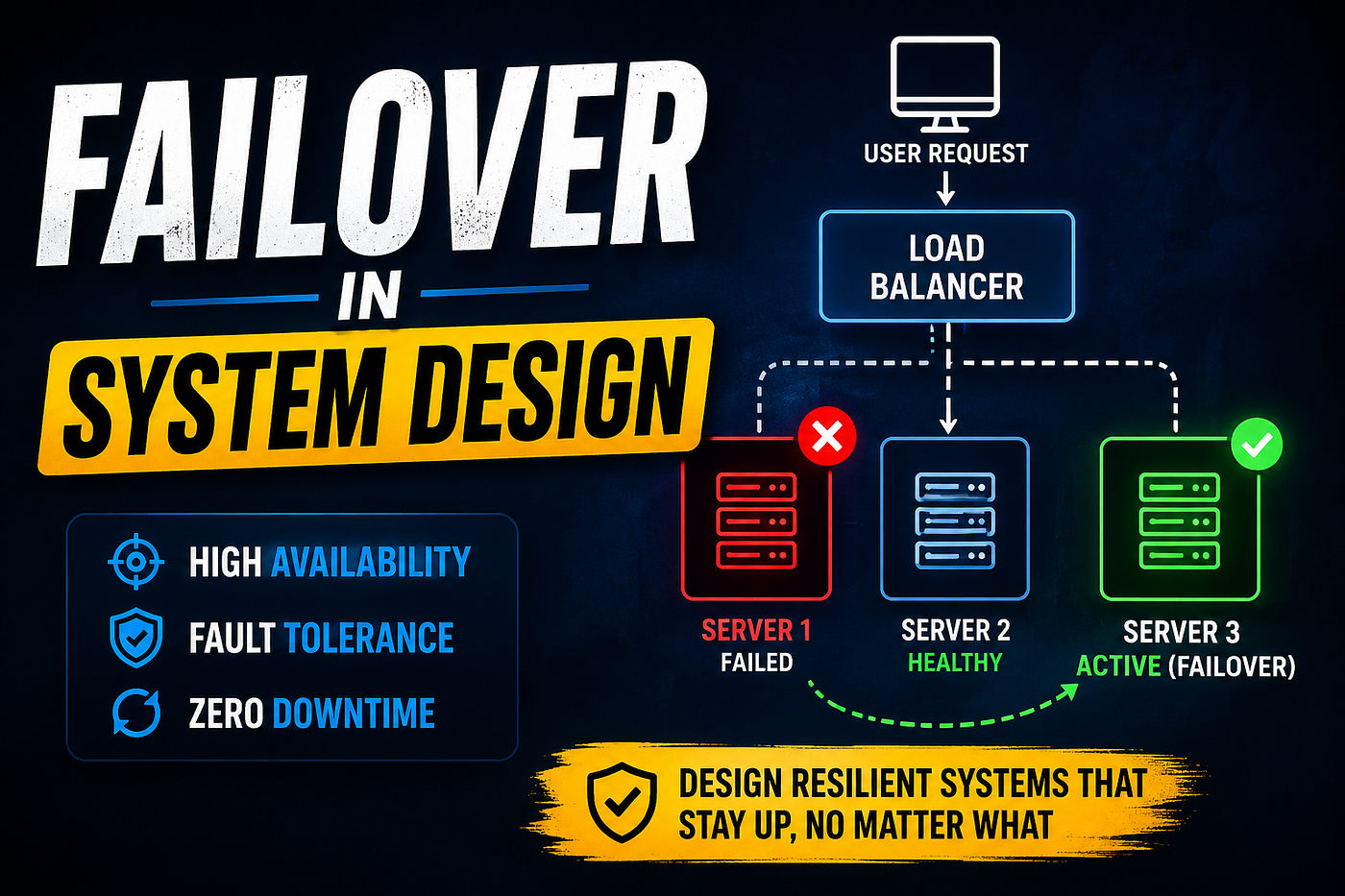
Blog Thumbnail
Failover in System Design: Why Every Reliable System Needs a Backup Plan
A system that performs well during normal conditions isn’t necessarily a good system.
The real test begins when something breaks.
A database crashes in the middle of a payment. A server suddenly stops responding. An entire availability zone becomes unreachable. Hardware fails. Networks partition. Human error causes a production deployment to go sideways.
None of these scenarios are hypothetical. They happen every day in production environments.
Users, however, rarely care about the reason. They expect applications to remain available regardless of what fails behind the scenes. That expectation is exactly why failover exists.
Failover is one of the fundamental building blocks of highly available distributed systems. Whether you’re preparing for System Design interviews or designing software that serves real users, understanding failover is no longer optional. It is part of building resilient infrastructure.
In this article, we’ll explore what failover means, why it matters, common failover architectures, implementation strategies, challenges, and interview questions that frequently appear in system design discussions.
What is Failover?
Failover is the process of automatically or manually switching from a failed component to a healthy backup component so that the application continues operating with minimal interruption.
The failed component could be almost anything:
- A web server
- A database
- A cache
- A load balancer
- A storage device
- An entire data center
Instead of waiting for engineers to repair the failed resource, the system redirects traffic to another healthy instance.
Conceptually, it looks simple.
          Primary Server

                │

         Healthy Requests

                │

         Server Failure

                │

                ▼

         Backup Server
The user ideally notices little or no disruption.
Why is Failover Important?
Every production system experiences failures.
The only uncertainty is when they occur.
Without failover, even a minor infrastructure issue can make an application unavailable.
A proper failover strategy helps achieve several goals.
High Availability
Applications remain accessible despite server failures.
For businesses handling millions of users, even a few minutes of downtime can translate into significant financial losses.
Better User Experience
Customers rarely distinguish between planned maintenance and unexpected outages.
If an application becomes unavailable, they simply see a service that isn’t working.
Failover minimizes those interruptions.
Business Continuity
Many industries cannot tolerate extended downtime.
Examples include:
- Banking
- Healthcare
- E-commerce
- Cloud platforms
- Online gaming
- Streaming services
Continuous availability is often a business requirement rather than a technical preference.
Disaster Recovery
Hardware failures are only one category of failure.
Natural disasters, power outages, networking issues, and regional cloud failures also occur.
Failover helps systems continue operating even when larger failures happen.
Understanding Failure
Before discussing failover, it’s useful to understand what can actually fail.
Failures occur at multiple layers.
Application

↓

Service

↓

Server

↓

Database

↓

Network

↓

Data Center

↓

Cloud Region
Each layer requires a different recovery strategy.
Not every failure should trigger the same response.
Types of Failover
Different systems require different failover mechanisms.
There isn’t a universal solution.
1. Active-Passive Failover
This is the simplest architecture.
One server actively handles requests.
Another server waits in standby mode.
          Users

             │

             ▼

      Active Server

             │

       Replication

             │

             ▼

      Passive Server
If the active server fails, traffic shifts to the passive server.
Advantages:
- Easy to understand
- Simple implementation
- Predictable behavior
Disadvantages:
- Backup resources remain mostly unused
- Capacity is underutilized
2. Active-Active Failover
Both servers process requests simultaneously.
             Users

                │

        Load Balancer

          │       │

          ▼       ▼

     Server A   Server B
If one server becomes unavailable, the remaining server continues serving traffic.
Advantages:
- Better hardware utilization
- Higher throughput
- Faster failover
Challenges include maintaining consistent application state.
3. Multi-Region Failover
Large applications often deploy services across multiple geographic regions.
             Internet

                 │

          Global DNS

        ┌──────────────┐

        ▼              ▼

   Region A       Region B
If Region A becomes unavailable, requests automatically route to Region B.
Cloud providers commonly support this model.
Automatic vs Manual Failover
Failover isn’t always automatic.
Automatic Failover
Monitoring systems continuously perform health checks.
If a component becomes unhealthy, traffic is redirected immediately.
Health Check

      │

      ▼

Server Healthy?

      │

   Yes │ No

      │

      ▼

Switch Traffic
Automatic failover reduces recovery time considerably.
Manual Failover
Some organizations prefer engineers to initiate failover.
Reasons include:
- Preventing accidental failovers
- Validating monitoring alerts
- Protecting critical databases
Manual intervention increases downtime but reduces unnecessary switching.
Health Checks
Failover depends on detecting failures accurately.
Health checks continuously verify whether a service is operational.
Examples include:
GET /healthPossible response:
{
    "status": "UP"
}
Health checks may verify:
- Database connectivity
- Disk availability
- Memory usage
- Queue connectivity
- External dependencies
A healthy server isn’t simply one that responds. It must also be capable of serving production traffic.
Failover in Load Balancers
Load balancers play an important role.
Suppose four backend servers exist.
             Clients

                 │

                 ▼

         Load Balancer

       │     │     │     │

       ▼     ▼     ▼     ▼

      S1    S2    S3    S4
Health checks run periodically.
If Server 2 fails,
             Clients

                 │

                 ▼

         Load Balancer

       │           │     │

       ▼           ▼     ▼

      S1          S3    S4
Traffic automatically bypasses the failed instance.
Users continue using the application without realizing one server disappeared.
Database Failover
Databases require additional care because they store persistent data.
A common architecture includes:
      Primary Database

             │

     Continuous Replication

             │

             ▼

      Replica Database
The primary database handles writes.
Replicas receive synchronized updates.
If the primary fails,
Replica

↓

Promoted

↓

New Primary
Applications reconnect to the promoted database.
This process is often called primary election or leader election, depending on the database system.
Failover in Microservices
Microservices increase flexibility.
They also increase the number of components that may fail.
Consider an order processing system.
Order Service

      │

      ▼

Payment Service

      │

      ▼

Inventory Service

      │

      ▼

Notification Service
If the notification service fails, should order placement stop?
Probably not.
Instead, the system may retry notifications later while allowing the order to complete.
This isn’t traditional infrastructure failover, but it follows the same resilience principle: isolate failures instead of allowing them to cascade.
DNS-Based Failover
DNS can redirect traffic when an entire site becomes unavailable.
User

   │

DNS Lookup

   │

Healthy Region?

   │

Yes │ No

   │

   ▼

Alternate Region
DNS failover works well for regional outages but isn’t instantaneous because DNS records are cached.
Lower TTL values help reduce switching delays.
Common Failover Challenges
Implementing failover sounds straightforward.
Production systems quickly reveal the difficult parts.
Some common challenges include:
- Detecting failures without false alarms
- Split-brain scenarios
- Data replication lag
- Network partitions
- Session persistence
- Cache synchronization
- Configuration drift
- Recovery after failover
Many engineering discussions focus on these trade-offs rather than the failover mechanism itself.
Failover vs Load Balancing
These concepts are related but different.

Failover vs Load Balancing
A load balancer may support failover, but the two concepts are not interchangeable.
Recovery Metrics
Two metrics appear frequently during interviews.
Recovery Time Objective (RTO)
RTO defines how quickly a service should recover after failure.
Example:
RTO = 5 MinutesThe application should become operational within five minutes.
Recovery Point Objective (RPO)
RPO measures acceptable data loss.
Example:
RPO = 30 SecondsLosing up to thirty seconds of recent data is considered acceptable.
Lower RPO values generally require more frequent replication and additional infrastructure.
Best Practices
Reliable failover is more than keeping backup servers online.
A few practical recommendations include:
- Eliminate single points of failure.
- Automate health checks.
- Replicate data continuously.
- Test failover regularly rather than assuming it works.
- Monitor replication delays.
- Keep infrastructure configurations consistent.
- Use graceful degradation where possible.
- Document recovery procedures.
- Measure RTO and RPO continuously.
- Practice disaster recovery drills.
A failover plan that has never been tested often fails when it’s needed most.
Interview Questions You Should Expect
Failover appears regularly in system design interviews, particularly when discussing scalable architectures.
Expect questions such as:
- How would you design automatic database failover?
- What happens if both the primary and replica fail?
- How do health checks determine server availability?
- Why can false-positive health checks be dangerous?
- How would you prevent split-brain situations?
- When should manual failover be preferred?
- How would you design regional failover for a global application?
- What is the difference between RTO and RPO?
- How does failover differ from fault tolerance?
Interviewers are often evaluating how you think about failure rather than whether you can recite architecture diagrams.
Final Thoughts
Distributed systems are built with an assumption that failure is inevitable. Servers crash, networks become unreliable, databases restart, and cloud regions occasionally experience outages. Designing as though none of those events will happen usually leads to fragile systems.
Failover introduces redundancy, automation, and recovery mechanisms that allow applications to continue serving users even when individual components stop working. The goal isn’t to eliminate failures — that isn’t realistic. The goal is to make failures predictable, manageable, and as invisible to users as possible.
Whether you’re designing a small web application or a globally distributed platform, failover should be considered from the beginning of the architecture. Waiting until production exposes weaknesses is almost always more expensive than planning for failure upfront.
메타데이터
- post_id
- caef925a1a0d
- slug
- failover-in-system-design-why-every-reliable-system-needs-a-backup-plan-caef925a1a0d
- url
- https://medium.com/algomart/failover-in-system-design-why-every-reliable-system-needs-a-backup-plan-caef925a1a0d
- canonical_url
- https://medium.com/algomart/failover-in-system-design-why-every-reliable-system-needs-a-backup-plan-caef925a1a0d
- author_url
- https://medium.com/@yashjainio
- status
- ok
- fetched_at
- 2026-07-17 14:41:54