The “Digital Fortress”: Why Your Favourite New Browser Can’t Play Netflix
The hidden wall of the modern internet.
The “Digital Fortress”: Why Your Favourite New Browser Can’t Play Netflix
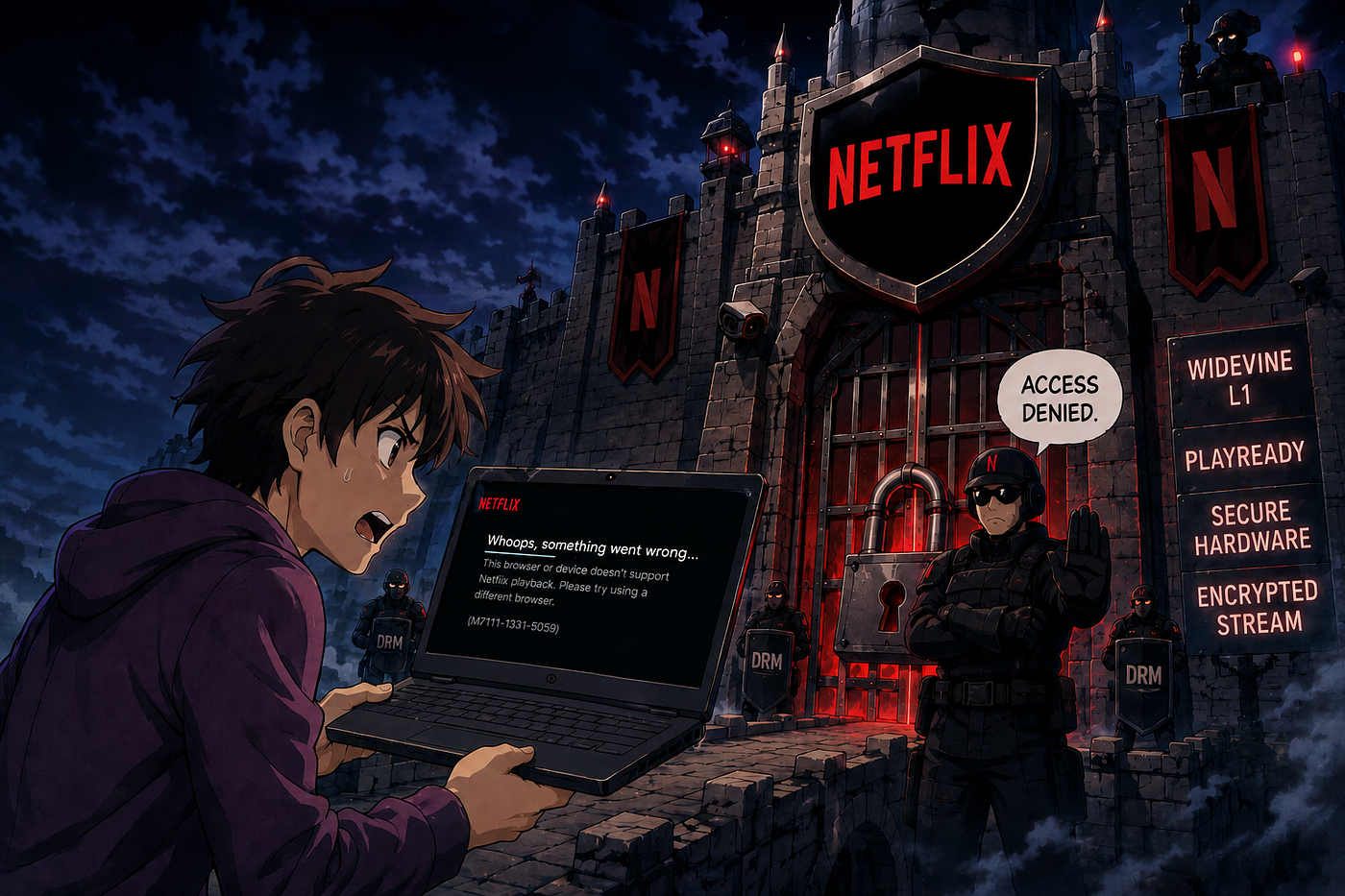
Imagine you’ve finally found it: the perfect web browser. It’s faster than Google Chrome, more private than anything you’ve used before, and it looks beautiful. Maybe it’s Zen Browser with its sleek vertical tabs, or Thorium with its blazing rendering speeds. You spend an hour importing your bookmarks, setting up your extensions, and customising the interface to your heart’s content. You feel like a digital pioneer, finally free from the “Big Tech” bloat.
Then, you decide to unwind with an episode of your favourite show on Netflix or Prime Video. You click play, and instead of a movie, you get a cryptic black screen or an error code. You check your internet, you refresh the page, but nothing works. You soon realise that while this browser can do almost everything better than Chrome, it cannot perform the one task most of us take for granted: playing high-quality video from a streaming service.
This is the hidden wall of the modern internet. It is a story of “digital keys,” expensive gatekeepers, and a system called Widevine DRM that is quietly making it impossible for independent browsers to compete with the giants.
The Digital Lock: What is DRM?
To understand why your new browser is struggling, we first have to talk about Digital Rights Management (DRM). In simple terms, DRM is a digital lock placed on movies, music, and shows to prevent them from being copied or pirated.
Back in the day, if you wanted to watch a protected video in a browser, you had to install a “plugin” like Adobe Flash or Microsoft Silverlight. These were separate pieces of software that handled the “unlocking” of the video. However, they were often slow, buggy, and full of security holes.
In 2017, the World Wide Web Consortium (W3C) — the group that sets the standards for how the internet works — introduced something called Encrypted Media Extensions (EME). This allowed DRM to be built directly into the fabric of the web browser itself. While this sounded like a win for convenience, it actually created a massive problem for freedom and competition.
Enter Widevine: The Industry’s Gatekeeper
While there are a few DRM systems out there, one has become the undisputed king of the web: Google Widevine.
Widevine is used by virtually every major streaming platform, including Netflix, Disney+, HBO Max, Hulu, and Spotify. It works by using a “Content Decryption Module” (CDM) — a tiny, closed-source program that lives inside your browser. When you click “play” on a movie, the streaming service asks your browser: “Are you a trusted device?” Your browser’s Widevine CDM then performs a “cryptographic handshake” with a server to prove that you are allowed to see the content and that you aren’t trying to record it.
The catch? Widevine is not open-source. Unlike the code for the internet itself, which anyone can read and use for free, Widevine is a proprietary product owned by Google. To put it in your browser, you need a license from Google.
The Three Levels of Quality
Even if a browser can load Widevine, it doesn’t mean you’ll get a great experience. Widevine uses three “Security Levels” that determine the quality of the video you see:
- Level 1 (L1): This is the gold standard. It requires special hardware in your device to ensure the video stays locked away where no one can steal it. This is the only way to get 4K, Ultra-HD, and HDR video. It’s usually found on Android phones, Smart TVs, and certified devices like the Apple TV.
- Level 2 (L2): A middle ground that is rarely used today.
- Level 3 (L3): This is the “software-only” version. Because it doesn’t have hardware protection, streaming services don’t trust it as much. On most desktop browsers, you are limited to 720p or even 480p (Standard Definition) if you are using L3.
Most independent browsers — if they work at all — are stuck at L3. This means that even if you can watch Netflix on them, it might look blurry compared to the crisp HD you get in Chrome or Edge.
The Gatekeeper’s Secret Weapon: VMP
If the licensing wasn’t enough of a barrier, there is an even stricter guard at the gate: Verified Media Path (VMP).
VMP is a security check designed by Google to verify the “authenticity” of the browser itself. Think of it like a bouncer at a club who doesn’t just check your ID (your license), but also checks to see if your clothes are on a “pre-approved list”.
For a browser like Chrome or Firefox to work on Windows or macOS, they have to send their final, finished code to Google. Google then “signs” it with a digital signature. When you try to play a movie, the Widevine system checks for this signature. If the browser has been modified in any way — even to make it faster or more private — the signature will fail, and the video will be blocked.
This is where alternative browsers like Thorium, Helium, and Floorp hit a wall. Because they are often run by small teams or individual developers who are constantly updating their code to improve performance, they can’t constantly get Google to “re-sign” every new version they release. Without that signature, services like Netflix simply say “No”.
Why Can’t Small Developers Just Get a License?
You might wonder: “If Google says Widevine is free to use, why don’t these developers just sign up?” The reality is far more complicated and expensive than it appears.
1. The “Legal Entity” Requirement
Google doesn’t deal with individuals or volunteer groups. To even apply for a Widevine license, you must be a registered “Legal Entity” — a corporation with employees and a physical office. Many of the best new browsers, like Floorp, are built by volunteer associations or “passionate guys” working for free. They don’t have a corporate legal team to sign the Widevine Master License Agreement (WMLA).
2. The Liability Trap
When a company signs that agreement, they take on a massive risk. If a hacker finds a way to use their browser to steal movies, the browser company is legally and financially liable to the multi-billion dollar movie studios. A small developer with a popular side project cannot afford to risk a lawsuit that could bankrupt them.
3. The $5,000+ Entrance Fee
While Google claims they don’t charge for the license itself, the process of getting certified is not free. Because Google won’t work directly with tiny teams, those teams have to hire Third-Party License (3PL) providers or implementation partners like CastLabs or Axinom to manage the technical and legal audit.
These partners charge significant fees just to set things up — usually starting around $5,000 to $9,000, with ongoing annual maintenance fees. For a browser that is free to use and respects your privacy by not selling your data, finding $5,000 every year just to keep Netflix working is often “financially unreasonable”.
The Impact: A Broken Web for Alternative Browsers
The result of this system is that the world of web browsers is becoming a “closed loop”. We have a few big players who have the money and corporate structure to handle the DRM game — Google Chrome, Microsoft Edge, Apple Safari, and Mozilla Firefox — and then we have everyone else.
When users switch to a better browser like Zen or Floorp and find they can’t stream movies, they don’t blame Google or the DRM system. They blame the browser. They assume it is “broken” or “buggy,” and they go back to Chrome.
This creates an artificial monopoly. It doesn’t matter if an independent developer creates a browser that is 10 times faster or uses half the battery of Chrome; if it can’t play a movie from Netflix, it will never be widely used.
A Look at the Underdogs: Where They Stand
Each of the new, popular browsers has a different story when it comes to this DRM struggle:
- Zen Browser: This Firefox-based browser is a fan favourite for its beautiful design. However, because it is currently a community project, it is blocked from DRM content on Windows and macOS. The developers are currently trying to obtain a grant from the Linux Foundation to help pay for the corporate and technical requirements to get a license.
- Floorp: Developed by a volunteer group in Japan, Floorp is one of the most customisable browsers available. But the team has been very honest: because they are not a company and can’t afford the $5,000+ fees, they have marked the DRM issue as “wontfix”. They simply advise their users to keep a copy of Chrome or Firefox installed just for streaming.
- Thorium: Often touted as the fastest browser in the world, Thorium is maintained by a single developer. Because he is an individual and not a corporation, he cannot sign the legal liability agreements required by Widevine. As of 2023, Netflix is blocked on Thorium for Windows and macOS users.
- Helium: A minimalist browser that aims for “the internet without interruptions”. Helium removes all the “bloat” — no AI, no crypto, no tracking. Unfortunately, “no bloat” also means no DRM. Because Helium has no clear business model, it lacks the funding to enter the Widevine licensing regime.
- Ladybird: Perhaps the most ambitious project, Ladybird is a browser being built completely from scratch, not using the code from Chrome or Firefox. Because they want to be 100% open and transparent, the idea of putting a “closed-source black box” like Widevine into their browser is a massive conflict with their values. As of now, Ladybird simply doesn’t support DRM at all.
The Workarounds: Why They Rarely Work
The community hasn’t given up without a fight. There are several “workarounds” out there, but they are often fragile and incomplete.
- Linux: The SD Loophole: Interestingly, Google does not enforce the strict “VMP signature” check on Linux. This is because Linux is built on a philosophy of users compiling their own software, which makes centralized signatures impossible. This is why Zen or Floorp will often play Netflix perfectly fine on Linux, but not on Windows. However, even then, the quality is usually capped at Standard Definition.
- Copy-and-Paste Fixing: Tools like the “Helium DRM Fixer” try to “borrow” the Widevine files from a copy of Chrome or Firefox installed on your computer. While this might let you watch some sites (like YouTube or Crunchyroll), stricter services like Netflix will still detect that the “signature” of the browser doesn’t match and will block the video.
The Future: A Fragmented Web?

The standardization of DRM (EME) was meant to make the web more unified. Instead, it has created a system where the “gateways” to the modern internet are guarded by a few massive companies.
For the average person, this might seem like a minor annoyance. “So what if I have to open Chrome to watch a movie?” But for the health of the internet, it’s a disaster. Innovation comes from competition. If we allow a system to exist where no new browser can be “complete” without the permission and signature of its biggest competitor (Google), we are effectively ending the era of the Open Web.
Until regulators step in to mandate that these security standards be open and accessible to all — not just those with a $5,000 entry fee and a corporate legal team — our browser choices will remain trapped behind the walls of the digital fortress.
For now, if you love your independent browser, the best thing you can do is support the developers and keep a “corporate” browser on standby for movie night. But as you click “switch browser” for the hundredth time, just remember: it isn’t because your new browser isn’t good enough. It’s because it’s not allowed to be.
Bibliography
- Google Widevine DRM — DoveRunner
- Google Widevine DRM — Intertrust ExpressPlay
- Helium Browser Review: Is This Minimal, Privacy-Focused Chromium Browser Worth Switching To? — Techlore
- How Google’s Widevine DRM Prevents HD, Ultra-HD Video Leakage to Piracy Market
- I tried creating a web browser, and Google blocked me
- The End of Indie Web Browsers: You Can (Not) Compete
- Stop using Brave and Chrome: Zen Browser is the only one I’d recommend
- Widevine Plugin Working & Integration: A Guide to Enable — VdoCipher
- Widevine | Google for Developers
메타데이터
- post_id
- cc49b6c7015d
- slug
- the-digital-fortress-why-your-favourite-new-browser-cant-play-netflix-cc49b6c7015d
- url
- https://medium.com/@bishwarup-paul/the-digital-fortress-why-your-favourite-new-browser-cant-play-netflix-cc49b6c7015d
- canonical_url
- https://medium.com/@bishwarup-paul/the-digital-fortress-why-your-favourite-new-browser-cant-play-netflix-cc49b6c7015d
- author_url
- https://medium.com/@bishwarup-paul
- status
- ok
- fetched_at
- 2026-06-10 22:22:12