Essential Concepts in SQL Server Installation
Abstract
Essential Concepts in SQL Server Installation
Abstract
The text discusses important considerations during the installation of SQL SERVER, emphasizing the significance of a thoughtful approach rather than relying on default settings. It highlights various installation options, such as setting up a new SQL SERVER, modifying existing features, and installing tools like Reporting Services for visual report creation. The text also introduces SQL SERVER Management Studio (SSMS) for efficient server management and SQL SERVER Data Tools (SSDT) for data-related tasks. Additionally, it touches upon the crucial concept of Failover Cluster Installation for enterprise-level applications. Also, it underscores the necessity of tailoring the installation to the specific needs of different organizational structures, emphasizing that default settings may lead to inaccuracies. The article encapsulates the importance of a conscious and informed approach to SQL SERVER installation for optimal performance in diverse settings.
Some Concepts Encountered in SQL SERVER Installation
There are those who have installed SQL SERVER before, but I want to emphasize that the installation is a crucial point for SQL SERVER knowledge. Usually, when installing SQL SERVER, the installation is carried out by selecting all default settings, that is, by clicking next-next without much consideration. However, this is not the correct method. The reason for this is that SQL SERVER is a highly scalable structure. It can be used in various places, from a law office or a financial office with 3–5 people working, to large structures with thousands of employees, including banks, shipping companies, and e-commerce companies. In many cases, the same installation setup is executed. However, there should be a difference, meaning that there should be a distinction between the installation for an office with 3–5 people and a large structure where thousands of people work and thousands of transactions take place. Installing with default settings in both cases means that something is being done wrong. Therefore, a more conscious installation should be performed. The menu encountered during installation is as shown in the image below.
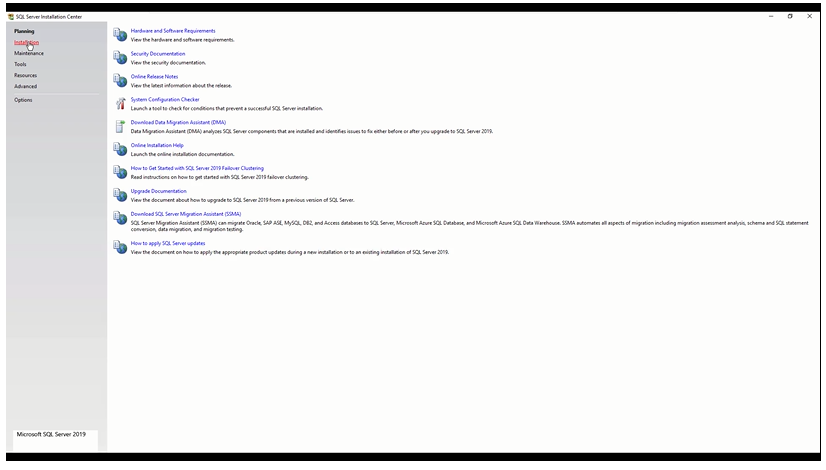
The point of interest here is the ‘Installation’ tab. I would like to write about some structures within this tab for general knowledge.
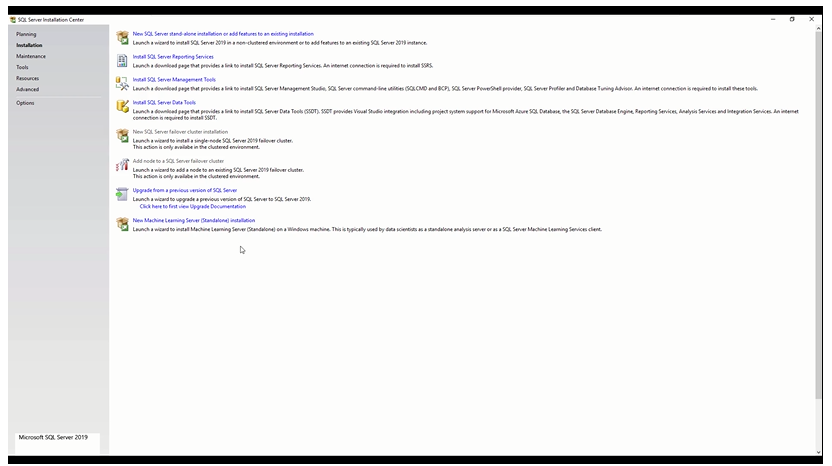
New SQL Server stand-alone installation or add features to an existing installation
This menu is used if a new SQL SERVER installation is desired or if the features of an existing SQL SERVER need to be modified or new features added.
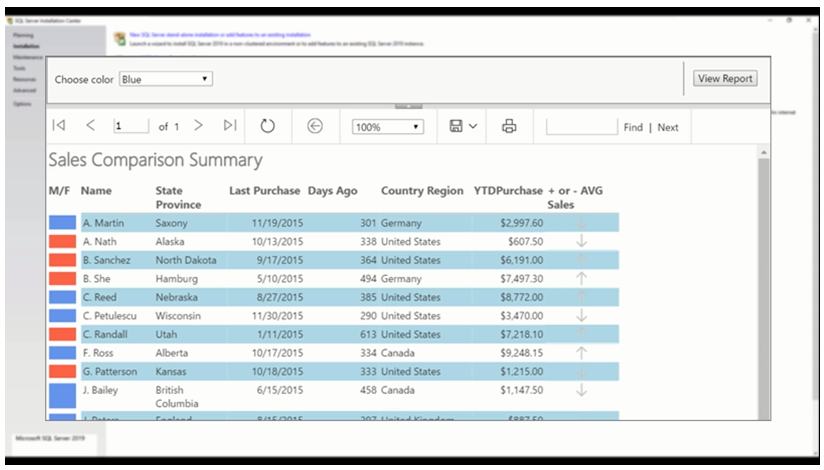
Install SQL Server Reporting Services
You may not be familiar with this concept. Reporting Service is the reporting tool of SQL SERVER, but it is not limited to reports related to the SQL SERVER system. For example, if there is e-commerce, ERP, or CRM data in the system, and you want to extract some reports from this data, the ERP or CRM software you are using may not provide beautiful reports. You may want to view it on a tablet, run it web-based, but the application may not support it.
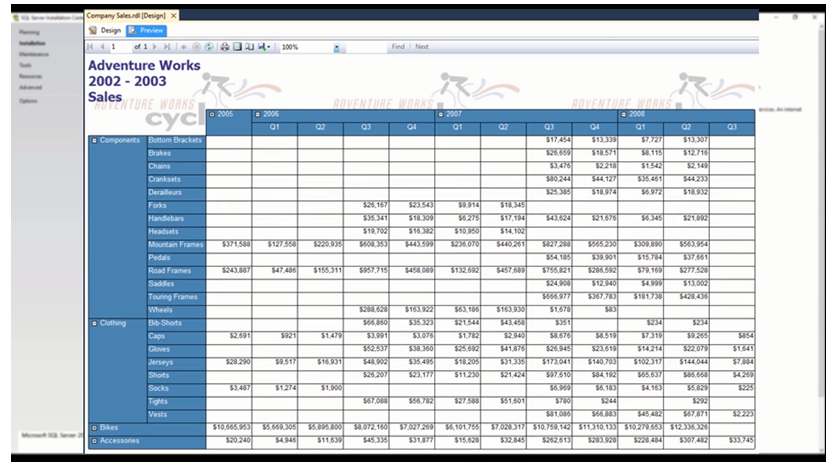
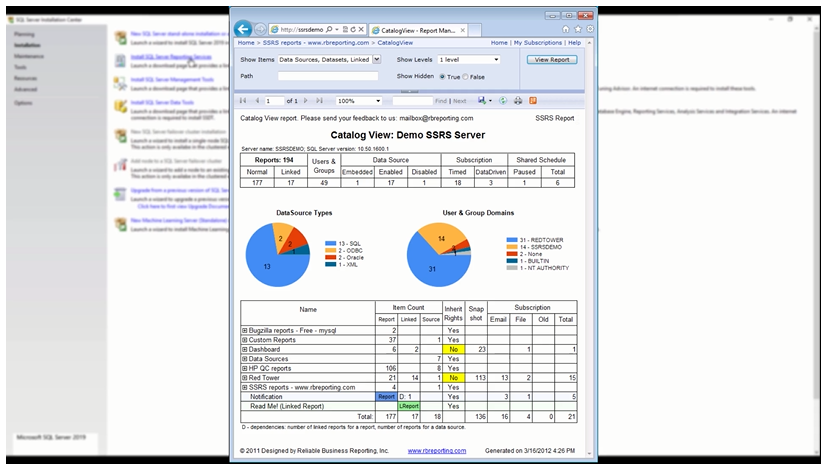
At this point, using only the SQL code you write through this Reporting Service, visual reports can be created. Lists, summary tables, and charts can be created in the form of reports. Reporting Service fundamentally serves this purpose.
Install SQL Server Management Tools
SQL SERVER is a service running in the background, but it also needs to be able to connect to SQL SERVER and execute some SQL queries on it. It needs to be manageable. For this purpose, SQL SERVER comes with its own tool, and that is SQL SERVER Management Studio, or simply SSMS. It’s beneficial to get used to these abbreviations. Microsoft uses these abbreviations. For example, the short name for the previously mentioned SQL SERVER Reporting Service is SSRS.
Install SQL SERVER Data Tools
These are the data tools of SQL SERVER. SQL SERVER Data Tools (SSDT) is used to meet some integration needs with Visual Studio, to connect to Azure databases.
New SQL SERVER Failover Cluster Installation
This is an important topic, but when it comes to database management systems, they are structures that can run banking systems, large e-commerce sites, and universities. Therefore, there should be more enterprise-level features here. In fact, Failover Cluster is one of these enterprise features. In the next article, we will continue from where we left off.
Conclusions
In conclusion, the installation process of SQL SERVER is a critical aspect that demands careful consideration, particularly due to the system’s highly scalable nature catering to diverse organizational sizes and structures. The default approach of selecting all settings during installation is deemed inadequate, as it overlooks the nuanced requirements of different environments. The ‘Installation’ tab offers various structures, each serving specific purposes, such as initiating a new installation, modifying existing features, or adding new ones. Noteworthy among these are the SQL Server Reporting Services, providing a tool for visually creating reports from diverse data sources, and the SQL Server Management Studio, an essential tool for managing SQL SERVER. Additionally, the SQL SERVER Data Tools facilitate integration with Visual Studio and connectivity to Azure databases. The mention of enterprise-level features, like the Failover Cluster, underscores the system’s capability to support complex structures, such as banking systems and large-scale e-commerce sites. A conscientious and informed approach to the installation process is crucial to ensuring optimal performance and functionality tailored to the specific needs of each environment.
Reference
Colakoglu, O. (2022). Qerying MS SQL, Miuul.
A Message from AI Mind

Thanks for being a part of our community! Before you go:
- 👏 Clap for the story and follow the author 👉
- 📰 View more content in the AI Mind Publication
- 🧠 Improve your AI prompts effortlessly and FREE
- 🧰 Discover Intuitive AI Tools
메타데이터
- post_id
- cc6f7ba05030
- slug
- essential-concepts-in-sql-server-installation-cc6f7ba05030
- url
- https://pub.aimind.so/essential-concepts-in-sql-server-installation-cc6f7ba05030
- canonical_url
- https://pub.aimind.so/essential-concepts-in-sql-server-installation-cc6f7ba05030
- author_url
- https://medium.com/@afatsumcemreg
- status
- ok
- fetched_at
- 2026-07-24 14:48:18