The Truth About Cloud Migration Challenges (and How to Avoid Costly Mistakes)
From performance drops to security gaps — discover how to solve the biggest challenges in your cloud migration journey.
The Truth About Cloud Migration Challenges (and How to Avoid Costly Mistakes)
From performance drops to security gaps — discover how to solve the biggest challenges in your cloud migration journey.
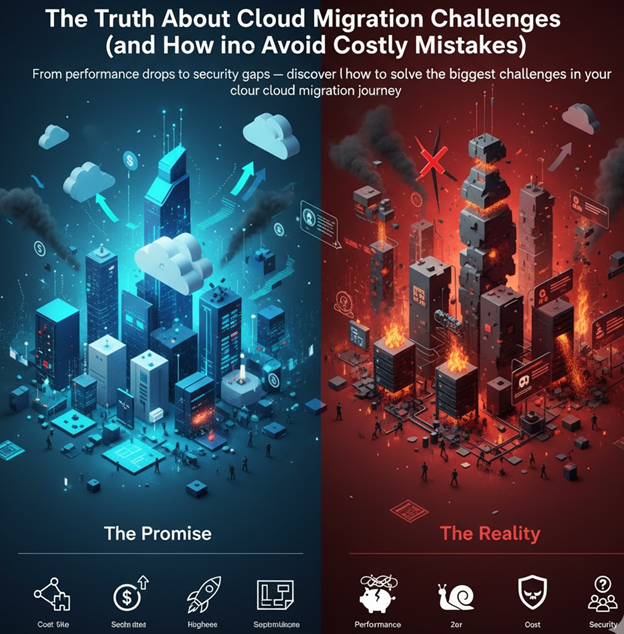
The Promise vs. The Reality
Usually Every cloud migration begins with optimism — “We’ll move everything to AWS (or Azure/GCP), cut costs, and scale effortlessly.” But soon after the first workloads move, reality strikes: performance drops, bills spike, dependencies break, and teams struggle to fix things that worked fine on-prem.
The truth is, cloud migration isn’t just about moving servers — it’s about re-architecting culture, operations, and mindset.
In this article, we’ll explore the most common — and most critical — cloud migration challenges organizations face, along with examples and proven strategies to overcome them.
Each challenge reflects a real barrier to success — from underestimated complexity to performance drops, security risks, and runaway costs.
Understanding and addressing these upfront can make the difference between a smooth modernization journey and a costly do-over.
We’ll cover:
- Underestimating Application Complexity — hidden dependencies that break post-migration.
- Cloud Cost Overruns — how untracked resources turn into financial surprises.
- Low Application Performance After Migration — why “it worked on-prem” isn’t enough in the cloud.
- Unsuitable Cloud Migration Strategy — when the plan itself causes more issues than the migration.
- Data Security & Compliance Risks — where small misconfigurations lead to major exposure.
- Lack of Observability — losing visibility in distributed systems and how to regain it.
- Data Gravity & Migration Bottlenecks — how large-scale data transfers become silent performance killers.
- Skills & Cultural Gaps — why cloud success is as much about people as technology.
Underestimating Application Complexity
Many teams assume migration is a simple but They quickly discover that legacy applications are tangled with dependencies — shared databases, hardcoded IPs, file shares, and outdated libraries.
How to Overcome It:
- Start with detailed Discovery. Use tools like AWS Application Discovery Service or Azure Migrate to map dependencies
- Group by Affinity. Migrate applications as logical units — web + API + DB — instead of isolated components.
- Refactor in phases. Move from lift-and-shift → replatform → refactor, not all at once.
Example: A major insurance company migrated their customer claims portal to AWS EC2, only to find the application crashing intermittently. Root cause?
The portal had been calling a legacy mainframe API via an internal IP that wasn’t reachable in the cloud. The dependency wasn’t documented anywhere. They had to roll back, redesign the API gateway, and only then re-deploy.
Cloud Cost Overruns
Estimating the actual budget for cloud migration can be challenging, due to indirect costs, such as transforming the organization for cloud computing and data center capacity.
How to Overcome It:
Reduce uncertainty by planning carefully with service providers and accounting for hidden costs in the budget. Consider the overall costs across three phases:
- Before migration: Consultations, on-premise data management, database upgrades
- Migration: The project itself, refactoring, application, and code changes
- After migration: Monthly or yearly license fees, system maintenance
- Right-size resources. Use AWS Compute Optimizer or GCP Recommender to match actual usage.
- Implement cost governance. Tag resources by project, owner, and environment. Unused = deleted.
- Automate savings. Turn off dev/test environments during off-hours.
- Adopt FinOps. Bring finance and engineering together to monitor spend and forecast usage.
Example: A fintech startup moved its Kubernetes workloads to GCP but kept every pod running 24×7 — even staging and test clusters.
Their monthly cost jumped 3× higher than on-prem.After enabling autoscaling and shutting down non-prod clusters overnight, they cut spend by 40% without changing performance.
Low Application Performance After Migration
Legacy systems often experience performance degradation after moving to the cloud — especially those designed for tightly coupled, multi-server architectures. Differences in network latency, shared storage performance, and auto-scaling behavior can make applications feel slower or inconsistent compared to their on-prem setups.
How to Overcome It:
- Perform capacity planning. Measure expected workloads and provision resources based on predictive demand, not static sizing.
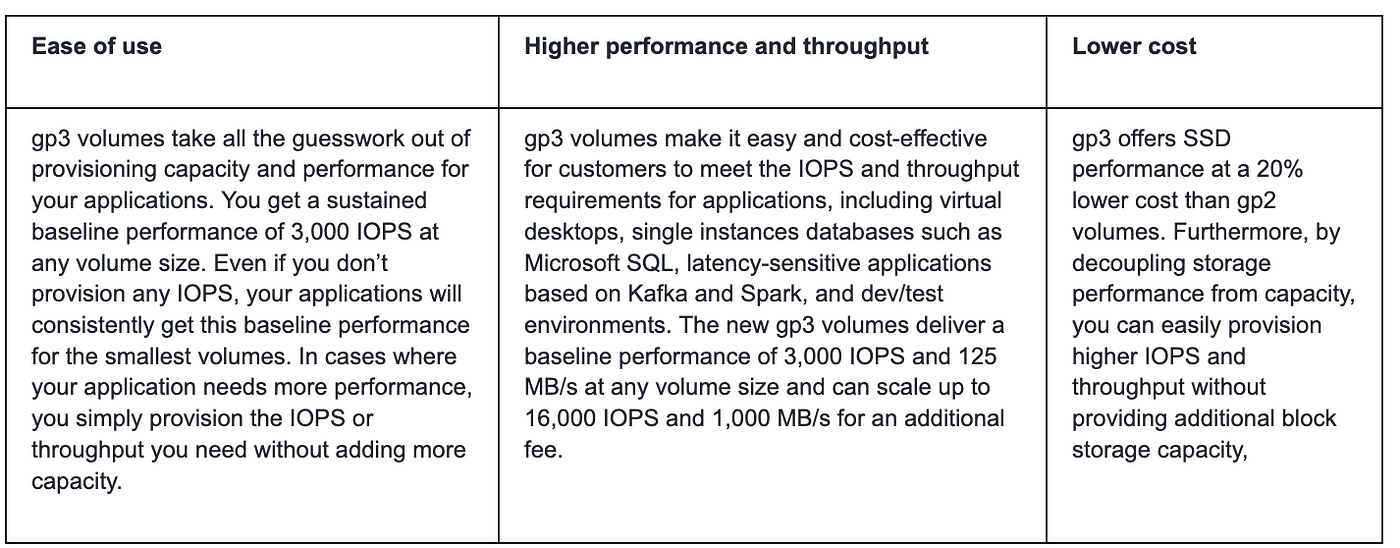
- Use the right storage class. Match workloads to appropriate storage options (e.g., gp3 for databases, S3 IA for infrequent access).
- Leverage performance monitoring. Use tools like AWS CloudWatch, Azure Monitor, or GCP Operations Suite to identify performance bottlenecks early.
- Optimize placement. Keep latency-sensitive components (e.g., app and DB tiers) within the same region or zone.
- Adopt auto-scaling. Configure dynamic scaling policies to handle peak loads without manual intervention.
Example: A global manufacturing company migrated its ERP system from an on-prem VMware cluster to AWS EC2.
Post-migration, users reported lag during peak transaction hours. The issue wasn’t the cloud itself — it was that the system’s database and application servers had been placed in different Availability Zones, increasing latency.
After consolidating resources within a single zone and right-sizing instance types, the application performance improved by 45%.
️ Cloud performance isn’t automatic — it’s engineered through visibility, tuning, and smart resource alignment.
Data Security & Compliance Risks
Data security and compliance remain among the biggest concerns during cloud migration. The risks often include data breaches during transfer, misconfigured access controls, and failure to meet industry compliance standards such as GDPR, HIPAA, or PCI DSS.
On-premises environments typically have a fixed security perimeter — firewalls, VPNs, and locked server rooms. But in the cloud, that perimeter dissolves. Every misconfigured S3 bucket, open port, or weak IAM policy becomes a potential vulnerability.
How to Overcome It:
- Secure data transfers. Always migrate data through encrypted channels within a protected network or VPN.
- Encrypt everything. Apply encryption both in transit and at rest to safeguard sensitive information.
- Shift left on security. Integrate automated security scans and compliance checks into CI/CD pipelines (e.g., AWS CodePipeline + Security Hub).
- Use managed identity services. Leverage IAM roles, AWS Secrets Manager, or Azure Key Vault instead of hardcoded credentials.
- Automate compliance. Enforce organization-wide policies using AWS Config, Azure Policy, or GCP Security Command Center.
- Adopt Zero Trust. Treat every connection as untrusted until verified — implement MFA, logging, and continuous monitoring.
Example: A retail company’s marketing team uploaded product images to an S3 bucket for a seasonal campaign but accidentally left it public.
Within 24 hours, a security researcher discovered that the bucket also contained confidential data — it wasn’t a hack, it was misconfiguration.
The incident triggered a compliance audit and forced the company to overhaul its IAM policies and access controls.
Lack of Observability After Migration
Once workloads move, visibility drops. Metrics that worked on-prem don’t scale in distributed systems.
How to Overcome It:
- Centralize telemetry. Use unified stacks — CloudWatch + OpenTelemetry, or Datadog/New Relic.
- Implement tracing. Use X-Ray, Jaeger, or OpenTelemetry for end-to-end insights.
- Use SLOs, not just metrics. Focus on response time and uptime from the user’s view.
Example: An e-commerce platform migrated to microservices on AWS ECS.
During their first flash sale, latency spiked — but no one knew why. Logs were scattered across containers and regions.
After adding AWS X-Ray tracing and centralizing logs in CloudWatch, they traced the issue to a single misbehaving API dependency.
You can’t improve what you can’t observe.
Data Gravity & Migration Bottlenecks
Moving terabytes of data is easy in theory — but bandwidth, schema mismatches, and live replication complicate it.
How to Overcome It:
- Hybrid migration approach. Use continuous replication (AWS DMS, Azure DMS).
- Use parallel transfer tools. For huge datasets, leverage Snowball or Transfer Family.
- Cutover carefully. Validate checksums and plan rollback paths.
Example: A healthcare analytics company tried to migrate 50 TB of patient data from on-prem Oracle to AWS RDS over a VPN.
The transfer took days, disrupting live analytics jobs and violating SLAs. They switched to AWS DMS for live replication and completed cutover with under 5 minutes of downtime.
Unsuitable Cloud Migration Strategy
A poorly planned migration strategy is one of the most common — and costly — reasons cloud projects fail.
When organizations rush into migration without assessing application dependencies, cost implications, or the suitability of their workloads for cloud environments, they end up facing bottlenecks, downtime, and unexpected rework.
How to Overcome It:
- Assess before migrate. Conduct a detailed readiness and dependency assessment using tools like AWS Migration Evaluator or Azure Migrate.
- Define a clear migration path. Choose between rehost, replatform, refactor, or rebuild — don’t assume one size fits all.
- Modernize where it matters. Refactor legacy components that block performance or scalability.
- Pilot first. Test migration with a smaller workload to validate architecture and cost before full rollout.
- Align with business goals. Ensure the migration strategy supports agility, compliance, and long-term ROI — not just quick wins
Example: A mid-sized banking firm decided to move its core transaction system to Azure using a simple lift-and-shift approach.
However, the legacy application wasn’t optimized for the cloud — it relied heavily on local file storage and synchronous batch jobs.
As a result, transaction processing slowed significantly, and the system became unstable under real-time workloads.
The team eventually had to pause the migration, modernize key modules into microservices, and re-architect for managed databases — adding months to their timeline but finally achieving scalability and reliability.
Skills & Cultural Gaps
A new environment demands new thinking. Traditional ops teams may not be ready for infrastructure-as-code, observability pipelines.
How to Overcome It:
- Upskill continuously. Run internal bootcamps on Terraform, Kubernetes, or Bedrock (for GenAI workloads).
- Create a Cloud Center of Excellence (CCoE). A cross-functional team that defines best practices, templates, and automation patterns.
Post-Migration Optimization — The Forgotten Phase
“Post-Migration Optimization” is crucial for true cloud ROI. Many stop at“migration complete,” missing key benefits.
Why Optimize?
- Cost Savings: Move from expensive VMs to pay-per-use serverless/containers.
- Efficiency: Offload infrastructure management to cloud providers.
- Performance: Leverage native auto-scaling and managed services.
- Innovation: Easily integrate AI/ML for new value.
Key Actions:
- Re-Platform Compute: Migrate EC2/VMs to ECS/Lambda/Functions for efficiency.
- Managed Databases: Adopt services like Aurora/DynamoDB to reduce ops.
- Cloud-Native Patterns: Implement auto-scaling and event-driven architectures.
- Value-Add Services: Integrate AI/ML to extract data insights.
This phase transforms costs into savings and agility.
Cloud migration is a journey, not a destination
Key Takeaways
- Don’t rush the lift — discover, group, and plan.
- Build financial and security guardrails from day one.
- Treat data migration as a replication problem, not a copy-paste job.
- Upskill people as much as you modernize systems.
- Make observability .
If you found this helpful, don’t forget to give this article a clap 👏 and **follow **me for more tips and insights! Your support means a lot.
메타데이터
- post_id
- cd1287c845f4
- slug
- the-truth-about-cloud-migration-challenges-and-how-to-avoid-costly-mistakes-cd1287c845f4
- url
- https://towardsaws.com/the-truth-about-cloud-migration-challenges-and-how-to-avoid-costly-mistakes-cd1287c845f4
- canonical_url
- https://towardsaws.com/the-truth-about-cloud-migration-challenges-and-how-to-avoid-costly-mistakes-cd1287c845f4
- author_url
- https://medium.com/@sudhass
- status
- ok
- fetched_at
- 2026-08-02 11:22:47