Managing Journal Logs in Fedora: Can I Remove Files in /var/log/journal?
Introduction
Managing Journal Logs in Fedora: Can I Remove Files in /var/log/journal?
Introduction
If you’re using Fedora and find your system running low on disk space, the /var/log/journal directory is one area to investigate. This directory contains journal logs generated by systemd-journald, and over time, these logs can accumulate and consume a significant amount of disk space. While it’s essential to manage disk space efficiently, it’s equally important to understand the implications of removing these log files.
Can I Delete Files in /var/log/journal/?
Yes, you can safely delete the contents inside the /var/log/journal/ directory to free up space on your system. However, it’s crucial to note that you should not delete the directory. The journal logs help troubleshoot and diagnose issues, and removing the directory might lead to unintended consequences.
Step 1 — Assessing Current Disk Usage by Journal Logs
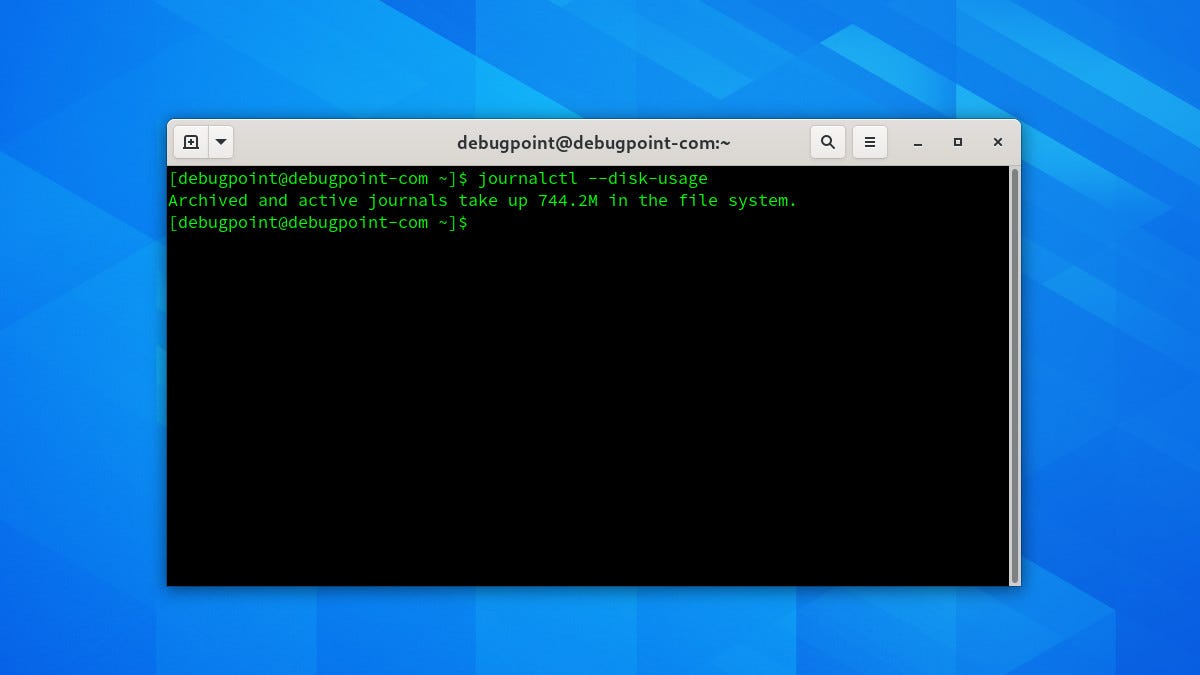
To begin, let’s assess how much space the journal logs are currently using:
journalctl --disk-usageThis command will tell you the total amount of disk space consumed by the journal logs.
Archived and active journals take up 3.5G in the file system.Step 2 — Configuring Systemd-journald
The systemd journal is configured through the file /etc/systemd/journald.conf. To optimize disk usage, you'll need to edit this file:
sudo nano /etc/systemd/journald.confHere are the key settings to consider:
SystemMaxUse: This sets the maximum space that logs can use on the disk. Once this limit is reached, older logs will be deleted to make room for new ones.SystemKeepFree: This ensures that systemd always leaves a certain amount of free space on the disk.MaxRetentionSec: This sets the maximum time to store log entries. Older entries beyond this time are purged.MaxFileSec: This sets the maximum time before a new journal file is started.
Configure these settings based on your server’s disk size and how much log data you need to keep. For example:
SystemMaxUse=500M
SystemKeepFree=1G
MaxRetentionSec=1month
MaxFileSec=1wee
These settings limit the logs to 500MB, ensure that at least 1GB of disk space is always free, keep logs for a maximum of one month, and start a new log file every week.
After editing the file, save your changes and restart the systemd-journald service:
sudo systemctl restart systemd-journaStep 3 — Manually Trimming the Journal
If you need to immediately reduce disk space usage, you can manually trim the journal. To remove old entries beyond a certain time, use:
sudo journalctl --vacuum-time=1monthTo limit the journal size to a specific size, use:
sudo journalctl --vacuum-size=500MThese commands will remove older entries to respect the time frame or size limit you set.
Step 4 — Setting Up Log Rotation
While systemd-journald handles its own log rotation based on the configuration file, you can also set up additional log rotation if you're using other logging systems alongside systemd-journald. For example, logrotate is a utility that rotates, compresses, and mails system logs. You can configure logrotate by editing its configuration files in /etc/logrotate.conf and /etc/logrotate.d/.
Conclusion
Optimizing journalctl is a key step in managing your Linux server's disk space. By configuring systemd-journald, manually trimming logs, setting up log rotation, and monitoring disk usage, you can ensure that your server runs efficiently without running out of disk space due to log files. Remember to balance the need for disk space with the need for sufficient log data for analysis and troubleshooting. Regular review and adjustment of your logging configuration will help you maintain an optimal setup.
Please do suggest if any changes or corrections are required. You can reach me for any queries.
Creator :
If you like this blog and find it helpful then please do share and do not forget to clap and follow me on Medium & Linkedin here.
메타데이터
- post_id
- cd3f38c7ac82
- slug
- managing-journal-logs-in-fedora-can-i-remove-files-in-var-log-journal-cd3f38c7ac82
- url
- https://medium.com/@pushkar-sre/managing-journal-logs-in-fedora-can-i-remove-files-in-var-log-journal-cd3f38c7ac82
- canonical_url
- https://medium.com/@pushkar-sre/managing-journal-logs-in-fedora-can-i-remove-files-in-var-log-journal-cd3f38c7ac82
- author_url
- https://medium.com/@pushkar-sre
- status
- ok
- fetched_at
- 2026-08-18 14:24:27



