What I learned Building a Gameboy emulator.
Over the past year, I’ve been building a Game Boy emulator in C. While the nostalgia of playing Zelda and Mario was certainly a driving…
What I learned Building a Gameboy emulator.
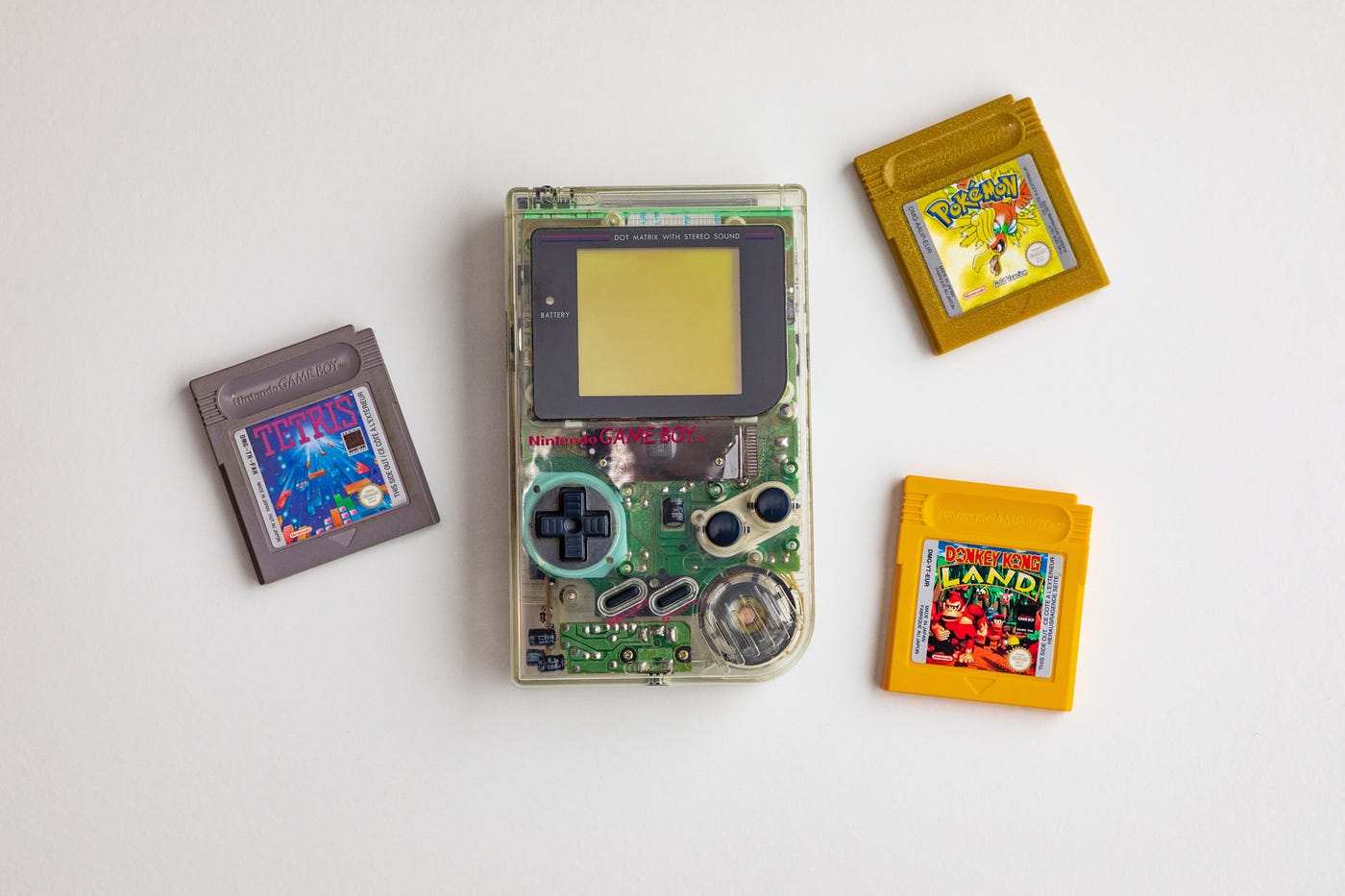
Over the past year, I’ve been building a Game Boy emulator in C. While the nostalgia of playing Zelda and Mario was certainly a driving force, what really drew me in was my curiosity to understand what was happening under the plastic shell and hidden screws. So, how does a Game Boy work? Let’s take a deep dive into the inner workings of this deceptively “simple” device.
Timing Then and Now
When we play video games, we want to immerse ourselves in the worlds that have been carefully crafted for us, but there is a delicate balance. From Tetris to Expedition 33, games would not feel the same if the audio came two minutes after you performed an action, or if your character jumped randomly when you hit the jump button, the immersion would break. And in the Game Boy, that immersion is held together by timing. The CPU runs at approximately 4.19 MHz, meaning that it performs a little over 4 million cycles per second.
But what is a cycle?
On a physical Game Boy, there is a tiny crystal oscillator on the motherboard generating an electrical pulse, which signals the CPU to advance. Our emulator, on the other hand, is not physical. So instead, we call a tick function at predetermined times when that electrical signal would be generated. By keeping track of these ticks, we can emulate the Game Boy’s clock/timer.
This creates a rhythm that the other subsystems can rely on. The Pixel Processing Unit (PPU), for example, updates the screen, the APU generates samples, and even interrupts are triggered at specific CPU cycles.
What’s awesome is that this concept isn’t foreign to Game Boys or emulators. The computer or device you are using to read this works on the same principle… with a few modern updates.
Perhaps you’ve even heard the term overclocking. This is based on the fact that your computer is running on a predetermined clock speed, or cycles per second, and by overclocking, we are simply telling the computer to run more cycles per second. Who wouldn’t want that though? Wouldn’t we be processing more? Calculating more? Computing more?
Well, yes but as with all things in life, there are trade-offs. If your computer is running faster, it pushes the hardware harder and, as a result, draws more power, which puts more strain on the system. You end up with reduced battery life and a lot more heat being generated. This, in turn, can shorten the lifespan of the components. Modern computers have moved toward different solutions. They have gotten faster by adding more cores, not just by increasing clock speeds. This allows them to execute instructions in parallel rather than sequentially, with the help of a scheduler.
Cartridge and Console
Despite all these advances, fundamentally, the idea remains the same. The system still runs on a clock. And while the Game Boy ticks away at 4 million cycles per second, what happens during each cycle is what constructs our immersion.
At its core, the CPU performs what is known as the fetch–decode–execute cycle. This is where the CPU, in a loop, fetches instructions, decodes them, and executes them. On the physical Game Boy, these instructions come from the cartridge. To understand how we are emulating this, we must first understand what is stored in the cartridge.
While we often think of the game as being stored in the cartridge, have you ever stopped to think about what that actually means? What does it mean to store a game in a cartridge? After all, Mario is not simply waiting inside, and it would be impractical for the Game Boy to store every possible character or variation. What about new characters that are created?
Instead, the Game Boy provides the systems needed to make a game work, while the cartridge provides the data those systems use.
So when the CPU executes an instruction, it is effectively sending a signal to a subsystem. The memory bus handles directing that signal to the correct destination, conceptually acting as a dispatcher. For example, when an instruction writes to an address such as 0xFF12, the bus routes that to the APU, updating the state of a sound channel.
And all of this happens in sync with the CPU clock.
What looks like a game on the screen is really just a continuous flow of instructions being fetched, decoded, and executed — one cycle at a time.
메타데이터
- post_id
- cde8fa8a1345
- slug
- what-i-learned-building-a-gameboy-emulator-cde8fa8a1345
- url
- https://medium.com/@josemejia247/what-i-learned-building-a-gameboy-emulator-cde8fa8a1345
- canonical_url
- https://medium.com/@josemejia247/what-i-learned-building-a-gameboy-emulator-cde8fa8a1345
- author_url
- https://medium.com/@josemejia247
- status
- ok
- fetched_at
- 2026-07-27 13:41:23




