Solving Arabic Watermark Rendering Issues in IronPDF: A .NET 8 Guide
Introduction — The Elusive Rendering Bug
Solving Arabic Watermark Rendering Issues in IronPDF: A .NET 8 Guide
Introduction — The Elusive Rendering Bug
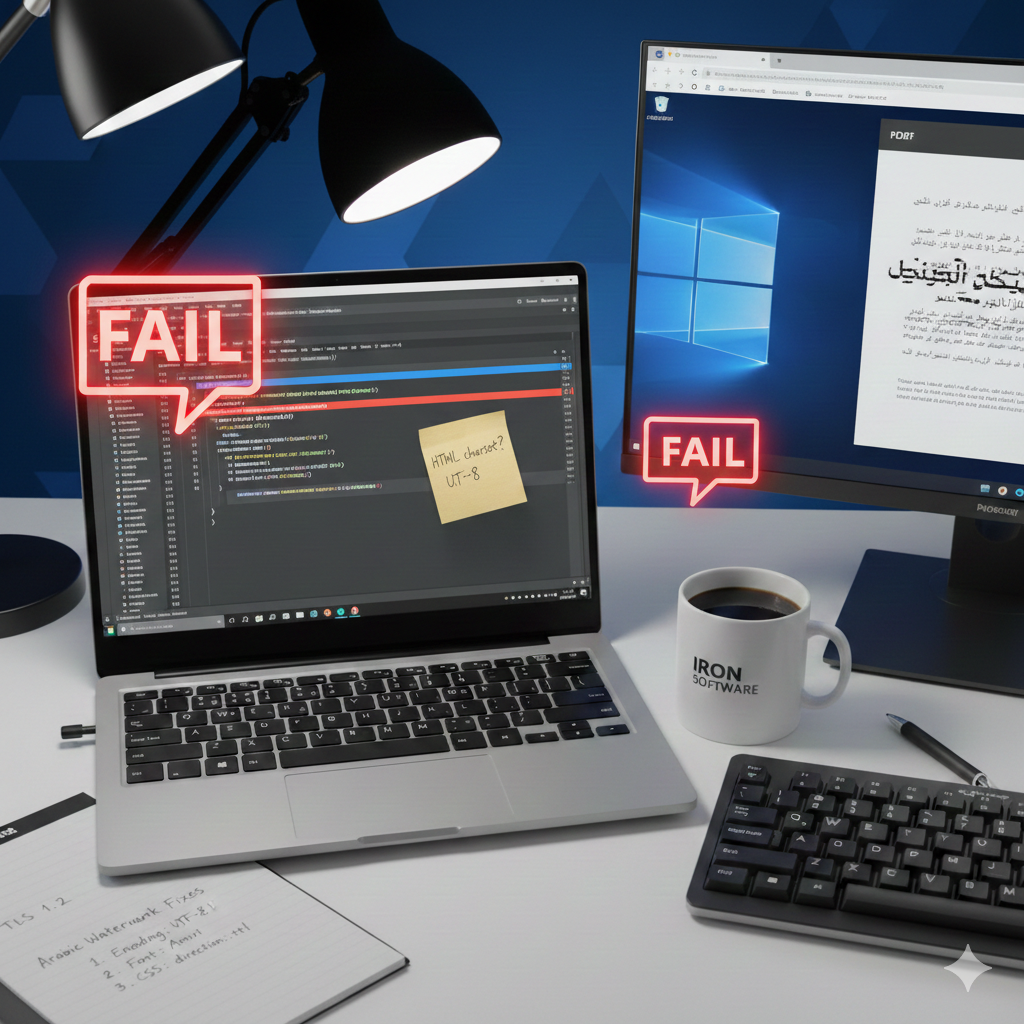
If you’ve ever spent hours debugging a visual glitch that throws no exceptions, you know how frustrating it can be. That’s the exact rabbit hole I fell down recently when a simple Arabic watermark, rendered via IronPDF, turned into a mess of corrupted text. As .NET developers, tasks like generating PDFs from HTML using methods like RenderHtmlAsPdf or applying watermarks are common. However, things get tricky with non-English characters. For any app with a global user base, getting this right isn't just a detail—it's a sign of respect for your audience.
This guide will walk you through the diagnosis and solution for this specific Arabic text rendering issue in IronPDF watermarks. We will explore how a subtle oversight in character encoding can lead to frustrating visual bugs and how a comprehensive, standards-compliant approach provides a robust fix.
We’ll begin by dissecting the problem to understand its exact nature and the environment in which it occurred.
The Problem in Detail
Before jumping into a solution, it’s crucial to clearly define the technical problem. A precise understanding of the symptoms, environment, and initial troubleshooting steps prevents wasted effort and points toward the underlying cause. This section outlines the exact conditions that produced the rendering failure.
The issue was observed in the following technical environment:
IronPDF 2025.11.12 Operating System Windows 11 Framework .NET 8.0
The specific behavior was that English-language watermarks rendered perfectly. However, when an Arabic string was used to generate HTML for IronPDF’s PdfDocument.ApplyWatermark(string html) method, the text appeared as corrupted, jumbled, and improperly ordered characters in the final PDF.
• Input Arabic watermark text:
• Observed Output: Unreadable characters, often appearing like “مخرج الدراسه — علي اشر٠ذكي”.
An initial troubleshooting step involved following a support suggestion to apply the CSS property unicode-bidi: bidi-override. This is a common technique for forcing text direction, but in this case, it did not resolve the issue.
Critically, the application threw no exceptions during the PDF generation process. The failure was purely a visual rendering problem, which made it more difficult to diagnose as there were no error logs to inspect. This “silent failure” highlighted the importance of visual verification in any workflow that generates documents from HTML.
With the problem clearly defined, the next step was to investigate the root cause of this visual corruption.
The Diagnosis — A Tale of Two Encodings
Rendering bugs, especially those involving international character sets, often trace back to incorrect assumptions about character encoding. After a deeper investigation, the root cause became clear.
The core problem was that the UTF-8 bytes representing the Arabic text were being misinterpreted by the rendering engine as Latin-1 encoding.
This mismatch is catastrophic for non-Latin scripts. The UTF-8 standard is capable of representing every character in the Unicode standard, including the full Arabic script. In contrast, Latin-1 (also known as ISO-8859–1) is a much older, single-byte encoding designed for Western European languages. It has no character mappings for Arabic glyphs. When the rendering engine received a byte sequence representing an Arabic character and tried to interpret it as Latin-1, it found no valid character and defaulted to displaying “garbage” placeholder characters instead.
Because IronPDF uses an embedded Chromium browser for rendering, its behavior is nearly identical to Chrome’s print preview. This provides a powerful debugging technique. As stated in the official documentation, a key diagnostic step is to save the generated HTML string to a file (e.g., watermark.html) and open it in Google Chrome. If it renders incorrectly there, the problem is with the HTML itself, not IronPDF. This simple test isolates the issue and confirms it's an HTML standards problem.
The solution, therefore, wasn’t about forcing text direction with CSS but about explicitly instructing the rendering engine to interpret the incoming bytes correctly.
The Solution — Explicitly Declaring UTF-8
The fix is to move away from passing a simple HTML fragment and instead provide a complete, valid HTML document for the watermark. This approach allows us to explicitly declare the character encoding and leverage other best practices for handling right-to-left (RTL) languages, ensuring consistent and correct rendering.
The corrected C# method below generates a full HTML document that encapsulates the watermark text and its styling, directly addressing the encoding issue.
private string BuildWatermarkHtml(string watermarkText)
{
    // A font that supports Arabic glyphs is crucial. Amiri is an excellent open-source choice,
    // downloadable from Google Fonts. Ensure the font file (e.g., Amiri-Regular.ttf) is
    // accessible to your application, perhaps as an embedded resource in production.
    var fontPath = Path.Combine(Directory.GetCurrentDirectory(), "Fonts", "Amiri-Regular.ttf");
    var fontBytes = File.ReadAllBytes(fontPath);
    var fontBase64 = Convert.ToBase64String(fontBytes);
return $@"
<!DOCTYPE html>
<html lang=""ar"">
<head>
<meta charset=""UTF-8"">
<style>
@font-face {{
font-family: 'Amiri';
src: url(data:font/truetype;charset=utf-8;base64,{fontBase64}) format('truetype');
}}
body {{
font-family: 'Amiri', sans-serif;
font-size: 24px;
color: rgba(128, 128, 128, 0.5);
direction: rtl;
unicode-bidi: isolate;
margin: 0;
padding: 0;
text-align: center;
}}
</style>
</head>
<body>
{watermarkText}
</body>
</html>
";
}This comprehensive HTML structure solves the problem through several key components:
-
<!DOCTYPE html> and <meta charset=”UTF-8"> This is the most critical part of the solution. By including the
<meta charset="UTF-8">tag within a full HTML document structure, we are explicitly telling the Chromium rendering engine to interpret the document's bytes using the UTF-8 encoding. This directly resolves the root cause of the bug—the misinterpretation of UTF-8 as Latin-1—and allows the Arabic characters to be decoded correctly. -
<html lang=”ar”> and direction: rtl; These are essential best practices for handling RTL content. The
lang="ar"attribute signals the language of the content, which can help the rendering engine with font selection and ligatures. The CSSdirection: rtl;property ensures that the text flows correctly from right to left, which is fundamental for Arabic script layout. -
@font-face Relying on system-installed fonts is risky, as the required fonts may not be available in the deployment environment (e.g., a Docker container). By using
@font-facewith a Base64-encoded font file, we embed a font (like 'Amiri') that is known to fully support Arabic glyphs directly into the CSS. This guarantees that the renderer has access to the correct font, preventing it from falling back to a default font that might lack the necessary characters. -
unicode-bidi: isolate; This CSS property is a more modern and robust choice than the failed
bidi-override. Wherebidi-overrideis a blunt tool that forces character direction regardless of context,isolatecreates a sandboxed, independent bidirectional context for the watermark. This ensures its RTL content doesn't bleed into or get corrupted by any potential LTR content on the PDF page, making it the superior choice for component-based content.
By combining these elements, we create a self-contained, valid, and unambiguous HTML document that gives the rendering engine all the information it needs to display the Arabic watermark correctly.
Conclusion and Key Takeaways
The journey from a corrupted Arabic watermark to a perfectly rendered PDF underscores a vital principle in software development: explicitness prevents ambiguity. What seemed like a complex rendering bug was ultimately a simple case of a missing encoding declaration, leading the rendering engine to make an incorrect assumption. The solution was not a niche workaround but an adherence to web standards.
The primary lesson from this experience is this: Always treat HTML fragments destined for rendering engines as complete, self-contained documents. Explicitly declaring standards like character encoding isn’t boilerplate — it’s a critical instruction that prevents ambiguity and eliminates an entire class of rendering bugs.
For fellow developers facing similar challenges, here are the key takeaways to ensure robust and reliable document generation:
• Always declare character encoding. Start your HTML with <!DOCTYPE html> and include <meta charset="UTF-8"> in the <head> to eliminate any guesswork for the rendering engine.
• Use language attributes and CSS direction for RTL content. Properly set lang="ar" on the <html> tag and use direction: rtl; in your CSS to ensure correct text flow and layout.
• Embed fonts to ensure consistent rendering. Don’t rely on the deployment environment having the correct fonts. Use @font-face with Base64-encoded font data to package your fonts with your HTML.
메타데이터
- post_id
- cdeed4363f83
- slug
- solving-arabic-watermark-rendering-issues-in-ironpdf-a-net-8-guide-cdeed4363f83
- url
- https://medium.com/@yeminkhaung993/solving-arabic-watermark-rendering-issues-in-ironpdf-a-net-8-guide-cdeed4363f83
- canonical_url
- https://medium.com/@yeminkhaung993/solving-arabic-watermark-rendering-issues-in-ironpdf-a-net-8-guide-cdeed4363f83
- author_url
- https://medium.com/@yeminkhaung993
- status
- ok
- fetched_at
- 2026-07-27 00:11:27