HTB CTF Write-Up: Fawn
Hello, fellow nerds!
HTB CTF Write-Up: Fawn
Hello, fellow nerds!
Since this is my second write-up, I’ll keep things shorter and closer to my natural style. I’ll also avoid diving into extra explanations to reduce the risk of misinforming anyone. If you stumble upon a concept you’re unfamiliar with, a quick Google search will get you up to speed.
Task 1- What does the 3-letter acronym FTP stand for?
Running man ftp gives us:

ftp’s manual page.
- file transfer protocol
Task 2- Which port does the FTP service listen on usually?
A quick Google search confirms:
- 21
Task 3- FTP sends data in the clear, without any encryption. What acronym is used for a later protocol designed to provide similar functionality to FTP but securely, as an extension of the SSH protocol?
Also easy to look up:
- stfp
Task 4- What is the command we can use to send an ICMP echo request to test our connection to the target?
Bread and butter:
- ping
Task 5- From your scans, what version is FTP running on the target?
Start by checking connectivity:

ping target IP address.
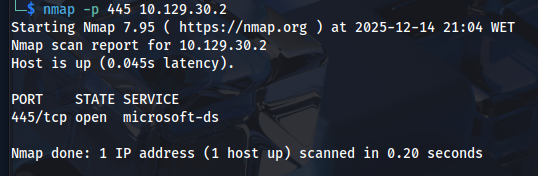
We don’t know all the ports yet, but we do know that FTP typically runs on port 21, and SFTP on 22, so we begin with the expected FTP port.

nmap target IP adress on port 21.
We confirm the service is indeed FTP.
To identify the exact version, we use the -sV flag (use the hint).
- -sV tells Nmap to perform service version detection, meaning it identifies not only the open port but also the service and its version.

filtered nmap for service detection.
- vsftpd 3.0.3
Task 6- From your scans, what OS type is running on the target?
- Unix
Task 7- What is the command we need to run in order to display the ‘ftp’ client help menu?
- ftp-?
Task 8- What is username that is used over FTP when you want to log in without having an account?
Using the hint it’s easy to assume the answer is:
- anonymous
Task 9- What is the response code we get for the FTP message ‘Login successful’?
Attempting to connect as anonymous and skipping the password we’ll actually login.
Response codes in the 200‑series indicate success.
230 specifically means successful login.

ftp connection to target IP address.
- 230
Task 10- There are a couple of commands we can use to list the files and directories available on the FTP server. One is dir. What is the other that is a common way to list files on a Linux system.
- ls

Listing files and directories available,
Task 11- What is the command used to download the file we found on the FTP server?
Once again, the hint proves to be very useful:

ftp help highlight.
- get
Let’s get that flag.txt and wrapp things up.

get flag.txt file.
Now we can disconnect (type exit) and cat the flag file.

cat flag.txt file.
Submit Flag:
- 035db21c881520061c53e0536e44f815
Stay curious and keep hacking! I know I will!
메타데이터
- post_id
- ce9ec032d25e
- slug
- htb-ctf-write-up-fawn-ce9ec032d25e
- url
- https://medium.com/@pjsm.it/htb-ctf-write-up-fawn-ce9ec032d25e
- canonical_url
- https://medium.com/@pjsm.it/htb-ctf-write-up-fawn-ce9ec032d25e
- author_url
- https://medium.com/@pjsm.it
- status
- ok
- fetched_at
- 2026-06-20 20:29:01