Azure VM Deployment with Security, Monitoring, and Alerting
Objective
Azure VM Deployment with Security, Monitoring, and Alerting
Objective
Organizations need a secure and monitored cloud environment to ensure availability and quick response to system failures. This project focuses on implementing a monitored VM setup with alerting to handle performance issues proactively.
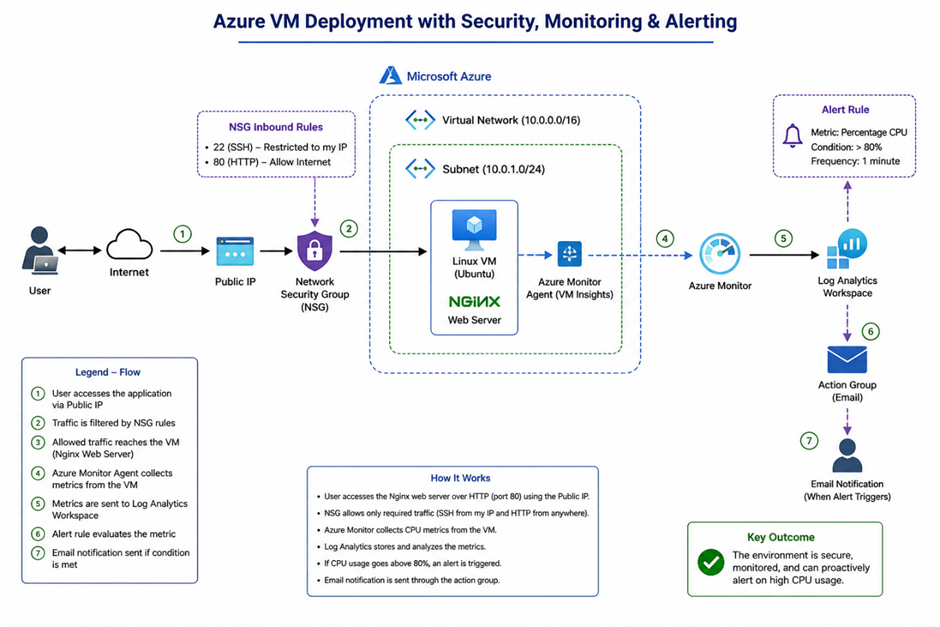
Architecture Overview:
User accesses the application via Public IP
Traffic is controlled using Network Security Group (NSG)
VM is hosted inside Virtual Network and Subnet
Nginx web server runs on the VM
Azure Monitor collects performance metrics
Data is stored in Log Analytics Workspace
Alert rule evaluates CPU usage
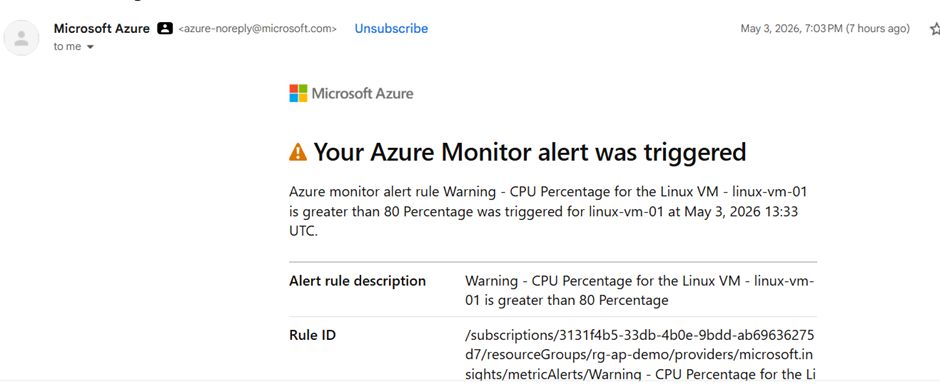
Email we received due to alert being triggered
Architecture Diagram:
Services Used
- Azure Virtual Machine
- Azure Virtual Network (VNet)
- Network Security Group (NSG)
- Azure Monitor
- Log Analytics Workspace
- Action Group (Email Alerts)
Implementation Steps
Step 1: Create Resource Group
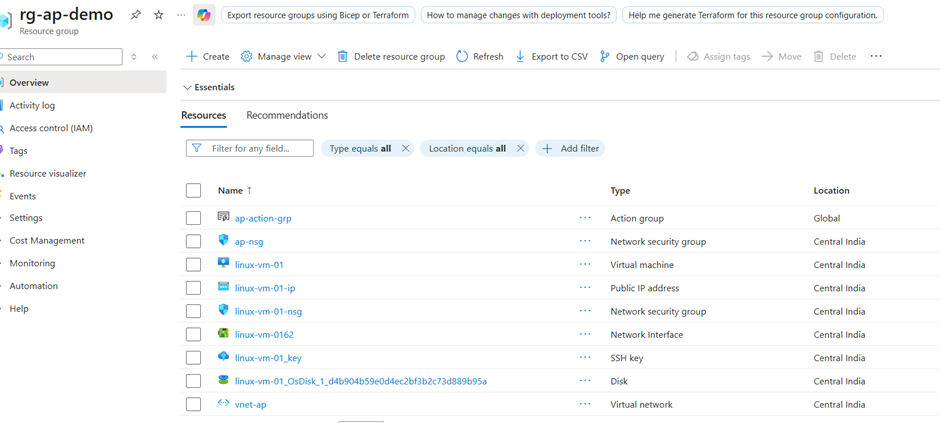
Created a resource group to logically group and manage all Azure resources, enabling easier deployment, monitoring, and cost management.
Step 2: Create Virtual Network
- Defined address space (e.g., 10.0.0.0/16)
- Created subnet (e.g., 10.0.1.0/24)

Vnet
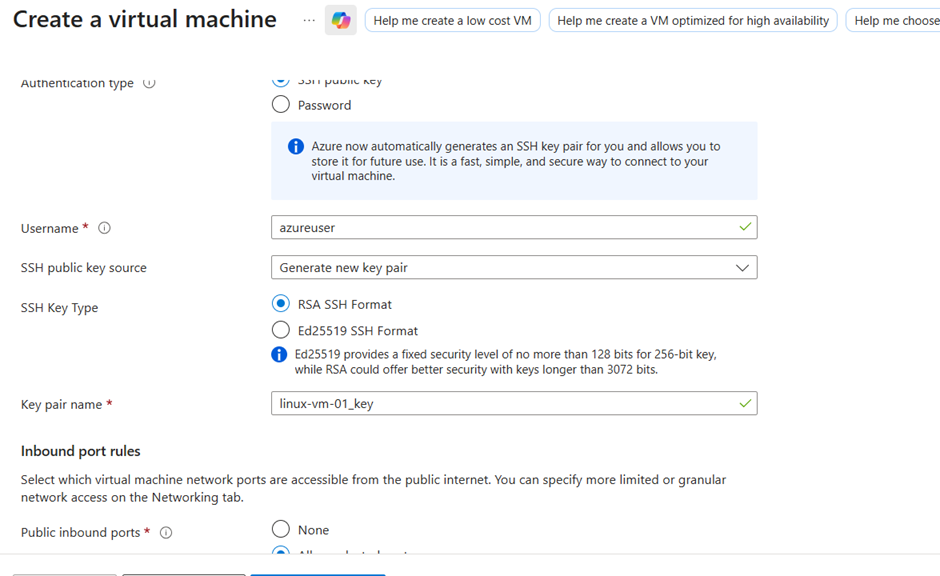
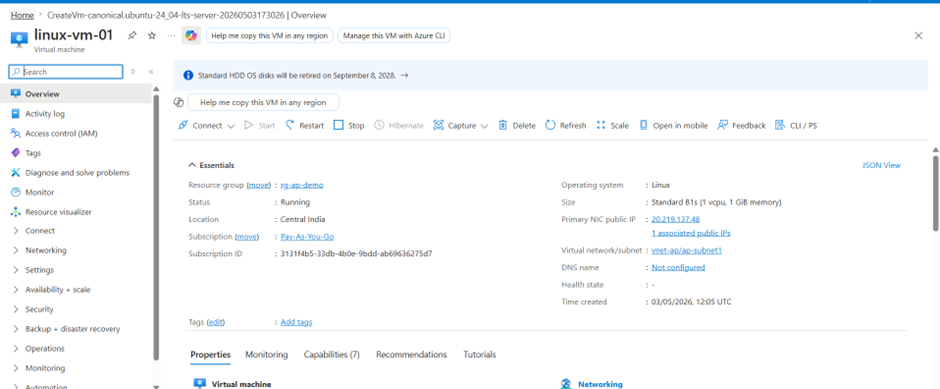
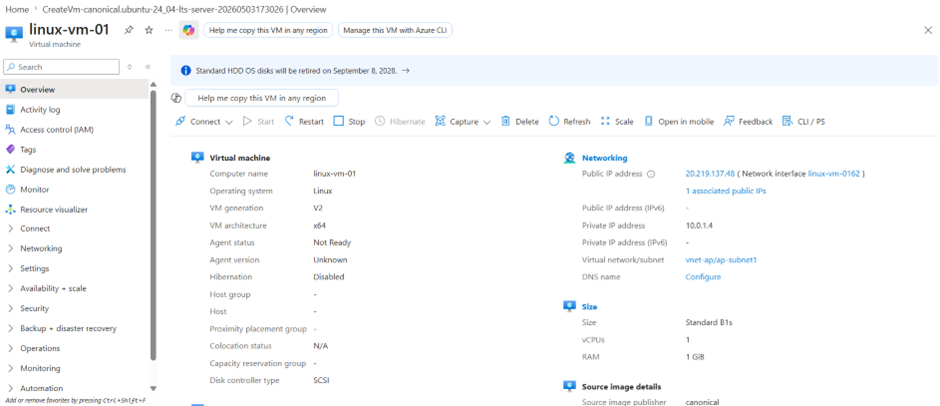
Step 3: Create Virtual Machine
- OS: Ubuntu Linux
- Authentication: SSH key
- Enabled Public IP
- Connected VM to VNet and subnet
Step 4: Configure Network Security Group (NSG)
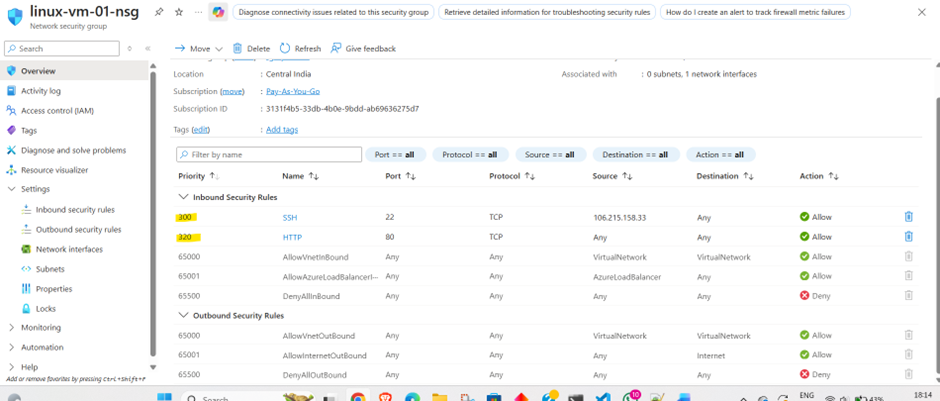
Implemented Network Security Group (NSG) rules based on least privilege principle by restricting SSH access to a specific IP and allowing HTTP traffic for application access.
- Port 22 (SSH) was restricted to my personal IP address to ensure secure administrative access to the VM.
- Port 80 (HTTP) was opened to allow web traffic and access the Nginx web server hosted on the VM.
This setup ensured that administrative access remained controlled while still allowing users to reach the hosted application securely.
Step 5: Connect to VM
Used SSH to connect:
ssh -i <key.pem> azureuser@<public-ip>
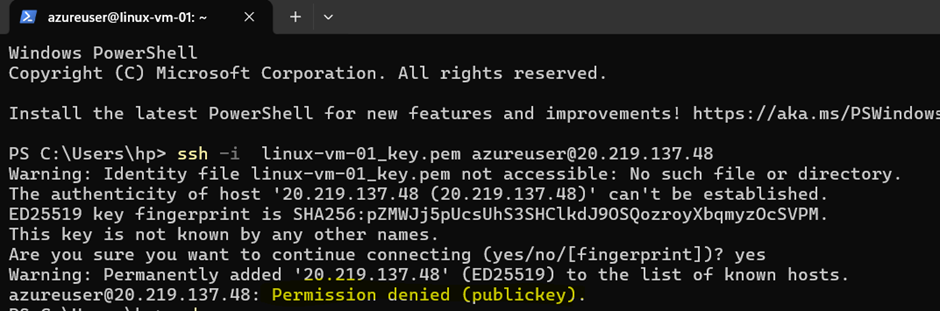
We got Permission denied (publickey) error even when the name of my public key was correct.
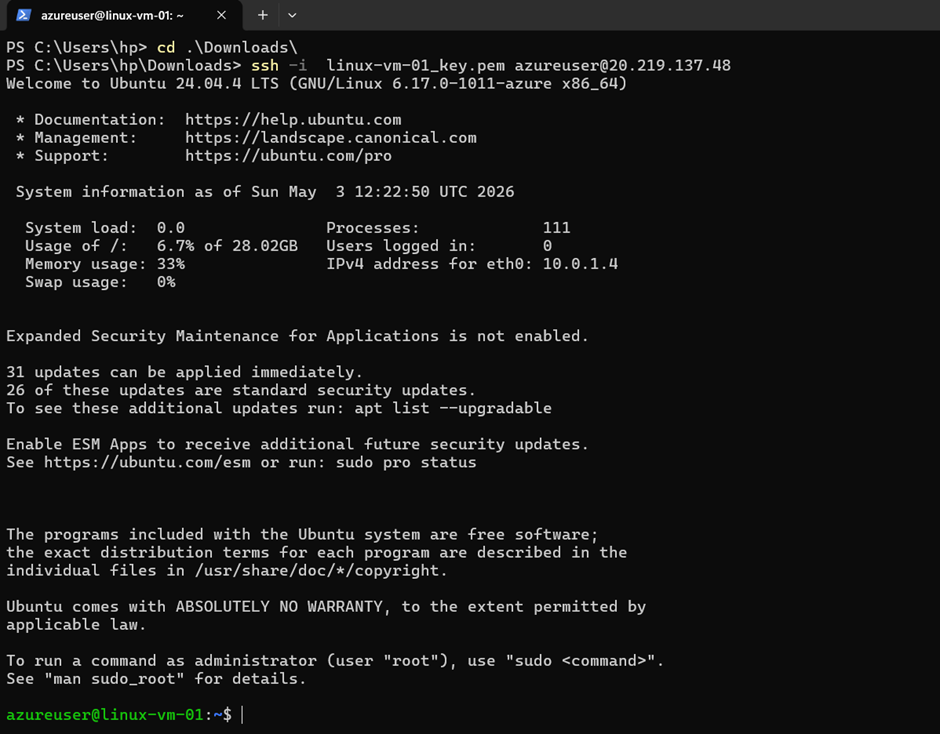
The error occurred as the key was not found so I navigated to the Path where the key was saved and then ran the same command and voila:
Step 6: Install Web Server
Installed Nginx:
sudo apt update sudo apt install nginx -y
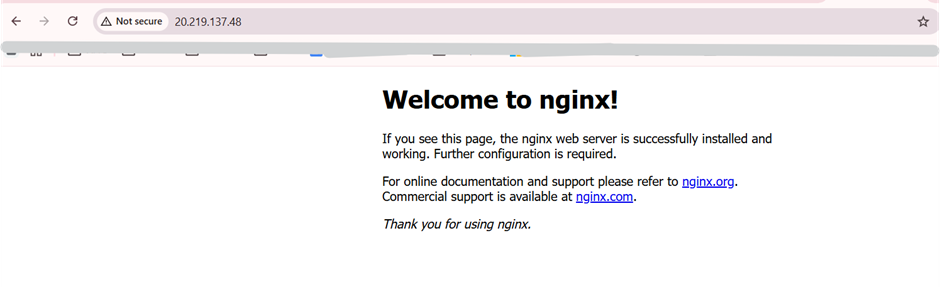
Verified by accessing:
http://<public-ip>
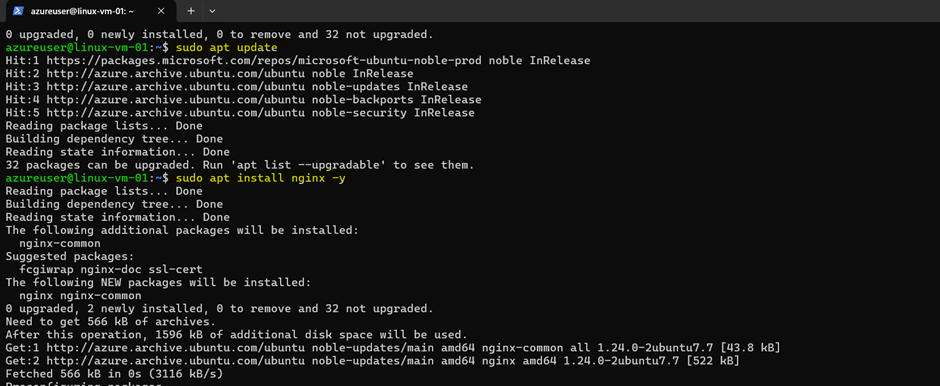
Installing nginx.
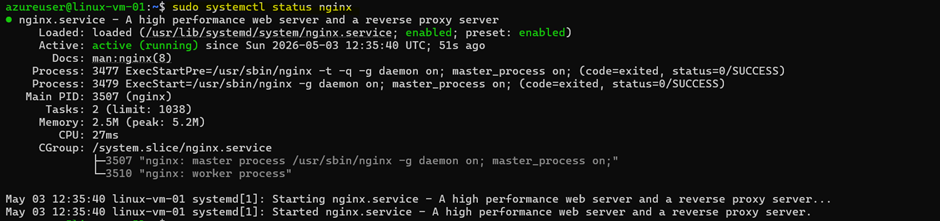
Accessed Nginx via browser using Public IP
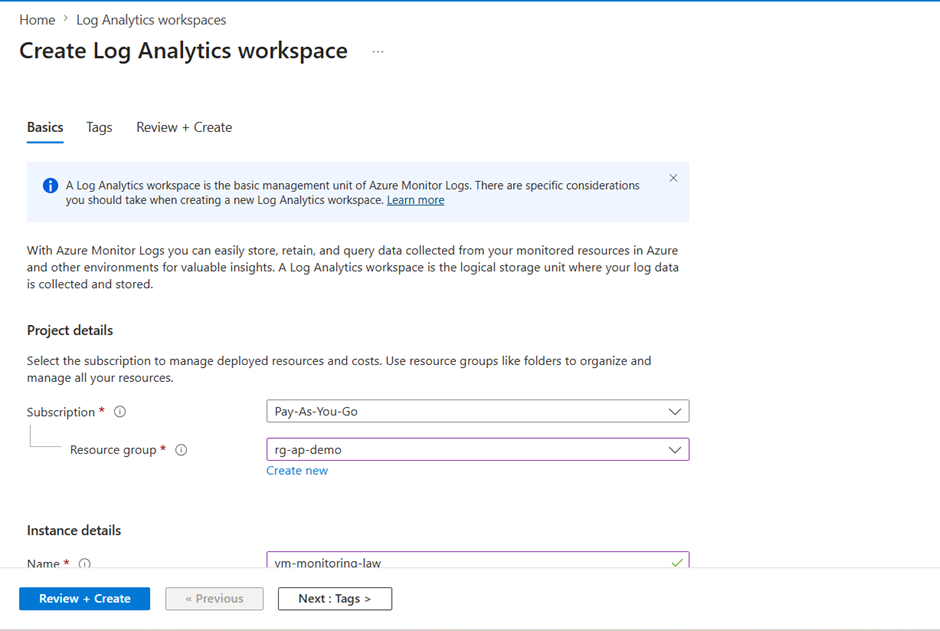
Step 7: Setup Monitoring
- Created Log Analytics Workspace
- Enabled VM Insights
- Connected VM to monitoring
Creating Log Analytics workspace:
Now configure monitoring as shown below:
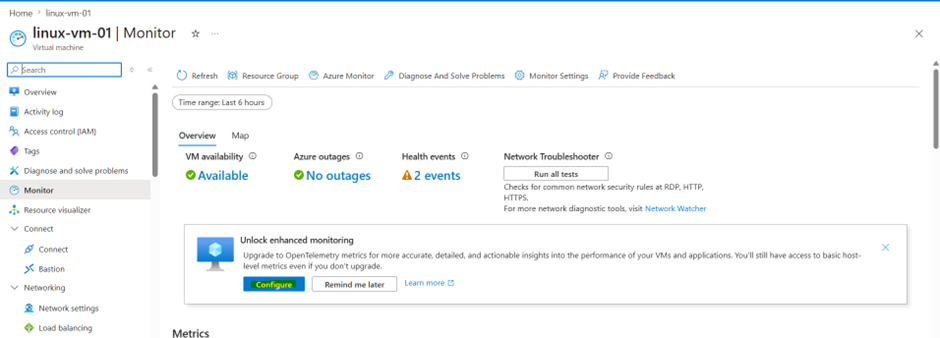
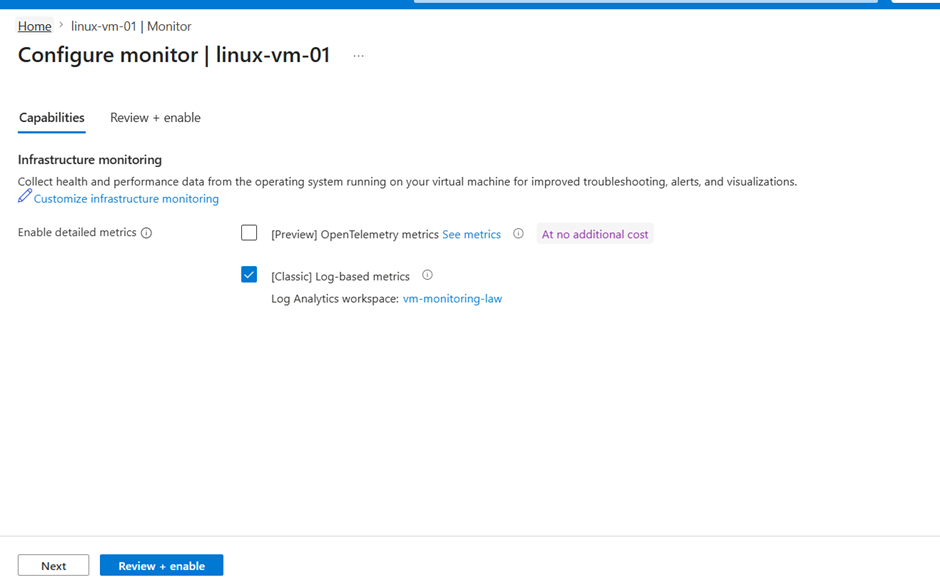
Configured Azure Monitor using Log Analytics Workspace to collect VM performance metrics and logs for analysis and alerting.
Step 8: Configure Alert
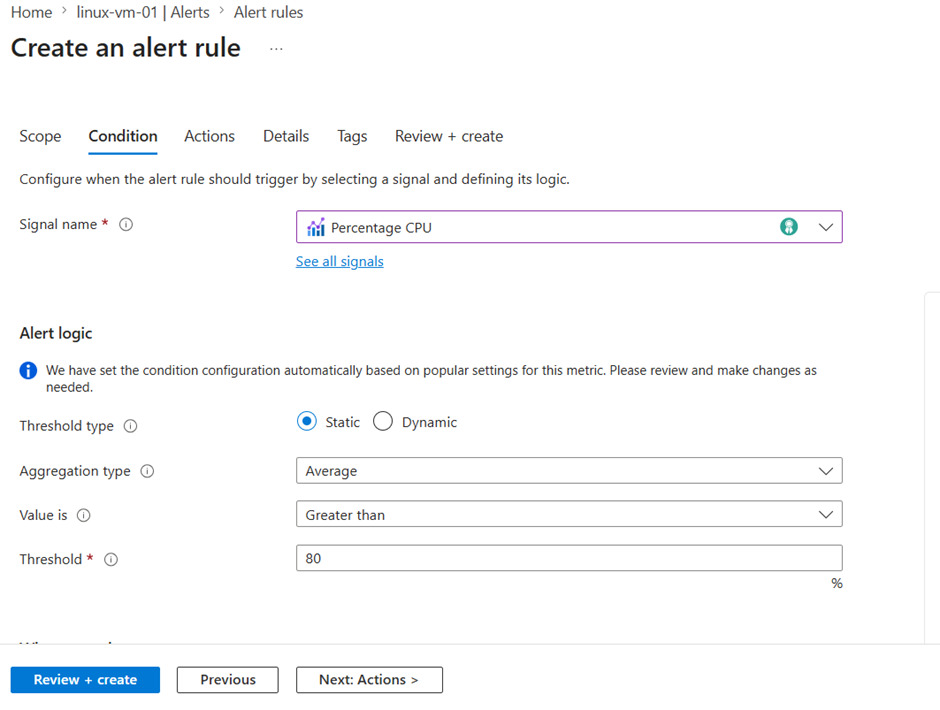
Created alert rule:
- Metric: Percentage CPU
- Threshold: >80%
- Frequency: 1 minute
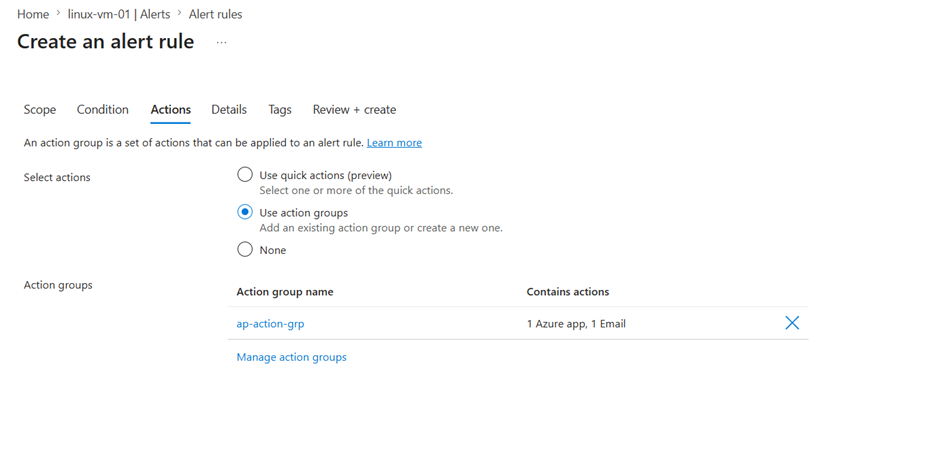
- Action: Email notification
Designed alerting mechanism to proactively detect high CPU usage and notify via email, enabling quick incident response.
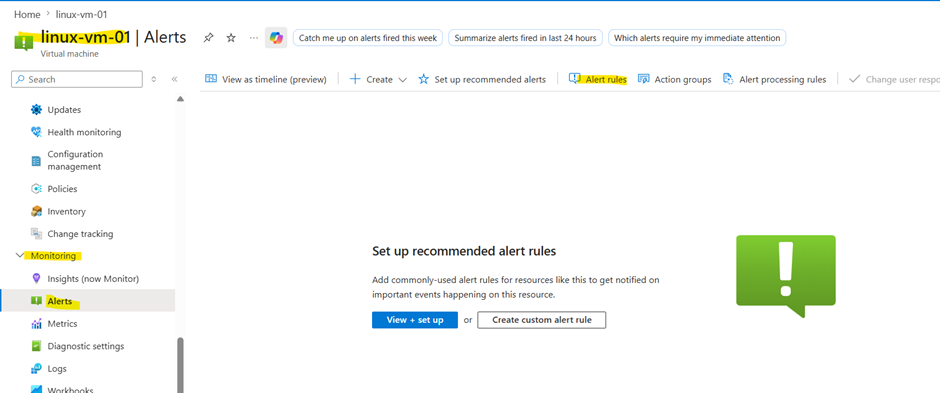
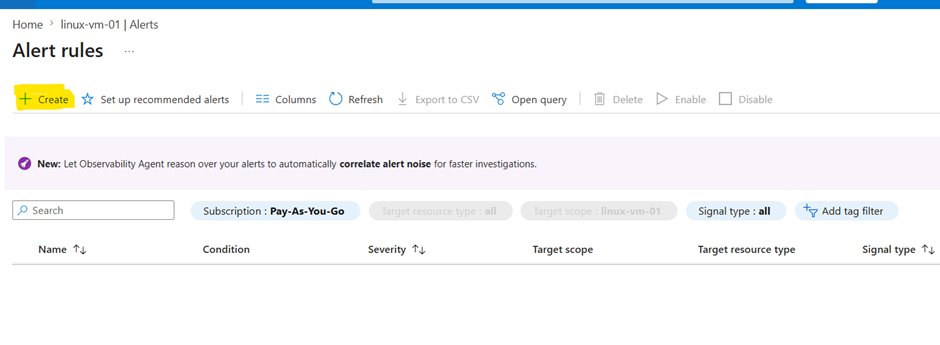
Select the metrics ,i.e CPU:
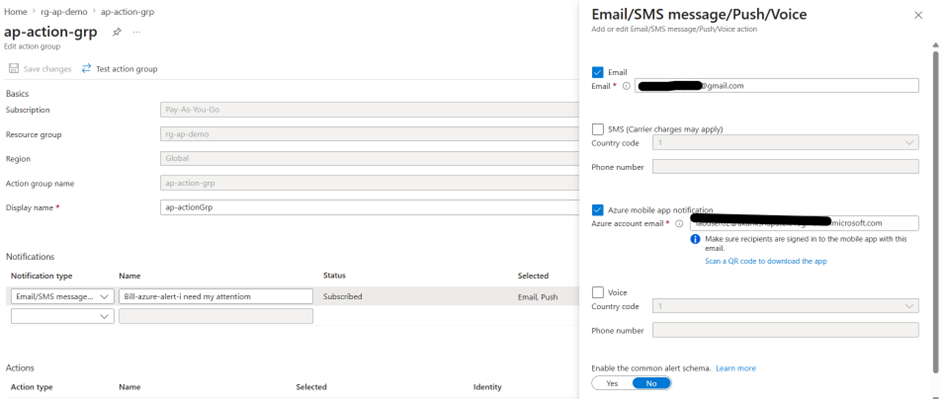
Select action group :
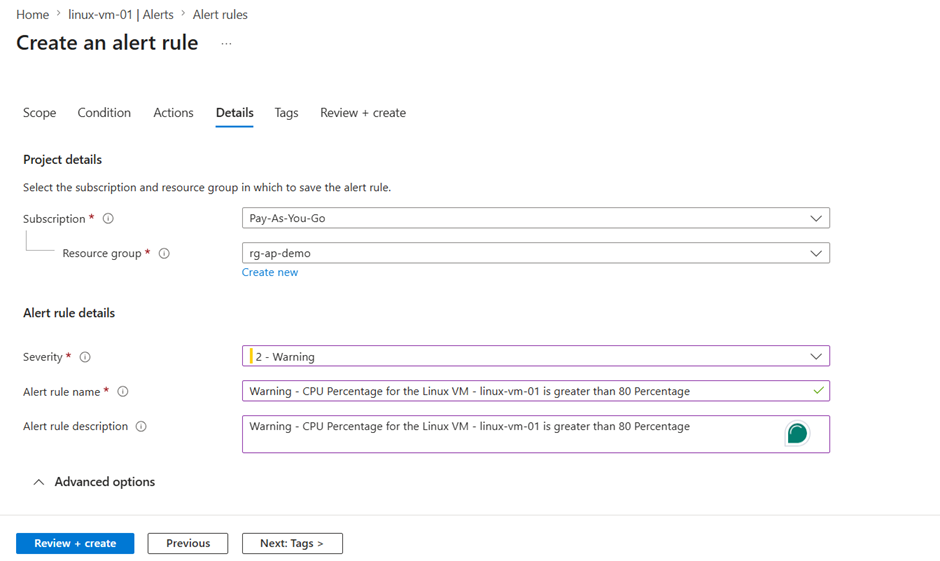
Enter the Alert name and details like severity and VM name so VM can be checked easily when the alerts is triggered.
Once everything is set, click Create
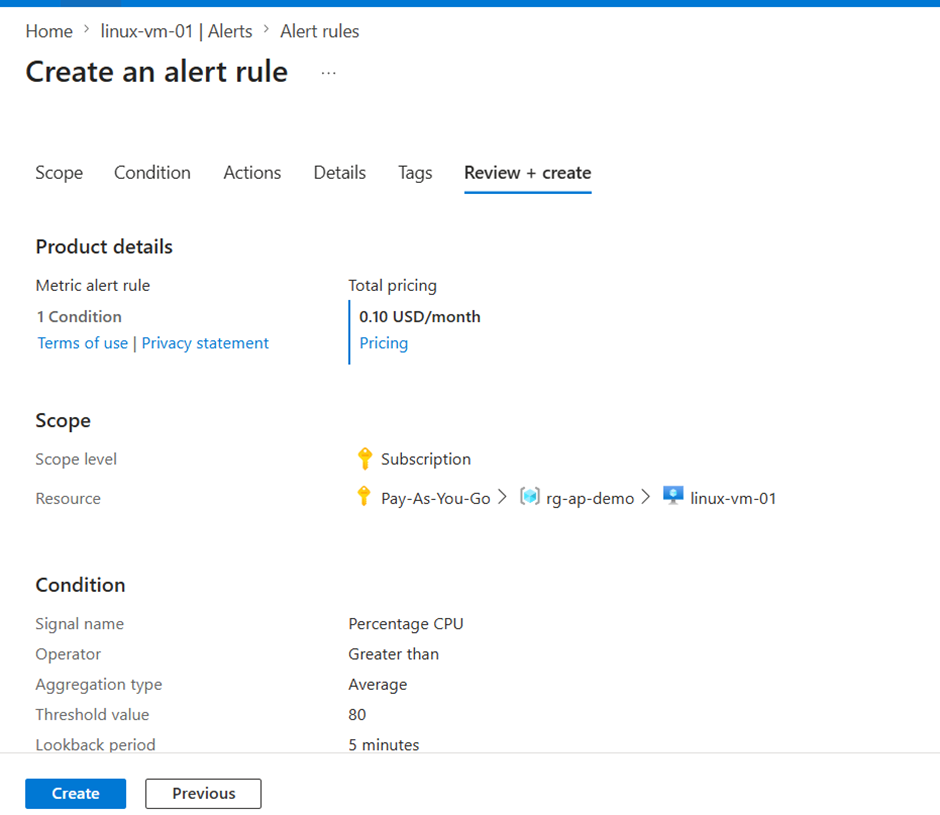
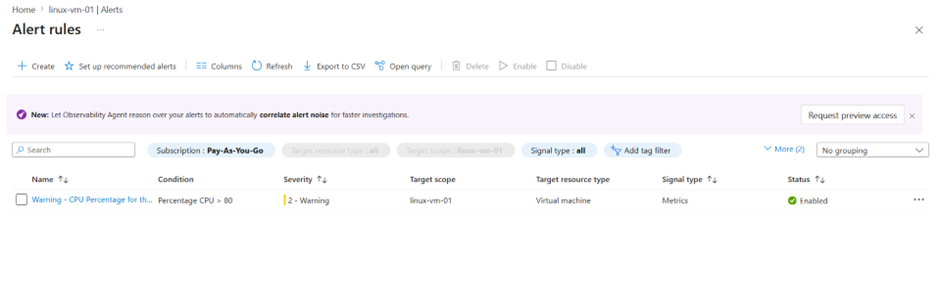
You will see alert created as shown :
Action group :
Step 9: Simulate High CPU Usage
Used stress tool:
stress — cpu 4 — timeout 300

Step 10: Validate Alert
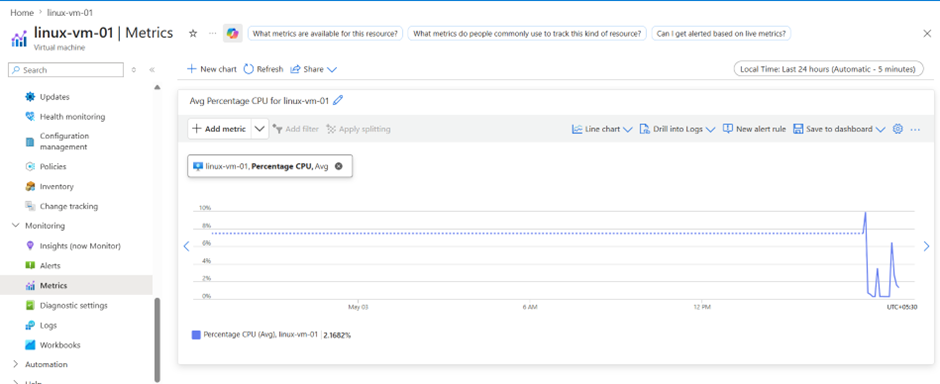
- CPU spike observed in Azure Monitor
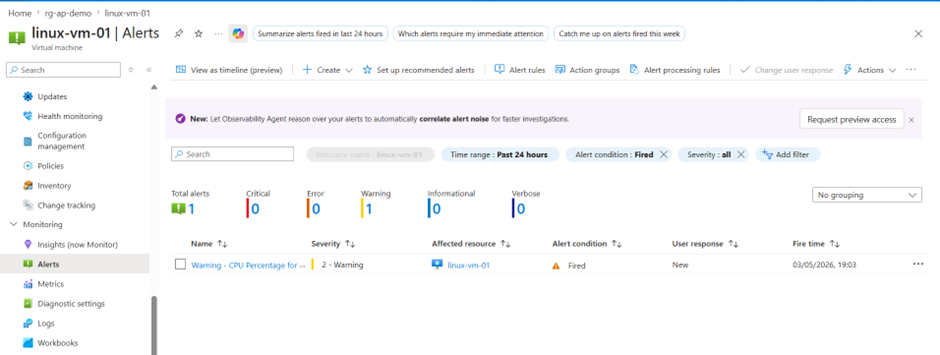
- Alert triggered successfully
- Email notification received
CPU usage can be observed in VM-> Metrics
Fired alerts can be viewed on the VM overview page -> Monitoring -> Alerts
Email notification received after alert was triggered
Key Learnings
- Understanding of Azure VM deployment
- Network security using NSG
- Real-time monitoring using Azure Monitor
- Alert configuration and validation
- Troubleshooting connectivity and alert delays
Challenges Faced
- SSH permission issues
- Alert not triggering due to evaluation window
- Understanding monitoring architecture
Conclusion
Successfully implemented a monitored Azure VM environment with alerting. Demonstrated ability to detect and respond to system performance issues in real time.
This project demonstrates hands-on experience in deploying, securing, monitoring, and troubleshooting cloud infrastructure in Azure.
메타데이터
- post_id
- ceda12e9decb
- slug
- azure-vm-deployment-with-security-monitoring-and-alerting-ceda12e9decb
- url
- https://medium.com/@akanksha01patel/azure-vm-deployment-with-security-monitoring-and-alerting-ceda12e9decb
- canonical_url
- https://medium.com/@akanksha01patel/azure-vm-deployment-with-security-monitoring-and-alerting-ceda12e9decb
- author_url
- https://medium.com/@akanksha01patel
- status
- ok
- fetched_at
- 2026-06-10 21:21:38


