LangChain and LangGraph Explained: What They Are, Who Uses Them, and How to Build AI Agents with…
If you’ve spent any time in the AI space recently, you’ve probably heard of LangChain and LangGraph. Every tutorial seems to start with
LangChain and LangGraph Explained: What They Are, Who Uses Them, and How to Build AI Agents with Them
If you’ve spent any time in the AI space recently, you’ve probably heard of LangChain and LangGraph. Every tutorial seems to start with
llm = ChatOpenAI()and then jumps straight into code. But…
- What exactly is LangChain?
- What is LangGraph?
- Who actually uses them?
- Do companies like OpenAI and Google use them?
- If not, why should I?
- Where does the LLM come from?
- How do AI agents access tools like Google Search, databases, or APIs?
Let’s answer these questions.
The Problem LangChain Solves Imagine you’re building a travel assistant.
A user asks “Find me the cheapest flight from Bangalore to Dubai next week”
A Large Language Model alone cannot answer this. Why?
Because the information changes every minute. The model needs access to external systems. Your application must
- Understand the request
- Call a flight API
- Retrieve results
- Compare options
- Generate a response
Without a framework, developers end up writing lots of orchestration code.
if (userAskedForFlights()) {
    callFlightApi();
}
if (resultsAvailable()) {
summarizeResults();
}As the application grows, this becomes difficult to manage.
LangChain was created to solve this problem.
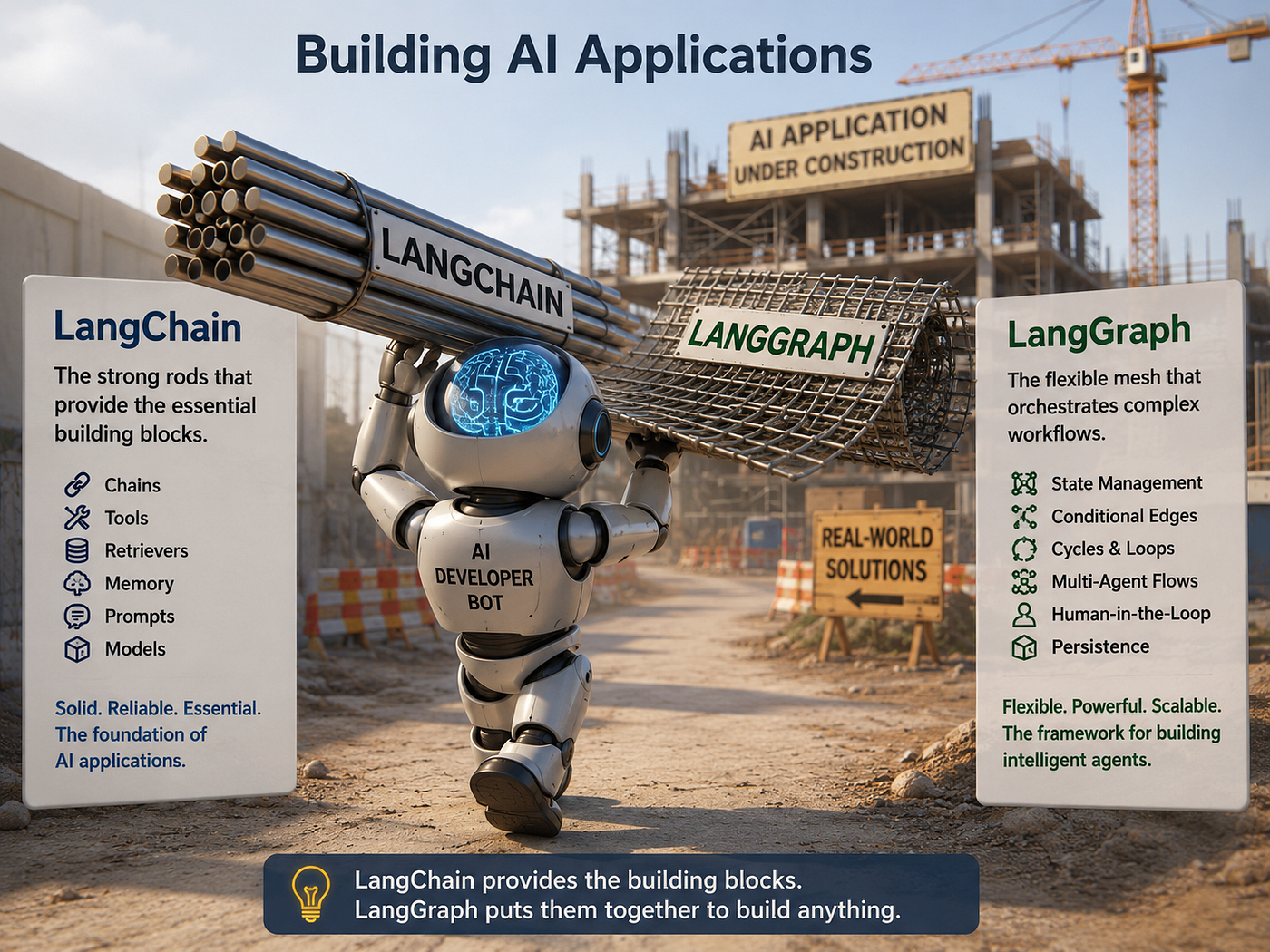
What Is LangChain? LangChain is an application framework for building LLM-powered software. Think of it as Spring Boot for AI applications.
Spring Boot doesn’t provide a database. Spring Boot doesn’t provide a web browser. Instead, it helps connect and orchestrate components. LangChain does something similar for AI systems. It provides
- Prompt management
- Tool integration
- Memory
- RAG (Retrieval-Augmented Generation)
- Agent execution
- Model abstraction
What Is LangGraph?
As AI applications evolved, developers started building agents.Agents don’t simply answer questions. They
- Think
- Make decisions
- Call tools
- Analyze results
- Continue reasoning
A simple workflow might look like
User Question
      ↓
Reason
      ↓
Search Tool
      ↓
Analyze Result
      ↓
Answer
But real systems are rarely this simple. Imagine
- Human approval
- Retry logic
- Multiple agents
- Long-running workflows
Now the execution path becomes a graph.
User Request
      |
      +---- Search
      |
      +---- Database
      |
      +---- Human Approval
                |
                v
             Continue
This is why LangGraph was created. LangGraph provides
- State management
- Workflow orchestration
- Conditional routing
- Multi-agent coordination
- Human-in-the-loop support
Do OpenAI and Google Use LangChain?
The answer is generally no. Companies such as
- OpenAI
- Anthropic
- Meta
build their own internal orchestration frameworks. These companies operate at a scale where custom infrastructure makes sense.
However, thousands of other companies use LangChain and LangGraph because building everything from scratch is expensive.
Who Actually Uses LangChain? Typical users include
Startups — Building AI products quickly. Examples
- AI customer support
- AI sales assistants
- AI travel planners
- AI coding assistants
Enterprises — Internal productivity tools.Examples
- Knowledge assistants
- Document search
- Employee support bots
- Reporting systems
Consulting Companies — Delivering AI solutions to clients.
Individual Developers — Building prototypes and MVPs.
**Where Does the LLM Come From? **LangChain provides the AI model ? It doesn’t.
LangChain is only the framework. The actual LLM comes from a provider.

LangChain simply connects to them.
For example
from langchain_openai import ChatOpenAIllm = ChatOpenAI(
model="gpt-4o"
)Here
- OpenAI provides the model
- LangChain provides the integration
How Do Tools Work? An LLM by itself cannot
- Search Google
- Query a database
- Call an API
- Send emails
Tools solve this problem. A tool is simply a function. Example
def get_weather(city):
return weather_api(city)Register the tool:
tools = [get_weather]Now the agent can decide
- User asks for weather
- LLM chooses the weather tool
- Tool executes
- Result returns to LLM
- LLM generates the final response
This is called Tool Calling.
Real Example: Building a Weather Agent
Step 1: User asks “What's the weather in Bangalore?”
Step 2: Agent decides
Need weather informationStep 3: Tool execution
weather = get_weather("Bangalore")Step 4: Tool returns
{
"temperature": 34,
"condition": "Sunny"
}Step 5: LLM responds
The current temperature in Bangalore is 34°C and the weather is sunny.Notice something important.
The LLM never knew the weather.
The tool knew the weather.
The LLM knew how to communicate it.
Simple LangChain Example
from langchain_openai import ChatOpenAI
llm = ChatOpenAI(
    model="gpt-4o"
)
response = llm.invoke(
"Explain microservices in simple terms."
)
print(response.content)When Should You Use LangGraph? Use LangGraph when your application has
- Multiple steps
- Decision points
- Human approvals
- Long-running workflows
- Multiple agents
Example
User Request
      |
      v
Analyze Request
      |
      +---- Search Agent
      |
      +---- Database Agent
      |
      +---- Human Review
      |
      v
Generate Final Response
This is where LangGraph shines.
Example
from langgraph.graph import StateGraph

builder = StateGraph(AgentState)

builder.add_node("search", search_node)
builder.add_node("answer", answer_node)

builder.set_entry_point("search")

builder.add_edge("search", "answer")

graph = builder.compile()
State — State is the shared data that flows through the graph.
Think of it as a request object that every node can read and update.
class AgentState(TypedDict):
    question: str
    search_result: str
    answer: str

Example:

{
  "question": "What is LangGraph?",
  "search_result": "",
  "answer": ""
}
As nodes execute, they update this state.
Node — A node is a unit of work. Usually, it’s just a Python function.
def search_node(state):
    ...
Examples of nodes:
- Search Google
- Query a database
- Call an API
- Generate a response using an LLM
- Send an email
In our graph,we have two nodes.
searchanswer
builder.add_node("search", search_node)
builder.add_node("answer", answer_node)
Edge An edge defines the path between nodes. It tells LangGraph what should run next.
builder.add_edge(
    "search",
    "answer"
)
This means: After the search node finishes, the answer node executes.
Entry Point The starting node of the graph.
builder.set_entry_point("search")Execution begins here.
graph = builder.compile()This converts your node and edge definitions into an executable graph.
              State
                │
                ▼
        ┌─────────────┐
        │   Search    │  ← Node
        └─────────────┘
                │
                │  ← Edge
                ▼
        ┌─────────────┐
        │   Answer    │  ← Node
        └─────────────┘
                │
                ▼
         Updated State
That’s essentially LangGraph: State + Nodes + Edges = AI Workflow.
Summary

LangChain and LangGraph are not AI models. They are frameworks that help developers build AI-powered applications. Think of them like the orchestration layer between your application and the LLM provider.
The model itself may come from OpenAI, Anthropic, Google, Meta, or another provider.LangChain helps connect the pieces.
LangGraph helps control how those pieces work together.
If you’re building a chatbot, LangChain may be enough.
If you’re building a production-grade AI agent with multiple steps, tools, and decision paths, LangGraph is often the better choice.
A Message from AI Mind

Thanks for being a part of our community! Before you go:
- 👏 Clap for the story and follow the author 👉
- 📰 View more content in the AI Mind Publication
- 🧠 Improve your AI prompts effortlessly and FREE
- 🧰 Discover Intuitive AI Tools
메타데이터
- post_id
- cf0fcc20fb85
- slug
- langchain-and-langgraph-explained-what-they-are-who-uses-them-and-how-to-build-ai-agents-with-cf0fcc20fb85
- url
- https://pub.aimind.so/langchain-and-langgraph-explained-what-they-are-who-uses-them-and-how-to-build-ai-agents-with-cf0fcc20fb85
- canonical_url
- https://pub.aimind.so/langchain-and-langgraph-explained-what-they-are-who-uses-them-and-how-to-build-ai-agents-with-cf0fcc20fb85
- author_url
- https://medium.com/@itsaiswaryamurali
- status
- ok
- fetched_at
- 2026-06-17 14:59:50