Stop Fighting AWS Outages in the Console: A Codified ChatOps Blueprint
How to reduce MTTR to seconds and achieve Operational Excellence using Slack, EventBridge, Lambda, and Systems Manager.
Stop Fighting AWS Outages in the Console: A Codified ChatOps Blueprint
How to reduce MTTR to seconds and achieve Operational Excellence using Slack, EventBridge, Lambda, and Systems Manager.
Introduction
Every single minute your engineering team spends context-switching to fight cloud infrastructure fires in the AWS Console, you are actively draining your company’s product velocity.
When a high-priority system alert triggers a frantic scramble across browser tabs, IAM credentials, and distinct AWS regions just to run a standard restart command, it is not just a stressful on-call shift. It is a critical failure of Operational Excellence — one of the core pillars of the AWS Well-Architected Framework.
As a Solutions Architect, Cloud Engineer, and DevOps Engineer, my goal is simple: incident remediation paths should have zero operational friction, and every automated action must be fully codified, secure, and auditable.
The traditional console-scrambling workflow inflates your Mean Time To Resolution (MTTR), introduces human error, and exhausts your engineering talent. To eliminate this friction, I built a fully codified, 100% Terraform-deployed AWS ChatOps architecture. It routes all system metrics to Slack and allows teams to securely execute remediation runbooks without ever leaving their chat window.
Here is the system design and security chain that makes it happen.
1. Project Overview & Architecture
When designing this system, I had two primary goals:
- Visibility: The team needs to know immediately when something breaks.
- Actionability: The team needs to be able to fix the issue securely from the same place they received the alert.
Here is the architecture that makes it happen:
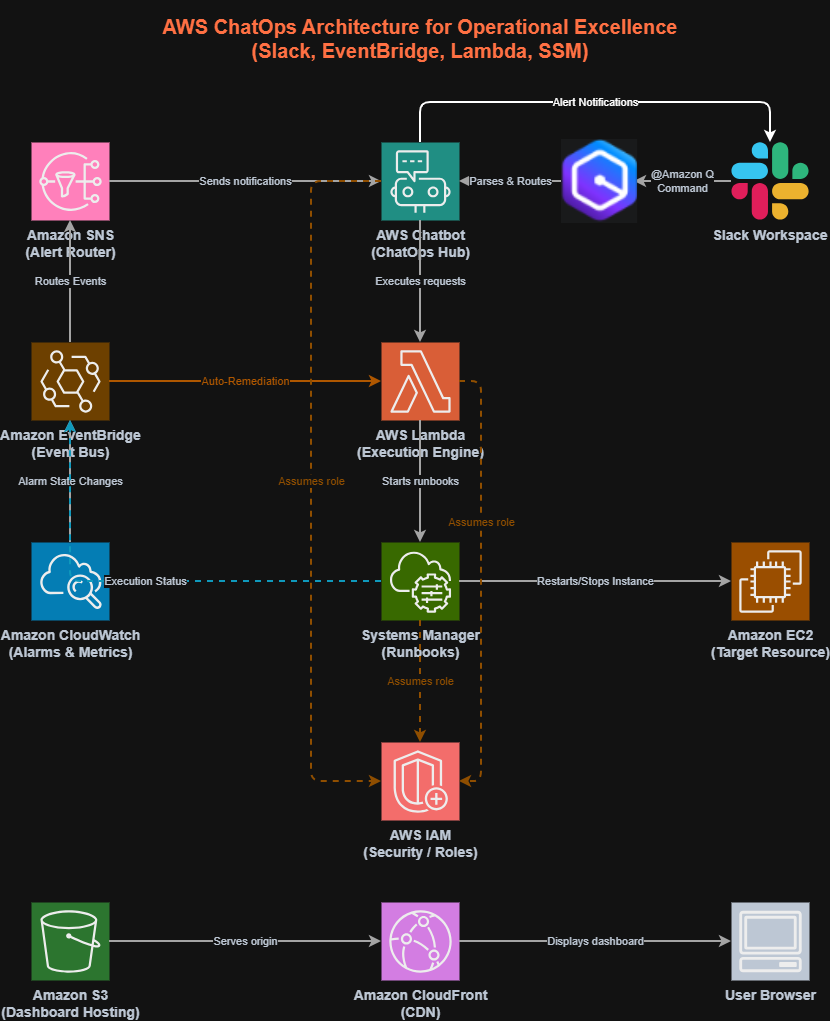
This architecture is broken down into seven distinct Terraform modules:
- IAM (
modules/iam): The security guardrails. - Runbooks (
modules/ssm): Predefined, safe operational scripts. - Execution (
modules/lambda): The engine translating chat commands. - Alerting (
modules/cloudwatch): The watchful eyes on the infrastructure. - Event Routing (
modules/eventbridge): The dispatcher. - ChatOps Interface (
modules/chatbot): The Slack integration powered by Amazon Q Developer. - Dashboard (
modules/dashboard): A centralized, static UI for overview metrics.
2. The Inbound Flow: Safe, Auditable Execution
The biggest fear engineers have with ChatOps is security. Giving a Slack channel the power to reboot production servers sounds terrifying. To solve this, I designed a strict Least-Privilege Chain.
When you type a command in Slack (e.g., @Amazon Q ssm start-automation-execution --document-name chatops-restart-instance), here is what happens:
- Amazon Q parses the command and passes it to AWS Chatbot.
- AWS Chatbot assumes a strictly scoped IAM role that is only allowed to read metrics and invoke a specific Lambda function. It cannot touch your servers.
- AWS Lambda executes the command by assuming its own role. But again, Lambda is not allowed to touch your servers. It is only allowed to trigger AWS Systems Manager (SSM) Runbooks.
- Systems Manager assumes the final role in the chain. This is the only role with permission to mutate resources (like restarting an EC2 instance).
This means if someone compromises your Slack workspace, they cannot run arbitrary, destructive commands. They can only execute the highly specific, pre-approved SSM Runbooks that you have codified into your infrastructure. Furthermore, every action taken is visible in the Slack channel, creating an instant, immutable audit trail of who did what, and when.
3. The Outbound Flow: Alerting and Auto-Remediation
On the flip side, we need AWS to tell us when things are wrong or when a remediation task finishes. The outbound flow handles two major use cases:
1. Infrastructure Alarms When a CloudWatch metric breaches its threshold, it enters an ALARM state. Amazon EventBridge catches this state change and does two things simultaneously:
- It routes the raw event to an SNS Topic, which pushes the alert down into your Slack
#aws-alertschannel via AWS Chatbot. - It routes the event directly to AWS Lambda to attempt auto-remediation. By wiring EventBridge directly to your execution engine, the system can attempt to heal itself before an on-call engineer even has time to read the Slack notification.
2. The Execution Feedback Loop When an engineer triggers a runbook from Slack, or when auto-remediation fires, we need to know if it actually worked.
- Once Systems Manager (SSM) finishes the runbook, it emits an execution status event (Success, Failed, etc.).
- This status event is caught by EventBridge.
- EventBridge routes the status to the SNS Topic.
- AWS Chatbot receives it and posts the final confirmation back to your Slack channel.
This creates a perfect, closed feedback loop: you get the alert in Slack, you send the fix from Slack, and you get the confirmation of the fix right back in Slack.
4. Lessons Learned in the Trenches
Building a fully automated ChatOps pipeline surfaced some deep technical gotchas that aren’t always obvious in the AWS documentation. If you are building this yourself, watch out for these:
The “ReadOnlyAccess” Trap. It is extremely tempting to attach the managed ReadOnlyAccess policy to your AWS Chatbot role as a quick security guardrail. Do not do this! Doing so silently blocks CloudWatch alarm events from rendering in Slack. Your Chatbot logs will just show an ambiguous Event received is not supported error. You must explicitly attach specific read-only guardrail policies (like CloudWatchReadOnlyAccess and AWSResourceExplorerReadOnlyAccess).
Formatting Breaks Chatbot. I initially tried using EventBridge input_transformers to format my CloudWatch alerts into cleaner strings before sending them to SNS. Big mistake. AWS Chatbot expects raw JSON events. If you transform the event into a string, the Chatbot drops it entirely. Give Chatbot the raw event, and let it render its native, beautiful UI in Slack.
Amazon Q Expects Strict Syntax. When interacting with Amazon Q Developer in Slack, it behaves very much like a CLI, but without the aws prefix. You can't just say @Amazon Q run my lambda. You must be exact: @Amazon Q lambda list-functions --region us-east-1
5. How to Deploy the Project
I’ve open-sourced this entire Terraform setup. If you want to deploy it, the process is streamlined.
First, you’ll need to authorize the AWS Chatbot application in your AWS Console manually (since Terraform cannot complete the Slack OAuth flow for you). Once you have your Workspace ID and Channel ID, update your terraform.tfvars file and run:
# Initialize Terraform
terraform init

# Deploy the foundational security roles
terraform apply -target=module.iam

# Deploy the Runbooks, Execution Engine, and Alerting pipeline
terraform apply -target=module.ssm
terraform apply -target=module.lambda
terraform apply -target=module.cloudwatch
terraform apply -target=module.eventbridge

# Finally, connect Slack
terraform apply -target=module.chatbot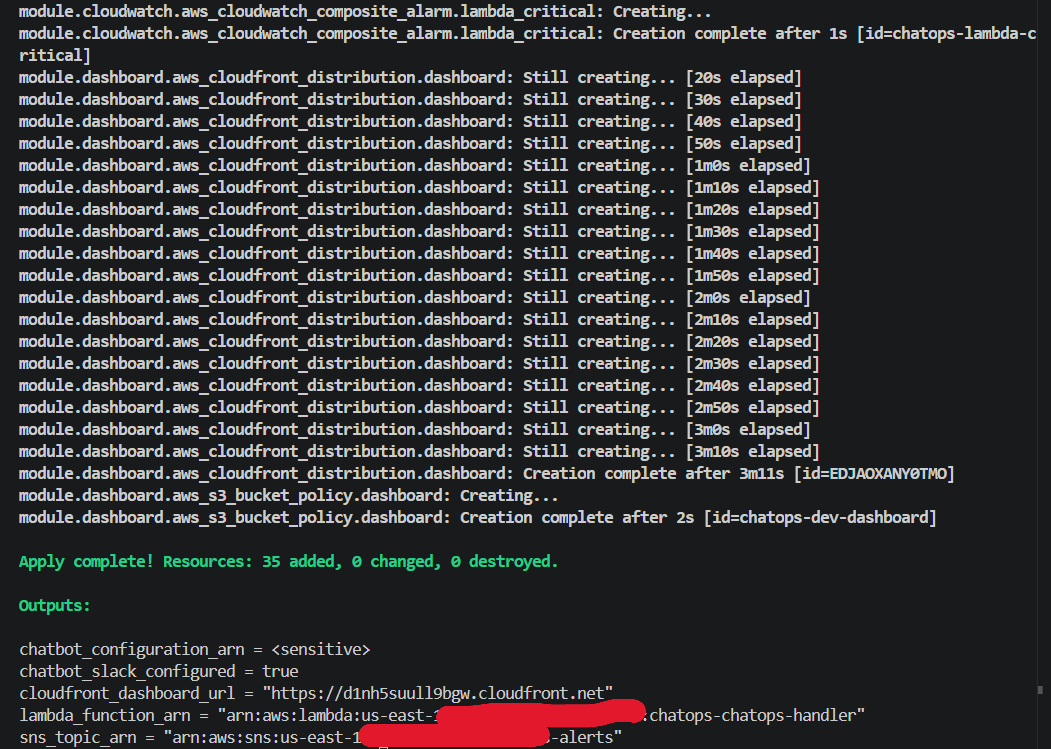
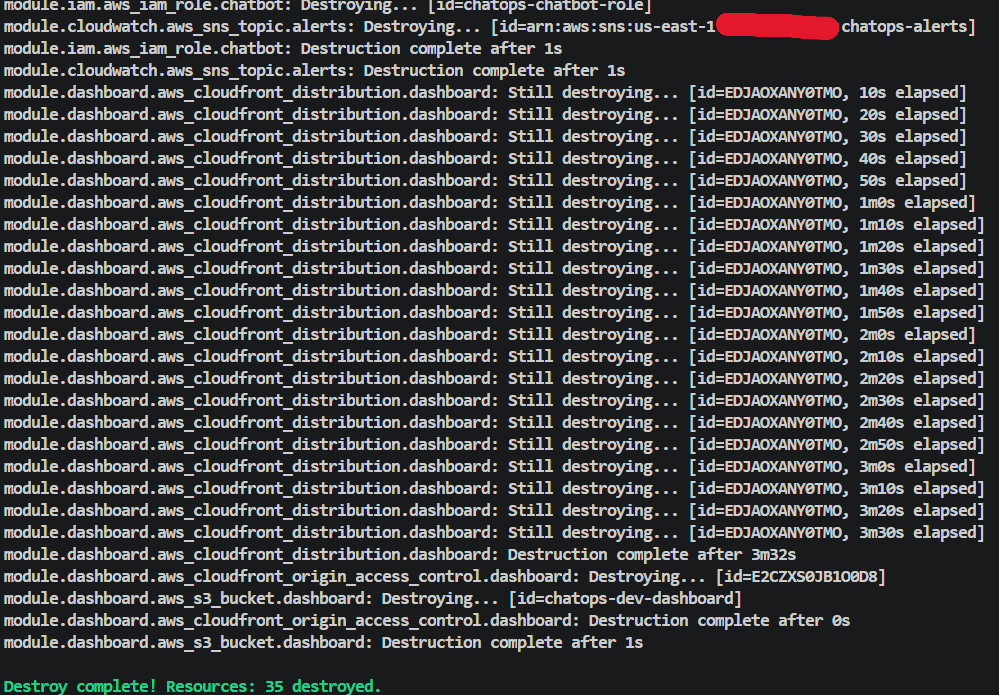
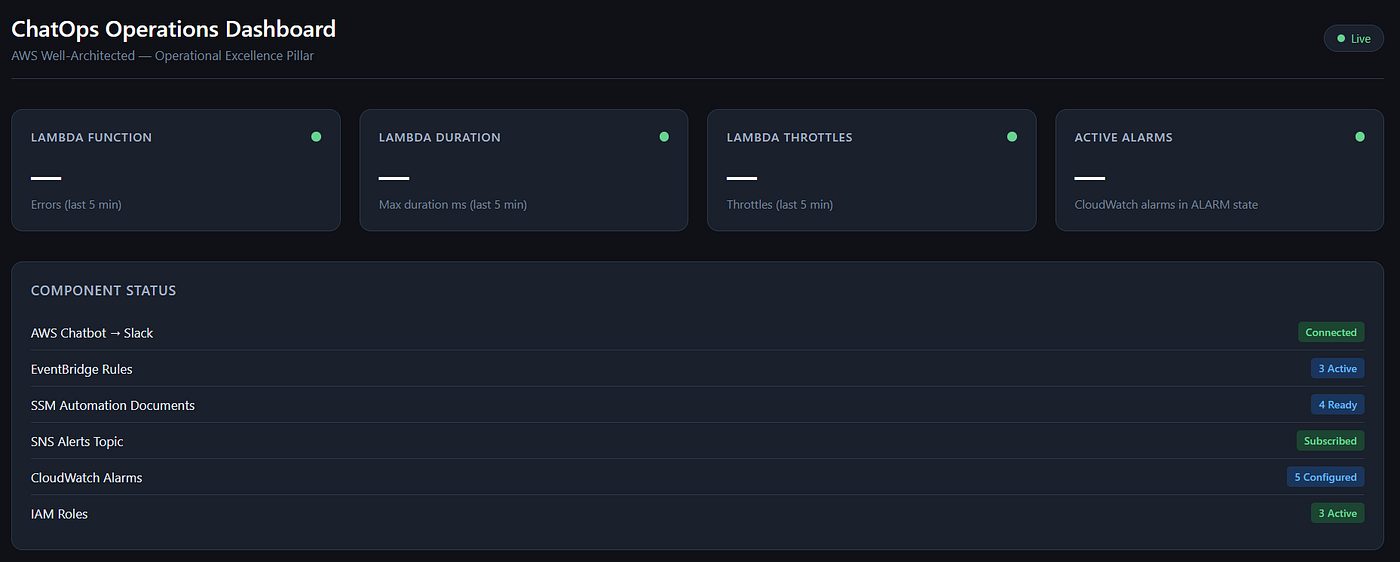
Infrastructure deployment and ChatOps Dashboard
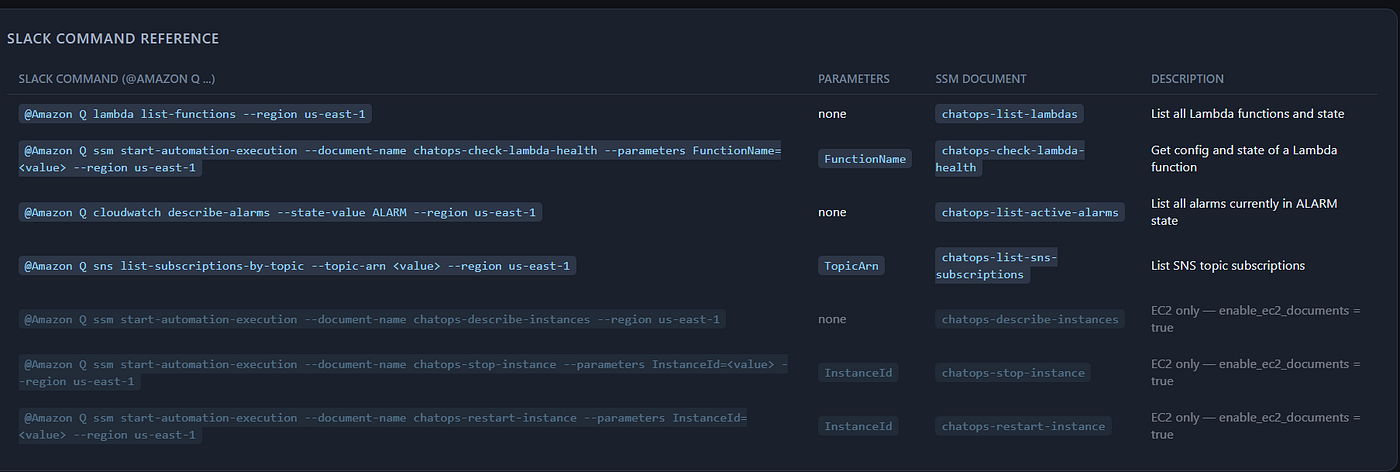
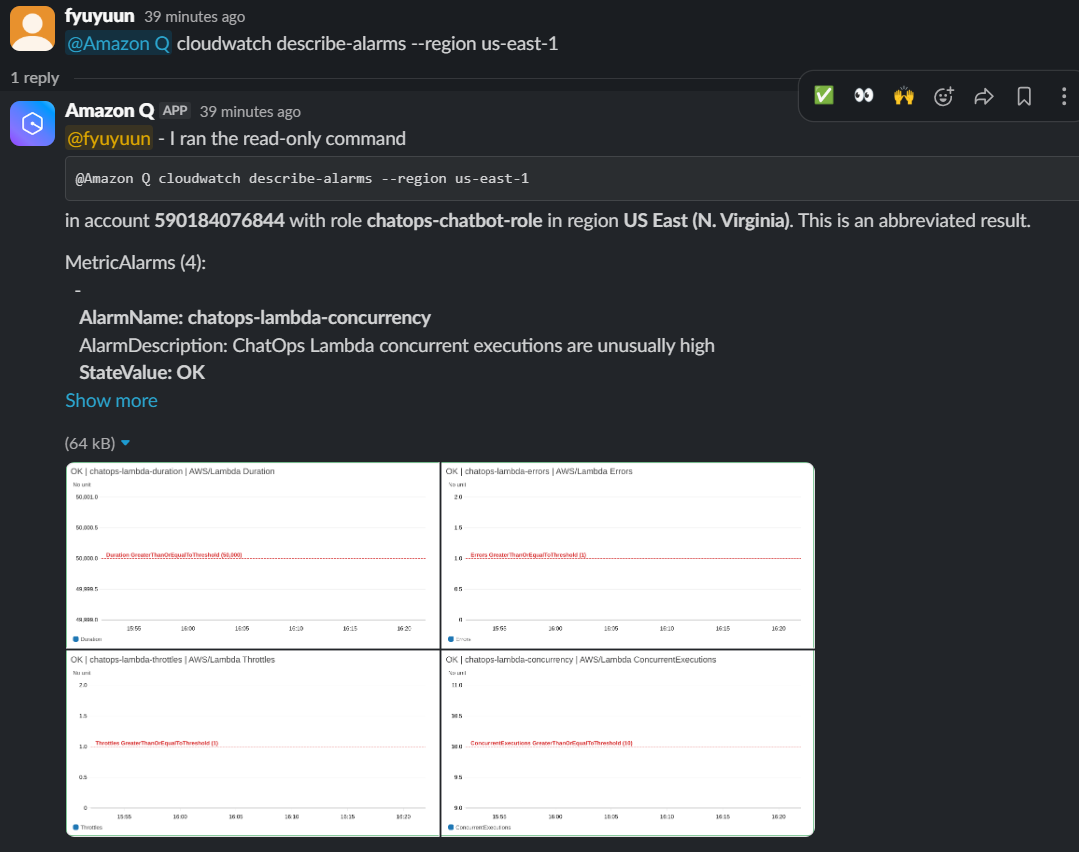
ChatOps Dashboard and Slack notification
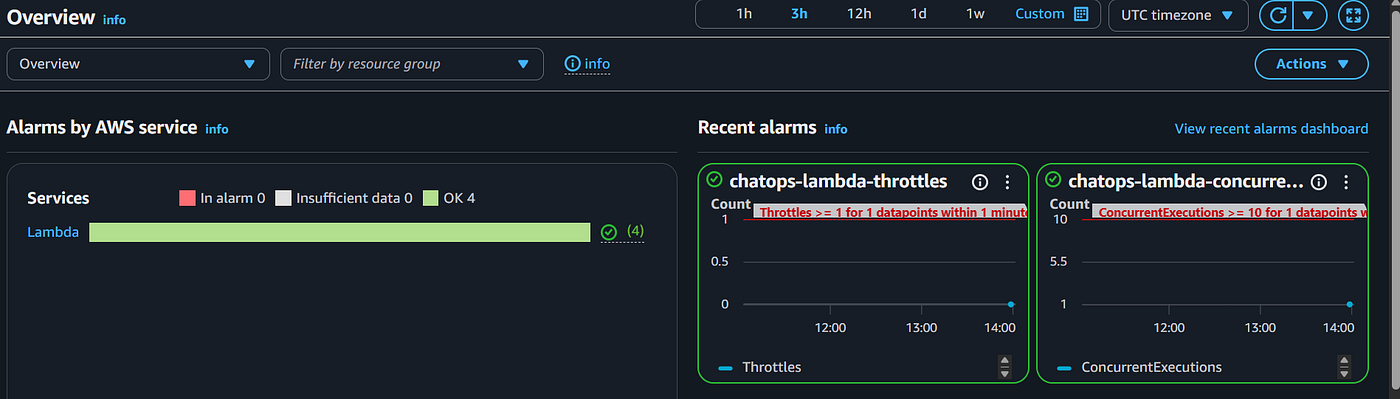
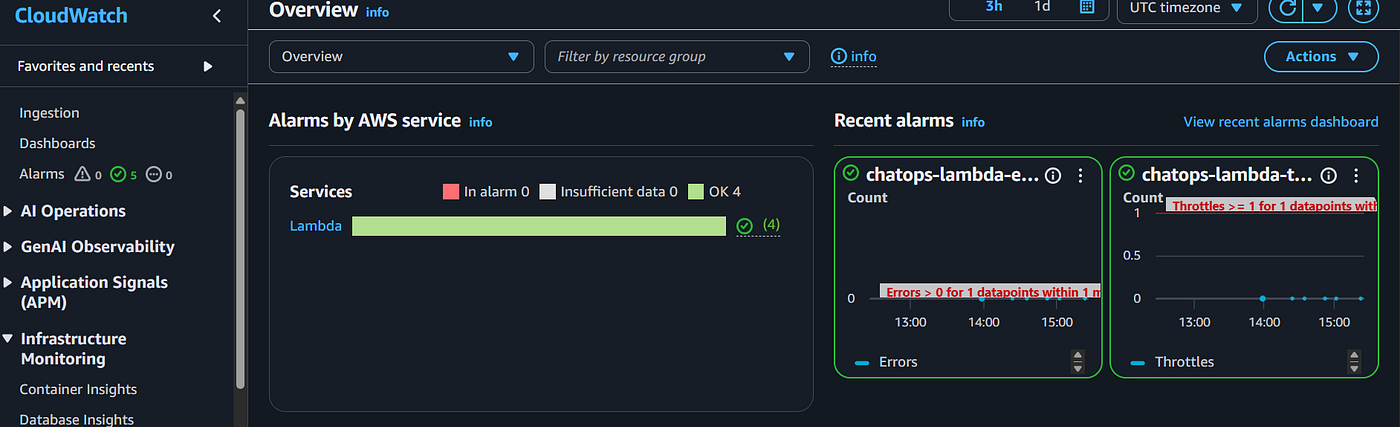
CloudWatch Event Metrix
Conclusion
Operational Excellence isn’t about perfectly predicting every failure; it’s about designing your operations so that when a failure inevitably happens, the friction to resolve it is as close to zero as possible.
By moving operations into Slack via AWS Chatbot and SSM Runbooks, you eliminate context switching, you secure your execution paths, and you turn incident response into a collaborative, highly visible team effort. You stop fighting the console, and you get back to building.
Check out the full project code on GitHub: [Link]
Let’s connect on [LinkedIn]
Thanks for reading — if this helped, a clap makes it easier for others to find.
메타데이터
- post_id
- cf19e2faee3a
- slug
- taming-aws-operations-with-chatops-building-a-secure-real-time-bot-with-terraform-cf19e2faee3a
- url
- https://medium.com/@fyuyuun/taming-aws-operations-with-chatops-building-a-secure-real-time-bot-with-terraform-cf19e2faee3a
- canonical_url
- https://medium.com/@fyuyuun/taming-aws-operations-with-chatops-building-a-secure-real-time-bot-with-terraform-cf19e2faee3a
- author_url
- https://medium.com/@fyuyuun
- status
- ok
- fetched_at
- 2026-06-13 16:00:06