Introducing Explore Beta
A building’s graph holds context: every point, asset, and space, and the relationships between them. But until now, the only way to inspect…
Introducing Explore Beta

A building’s graph holds context: every point, asset, and space, and the relationships between them. But until now, the only way to inspect the Mapped graph was to query it. That works when you know what you’re looking for. It doesn’t when you don’t.
You only catch the problems you already thought to ask about, and you only imagine the possibilities you already knew to look for.
That’s why we built Explore Beta, our newly designed interface for graph traversal. The premise is simple:
- Navigate to a starting point in your graph. This could be anything: a temperature reading, a room, a piece of equipment.
- Traverse from one entity to another along its connections. This is where you feel the graph.
Why you’d want to explore
- Check an asset’s composition. Does this AHU have the same points, components, and relationships as its peers, or is it an outlier worth a second look?
- Follow a system the way the medium moves through it. Trace air or water from asset to asset along feeds and serves relationships.
- Walk the model the way you’d walk the building. Floor by floor, inspecting equipment as you go.
- Confirm the graph is sound before anything downstream relies on it. This is our own last step of verification before a model goes live.
Freely exploring a graph is how we build confidence in a building’s model. Now you can build that same confidence in yours.
Components
The sidebar: your building’s taxonomy
Every class present in your building, as an expandable tree: Things, Places, Points, Collections, People, Work Orders. Each class shows its instance count, so you know what you have before you click anything.
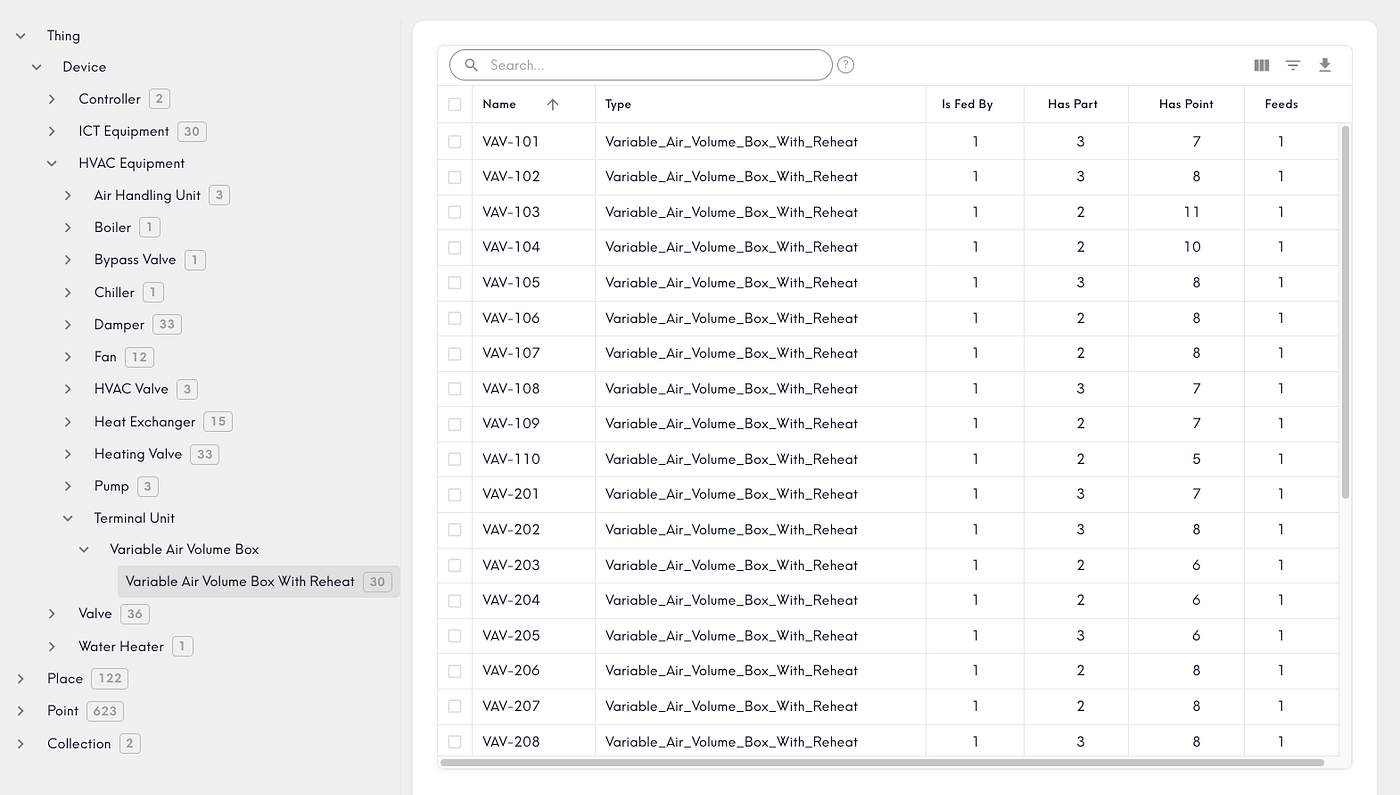
The list: find an instance
Select a class and you get every instance in a searchable grid, with columns that adapt to the type. This is where pattern recognition happens. A pump with zero points, a space nothing serves. These stand out in a table in a way they never do in a query result.
The entity: traverse
Every relationship on an entity’s page is a link. Click one and you’re on that entity’s page, its own relationships fanning out. You traverse the graph the way it’s actually structured, one hop at a time.
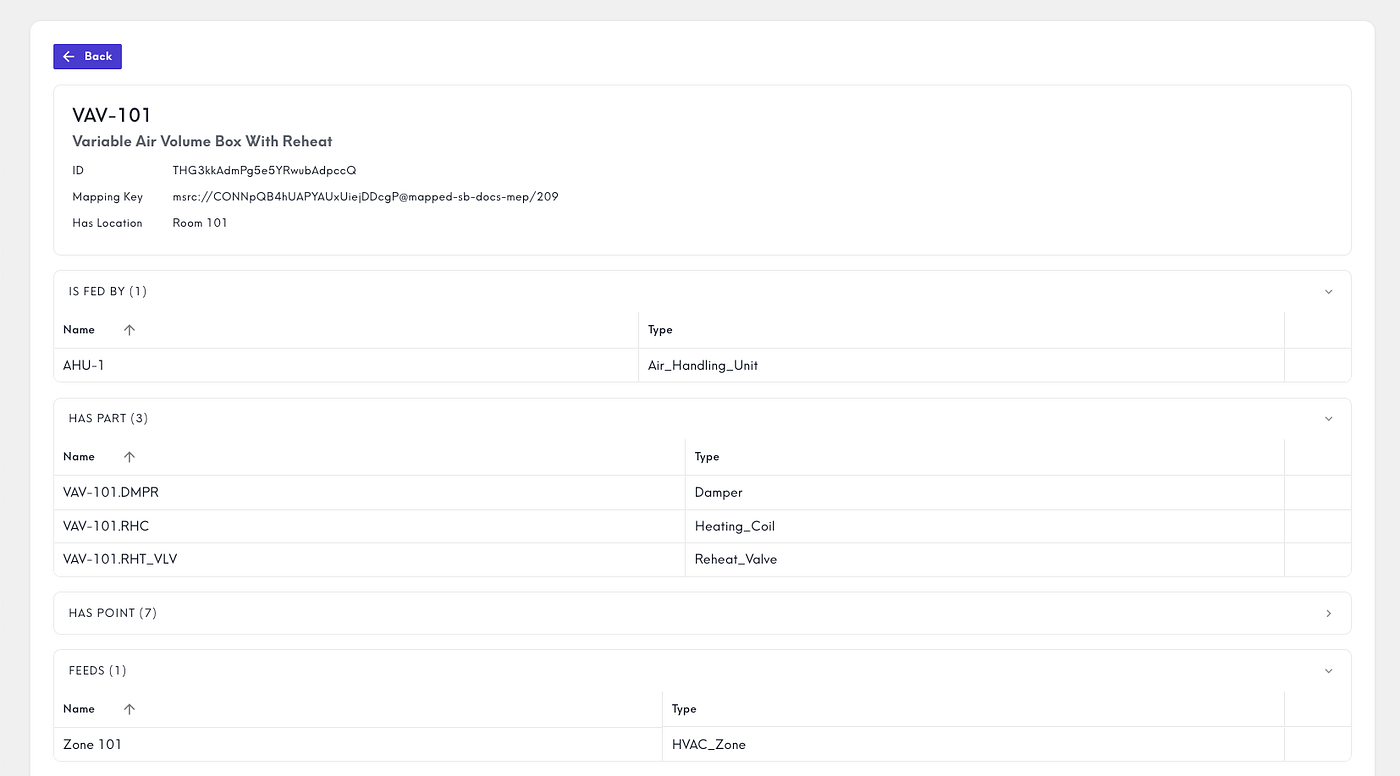
Navigate to where you want to be. Traverse to understand what’s there. That’s Explore.
Explore Beta is available now in the Console.
Try it free. Spin up a workspace and start exploring your own building graph.
Book a demo. Want us to walk you through it on your portfolio? Talk to our team.
메타데이터
- post_id
- cf1f1e9c170f
- slug
- introducing-explore-beta-cf1f1e9c170f
- url
- https://blog.mapped.com/introducing-explore-beta-cf1f1e9c170f
- canonical_url
- https://blog.mapped.com/introducing-explore-beta-cf1f1e9c170f
- author_url
- https://medium.com/@connorcantrell
- status
- ok
- fetched_at
- 2026-07-08 16:17:31